Recruitment CRM: Mustagel Recruitment Success Story

For a recruitment and domestic worker services company, customer communication rarely ends after the first inquiry. Customers may ask about available services, return with additional questions, follow up on previous conversations, or need assistance at different stages of their journey.

For Mustagel Recruitment, based in Riyadh, managing these interactions required more than simply receiving customer messages.

The company adopted ConnectGain to create a more connected workflow between incoming conversations, team distribution, customer data, and ongoing WhatsApp follow-up.

The Challenge: Managing Conversations Beyond the First Message

Customer communication in recruitment services can involve multiple interactions over time.

A potential customer may contact the company today, ask about a service, leave the conversation, and return later. Another customer may be waiting for a response from the team, while someone else may require proactive follow-up.

As the number of conversations increases, the challenge becomes keeping track of what needs attention.

Which conversations haven’t been answered? Which customers are waiting for a reply? Which conversations require action from the team? And how can employees reconnect with customers who have already interacted with the company?

Mustagel needed a communication environment that could organize both incoming inquiries and ongoing customer engagement.

The Solution: A Unified Inbox for Customer Conversations

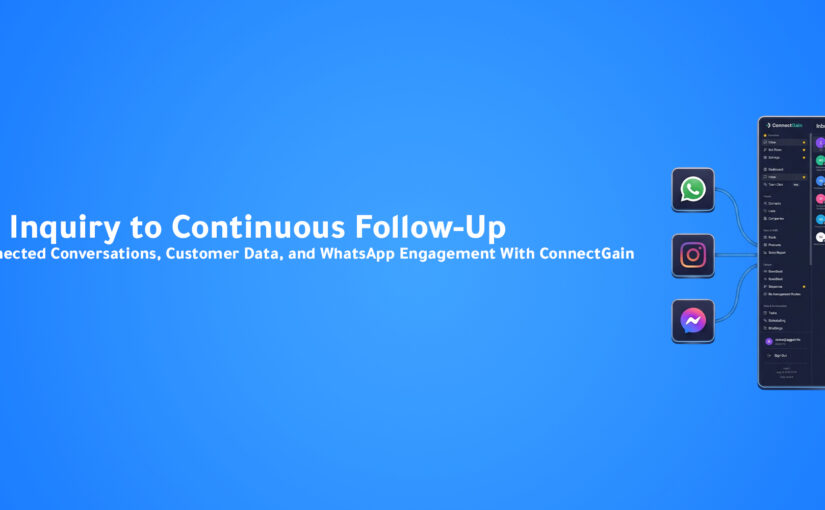
At the center of the Mustagel implementation is ConnectGain Inbox.

Conversations from multiple connected communication channels can be received and managed through one centralized Inbox, giving the team a shared workspace for customer communication.

Dedicated channel sections separate conversations according to their source, helping prevent messages from different channels from becoming mixed together.

Instead of managing communication around several separate inboxes, the team can work from one centralized environment.

Knowing Which Conversations Need Attention

Centralizing conversations is useful, but the team also needs to understand the status of those conversations.

ConnectGain provides multiple Inbox filters that help Mustagel identify where action is required.

These include:

Unread → Unanswered → Waiting for Client Reply → Waiting for Our Reply

Alongside other available conversation status filters.

This gives the team a more structured way to prioritize communication.

Instead of manually opening conversations to determine what happened last, employees can use conversation status to identify which customers require attention.

Automatic Conversation Distribution

Once a new inquiry enters the Inbox, ConnectGain can automatically distribute it among available team members.

Assignment is based on employees who are currently online.

The workflow becomes:

Customer Inquiry → Unified Inbox → Available Agent → Conversation Assigned → Customer Assisted

This reduces the need for manual conversation assignment and helps create clearer ownership across the team.

For Mustagel, that means incoming customer inquiries can move directly from the communication channel into an organized team workflow.

From Conversations to Customer Data

A customer conversation shouldn’t lose its value once the immediate interaction ends.

Mustagel uses ConnectGain Contacts Management to maintain information about customers who have previously interacted with the company.

Customer information and conversation history can remain available within the platform, creating a centralized customer database that the team can use for future communication.

This changes the relationship between conversations and customer data.

Instead of:

Conversation → End

the journey can become:

Conversation → Customer Contact → Future Follow-Up

Reconnecting With Existing Customers

Saved Contacts allow Agents to initiate new conversations with existing customers when required.

This is particularly useful when the relationship with the customer extends beyond a single interaction.

Rather than treating a returning customer as an entirely new inquiry, the team can work with customer information already maintained within the platform.

That creates greater continuity between previous communication and future follow-up.

Turning Customer Data Into WhatsApp Engagement

Mustagel also uses WhatsApp Campaigns within its ConnectGain workflow.

The team can send predefined WhatsApp messages to selected customers, supporting ongoing engagement and customer follow-up.

Because customer information is maintained within Contacts, the business can use its existing customer database as part of targeted WhatsApp communication.

This connects two sides of the customer relationship:

Inbound Communication: Customers contact Mustagel with inquiries.

Outbound Communication: Mustagel can reconnect with selected customers through WhatsApp Campaigns.

Instead of customer communication stopping when an Inbox conversation ends, ConnectGain helps create a path for continued engagement.

Connecting the Inbox With WhatsApp Follow-Up

This connection between conversations, Contacts, and Campaigns is one of the most important parts of the Mustagel workflow.

A customer may initially contact the company through a connected channel. The conversation enters the Unified Inbox and is handled by an available Agent.

The customer’s information remains available through Contacts.

Later, that data can support another customer conversation or a targeted WhatsApp Campaign.

The journey becomes:

Customer Inquiry → Unified Inbox → Agent Assignment → Conversation → Contact Saved → WhatsApp Follow-Up → Ongoing Engagement

This turns customer communication from a collection of isolated conversations into a more continuous workflow.

Roles and Permissions

As with any centralized customer platform, access control is important.

Mustagel’s ConnectGain Dashboard includes an Admin role and multiple Agent users.

The Admin can define and manage permissions for each Agent, including access to customer conversations within the Inbox, WhatsApp and other connected communication channels, customer Deals, and different areas and functionalities within the Dashboard.

This gives Mustagel centralized customer data and communication while maintaining control over which employees can access different areas of the platform.

Giving Teams Structure Without Losing Control

Centralizing conversations, Contacts, and Campaigns creates operational value, but different employees may have different responsibilities.

Role-based permissions allow Mustagel to align platform access with those responsibilities.

Agents can receive access to the functionality required for their work, while the Admin retains control over the broader ConnectGain environment.

This creates a balance between team collaboration and controlled customer data access.

The Business Value

The Mustagel implementation brings several customer communication activities into a more connected environment.

The company gains a Unified Inbox for customer conversations, automatic distribution among available employees, conversation status filters, centralized Contacts Management, targeted WhatsApp Campaigns, and role-based access control.

For the team, this creates a clearer way to understand which conversations need attention and who is responsible for handling them.

For ongoing customer engagement, it creates a connection between previous conversations and future WhatsApp follow-up.

From Customer Messages to a Continuous Engagement Workflow

The biggest change is not simply centralizing messages.

It is connecting different stages of customer communication.

Instead of:

Incoming Message → Agent Response → Conversation Ends

Mustagel can operate through a broader workflow:

Incoming Message → Unified Inbox → Prioritized Conversation → Agent Assignment → Contact Data → Follow-Up Campaign → Continued Customer Engagement

This gives the company a more structured foundation for managing customer relationships over time.

Conclusion

For Mustagel Recruitment, customer communication extends beyond answering the first inquiry.

Customers may require follow-up, return after previous conversations, or need additional communication as their journey continues.

With ConnectGain, Mustagel can centralize conversations, automatically distribute inquiries among available team members, use Inbox filters to identify conversations requiring attention, maintain customer information through Contacts, and reconnect with selected customers using WhatsApp Campaigns.

The result is a connected communication model:

Receive the inquiry. Organize the conversation. Keep the customer context. Follow up when it matters.

For Mustagel Recruitment, ConnectGain turns customer communication from isolated messages into a more continuous customer engagement workflow.

Ready to Connect Customer Conversations With Follow-Up?

With ConnectGain by Appgain, businesses can manage more than incoming customer messages.

Connect your conversations with customer data, team assignment, WhatsApp Campaigns, and ongoing follow-up—all within a more centralized customer communication workflow.

Turn every conversation into customer context—and every customer relationship into an opportunity for smarter follow-up.

Contact Us

📞 WhatsApp: +20 111 998 5526
🌐 Website: appgain.io
📧 Email: He***@*****in.io
About Appgain

Appgain is an Agentic AI company helping businesses turn customer conversations into intelligent business workflows.

Through ConnectGain, organizations can connect AI with CRM, WhatsApp, voice, social messaging, customer data, and automation—helping teams move from customer conversations to real business actions.

ConnectGain by Appgain

AI That Works Where Your Business Works.


Customer Communication: 10Percent Academy Success Story

For an e-learning platform, delivering a strong learning experience starts before a learner even joins a course. Potential and existing learners may reach out with questions, request information, or need assistance at different stages of their journey.

For 10Percent Academy, managing these customer interactions across multiple communication channels required a more centralized approach.

The academy subscribed to ConnectGain Dashboard to bring customer conversations into one environment, organize how incoming inquiries are distributed among team members, and maintain clear control over what each employee can access.

The Challenge: Managing Conversations Across Multiple Channels

10Percent Academy is a premium e-learning platform focused on practical, expert-led education designed to help learners continuously develop their skills and accelerate their career growth.

As customer communication takes place across multiple connected channels, managing each channel independently can make the team’s workflow more fragmented.

Employees may need to move between different communication environments to monitor conversations, respond to inquiries, and determine who is responsible for each customer.

The academy needed a centralized communication workflow where conversations could be managed by the team without making each individual channel a separate operational workspace.

The Solution: ConnectGain Unified Inbox

The core of the 10Percent Academy implementation is ConnectGain Inbox.

Conversations from multiple connected communication channels are received and managed through one Unified Inbox.

Instead of requiring the team to manage each channel separately, employees can work from a single interface where customer conversations are centralized.

The workflow becomes:

Multiple Communication Channels → ConnectGain Unified Inbox → Team Member → Customer Response

This gives the academy one operational environment for managing customer interactions across its connected channels.

Creating a Central Workspace for Customer Communication

A Unified Inbox is more than a place where messages appear.

It changes how the team approaches customer communication.

Instead of organizing work according to the channel where a customer happened to send a message, the academy can organize communication around the people responsible for handling those conversations.

This gives the team a centralized view of customer interactions and creates a more consistent workflow for managing incoming inquiries.

Automatic Conversation Distribution

Centralizing customer conversations solves one part of the challenge. The next step is determining who should handle each new inquiry.

10Percent Academy uses Automatic Conversation Distribution within ConnectGain.

Incoming conversations can be automatically distributed among team members who are currently online.

Instead of manually deciding who should handle every new customer conversation, ConnectGain helps route inquiries among available employees.

The process becomes:

New Customer Inquiry → Available Team Member Identified → Conversation Assigned → Customer Assisted

This creates clearer conversation ownership and helps organize the distribution of incoming communication across the team.

Reducing Manual Conversation Assignment

When a team manages multiple customer conversations, manually assigning every inquiry adds another operational step.

Someone needs to monitor incoming messages, identify available employees, and determine who should take responsibility for each conversation.

Automatic distribution helps simplify this process.

By assigning incoming conversations based on employee availability, 10Percent Academy can create a more structured communication workflow without relying entirely on manual coordination.

User Roles and Permissions

Centralizing customer conversations also requires clear access control.

10Percent Academy’s ConnectGain Dashboard includes an Admin role and multiple Agent users.

The Admin can define and manage permissions for individual Agents based on their responsibilities.

These permissions can include access to customer conversations within the Inbox, WhatsApp and other connected communication channels, customer Deals, and specific areas and functionalities within the ConnectGain Dashboard.

Giving Each Agent the Right Level of Access

Not every employee needs access to every part of a customer communication platform.

An Agent may need access to particular conversations or communication channels, while other areas of the CRM may not be relevant to their responsibilities.

With ConnectGain permissions, the Admin can control which parts of the platform each Agent can access.

This gives 10Percent Academy a way to maintain centralized customer communication while still keeping customer data and platform functionality appropriately controlled.

Connecting Conversations With Team Responsibility

The individual capabilities become more valuable when they work together as one workflow.

A customer can contact 10Percent Academy through a connected channel. The conversation enters the Unified Inbox. ConnectGain can distribute it to an available team member, and the employee can handle the inquiry according to the access permissions assigned to their account.

The workflow becomes:

Customer Message → Unified Inbox → Automatic Distribution → Authorized Agent → Customer Assistance

This creates a clearer connection between the incoming customer conversation and the team member responsible for handling it.

Building a More Organized Customer Communication Process

For an e-learning business, customer communication can support many stages of the learner relationship.

What matters operationally is ensuring those conversations have a clear place to go and a clear owner inside the team.

ConnectGain gives 10Percent Academy a centralized foundation for that process.

Instead of maintaining separate communication workflows around individual channels, the academy can bring customer interactions into one shared environment.

The Business Value

The 10Percent Academy implementation provides a more centralized structure for managing customer communication.

The academy gains one Unified Inbox for connected channels, automatic conversation distribution among available team members, and role-based permissions for Admins and Agents.

These capabilities help reduce fragmentation in the team’s communication workflow while providing management with greater control over platform access.

For employees, customer conversations can be managed from a central interface. For management, access can be defined according to each Agent’s responsibilities.

From Separate Channels to One Team Workflow

The biggest change is not simply putting messages into the same Inbox.

It is connecting incoming customer communication with team availability and employee responsibilities.

The model changes from:

Multiple Channels → Separate Management → Manual Coordination

to:

Connected Channels → Unified Inbox → Automatic Distribution → Controlled Agent Access

This provides a clearer operational structure for customer communication.

Conclusion

10Percent Academy needed a more organized way to manage customer conversations across connected communication channels while ensuring incoming inquiries could be distributed across its team.

With ConnectGain Unified Inbox, customer conversations can be managed through one centralized interface. Automatic Conversation Distribution helps route incoming inquiries among available employees, while Admin and Agent permissions provide control over who can access different channels, customer Deals, and platform functionality.

The result is a simpler model for managing customer communication:

One Inbox. Clearer ownership. Controlled access. A more organized team workflow.

For 10Percent Academy, ConnectGain creates a centralized communication environment that allows the team to focus more on the customer conversation and less on managing separate communication channels.

Ready to Centralize Your Customer Conversations?

With ConnectGain by Appgain, businesses can bring customer conversations from connected channels into one centralized workspace while making it easier to distribute inquiries across their teams and control employee access.

From a Unified Inbox and automatic conversation assignment to Admin and Agent permissions, ConnectGain helps teams create a more organized customer communication workflow.

Bring your conversations together. Give every inquiry an owner. Keep your team connected.

Contact Us

📞 WhatsApp: +20 111 998 5526
🌐 Website: appgain.io
📧 Email: He***@*****in.io
About Appgain

Appgain is an Agentic AI company helping businesses turn customer conversations into intelligent business workflows.

Through ConnectGain, organizations can connect AI with CRM, WhatsApp, voice, social messaging, customer data, and automation—helping teams move from customer conversations to real business actions.

ConnectGain by Appgain

AI That Works Where Your Business Works.


Unified Customer Inbox: The LapGo Store Success Story

For a retail business selling laptops, smart devices, and accessories, customer conversations can arrive from multiple social media channels throughout the day. Customers may ask about products, specifications, pricing, availability, warranties, or purchasing options before making a decision.

For LapGo Store, managing these interactions separately across different channels could create a fragmented workflow for the team. Employees need to monitor incoming conversations, respond to customers, share relevant products, and make sure each inquiry reaches an available team member.

LapGo Store subscribed to ConnectGain CRM to bring these activities into a more centralized customer communication workflow built around one Unified Inbox.

The Challenge: Customer Conversations Across Multiple Channels

Social media gives customers more ways to reach a business, but it also creates an operational challenge.

When conversations are managed separately across different platforms, employees may need to move between multiple inboxes throughout the day. This makes customer communication dependent on the structure of each individual channel rather than the workflow of the team handling those customers.

For a retail business, this becomes especially important because conversations are often directly connected to product discovery and purchasing decisions.

LapGo Store needed a way to centralize these interactions while maintaining clear conversation ownership and controlled access for different employees.

The Solution: One Unified Inbox for Customer Conversations

The core of the LapGo Store implementation is ConnectGain Inbox.

Conversations from multiple connected social media channels can be received and managed through one centralized Inbox, allowing the team to handle customer inquiries from a single interface instead of managing each channel separately.

The communication workflow becomes:

Multiple Social Channels → ConnectGain Unified Inbox → Available Team Member → Customer Response

This creates a centralized workspace where the team can focus on customer conversations without making each individual social platform a separate operational environment.

Bringing Product Discovery Into the Conversation

For LapGo Store, customer communication is closely connected to product discovery.

A customer may enter a conversation asking about a laptop, smart device, or accessory and then need additional product information before deciding what to purchase.

Through the WhatsApp Catalog integration, products can be displayed and shared directly within the ConnectGain Inbox experience.

This allows the team to provide relevant product information while continuing the customer conversation, making it easier for customers to browse and explore available products during the interaction.

Instead of treating product discovery and customer communication as completely separate activities, the two can become part of the same journey.

From Customer Question to Relevant Product

Consider a customer who contacts LapGo Store through WhatsApp asking about a laptop.

Without an integrated product experience, an employee may need to leave the conversation, locate the product information somewhere else, copy the relevant details, and then return to the customer.

With the WhatsApp Catalog connected to the Inbox, the team has a more direct way to introduce relevant products during the conversation.

The journey becomes more connected:

Customer Inquiry → Product Discussion → Relevant Product Shared → Customer Continues Exploring

For a retail business, reducing the distance between a customer’s question and the product they are considering can create a smoother communication experience.

Automatically Distributing Incoming Conversations

Centralizing customer messages solves one challenge, but another important question remains:

Who should handle each new conversation?

LapGo Store uses ConnectGain’s Automatic Conversation Distribution to assign incoming conversations among available team members.

Assignment is based on employees who are currently online, helping distribute customer inquiries across the team without requiring every conversation to be assigned manually.

The workflow becomes:

New Conversation → Check Available Team Members → Assign Conversation → Agent Handles Customer

This helps create clearer ownership of incoming inquiries and a more organized internal workflow.

Supporting Team Collaboration as Conversation Volume Grows

When several employees are responsible for customer communication, the challenge is not only answering messages quickly. The business also needs a structure for distributing the workload.

Automatic assignment helps prevent conversation management from depending entirely on employees manually selecting new inquiries.

Available team members can receive conversations according to the configured distribution workflow, giving LapGo Store a more structured approach to handling incoming customer communication.

This becomes increasingly valuable as conversations arrive from multiple connected channels.

User Roles and Permissions

Centralizing communication also requires control over who can access different parts of the platform.

LapGo Store’s ConnectGain Dashboard includes an Admin role and multiple Agent users.

The Admin can define and manage permissions for individual Agents according to their responsibilities. These permissions can include access to customer conversations within the Inbox, WhatsApp and other connected communication channels, customer Deals, and specific areas or functionality within the ConnectGain Dashboard.

This allows LapGo Store to centralize customer communication while maintaining controlled access across the team.

Giving Each Agent the Access They Need

Not every employee necessarily requires the same level of access.

An Agent responsible for customer conversations may need access to the Inbox and relevant channels, while another role may require access to additional CRM functionality.

By managing permissions at the Agent level, LapGo Store can align platform access more closely with employee responsibilities.

The result is a more controlled environment where centralization does not mean giving every user unrestricted access to every area of the system.

Connecting Communication, Products, and Team Ownership

The value of the LapGo Store implementation becomes clearer when the individual capabilities are viewed as one connected workflow.

A customer can start a conversation through a connected social channel. That conversation enters the Unified Inbox, can be assigned to an available team member, and can include product discovery through the WhatsApp Catalog.

At the same time, Admin permissions determine what different team members can access within the platform.

The journey becomes:

Customer Message → Unified Inbox → Automatic Assignment → Agent Conversation → Product Sharing → Continued Customer Assistance

Rather than solving only one communication problem, ConnectGain connects several operational steps around the customer conversation.

The Business Value

The LapGo Store implementation creates a more centralized foundation for managing customer communication across connected social channels.

The team gains one Unified Inbox for conversations, automatic distribution of incoming inquiries, WhatsApp Catalog integration for product sharing, and role-based access management for Admins and Agents.

Instead of customer communication being organized around the individual platform where each message originated, it can be organized around the team responsible for serving the customer.

For customers, this creates a more connected path between asking a question and exploring relevant products. For the team, it creates a clearer environment for receiving, distributing, and managing customer conversations.

From Multiple Inboxes to One Customer Communication Workflow

The important change for LapGo Store is not simply moving messages into another Inbox.

It is creating a central communication layer where multiple parts of the customer interaction can work together.

The model changes from:

Separate Channels → Separate Conversations → Manual Team Coordination

to:

Connected Channels → Unified Inbox → Automatic Distribution → Product Sharing → Customer Assistance

This provides the team with a more organized way to manage conversations while keeping the customer interaction connected to product discovery.

Conclusion

For LapGo Store, customer communication across social media needed to be easier to manage as one operational workflow.

With ConnectGain Unified Inbox, conversations from connected social channels can be managed centrally. Automatic Conversation Distribution helps route new inquiries among available employees, while the WhatsApp Catalog allows relevant products to become part of the customer conversation.

Admin and Agent permissions add another layer of control, ensuring employees can access the areas of ConnectGain relevant to their responsibilities.

The result is a simpler model for retail customer communication:

Multiple channels. One Inbox. Relevant products. Clear ownership. Controlled access.

For LapGo Store, ConnectGain turns scattered social conversations into a more centralized and manageable customer communication workflow.

Ready to Bring Every Customer Conversation Into One Place?

With ConnectGain by Appgain, businesses can centralize customer conversations across connected channels, distribute inquiries among their teams, manage access and permissions, and bring relevant customer and product information closer to every interaction.

Instead of making your team manage separate communication environments, create one connected workspace built around the customer.

Bring your channels together. Organize your team. Make every conversation easier to manage.

Contact Us

📞 WhatsApp: +20 111 998 5526
🌐 Website: appgain.io
📧 Email: He***@*****in.io
About Appgain

Appgain is an Agentic AI company helping businesses turn customer conversations into intelligent business workflows.

Through ConnectGain, organizations can connect AI with CRM, WhatsApp, voice, social messaging, customer data, and automation—helping teams move from customer conversations to real business actions.

ConnectGain by Appgain

AI That Works Where Your Business Works.


Too Many Tools Are Slowing Your Team Down: The Hidden Cost of Context Switching

Introduction

Open WhatsApp.

Check the CRM.

Copy the customer’s phone number.

Switch to email.

Search for the previous conversation.

Open the calendar.

Go back to the CRM.

Update the deal.

Check another messaging platform.

Create a task.

Return to WhatsApp.

Send the customer a reply.

None of these actions seems particularly difficult.

But when employees repeat them dozens—or hundreds—of times every day, something important happens.

Work becomes fragmented.

The problem isn’t necessarily that employees are working slowly.

The problem is that their attention is constantly moving between different systems.

This is known as context switching, and it has become one of the hidden productivity problems inside modern sales and customer service teams.

Businesses have invested in more software than ever before.

CRM platforms.

Messaging tools.

Email.

Calendars.

Call systems.

Support platforms.

Spreadsheets.

Internal communication tools.

Automation platforms.

Each tool may solve an individual problem.

But together, they can create a completely different one:

Employees spend too much time managing tools instead of managing customers.

What Is Context Switching?

Context switching happens when someone repeatedly moves between different tasks, applications, conversations, or sources of information.

For a sales representative, a typical workflow might look like this:

Customer sends a WhatsApp message.

The employee opens the CRM.

They search for the customer.

They return to WhatsApp.

The customer asks about a previous conversation.

The employee searches their notes.

They open the pricing document.

They return to WhatsApp.

The customer requests a meeting.

The employee opens the calendar.

They schedule the meeting.

They return to the CRM.

They create a task.

They update the opportunity.

One customer interaction has required several different systems.

Now multiply that process across an entire working day.

The issue isn’t simply the number of clicks.

It’s the constant need to mentally reconstruct what is happening.

More Software Doesn’t Always Mean More Productivity

Businesses often add new tools with good intentions.

A CRM improves customer management.

A messaging platform improves communication.

A calendar improves scheduling.

A support platform improves ticket management.

An analytics tool improves reporting.

Individually, each decision makes sense.

But over time, the technology stack becomes fragmented.

The sales team may have one system.

Customer support uses another.

Marketing has several more.

Calls happen somewhere else.

Customer conversations are spread across multiple channels.

Suddenly, employees aren’t working inside a connected system.

They’re working between systems.

And humans become the integration layer.

Your Employees Become Human APIs

Imagine this workflow.

A new customer sends a message through WhatsApp.

An employee reads it.

Then manually copies the customer’s details into the CRM.

The customer requests a meeting.

The employee opens the calendar.

After scheduling it, they return to the CRM.

They create a task.

Then they notify another employee.

Technically, the systems are working.

But who is connecting them?

The employee.

The person is effectively acting like an API between several disconnected tools.

They copy information.

Transfer context.

Trigger the next action.

Update records.

Remember what needs to happen.

This is expensive, difficult to scale, and vulnerable to human error.

The Real Cost Isn’t Just Time

Context switching affects more than productivity.

It can influence the entire customer experience.

Customer Context Gets Lost

A conversation happens on WhatsApp.

Another happens by phone.

An email arrives later.

If those interactions remain separated, the employee may not have the full picture.

The customer then hears:

“Can you explain what happened again?”

That’s not just inconvenient.

It makes the company feel disconnected.

Follow-Ups Become Harder to Manage

When the next action exists in someone’s memory rather than inside a connected workflow, it can easily be forgotten.

The employee may intend to follow up tomorrow.

Then another customer calls.

Five new messages arrive.

A meeting starts.

Tomorrow becomes next week.

CRM Data Becomes Incomplete

Every additional manual step creates another opportunity for information to disappear.

Employees may forget to:

Add notes.

Update contact details.

Move a deal.

Create a task.

Record an outcome.

The CRM eventually stops reflecting what is actually happening with customers.

Response Times Increase

Sometimes a customer is waiting even though an employee is technically working on their request.

The employee may simply be searching across systems.

The customer sees silence.

Behind the scenes, the team sees ten open tabs.

The 10-Tab Customer Journey

Think about a typical customer interaction.

The customer doesn’t care how many systems your business uses.

They simply expect the business to know who they are and what they need.

But internally, their journey may look like:

WhatsApp

↓

CRM

↓

Email

↓

Knowledge Base

↓

Calendar

↓

Spreadsheet

↓

Internal Chat

↓

CRM Again

From the customer’s perspective, it’s one conversation.

From the employee’s perspective, it’s an entire technology stack.

That’s the disconnect modern businesses need to solve.

Why Adding Another Dashboard Isn’t the Answer

When businesses recognize operational inefficiency, the instinct is often to buy another platform.

Another dashboard.

Another analytics screen.

Another automation tool.

Another place employees need to log into.

But adding another interface can sometimes make the problem worse.

The better question is:

Can intelligence and automation work inside the systems where employees and customers already operate?

Instead of asking employees to constantly find the right information, technology should bring the right information into the workflow.

Instead of asking employees to manually transfer data, systems should communicate automatically.

Instead of adding another place to check, AI should help reduce the number of places that require attention.

From Tool-Centric Work to Conversation-Centric Work

Most business software is organized around systems.

CRM.

Email.

Phone.

Messaging.

Support.

But customers don’t think in systems.

They think in conversations.

A customer may:

Discover the company on Instagram.

Send a WhatsApp message.

Speak with someone by phone.

Receive an email.

Book a meeting.

Return to WhatsApp.

To the customer, this is one relationship with one company.

Businesses therefore need a way to preserve context across the journey.

The question shouldn’t be:

“Which channel did the customer use?”

It should be:

“Who is this customer, what has already happened, and what needs to happen next?”

One Customer, One Context

Imagine a different experience.

A customer sends a WhatsApp message.

The employee immediately sees:

Who the customer is.

Previous conversations.

Existing CRM information.

Open opportunities.

Previous calls.

Current tasks.

Relevant customer details.

The employee doesn’t need to reconstruct the relationship manually.

The context is already there.

If the customer requests an action, the workflow can continue without repeatedly copying information between systems.

That fundamentally changes how employees work.

Where AI Changes the Workflow

AI becomes valuable when it reduces the work surrounding the conversation.

For example, during a customer interaction, AI can help:

Identify the customer.

Understand intent.

Retrieve relevant information.

Surface previous context.

Capture important details.

Summarize the conversation.

Trigger the appropriate workflow.

Update connected systems.

Create required tasks.

The employee remains focused on the customer while technology handles much of the coordination happening behind the scenes.

That’s a very different use of AI from simply generating text.

What a Connected Workflow Looks Like

Consider a potential customer asking for a demonstration.

In a fragmented environment:

Message Received

↓

Employee Reads Message

↓

Opens CRM

↓

Searches Customer

↓

Returns to Message

↓

Opens Calendar

↓

Books Meeting

↓

Returns to CRM

↓

Updates Opportunity

↓

Creates Task

↓

Sends Confirmation

Now compare that with a connected workflow:

Customer Requests Demo

↓

Customer Identified

↓

Context Retrieved

↓

Meeting Scheduled

↓

CRM Updated

↓

Task Created

↓

Confirmation Sent

The business outcome is the same.

The amount of manual coordination is not.

Unified Customer Conversations Matter

Another part of the problem is channel fragmentation.

Customers communicate through:

WhatsApp.

Instagram.

Messenger.

Email.

Web Chat.

Voice.

Other messaging channels.

If each channel operates as a separate inbox, employees need to continuously monitor different environments.

A Unified Inbox can bring those conversations into one operational view.

That means employees can spend less time checking channels and more time handling conversations.

But unifying messages is only the first step.

The real value comes when those conversations are connected with customer data and workflows.

ConnectGain: Reduce the Distance Between Conversation and Action

ConnectGain by Appgain is designed around this exact challenge.

Instead of treating customer conversations, CRM information, AI, and workflows as isolated environments, ConnectGain brings them together.

Customer conversations across multiple channels can enter a Unified Inbox.

From there, teams can access customer context and connect conversations with CRM processes and automated workflows.

A customer interaction can move through a connected journey:

Conversation Received

↓

Customer Context Available

↓

AI Understands Intent

↓

Information Captured

↓

CRM Updated

↓

Task Triggered

↓

Team Continues the Conversation

The objective isn’t to give employees another tool to manage.

It’s to reduce the manual coordination required between the tools and conversations they already manage.

What Businesses Gain From Less Context Switching

Reducing fragmented work can create improvements across several areas.

More Time for Customers

Employees spend less time searching, copying, and updating.

Faster Responses

Information becomes easier to access during conversations.

Better Customer Context

Teams can understand previous interactions without reconstructing them manually.

Cleaner CRM Data

Information can move into customer records as part of the workflow.

Fewer Missed Actions

Tasks and next steps become less dependent on memory.

Easier Scaling

Growing conversation volume doesn’t require the same growth in repetitive administrative work.

Most importantly, employees can focus on the work they were actually hired to do.

Salespeople can sell.

Support teams can solve problems.

Managers can manage.

Technology handles more of the coordination underneath.

Before Adding Another Tool, Ask These Questions

Businesses evaluating their technology stack should look beyond individual features.

Ask:

How many systems does an employee open to handle one customer?

How often is information manually copied between systems?

How many customer actions depend on someone remembering the next step?

Can employees see the full customer context from one place?

Are customer conversations connected to CRM activity?

Does automation reduce work—or simply create another dashboard?

These questions reveal operational friction that traditional software audits often miss.

The Future Isn’t More Tabs

For years, digital transformation often meant adding software.

Need better communication?

Add a tool.

Need CRM?

Add a platform.

Need analytics?

Add a dashboard.

Need automation?

Add another application.

But businesses are reaching a point where simply adding more software doesn’t necessarily create more efficiency.

The next stage is about orchestration.

AI understands the conversation.

Connected systems provide context.

Automation moves information.

Workflows trigger actions.

Employees remain focused on the outcome.

The technology increasingly operates in the background.

Conclusion

Your team may not have a productivity problem.

They may have a fragmentation problem.

When customer information, conversations, tasks, calendars, calls, and CRM activity exist across disconnected environments, employees spend part of every day rebuilding context and moving information manually.

Those small actions accumulate.

And as customer volume grows, the friction grows with it.

The solution isn’t necessarily another dashboard.

It’s creating a more connected operating environment where information follows the customer and actions flow naturally from conversations.

Because the best business technology doesn’t create more places for employees to work.

It removes the work between them.

Ready to Reduce the Work Between Your Tools?

ConnectGain by Appgain brings customer conversations, AI, CRM context, and workflows together so teams can spend less time switching between systems and more time moving customers forward.

Unify conversations, preserve customer context, automate repetitive actions, and connect every interaction with what needs to happen next.

Less switching. More selling. Better customer experiences.

Contact Us

📞 WhatsApp: +20 111 998 5526
🌐 Website: appgain.io
📧 Email: He***@*****in.io
About Appgain

Appgain is an Agentic AI company building intelligent systems that work where businesses already work.

Through ConnectGain, organizations can bring together customer conversations, CRM context, AI, voice, and business workflows—reducing operational friction and helping teams turn conversations into action.

ConnectGain by Appgain

AI That Works Where Your Business Works.


Why Businesses Lose Customers Across Multiple Channels (And How to Fix It)

Introduction

Imagine this.

A potential customer discovers your business on Instagram.

Later that day, they send a message on WhatsApp asking about pricing.

The following morning, they call your sales team to ask another question.

A few hours later, they submit a contact form through your website.

From the customer’s perspective, this is one continuous conversation.

From your company’s perspective, it’s often four completely separate conversations.

Each interaction is handled by a different employee.

Each channel stores different information.

Each department sees only part of the customer’s journey.

And that’s exactly where businesses begin losing customers.

Today’s customers don’t think in channels.

They don’t care whether they contacted you through WhatsApp, Instagram, Email, or your website.

They expect every conversation to continue exactly where the previous one ended.

When businesses fail to provide that experience, customers become frustrated, sales cycles become longer, and opportunities quietly disappear.

The problem isn’t slow replies.

The problem is fragmented communication.

The Hidden Cost of Fragmented Communication

Most companies don’t realize how much money fragmented communication actually costs them.

At first glance, everything appears to be working.

The marketing team generates leads.

The sales team answers inquiries.

Customer support resolves tickets.

Managers monitor reports.

Each department uses the tools they prefer.

Everything seems organized.

Until you follow one customer journey.

Suddenly, the cracks become obvious.

The customer’s Instagram conversation never reaches the sales team.

The WhatsApp inquiry isn’t attached to the CRM.

The phone call isn’t linked to previous messages.

Support has no idea what Sales promised.

Marketing continues sending promotional campaigns to customers who already purchased.

No individual employee made a mistake.

The systems simply never communicated with one another.

The customer experiences your business as one company.

Your technology behaves like six different companies.

That disconnect creates friction at every stage of the customer journey.

Customers Don’t Care About Your Internal Systems

Businesses often organize communication based on departments.

Marketing handles social media.

Sales manages WhatsApp.

Support answers emails.

Operations handle phone calls.

Each team works efficiently inside its own environment.

The customer, however, doesn’t see departments.

They only see your brand.

If they need to explain the same problem to three different employees, they don’t blame your CRM.

They blame your company.

Modern customers expect businesses to remember who they are, what they asked yesterday, and what happened five minutes ago—regardless of which communication channel they choose next.

The expectation isn’t unreasonable.

Technology has made seamless experiences the new standard.

Companies that fail to deliver them appear disorganized, even when their employees are working incredibly hard.

Every Conversation Starts From Zero

One of the biggest warning signs of disconnected communication is hearing customers say:

“I already explained this.”

Or:

“Can you see my previous messages?”

Or even worse:

“Never mind.”

Every time a customer has to repeat information, trust decreases.

Not because repeating information is difficult.

Because it signals that your business isn’t listening.

Imagine explaining your requirements through WhatsApp.

The next day, you call the company.

The representative asks for your name again.

Then asks you to explain the issue again.

Then asks which product you’re talking about.

Later, another employee emails asking exactly the same questions.

By the fourth interaction, the customer no longer feels like they’re speaking to one company.

They feel like they’re starting over every single time.

That experience creates frustration long before price or product quality become factors.

Customers don’t leave because they dislike your solution.

Many leave because communicating with your business feels unnecessarily difficult.

Communication Silos Create Invisible Revenue Loss

The financial impact of disconnected conversations is rarely obvious.

Businesses usually measure:

  • Marketing spend
  • Lead generation
  • Sales revenue
  • Customer support performance

But very few measure the cost of communication silos.

Consider what happens when:

  • A high-value customer messages your business on Instagram but receives a reply three hours later because the social media team doesn’t work evenings.
  • The same customer switches to WhatsApp, where the sales representative has no idea about the previous conversation.
  • The customer calls your office and repeats everything once again.
  • Support eventually resolves the issue, but the CRM still shows the customer as an active sales opportunity.

Every delay.

Every repeated question.

Every disconnected interaction.

Adds friction.

And friction quietly kills conversions.

Customers rarely tell you they left because your communication was fragmented.

They simply stop replying.

Why This Problem Is Getting Worse

Ten years ago, most businesses managed only two communication channels:

  • Phone
  • Email

Today, customers expect businesses to be available across:

  • WhatsApp
  • Instagram
  • Facebook Messenger
  • Live Chat
  • Email
  • Voice Calls
  • SMS
  • Website Forms
  • Mobile Apps

Each new channel creates another opportunity for customer data to become isolated.

Without a unified communication strategy, every new platform adds complexity instead of convenience.

Ironically, businesses invest in more communication channels to improve customer experience.

Yet without connecting those channels together, they often achieve the opposite.

Instead of becoming more accessible…

They become more fragmented.


Why Customers Hate Repeating Themselves

Customers don’t mind answering questions.

They mind answering the same questions repeatedly.

There is an important psychological difference.

When someone contacts your business, they’re looking for progress.

Each interaction should move the conversation forward.

Instead, many businesses unintentionally reset the conversation every time the customer switches communication channels.

A typical customer journey might look like this:

  • They ask about pricing through Instagram.
  • They request more details on WhatsApp.
  • They schedule a phone call.
  • They receive an email.
  • They contact support after purchasing.

From the customer’s perspective, every interaction belongs to one continuous relationship.

Yet every new employee asks the same questions.

“What product are you interested in?”

“Can I have your phone number?”

“When did you contact us?”

“Could you explain the issue again?”

Eventually, customers stop feeling understood.

Instead, they feel like they’re speaking to strangers every single time.

The frustration isn’t caused by the questions themselves.

It’s caused by the lack of continuity.

Businesses spend years building trust through branding, advertising, and customer service.

Then they unknowingly destroy part of that trust by asking customers to repeat information they’ve already provided.

Great customer experiences don’t feel repetitive.

They feel connected.

The Difference Between Multi-Channel and Omnichannel

Many businesses believe they’re already omnichannel because they’re active on multiple platforms.

Unfortunately, that’s not what omnichannel means.

Being present everywhere is not the same as being connected everywhere.

A company may have:

  • WhatsApp
  • Instagram
  • Facebook Messenger
  • Email
  • Live Chat
  • Phone Support

Yet every channel still operates independently.

That’s called Multi-Channel Communication.

Customers can contact you from many places.

But every conversation starts from zero.

Omnichannel communication is fundamentally different.

Every interaction becomes part of a single customer timeline.

No matter where the conversation starts—or continues—employees have the complete picture.

The customer never has to repeat themselves.

The business never loses context.

Multi-Channel vs. Omnichannel

Multi-Channel Omnichannel
Multiple disconnected channels All channels connected
Customer repeats information Customer history follows every conversation
Teams work independently Teams collaborate using shared context
Different customer records One unified customer profile
Conversations live in separate systems Every interaction appears in one timeline
Employees search for information Information appears automatically
Slower response times Faster, contextual responses
Inconsistent customer experience Consistent customer journey

The difference isn’t the number of channels.

It’s whether those channels work together.

The Real Cost of Context Switching

Now let’s look at the problem from the employee’s perspective.

Imagine a sales representative starting their day.

They check:

  • WhatsApp Business
  • Instagram Messages
  • Facebook Messenger
  • Email
  • CRM
  • Call logs
  • Calendar
  • Internal chat

Before speaking to a single customer, they’ve already switched between multiple systems.

Every platform requires another search.

Another login.

Another notification.

Another customer history.

This constant context switching creates hidden costs that most businesses never measure.

Employees become slower.

Mistakes increase.

Customer information gets duplicated.

Follow-ups are forgotten.

Managers lose visibility.

The more systems people use…

The less productive they become.

Ironically, businesses invest in more software hoping to improve efficiency.

Instead, they increase complexity.

Why AI Needs Unified Conversations

Artificial Intelligence is only as intelligent as the information it receives.

Imagine asking AI to help your sales team…

But the AI can only see WhatsApp messages.

It cannot access:

  • Phone calls
  • Previous emails
  • CRM notes
  • Purchase history
  • Website interactions
  • Previous support conversations

Its recommendations will always be incomplete.

Now imagine something different.

The AI has access to every customer interaction.

Every conversation.

Every purchase.

Every support ticket.

Every call summary.

Every proposal.

Every follow-up.

Suddenly, AI understands not only what the customer is saying…

But why they’re saying it.

It recognizes buying signals.

Detects frustration.

Identifies urgency.

Recommends the next best action.

Suggests the best salesperson.

Schedules follow-ups automatically.

Generates accurate summaries.

Predicts which opportunities deserve immediate attention.

This isn’t because the AI became smarter.

It’s because the business finally provided complete context.

Context is what transforms automation into intelligence.

AI Doesn’t Need More Data…

It Needs Better Context

Many organizations believe AI success depends on collecting more customer data.

In reality, the biggest challenge isn’t quantity.

It’s connection.

A thousand disconnected conversations are less valuable than one complete customer journey.

Modern AI doesn’t simply analyze messages.

It understands relationships between interactions.

It connects events across channels.

It identifies patterns that humans often miss.

When every conversation becomes part of one continuous timeline, AI begins making decisions that feel remarkably human.

Not because it’s replacing employees.

Because it finally understands the entire story.

The Future of Customer Communication

Customer expectations will continue to evolve.

Businesses will inevitably add new communication channels.

New messaging platforms.

New AI assistants.

New sales tools.

The companies that succeed won’t necessarily adopt the most software.

They’ll build the most connected customer experience.

Instead of thinking:

“Which channel should we answer next?”

Leading organizations will ask:

“How do we make every conversation feel like the same conversation?”

That simple shift changes everything.


A Real Omnichannel Customer Journey

Let’s compare two different customer experiences.

The first belongs to a traditional business.

The second belongs to a business powered by connected conversations and Agentic AI.

Scenario 1 — Fragmented Communication

Sarah discovers your company through Instagram.

She sends a message asking about your services.

The marketing team replies.

Later that evening, she continues the conversation on WhatsApp.

The sales representative asks her to explain everything again.

The next day, she calls your office.

The employee answering the phone cannot see either previous conversation.

Sarah repeats her questions for the third time.

After receiving a proposal, she sends another message through your website.

Customer support has no visibility into her previous discussions with Sales.

They ask for the same information again.

A week later, Sarah chooses another company.

Not because of pricing.

Not because of the product.

Not because of poor service.

She simply became tired of starting over.

Scenario 2 — Connected Customer Conversations

Now imagine the same customer journey with ConnectGain.

Sarah discovers your company on Instagram.

The AI immediately creates a unified customer profile.

When she later sends a WhatsApp message, the sales representative already sees:

  • Her Instagram conversation
  • The products she viewed
  • Previous questions
  • Marketing campaign source
  • Customer profile
  • CRM history

The next day Sarah calls your office.

Before answering, the AI presents the complete customer timeline.

The representative greets her by name.

Instead of asking:

“How can I help you?”

They say:

“Hi Sarah, I see you were asking yesterday about our Enterprise plan. Let’s continue from there.”

No repetition.

No searching.

No switching systems.

Just one continuous conversation.

From Sarah’s perspective…

The company remembers her.

Why Conversation Intelligence Matters

Most businesses focus on communication channels.

The companies leading the future focus on conversation intelligence.

These are not the same thing.

A communication platform allows messages to move between customers and businesses.

Conversation Intelligence understands everything happening inside those conversations.

It identifies:

  • Buying intent
  • Customer sentiment
  • Urgency
  • Objections
  • Frequently asked questions
  • Follow-up opportunities
  • Sales readiness
  • Customer satisfaction

Instead of simply storing conversations…

AI begins learning from them.

Every interaction improves future decisions.

Every conversation makes the business smarter.

This is the next evolution of customer communication.

Why ConnectGain Was Built This Way

Most software companies build another inbox.

ConnectGain was designed around a different idea.

Businesses don’t need another place to read messages.

They need a platform that understands conversations and helps teams act on them.

Instead of functioning as another communication tool, ConnectGain becomes the intelligence layer connecting every customer interaction across the organization.

Whether customers communicate through:

  • WhatsApp
  • Instagram
  • Facebook Messenger
  • Email
  • Live Chat
  • Voice Calls
  • SMS
  • Web Forms
  • Mobile Applications

Every interaction becomes part of one intelligent customer timeline.

AI continuously analyzes conversations.

CRM updates automatically.

Follow-ups happen on time.

Managers gain complete visibility.

Sales teams focus on selling.

Support teams focus on solving problems.

Customers experience one business.

Not multiple disconnected departments.

What Modern Businesses Should Aim For

The future isn’t about adding more communication channels.

It’s about making every channel work together.

Organizations should aim to create customer experiences where:

  • Every employee has complete customer context.
  • AI understands the full customer journey.
  • Customer information never needs to be entered twice.
  • Conversations continue naturally across every platform.
  • Every interaction moves the relationship forward.

Technology should reduce complexity.

Not create more of it.

Key Takeaways

Modern customer communication is no longer about being available on every platform.

It’s about creating one connected customer experience.

Remember these principles:

✔ Customers think in conversations—not channels.

✔ Repeating information reduces customer trust.

✔ Multi-channel communication is not the same as omnichannel communication.

✔ AI performs best when it understands the complete customer journey.

✔ Unified conversations improve customer experience, sales performance, and operational efficiency.

✔ ConnectGain transforms disconnected conversations into one intelligent customer timeline.

Frequently Asked Questions

What is omnichannel customer communication?

Omnichannel communication connects every customer interaction across all communication channels into one continuous experience, allowing businesses to maintain complete customer context regardless of where conversations begin.

What’s the difference between multichannel and omnichannel?

Multichannel simply means customers can contact your business through multiple platforms.

Omnichannel means every one of those platforms shares the same customer history, context, and conversation timeline.

Why do customers dislike repeating themselves?

Repeating information makes customers feel that the business isn’t listening and that departments are disconnected. It increases frustration and reduces confidence in the overall customer experience.

Why is unified communication important for AI?

AI can only make intelligent recommendations when it has access to complete customer context. Connected conversations allow AI to qualify leads, recommend next actions, personalize responses, and automate workflows far more accurately.

How does ConnectGain improve customer communication?

ConnectGain unifies conversations from WhatsApp, Instagram, Messenger, Email, Voice, Live Chat, SMS, websites, and CRM systems into one AI-powered workspace, enabling businesses to deliver faster, more personalized, and more consistent customer experiences.

Conclusion

Customers don’t think in channels.

They think in relationships.

Every interaction they have with your business is part of one continuous journey.

The companies winning today aren’t simply responding faster.

They’re responding with complete context.

Instead of asking customers to repeat themselves, they remember every conversation.

Instead of switching between disconnected systems, they work from one unified customer timeline.

And instead of using AI to automate isolated tasks, they use it to understand the entire customer journey.

That’s what creates exceptional customer experiences.

And that’s what separates modern businesses from everyone else.

Ready to Unify Every Customer Conversation?

ConnectGain helps businesses centralize customer communication, automate workflows, and build one continuous customer journey across every interaction.

Connect WhatsApp, Instagram, Messenger, websites, Email, SMS, Voice, Web Push, and App Push into one AI-powered platform that keeps every conversation connected, every customer remembered, and every opportunity moving forward.

📞 WhatsApp: +20 111 998 5526

🌐 Website: https://appgain.io

📧 Email: He***@*****in.io
Unified Inbox vs Traditional Customer Service Tools: Which One Does Modern Business Need?

Introduction

Customer communication has changed dramatically over the past decade.

Customers no longer rely on a single communication channel to interact with businesses. Instead, they move seamlessly between WhatsApp, Instagram, Facebook Messenger, email, websites, and phone calls—often within the same customer journey.

However, many businesses continue to manage these channels separately using traditional customer service tools.

Support agents switch between multiple applications.

Sales teams use personal WhatsApp accounts.

Marketing communicates through email.

Customer information becomes scattered, conversations are disconnected, and response times slow down.

This fragmented approach creates operational inefficiencies and negatively impacts the customer experience.

This is why businesses are increasingly replacing traditional customer service tools with a Unified Inbox.

In this article, we’ll compare Unified Inbox platforms with traditional customer service systems and explain why modern businesses are making the shift.


What Is a Traditional Customer Service Tool?

Traditional customer service tools were designed for a time when customer communication happened through only a few channels.

These systems typically manage:

  • Email tickets
  • Phone calls
  • Basic live chat
  • Support tickets

While they remain useful for handling customer requests, they often treat each communication channel as a separate workflow.

As customer communication expands, these tools become increasingly difficult to manage.


What Is a Unified Inbox?

A Unified Inbox centralizes customer conversations from multiple communication channels into one workspace.

Instead of switching between several applications, customer-facing teams can manage every interaction from a single interface.

A Unified Inbox can combine conversations from:

  • WhatsApp
  • Instagram
  • Facebook Messenger
  • Website Live Chat
  • Email
  • SMS
  • Mobile Applications

Every customer interaction becomes part of one connected conversation.


Why Traditional Customer Service Tools Are Becoming Outdated

Customer expectations have changed.

Businesses now need to respond faster, personalize communication, and maintain context across multiple channels.

Traditional systems struggle because they were not designed for omnichannel customer engagement.

Common limitations include:

  • Disconnected conversations
  • Slow response times
  • Manual customer tracking
  • Duplicate customer records
  • Limited collaboration
  • Minimal automation

As communication channels multiply, these problems become more significant.


Unified Inbox vs Traditional Customer Service Tools

Feature Traditional Customer Service Tools Unified Inbox
Communication Channels Limited Multiple channels in one place
Customer History Often fragmented Complete customer timeline
Team Collaboration Limited Shared conversations and ownership
CRM Integration Basic or separate Deep CRM integration
AI Support Limited AI-powered assistance
Workflow Automation Minimal Advanced automation
Customer Experience Inconsistent Seamless across channels
Scalability Limited Designed for growing businesses

The comparison highlights a clear trend.

Modern customer engagement requires more than traditional support software can offer.


Benefit #1: One Customer, One Conversation

Customers rarely stay on one communication channel.

A customer may:

  • Discover your business on Instagram
  • Ask questions on WhatsApp
  • Continue through email
  • Call customer support
  • Return through website chat

Traditional tools treat these as separate conversations.

A Unified Inbox connects them into one complete customer journey.

Employees immediately understand the full context of every interaction.


Benefit #2: Faster Response Times

Switching between multiple applications wastes valuable time.

Support teams often lose productivity searching for conversations.

With a Unified Inbox:

  • All conversations appear in one dashboard.
  • Teams can prioritize urgent inquiries.
  • AI can route conversations automatically.
  • Responses become significantly faster.

Faster response times improve customer satisfaction and increase sales opportunities.


Benefit #3: Better Team Collaboration

Customer communication is no longer handled by one department alone.

Sales, customer support, marketing, and account management all contribute to the customer experience.

A Unified Inbox allows teams to:

  • Share conversations
  • Assign ownership
  • Leave internal notes
  • Track customer progress
  • Avoid duplicate responses

Collaboration becomes much more efficient.


Benefit #4: Complete Customer Visibility

A Unified Inbox connects communication with customer data.

Instead of viewing isolated messages, employees can access:

  • Contact information
  • Conversation history
  • Purchase records
  • Open opportunities
  • Support requests
  • Previous interactions

This enables more personalized communication.

Customers never need to repeat the same information.


Benefit #5: AI Makes Customer Service Smarter

Modern Unified Inbox platforms integrate Artificial Intelligence directly into customer communication.

AI can:

  • Respond instantly
  • Qualify leads
  • Detect customer intent
  • Analyze sentiment
  • Recommend replies
  • Prioritize conversations
  • Generate summaries

Instead of replacing employees, AI improves productivity while enhancing customer experiences.


Benefit #6: Workflow Automation

Traditional customer service often relies on manual processes.

Employees create tasks manually.

Managers assign conversations manually.

Follow-ups depend on reminders.

Unified Inbox platforms automate these activities.

Examples include:

  • Automatic lead assignment
  • CRM updates
  • Task creation
  • Customer journey automation
  • Follow-up reminders

Automation reduces administrative work while improving consistency.


Benefit #7: Better Analytics and Reporting

Traditional support systems often provide limited reporting.

A Unified Inbox offers deeper insights, including:

  • First response time
  • Resolution time
  • Customer satisfaction
  • Conversation volume
  • Agent performance
  • Channel performance
  • Customer engagement trends

These insights help businesses improve both customer service and operational efficiency.


Which Businesses Benefit Most from a Unified Inbox?

A Unified Inbox is particularly valuable for organizations that:

  • Receive inquiries across multiple communication channels
  • Have growing sales or support teams
  • Manage high conversation volumes
  • Want faster response times
  • Need better collaboration
  • Plan to implement AI-powered customer engagement

As businesses scale, managing conversations from one platform becomes increasingly important.


How ConnectGain Helps Businesses Modernize Customer Communication

ConnectGain replaces disconnected customer service tools with one intelligent customer engagement platform.

With ConnectGain, businesses can:

  • Manage WhatsApp, Instagram, Messenger, website chat, email, and other channels from a Unified Inbox
  • Centralize customer information through an integrated CRM
  • Automate customer journeys and repetitive workflows
  • Deploy AI-powered customer assistants
  • Qualify leads automatically
  • Analyze customer conversations using AI
  • Monitor performance through real-time dashboards

By combining AI, CRM, workflow automation, and omnichannel communication, ConnectGain helps businesses deliver faster, more personalized, and more scalable customer experiences.


The Future of Customer Communication

The future of customer service is no longer about managing individual communication channels.

It is about creating one connected customer experience.

Businesses are moving toward intelligent platforms where:

  • Every conversation is connected.
  • AI supports every interaction.
  • Automation handles repetitive work.
  • Customer information is centralized.
  • Teams collaborate seamlessly.

The Unified Inbox is becoming the foundation of modern customer engagement.


Conclusion

Traditional customer service tools were built for a different era—one with fewer communication channels and lower customer expectations.

Today’s businesses require faster responses, personalized communication, centralized customer data, and intelligent automation.

A Unified Inbox delivers all of these capabilities while improving collaboration, increasing productivity, and creating better customer experiences.

As customer communication continues to evolve, businesses that adopt Unified Inbox platforms will be better positioned to compete, scale, and build stronger customer relationships.

ConnectGain helps organizations modernize customer engagement by bringing conversations, CRM, AI, and workflow automation together in one intelligent platform.


Ready to Replace Disconnected Customer Service Tools?

ConnectGain helps businesses centralize customer conversations, automate workflows, and engage customers across WhatsApp, Instagram, Messenger, websites, Email, SMS, Web Push, and App Push from one AI-powered platform.

📞 WhatsApp: +20 111 998 5526

🌐 Website: https://appgain.io

📧 Email: He***@*****in.io
How Does Sentiment Analysis Help Improve Sales?

Introduction:

Understanding Customer Emotions to Drive Better Sales Results

In the modern sales landscape, businesses need more than customer data to succeed. Understanding what customers feel during their interactions has become a powerful advantage in building stronger relationships and increasing conversions.

Every customer conversation carries valuable emotional signals. A customer may be interested but unsure, satisfied but waiting for reassurance, or frustrated because of a previous experience. Identifying these emotions allows sales teams to respond more effectively and create better opportunities.

This is where Sentiment Analysis becomes essential. Using artificial intelligence (AI) and natural language processing (NLP), businesses can analyze customer conversations, understand emotional patterns, and make smarter sales decisions based on real insights.

What Is Sentiment Analysis?

Sentiment Analysis is an artificial intelligence technology that analyzes customer communication to identify the emotions and opinions behind words.

It examines conversations across different channels, including:

  • Phone calls
  • Emails
  • Live chats
  • Customer reviews
  • Social media interactions

The technology typically classifies customer emotions into three main categories:

Positive Sentiment

Indicates customer satisfaction, interest, or excitement toward a product or service.

Negative Sentiment

Highlights frustration, dissatisfaction, concerns, or potential problems.

Neutral Sentiment

Represents conversations where customers share information or ask questions without strong emotions.

For sales teams, this information provides a deeper understanding of customer behavior and helps improve every interaction.

Why Is Sentiment Analysis Important for Sales?

1. Understanding Customer Needs More Effectively

Customers do not always directly explain what they need. Sometimes their emotions reveal important information that traditional analytics cannot capture.

Sentiment analysis helps sales teams discover:

  • Customer expectations and preferences.
  • Reasons behind hesitation.
  • Common concerns before purchase.
  • Features customers value the most.

With these insights, sales representatives can personalize their approach and provide solutions that better match customer needs.

2. Identifying Customers Ready to Buy

One of the biggest challenges in sales is identifying which leads have the highest potential.

Sentiment analysis helps businesses recognize buying signals, such as:

  • Positive reactions toward product features.
  • Interest in pricing or packages.
  • Questions about implementation or next steps.
  • Increased engagement during conversations.

By focusing on high-intent customers, sales teams can improve efficiency and increase conversion rates.

3. Improving Sales Conversations

Successful sales depend heavily on communication quality.

Sentiment analysis allows businesses to evaluate conversations and understand:

  • Which messages create positive reactions.
  • When customers lose interest.
  • Which topics trigger objections.
  • How representatives can improve their approach.

These insights help sales teams create more effective conversations and improve their closing performance.

4. Understanding and Handling Customer Objections

Customer objections are often more complex than they appear.

For example, when a customer says:

“The price is too expensive.”

The real issue might not be the price itself. The customer may need more information about the product’s value or benefits.

Sentiment analysis helps sales teams understand the emotion behind objections and respond with better solutions, such as:

  • Explaining value more clearly.
  • Addressing customer concerns.
  • Offering suitable alternatives.

5. Improving Customer Experience and Retention

Customer experience plays a major role in long-term business growth.

By detecting negative emotions early, sentiment analysis helps companies take action before customers leave.

Businesses can:

  • Identify unhappy customers quickly.
  • Resolve issues faster.
  • Improve satisfaction levels.
  • Build stronger customer relationships.

When customers feel understood, they are more likely to trust and stay loyal to a brand.

6. Analyzing Sales Calls Automatically

Reviewing every sales call manually is almost impossible for large teams.

AI-powered sentiment analysis can analyze thousands of conversations automatically and provide valuable insights, including:

  • Customer satisfaction levels.
  • Sales representative performance.
  • Common reasons for lost deals.
  • Successful sales conversation patterns.

This gives sales managers a clear understanding of team performance and areas for improvement.

7. Predicting Customer Behavior and Market Trends

Sentiment analysis also helps businesses understand future customer behavior.

By analyzing large volumes of customer interactions, companies can identify:

  • Changing customer preferences.
  • Emerging market trends.
  • Product improvement opportunities.
  • Common customer challenges.

These insights help businesses adjust their strategies and stay competitive.

How Does Sentiment Analysis Work?

1. Collecting Customer Conversations

AI systems gather customer data from different sources, including:

  • Sales calls.
  • Emails.
  • Chat conversations.
  • Social media comments.
  • Customer feedback.

2. Processing Data with Artificial Intelligence

The system analyzes language, context, and tone to understand customer emotions and opinions.

3. Generating Business Insights

The collected data is transformed into reports that help sales teams make informed decisions.

4. Improving Sales Strategies

Companies use these insights to optimize communication, train sales representatives, and improve customer experiences.

The Future of Sentiment Analysis in Sales

As AI technology continues to develop, understanding customer emotions will become a key part of successful sales strategies.

Future sales teams will not only understand:

What customers say

but also:

  • Why they say it.
  • How they feel about the product.
  • What prevents them from buying.
  • The best way to communicate with them.

This will lead to more personalized customer experiences and smarter sales processes.

Conclusion: Better Sales Start with Better Customer Understanding

Sentiment Analysis is transforming the way businesses approach sales. Instead of relying only on numbers and traditional metrics, companies can now understand the emotions behind customer interactions.

By using AI to analyze customer sentiment, businesses can improve conversations, identify opportunities, handle objections, and create stronger relationships.

In today’s competitive market, companies that understand their customers’ emotions will be better positioned to increase sales, improve loyalty, and achieve sustainable growth.

Ready to Turn Customer Insights Into Sales Growth?

ConnectGain helps businesses analyze customer conversations, understand customer sentiment, identify sales opportunities, and improve team performance with AI-powered conversation analysis, CRM tools, and unified customer communication across WhatsApp, Instagram, Messenger, Email, SMS, Web Push, and App Push from one intelligent platform.

📞 WhatsApp: +20 111 998 5526

🌐 Website: https://appgain.io

📧 Email: He***@*****in.io
Why Traditional Customer Support Systems Will Disappear in the Coming Years

Introduction

Customer support has changed dramatically over the past decade.

Not long ago, businesses relied on phone calls, email tickets, and manual responses to serve their customers. These methods were effective when customer expectations were lower and communication channels were limited.

Today, the situation is very different.

Customers expect businesses to respond instantly, provide personalized experiences, remember previous conversations, and be available across multiple channels—24 hours a day.

Traditional customer support systems were never designed to meet these expectations.

As Artificial Intelligence, automation, and omnichannel communication continue to evolve, businesses are moving beyond traditional support models toward intelligent customer engagement platforms.

In this article, we’ll explore why traditional customer support systems are becoming obsolete and what businesses should adopt instead.

What Is a Traditional Customer Support System?

Traditional customer support systems typically focus on handling incoming customer requests through one or two communication channels.

Common characteristics include:

  • Email ticketing systems
  • Phone-based support
  • Manual ticket assignment
  • Limited automation
  • Separate communication channels
  • Reactive customer service

While these systems solved customer issues in the past, they struggle to support today’s fast-moving digital businesses.

Why Traditional Support Models Are No Longer Enough

Modern customers communicate differently.

They expect businesses to be available through:

  • WhatsApp
  • Instagram
  • Facebook Messenger
  • Websites
  • Email
  • Mobile Apps
  • Phone Calls

They also expect every interaction to feel connected.

When businesses rely on outdated systems, customers often experience:

  • Long response times
  • Repeated explanations
  • Inconsistent service
  • Disconnected conversations
  • Delayed issue resolution

These frustrations can quickly lead customers to competitors.

Reason #1: Customers Expect Instant Responses

Waiting hours—or even days—for a reply is no longer acceptable.

Research consistently shows that faster responses improve customer satisfaction, engagement, and conversion rates.

Traditional support teams often struggle because every request requires manual attention.

Modern AI-powered systems can instantly:

  • Answer common questions
  • Collect customer information
  • Route conversations
  • Provide order updates
  • Schedule appointments

Customers receive immediate assistance while support teams focus on more complex issues.

Reason #2: Communication Has Become Omnichannel

Customers rarely stay on one communication channel.

A customer may:

  • Discover your business on Instagram
  • Continue the conversation on WhatsApp
  • Visit your website
  • Receive an email
  • Call customer support

Traditional systems treat these as separate conversations.

Modern customer engagement platforms connect every interaction into one continuous customer journey.

Reason #3: Manual Processes Don’t Scale

As businesses grow, customer inquiries increase dramatically.

Manual processes quickly become inefficient.

Support teams spend valuable time:

  • Copying customer information
  • Assigning tickets
  • Sending follow-up messages
  • Updating CRM records
  • Managing repetitive requests

Automation eliminates these repetitive tasks, allowing employees to focus on delivering better customer experiences.

Reason #4: AI Is Becoming a Standard Business Tool

Artificial Intelligence is no longer an experimental technology.

Businesses across industries now use AI to:

  • Respond instantly
  • Understand customer intent
  • Recommend solutions
  • Qualify leads
  • Analyze conversations
  • Personalize customer experiences

Organizations that continue relying solely on manual customer support risk falling behind competitors.

Reason #5: Customers Expect Personalized Experiences

Customers don’t want generic responses.

They expect businesses to remember:

  • Previous conversations
  • Purchase history
  • Preferences
  • Open requests
  • Past support issues

Traditional support systems often store customer information in disconnected tools.

Modern CRM platforms combined with AI create a complete customer profile that enables personalized communication at every stage of the customer journey.

Reason #6: Businesses Need Better Data

Every customer conversation contains valuable business intelligence.

Traditional support systems mainly track tickets.

Modern platforms analyze conversations to reveal:

  • Customer sentiment
  • Frequently asked questions
  • Product feedback
  • Buying intent
  • Customer satisfaction trends

These insights help businesses improve products, services, and customer experiences.

Reason #7: Customers Want Self-Service Options

Many customers prefer solving simple issues without waiting for an agent.

AI-powered self-service solutions allow customers to:

  • Find answers instantly
  • Track orders
  • Book appointments
  • Update account information
  • Access knowledge bases

Providing self-service reduces support workloads while improving customer satisfaction.

Reason #8: Support Teams Need Better Collaboration

Customer service no longer operates independently.

Sales, marketing, and customer success teams all contribute to the customer experience.

Traditional systems often isolate customer data.

Modern platforms connect every department through shared customer records, ensuring every team works with the same information.

What Will Replace Traditional Customer Support?

The future of customer support is built around intelligent customer engagement platforms.

These platforms combine:

  • Artificial Intelligence
  • CRM
  • Workflow Automation
  • Unified Inbox
  • Omnichannel Communication
  • Conversation Analytics
  • AI Agents

Instead of simply resolving support tickets, they manage the entire customer journey from the first interaction to long-term customer retention.

The Rise of AI Agents

One of the biggest shifts in customer service is the emergence of AI Agents.

Unlike traditional chatbots that answer predefined questions, AI Agents can:

  • Understand customer intent
  • Hold natural conversations
  • Execute business workflows
  • Access CRM data
  • Personalize responses
  • Escalate complex cases to human agents when necessary

AI Agents are becoming trusted digital teammates rather than simple automation tools.

Why Human Support Still Matters

Artificial Intelligence is transforming customer service—but it isn’t replacing people.

Human agents remain essential for situations requiring:

  • Empathy
  • Complex problem-solving
  • Negotiation
  • Relationship management
  • Strategic decision-making

The future belongs to businesses that combine AI efficiency with human expertise.

How ConnectGain Helps Businesses Modernize Customer Support

ConnectGain helps organizations move beyond traditional customer support by combining Artificial Intelligence, CRM, workflow automation, and omnichannel communication into one intelligent platform.

With ConnectGain, businesses can:

  • Manage customer conversations across WhatsApp, Instagram, Messenger, websites, and email from a Unified Inbox
  • Deploy AI-powered assistants to provide instant customer support
  • Automate customer journeys and repetitive workflows
  • Centralize customer information through an integrated CRM
  • Qualify leads and route conversations intelligently
  • Analyze customer interactions to improve service quality
  • Monitor performance using real-time dashboards and analytics

By replacing disconnected support tools with one intelligent platform, ConnectGain enables businesses to deliver faster, more personalized, and more scalable customer experiences.

The Future of Customer Support

Over the next few years, customer support will become increasingly proactive rather than reactive.

Businesses will rely on AI to:

  • Predict customer needs
  • Prevent problems before they occur
  • Personalize every interaction
  • Automate repetitive work
  • Deliver seamless experiences across every communication channel

Traditional ticket-based systems will gradually give way to intelligent customer engagement platforms that support the entire customer lifecycle.

Conclusion

Traditional customer support systems played an important role in the past, but today’s customers expect far more than reactive support and delayed responses.

Businesses now need platforms that combine AI, CRM, automation, and omnichannel communication to deliver fast, personalized, and connected customer experiences.

Organizations that modernize their customer support today will be better positioned to improve customer satisfaction, increase operational efficiency, and stay competitive in an increasingly digital marketplace.

ConnectGain empowers businesses to move beyond traditional support by transforming every customer interaction into an opportunity to build stronger relationships and drive long-term growth.

Ready to Modernize Your Customer Support?

ConnectGain helps businesses automate customer conversations, centralize customer data, and deliver seamless support across WhatsApp, Instagram, Messenger, websites, Email, SMS, Web Push, and App Push from one AI-powered platform.

📞 WhatsApp: +20 111 998 5526

🌐 Website: https://appgain.io

📧 Email: He***@*****in.io
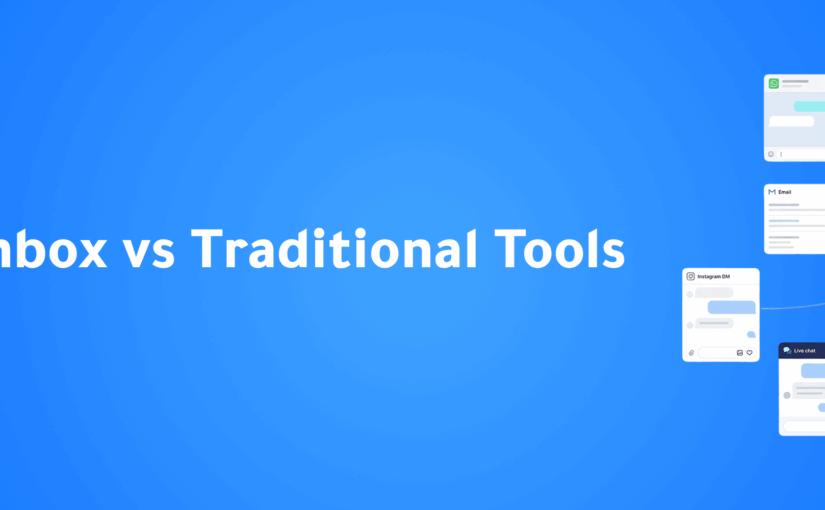
 

Multi-Channel Customer Communication Best Practices: How to Deliver a Seamless Customer Experience Across Every Channel

Introduction

Customers no longer communicate with businesses through a single channel.

One customer may discover your business on Instagram, ask questions through WhatsApp, receive an email, visit your website, and later contact customer support through Facebook Messenger—all before making a purchase.

Today’s customer journey is no longer linear.

It moves across multiple communication channels, and customers expect businesses to recognize them and continue the conversation without requiring them to repeat information.

Unfortunately, many organizations still manage each communication channel separately.

  • Sales teams use WhatsApp.
  • Marketing relies on email.
  • Support works through Messenger.
  • Website inquiries are handled independently.

The result is fragmented customer experiences, slower response times, duplicated work, and lost sales opportunities.

This is why Multi-Channel Customer Communication has become a critical business strategy.

In this article, we’ll explore the best practices that help businesses deliver faster, smarter, and more consistent customer experiences across every communication channel.


What Is Multi-Channel Customer Communication?

Multi-channel customer communication is the ability to engage customers across multiple platforms while maintaining consistent, high-quality interactions.

Common communication channels include:

  • WhatsApp
  • Instagram
  • Facebook Messenger
  • Email
  • Website Live Chat
  • Phone Calls
  • SMS
  • Mobile Applications

Customers choose whichever channel is most convenient for them.

Businesses must be prepared to deliver the same quality of service across every touchpoint.


Why Multi-Channel Communication Matters

Customer expectations have changed dramatically.

People expect businesses to:

  • Respond quickly
  • Remember previous conversations
  • Offer personalized support
  • Be available across multiple platforms
  • Deliver a seamless customer experience

Businesses that fail to meet these expectations often experience:

  • Lower customer satisfaction
  • Missed sales opportunities
  • Poor customer retention
  • Increased support costs

A well-designed communication strategy improves both customer experience and operational efficiency.


Best Practice #1: Meet Customers on Their Preferred Channels

Every customer has a preferred way of communicating.

Some prefer WhatsApp.

Others choose Instagram, Messenger, or email.

Rather than forcing customers to use one platform, businesses should be available wherever their customers already communicate.

Making communication convenient removes friction from the customer journey.


Best Practice #2: Centralize Every Conversation

One of the biggest challenges businesses face is managing conversations across multiple applications.

Important customer information becomes scattered between:

  • WhatsApp
  • Instagram
  • Messenger
  • Email
  • CRM
  • Phone calls

This makes it difficult to maintain context.

A Unified Inbox solves this problem by bringing every customer conversation into one centralized workspace.

Teams gain complete visibility into every interaction, regardless of the communication channel.


Best Practice #3: Keep Customer Data in One CRM

Conversations alone are not enough.

Businesses also need a complete customer profile.

A modern CRM should include:

  • Contact information
  • Previous conversations
  • Purchase history
  • Sales opportunities
  • Notes
  • Tasks
  • Customer preferences

Centralized customer data allows every department to deliver more personalized service.


Best Practice #4: Respond Quickly Across Every Channel

Response time directly impacts customer satisfaction and conversion rates.

Customers expect businesses to acknowledge their inquiries within minutes.

Long delays often result in lost opportunities.

Businesses can improve response times by using:

  • AI-powered assistants
  • Automated greetings
  • Smart conversation routing
  • Internal notifications

Fast responses create stronger first impressions and improve customer trust.


Best Practice #5: Maintain a Consistent Brand Voice

Customers should receive the same experience regardless of where they contact your business.

Whether communication happens through WhatsApp or email, your brand should maintain:

  • Consistent tone of voice
  • Accurate information
  • Professional communication
  • Unified messaging

Consistency strengthens brand identity and builds customer confidence.


Best Practice #6: Personalize Every Interaction

Customers appreciate businesses that remember previous interactions.

Instead of sending generic responses, personalize communication using:

  • Customer name
  • Previous purchases
  • Conversation history
  • Interests
  • Customer behavior

Personalization creates stronger relationships and increases engagement.


Best Practice #7: Use Automation Without Losing the Human Touch

Automation improves efficiency but should never make customer interactions feel robotic.

The best customer experiences combine:

  • AI-powered chatbots
  • Automated workflows
  • Human support when needed

Automation should handle repetitive tasks while human agents focus on conversations requiring empathy and problem-solving.


Best Practice #8: Give Every Team Access to Customer History

Customer conversations often involve multiple departments.

Sales, marketing, and customer support should all have access to the same customer information.

This eliminates repeated questions and creates smoother customer experiences.

Customers should never have to explain the same issue multiple times.


Best Practice #9: Measure Communication Performance

Improvement begins with measurement.

Businesses should monitor key communication metrics such as:

  • First response time
  • Resolution time
  • Customer satisfaction
  • Conversion rates
  • Customer engagement
  • Channel performance

Analytics help identify opportunities to improve customer communication continuously.


Best Practice #10: Continuously Optimize the Customer Journey

Customer expectations continue to evolve.

Businesses should regularly review:

  • Customer feedback
  • Communication workflows
  • Automation performance
  • Sales outcomes
  • Customer engagement

Continuous optimization ensures communication strategies remain effective as customer behavior changes.


Common Mistakes Businesses Should Avoid

Even businesses with multiple communication channels can struggle if they make common mistakes.

These include:

  • Managing each channel separately
  • Responding inconsistently
  • Delayed customer replies
  • Lack of CRM integration
  • Sending generic messages
  • Overusing automation
  • Ignoring customer history
  • Measuring only response volume instead of customer outcomes

Avoiding these mistakes creates a more connected and customer-centric experience.


The Role of Artificial Intelligence in Multi-Channel Communication

Artificial Intelligence is helping businesses manage customer communication more effectively than ever before.

AI can:

  • Respond instantly to common questions
  • Route conversations to the right department
  • Qualify sales leads
  • Recommend next actions
  • Analyze customer sentiment
  • Personalize communication
  • Trigger automated workflows

Instead of replacing employees, AI enables teams to work more efficiently while delivering better customer experiences.


How ConnectGain Helps Businesses Deliver Better Multi-Channel Communication

ConnectGain brings customer conversations, CRM, Artificial Intelligence, and workflow automation together in one intelligent platform.

With ConnectGain, businesses can:

  • Manage WhatsApp, Instagram, Messenger, Website Chat, Email, SMS, Web Push, and App Push from a single Unified Inbox
  • Centralize customer information with an integrated CRM
  • Automate customer journeys and follow-up workflows
  • Qualify leads using AI
  • Assign conversations automatically to the right teams
  • Track customer interactions across every communication channel
  • Monitor performance through real-time dashboards and analytics

By combining AI, CRM, automation, and omnichannel communication, ConnectGain helps businesses create seamless customer experiences while improving productivity and increasing sales opportunities.


The Future of Customer Communication

Customer communication will continue becoming more intelligent, connected, and personalized.

Businesses are moving beyond simply supporting multiple channels.

The future lies in creating one continuous conversation where customers can move effortlessly between platforms without losing context.

Organizations that invest in unified communication strategies today will be better prepared to meet the expectations of tomorrow’s customers.


Conclusion

Successful customer communication is no longer about being present on multiple platforms.

It is about creating one connected experience across every channel.

Businesses that centralize conversations, personalize interactions, automate repetitive tasks, and empower their teams with AI and CRM technology can improve customer satisfaction, strengthen relationships, and drive sustainable business growth.

ConnectGain enables organizations to manage customer communication from one intelligent platform, helping teams respond faster, collaborate better, and deliver exceptional customer experiences across every touchpoint.


Ready to Transform Your Customer Communication?

ConnectGain helps businesses manage customer conversations, automate workflows, and engage customers across WhatsApp, Instagram, Messenger, Websites, Email, SMS, Web Push, and App Push from one centralized AI-powered platform.


Contact Us

WhatsApp:
+20 111 998 5526

Website:
https://appgain.io

Email:
He***@*****in.io

5 Signs Your Business Needs a Modern CRM Platform


Introduction

As businesses grow, managing customer relationships becomes increasingly complex.

What once worked with spreadsheets, sticky notes, or separate messaging apps quickly becomes inefficient as customer interactions increase.

Many organizations don’t realize they need a modern CRM platform until they start experiencing missed opportunities, inconsistent follow-ups, slower response times, and declining customer satisfaction.

Today’s CRM platforms are much more than customer databases. They combine customer relationship management, workflow automation, Artificial Intelligence (AI), and omnichannel communication to help businesses manage every stage of the customer journey.

If you’re wondering whether it’s time to upgrade your CRM, these five signs can help you decide.


Why a Modern CRM Matters

Customers now expect businesses to:

  • Respond instantly
  • Remember previous conversations
  • Deliver personalized experiences
  • Communicate consistently across every channel

Meanwhile, sales and customer service teams need better visibility and automation to keep up with increasing demand.

A modern CRM helps businesses:

  • Centralize customer data
  • Improve sales performance
  • Automate repetitive tasks
  • Strengthen customer relationships
  • Increase operational efficiency

Without the right system, growth quickly becomes difficult to manage.


Sign #1: Customer Information Is Scattered Everywhere

One of the clearest signs your business needs a CRM is when customer information exists across multiple tools.

Examples include:

  • Excel spreadsheets
  • WhatsApp chats
  • Emails
  • Sticky notes
  • Personal phones
  • Separate databases

This creates duplicate records, inconsistent communication, and wasted time searching for customer information.

How a Modern CRM Helps

A modern CRM centralizes everything into one customer profile, including:

  • Contact information
  • Conversation history
  • Sales opportunities
  • Tasks
  • Notes
  • Customer activity

Every team member works from the same information.


Sign #2: Your Team Keeps Missing Follow-Ups

Following up consistently is one of the biggest challenges for growing businesses.

Leads are often forgotten because:

  • Employees become busy
  • Reminders are missed
  • Tasks aren’t assigned
  • Follow-up schedules are unclear

Every missed follow-up represents a potential lost sale.

How a Modern CRM Helps

Modern CRM platforms automate:

  • Follow-up reminders
  • Task creation
  • Lead assignments
  • Customer journey workflows
  • Sales notifications

Automation ensures every opportunity receives timely attention.


Sign #3: You Have No Clear View of Your Sales Pipeline

Can your business instantly answer questions like:

  • How many active opportunities do we have?
  • Which deals are most likely to close this month?
  • Which leads haven’t been contacted?
  • Where are deals getting stuck?

If not, your sales pipeline lacks visibility.

How a Modern CRM Helps

A visual sales pipeline enables businesses to:

  • Track every opportunity
  • Monitor deal progress
  • Forecast revenue
  • Identify bottlenecks
  • Improve sales performance

Managers gain complete visibility into the sales process.


Sign #4: Customer Conversations Are Spread Across Multiple Channels

Today’s customers communicate through:

  • WhatsApp
  • Instagram
  • Facebook Messenger
  • Websites
  • Email
  • Phone calls

Managing these channels separately creates fragmented conversations and inconsistent customer experiences.

How a Modern CRM Helps

A Unified Inbox centralizes every conversation, allowing teams to:

  • View all conversations in one place
  • Access complete customer histories
  • Respond faster
  • Deliver consistent customer experiences

Sign #5: Your Business Is Growing Faster Than Your Processes

Growth is exciting—but it also exposes operational weaknesses.

As customer numbers increase, businesses often experience:

  • Slower response times
  • Higher workloads
  • More manual processes
  • Increased human errors
  • Reduced productivity

How a Modern CRM Helps

Modern CRM platforms combine:

  • Workflow automation
  • AI-powered customer engagement
  • Task management
  • Customer journey automation
  • Sales optimization

This allows businesses to scale efficiently without significantly increasing administrative work.


Additional Benefits of a Modern CRM

Beyond solving operational challenges, modern CRM platforms help businesses:

Improve Team Collaboration

Every department works from the same customer information, improving coordination between sales, marketing, and customer support.

Increase Customer Satisfaction

Faster responses and personalized communication create stronger customer experiences.

Improve Decision-Making

Real-time dashboards and analytics provide better visibility into customer activity and business performance.

Support Sustainable Growth

Automation and centralized customer management allow organizations to scale without sacrificing efficiency.


How AI Makes CRM Smarter

Artificial Intelligence has transformed CRM into an intelligent business platform.

AI can:

  • Score leads automatically
  • Identify buying intent
  • Recommend next actions
  • Analyze customer conversations
  • Predict sales opportunities
  • Personalize customer engagement

These capabilities help businesses make faster and more informed decisions.


How ConnectGain Helps Businesses Modernize CRM

ConnectGain combines CRM, Artificial Intelligence, workflow automation, and omnichannel communication into one intelligent platform.

With ConnectGain, businesses can:

  • Capture leads automatically from WhatsApp, Instagram, Messenger, and websites
  • Manage conversations through a Unified Inbox
  • Automate follow-ups and customer journeys
  • Track opportunities through a visual sales pipeline
  • Centralize customer information
  • Use AI-powered insights to improve sales and customer engagement
  • Monitor performance through real-time dashboards

By bringing customer communication, sales management, and automation together, ConnectGain helps businesses improve efficiency while building stronger customer relationships.


Is It Time to Upgrade Your CRM?

If your business experiences even one of these challenges, it’s worth evaluating whether your current processes can support future growth.

If you’re experiencing several of them, the answer is clear.

A modern CRM is no longer optional—it has become a critical business tool for organizations that want to improve customer experiences, increase sales, and scale efficiently.


Conclusion

Successful businesses don’t grow simply by generating more leads—they grow by managing customer relationships more effectively.

Scattered customer data, missed follow-ups, disconnected communication, and limited sales visibility all create barriers to growth.

A modern CRM platform eliminates these challenges by centralizing information, automating workflows, and providing AI-powered insights that strengthen customer relationships.

ConnectGain helps businesses transform customer management through AI-powered CRM, workflow automation, and omnichannel engagement—enabling teams to work smarter, respond faster, and grow with confidence.

Ready to Upgrade Your Customer Relationship Management?

ConnectGain helps businesses centralize customer data, automate workflows, manage sales pipelines, and engage customers across WhatsApp, Instagram, Messenger, websites, Email, SMS, Web Push, and App Push from one intelligent platform.

📞 WhatsApp: +20 111 9985526

🌐 Website: https://appgain.io

📧 Email: He***@*****in.io