RAG AI Chatbots: Accurate Responses Using Business Data

RAG AI chatbots are transforming how businesses handle customer conversations.

You have probably already encountered the problem.

You deploy a chatbot powered by a capable AI model, and customers start using it. It answers questions fluently. It sounds confident. However, it sometimes provides completely wrong information about your product, your pricing, or your availability.

As a result, the customer becomes confused. Your brand credibility is affected. Meanwhile, the AI has no awareness that anything went wrong.

This is exactly the problem that RAG AI chatbots are designed to solve.


Why Generic AI Gives Wrong Answers

Large language models like GPT-4 or Gemini are trained on vast amounts of internet data. They understand general knowledge extremely well. However, they do not know anything specific about your business.

For example, they do not know:

  • Your latest pricing updates
  • Branch-specific working hours
  • Product-level policies
  • New services or offers

Because of this limitation, a generic AI chatbot has only two options:

  • Guess the answer (which leads to hallucination)
  • Say it does not know

Neither option works in a real customer experience environment.


What RAG AI Chatbots Do Differently

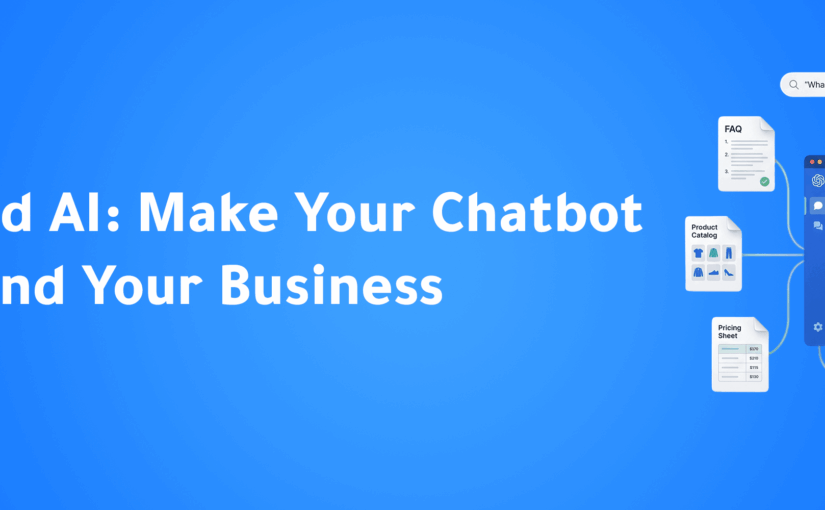
RAG (Retrieval-Augmented Generation) allows AI to access your business knowledge before generating a response.

Here is how it works:

Step 1 — Knowledge Base Upload
You upload your business data, including product catalogs, FAQs, policies, and pricing.

Step 2 — Smart Indexing
The system processes this data and converts it into a searchable structure.

Step 3 — Query Understanding
When a customer asks a question, the system analyzes intent.

Step 4 — Relevant Retrieval
The system pulls the most relevant information from your data.

Step 5 — Accurate Response Generation
The AI generates a response based on your real data, not assumptions.

As a result, responses become accurate, consistent, and aligned with your business.


The Difference in Real Conversations

Without RAG:

Customer:
“What is the cancellation policy?”

AI:
“Most businesses usually allow cancellation within 30 days.”

This answer sounds reasonable, but it is generic and often wrong.


With RAG AI chatbot:

Customer:
“What is the cancellation policy?”

AI:
“Cancellation is allowed before the next billing cycle. After billing, refunds are processed within 7 days based on unused service.”

This answer is specific, accurate, and directly reflects your business rules.


What to Include in Your Knowledge Base

The performance of a RAG AI chatbot depends on the quality of your data.

Start with:

  • Product or service catalog
  • FAQs from customer support
  • Branch details and working hours
  • Return and cancellation policies
  • Delivery or service information

Then expand with:

  • Case studies
  • Onboarding guides
  • Technical documentation
  • Promotions and offers

Avoid adding:

  • Internal-only documents
  • Sensitive pricing agreements
  • Employee data
  • Long legal documents without summaries

Multi-Source Knowledge with RAG

One powerful advantage of RAG AI chatbots is the ability to pull data from different sources based on context.

For example:

  • Product questions → product catalog
  • Payment questions → billing policy
  • Support requests → FAQ database

This allows the chatbot to respond intelligently across multiple scenarios without confusion.


Keeping Your AI Accurate Over Time

A RAG system is only as good as its data. Therefore, keeping your knowledge base updated is critical.

Best practices:

  • Update pricing monthly if needed
  • Review FAQs quarterly
  • Add new promotions before launch
  • Update policies immediately after changes

Because of this, your chatbot always reflects your current business reality.


RAG + Intent Detection = Real Intelligence

RAG handles the content. Intent detection handles the direction.

When combined:

  • The system understands what the customer wants
  • Then retrieves the correct data
  • Then delivers the right response

For example, a customer can type in Arabic naturally, and the system will still:

  • Detect intent
  • Route correctly
  • Respond accurately

This creates a seamless customer experience without menus or friction.


Measuring RAG Performance

To evaluate your RAG AI chatbot, track:

Retrieval Accuracy
Is the system pulling the correct information?

Response Accuracy
Are answers factually correct?

Deflection Rate
How many conversations are handled without human intervention?

A well-implemented system can handle 60–80% of inquiries automatically.


Internal Resource

Learn how AI improves customer communication with ConnectGain:
https://appgain.io


Conclusion

RAG AI chatbots are not just an upgrade to traditional chatbots. They are a fundamental shift in how businesses deliver customer communication.

Instead of guessing, the AI knows.
Instead of generic answers, customers get accurate responses.
Instead of frustration, you deliver clarity.

That is the difference between using AI and using AI correctly.


Ready to Deploy a RAG AI Chatbot That Actually Knows Your Business?

Turn every customer question into an accurate, data-driven response powered by your real business knowledge.

WhatsApp: +20 111 9985526
Website: https://appgain.io
Email: He***@*****in.io

Build a WhatsApp AI Bot Without Code

Introduction

Building a WhatsApp AI bot used to require developers, complex integrations, and weeks of setup.

Today, that has completely changed.

With modern no-code platforms, businesses can build powerful chatbot flows using drag-and-drop builders, AI intent detection, and automated customer journeys—without writing a single line of code.

A good WhatsApp AI bot can answer customer questions instantly, qualify leads, update your CRM, and transfer conversations to human agents only when needed.

This guide explains how to build a WhatsApp AI bot in 2026 using a practical no-code framework for MENA businesses.


What Makes a Good WhatsApp AI Bot

Not every chatbot creates a good customer experience.

Many businesses still use old-style menu bots that frustrate customers and increase support workload instead of reducing it.

Bad Chatbot Experience

  • Customer asks a natural question
  • Bot sends a rigid numbered menu
  • Customer cannot find the right option
  • The customer leaves frustrated
  • The business loses trust and conversions

Good Chatbot Experience

  • Customer asks naturally
  • AI understands the real intent
  • The bot responds using your knowledge base
  • If needed, it transfers to a human smoothly
  • The issue is solved in under 60 seconds

The difference is AI intent classification.

Without it, a chatbot is just an automated menu.

With it, your WhatsApp AI bot behaves like a real assistant.


Core Node Types You Need to Know

ConnectGain uses a visual drag-and-drop flow builder where each step is built using nodes.

Understanding these nodes is the foundation of building an effective WhatsApp AI bot.


Start Node

Every flow begins here.

It defines what triggers the bot:

  • New inbound message
  • Specific keyword
  • New contact created
  • Scheduled trigger

Text Node

Sends messages to customers automatically.

It can include dynamic variables like:

  • Customer name
  • Deal status
  • CRM data

Quick Reply / Button Node

Shows clickable options for faster customer interaction.

Examples:

  • Pricing
  • Booking
  • Support

The platform automatically adapts buttons for each channel.


AI Classification Node

This is the intelligence layer.

Customers type naturally, and AI detects intent.

Examples:

  • “I need pricing”
  • “I want to know the available plans”
  • “I’m not sure which option is right for me”

The system routes the conversation automatically.


RAG Knowledge Base Node

This connects your bot to your documents.

It pulls answers from:

  • FAQs
  • Product catalogs
  • Pricing files
  • Internal documents

This allows accurate and dynamic replies.


Condition Node

Creates if/then logic.

Examples:

  • VIP customer → premium support
  • Existing deal → direct follow-up
  • Returning customer → priority routing

Input Node

Collects customer information:

  • Name
  • Phone number
  • Email
  • Appointment date

The data is stored automatically inside CRM.


Human Handoff Node

Transfers the conversation to a real agent.

The agent receives the full conversation history without losing context.


Step-by-Step: Build Your First WhatsApp AI Bot

Step 1 — Define the Goal

Start with one clear objective.

Example:

“This bot qualifies real estate leads and books property viewings.”

If the goal is unclear, the flow will fail.


Step 2 — Choose the Trigger

Decide what starts the conversation.

Options include:

  • Any new inbound message
  • A specific keyword like “pricing”
  • Button click
  • CRM automation trigger

Step 3 — Write the Opening Message

Your first message matters.

It should be:

  • Clear
  • Friendly
  • Useful immediately

Example:

“Hi {{contact_name}}! I can help with pricing, availability, and booking. What would you like to know?”


Step 4 — Build the Main Branches

Most customers ask about 3–5 main things.

These become your primary conversation branches.

Always place an AI Classification node before branching.

This improves flexibility and customer experience.


Step 5 — Add the Knowledge Base

Upload your business content:

  • FAQs
  • Product information
  • Pricing documents
  • Service details

This powers smarter answers through RAG.


Step 6 — Set Human Handoff Rules

Not every conversation should stay automated.

Transfer to human agents when:

  • Confidence is low
  • Customer frustration is detected
  • Complaint keywords appear
  • Customer requests human support

Step 7 — Test Real Customer Scenarios

Before publishing:

  • Test Arabic and English
  • Test misspellings
  • Test mixed-language messages
  • Test incomplete questions

Real customer behavior is never perfect.

Your bot must handle that.


Step 8 — Publish and Optimize

After testing:

  • Publish the flow
  • Monitor response quality
  • Measure deflection rate
  • Track customer satisfaction

Then improve based on real usage.


Example: Tourism Booking Bot

A travel agency can use a WhatsApp AI bot like this:

Trigger

Any inbound WhatsApp message


Opening Message

“Welcome! I can help you with day trips, hotel bookings, and travel packages.”


Branch A — Day Trips

  • Destination selection
  • Travel date collection
  • Group size input
  • Availability check
  • Price options
  • Human handoff for booking confirmation

Branch B — Multi-Day Packages

  • Package overview
  • PDF sending
  • Human consultation

Branch C — Hotels

  • Hotel recommendations
  • Budget selection
  • Smart filtered results

This flow automates most inquiries while keeping agents focused on closing deals.


Multi-Channel Deployment

One major advantage of ConnectGain is that the same bot works across:

  • WhatsApp Business API
  • Instagram Direct
  • Facebook Messenger
  • Telegram
  • TikTok messages
  • SMS
  • Website chat widget

Build once. Deploy everywhere.

This reduces cost and improves consistency.


Start Your Growth Journey

If your business still handles customer conversations manually, you are losing time and leads.

A WhatsApp AI bot helps you:

  • Respond instantly
  • Qualify leads automatically
  • Reduce support workload
  • Improve customer satisfaction
  • Scale sales without adding headcount

Appgain helps businesses across MENA deploy AI-powered chatbot systems built for growth.

Let’s build your success story.

WhatsApp: +20 111 9985526
Website: https://appgain.io
Email: He***@*****in.io


Conclusion

The best chatbot does not feel like a bot.

It feels like fast, helpful, and intelligent customer service.

That is what a modern WhatsApp AI bot should deliver.

And with no-code platforms like ConnectGain, building that experience is now faster, easier, and more scalable than ever.

AI Call Center Intelligence for MENA Businesses (2026 Guide)

Introduction

AI call center intelligence is transforming how businesses handle customer conversations in the MENA region. Instead of storing recordings without value, companies can now turn every call into structured business data.

However, most organizations still rely on manual processes. As a result, insights are missed, CRM data is incomplete, and performance tracking is inconsistent.

Many businesses start by implementing solutions like AI call tracking and call recording systems to capture conversation data. However, capturing data alone is not enough without proper analysis and automation.

This guide explains how AI call center intelligence works and how businesses can use it to capture insights, automate workflows, and improve decision-making.


Why Manual Call Review Does Not Scale

Most call centers record conversations but rarely use them effectively.

Consider a mid-size team:

  • 20 agents
  • 50 calls per agent daily
  • 1,000 calls per day
  • Average duration: 6 minutes

This results in 100 hours of call data per day.

Clearly, no manager can review that volume manually.

The Result

  • Most calls are never analyzed
  • Coaching is inconsistent
  • CRM updates depend on agents
  • Important insights are lost

In fact, businesses typically review only a small percentage of calls. Therefore, decisions are based on incomplete data.


What AI Call Center Intelligence Does

AI call center intelligence automates the entire process of analyzing calls.

Real-Time Transcription

Every call is transcribed automatically.

  • Supports Arabic dialects and English
  • Handles mixed-language conversations
  • Converts speech into structured text

This is especially important in MENA, where conversations often switch between languages.


AI Sentiment Analysis

After transcription, the system evaluates the emotional tone of the call.

It detects:

  • Customer frustration
  • Buying intent
  • Objections
  • Compliance risks

As a result, businesses can understand customer behavior without manual listening.


Automated CRM Updates

The system extracts key information from each call.

  • Tasks are created automatically
  • Deal stages are updated
  • Contact data is saved

Therefore, CRM data becomes accurate and complete without manual input.


Agent Performance Scorecards

Each call contributes to agent performance tracking.

  • Talk time
  • Silence ratio
  • Objection handling
  • Communication quality

Managers get full visibility without reviewing recordings.


Manager Dashboard and Alerts

Managers receive real-time insights.

  • Alerts for high-risk calls
  • Performance tracking across teams
  • Ability to review specific calls quickly

This improves response time and decision-making.


How ConnectGain Delivers AI Call Center Intelligence

ConnectGain by Appgain provides a full AI call center intelligence system designed for MENA businesses.

Core Technology

Speech-to-Text Engine
Accurate transcription with speaker separation.

AI Analysis Layer
Processes calls for summaries, sentiment, and action items.

Multi-Model Support
Supports multiple AI providers with fallback options.

Silence Detection
Avoids processing empty or silent recordings.

Advanced Transcript Interface
Supports Arabic and English with clear speaker labeling.


The Arabic Language Advantage

AI call center intelligence requires strong language understanding.

Global tools often struggle with:

  • Arabic dialects
  • Mixed-language conversations
  • Local expressions

However, systems trained on regional data perform significantly better.

This is why localized AI models are critical for MENA businesses.


Implementation: What to Expect

Week 1 — Setup

  • Connect call system
  • Enable recording
  • Integrate CRM

Week 2 — Calibration

  • Review AI outputs
  • Adjust scoring rules
  • Define alert triggers

Week 3 — Go Live

  • Deploy across team
  • Start automated analysis
  • Enable dashboards

Month 2+ — Optimization

  • Improve agent performance
  • Track trends
  • Refine automation

Business Impact of AI Call Center Intelligence

Beyond efficiency, the real value is in revenue growth.

Faster Follow-Up

Tasks are created instantly after calls.


Better Coaching

Agents receive immediate, data-driven feedback.


Upsell Opportunities

Buying signals trigger follow-ups automatically.


Churn Prevention

Negative sentiment is detected early.


Common Mistakes to Avoid

Ignoring CRM Integration

Without CRM updates, insights are lost.


Relying Only on Manual Review

Manual processes do not scale.


Using Non-Localized AI

Generic models fail with Arabic conversations.


No Performance Tracking

Without metrics, improvement is impossible.


Getting Started

If your business records calls but does not analyze them, you are missing critical data.

AI call center intelligence allows you to:

  • Capture insights from every call
  • Automate CRM updates
  • Improve agent performance
  • Make faster decisions

Learn more about implementation:
https://appgain.io


Start Your Growth Journey

If you are ready to turn your operations into a scalable, automated system, Appgain can help you get there faster.

We work with businesses across MENA to implement AI-powered automation that improves response time, increases conversions, and eliminates manual work.

Let’s build your success story.

WhatsApp: +20 111 9985526
Website: https://appgain.io
Email: He***@*****in.io


Conclusion

Every customer call contains valuable data. However, without automation, most of it is never used.

AI call center intelligence ensures that every conversation contributes to business growth.

For MENA companies, this is no longer optional. It is a competitive necessity.