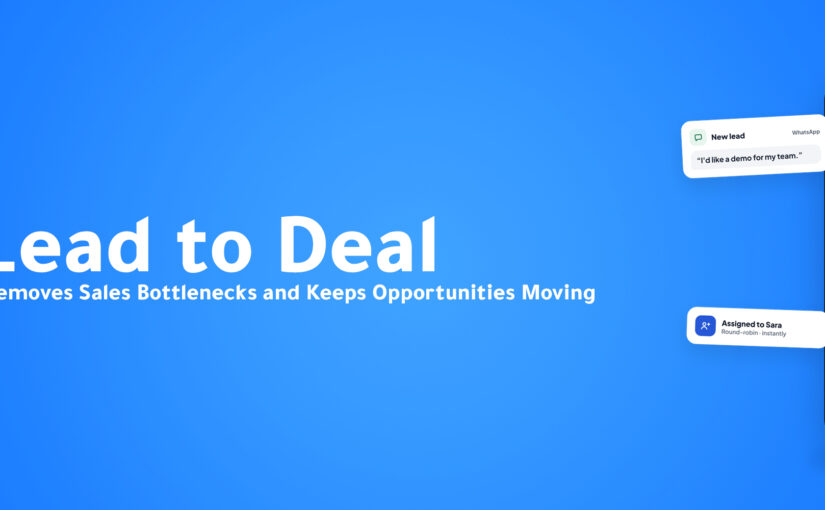
AI Customer Handoff: How to Move Customers Between AI and Human Teams Without Losing Context

Introduction

A customer spends ten minutes explaining what they need.

They answer several questions.

Share their company information.

Explain the problem.

Discuss pricing.

Describe what they have already tried.

Then the conversation needs a human employee.

The customer is transferred.

And the first thing they hear is:

“Hi! How can I help you?”

Everything starts again.

For the business, this may look like a successful escalation.

The customer reached the correct department.

For the customer, however, the experience feels broken.

They already explained everything.

Why should they repeat it?

As businesses introduce AI Agents, automated workflows, multiple communication channels, and specialized teams, customer handoffs are becoming an increasingly important part of the customer experience.

Automation alone is not enough.

Businesses need to think about what happens when responsibility moves from:

AI → Human.

Sales → Support.

Support → Technical Team.

Bot → Specialist.

One employee → Another employee.

One channel → Another channel.

A successful handoff should transfer more than the customer.

It should transfer the context too.

What Is an AI Customer Handoff?

An AI Customer Handoff happens when an AI system transfers a customer conversation or task to a human employee or another business workflow.

For example, an AI Agent may handle the beginning of a conversation by:

Understanding the customer’s request.

Answering common questions.

Collecting information.

Retrieving account details.

Qualifying the request.

Then it determines that human involvement is necessary.

The customer is transferred to the appropriate employee.

But the quality of that transition depends on what happens next.

A weak handoff transfers only the conversation.

A strong handoff transfers:

Customer identity.

Conversation summary.

Customer intent.

Information already collected.

Previous actions.

Relevant CRM data.

Reason for escalation.

Recommended next step.

The human starts with context instead of starting from zero.

Why Handoffs Matter More as AI Adoption Grows

Businesses are automating more customer interactions.

AI can increasingly handle:

FAQs.

Lead qualification.

Appointment requests.

Order questions.

Basic troubleshooting.

Customer information collection.

Routine support.

But there will always be situations where a human should become involved.

The problem is that many businesses think about AI and human teams as separate experiences.

The AI does its part.

Then the human does theirs.

The customer experiences both.

If the transition between them is poor, the entire journey feels disconnected.

The Worst Handoff Question

One sentence reveals a broken customer journey immediately:

“Can you explain the problem again?”

Sometimes repetition is unavoidable.

But often, the information already exists somewhere.

The customer told the chatbot.

Or another employee.

Or support.

Or sales.

Or provided it through a form.

Asking for the same information again tells the customer something important:

Your systems may have communicated with them—but they haven’t communicated with each other.

Customers Don’t Care About Your Internal Structure

A business may have:

Sales.

Customer Support.

Billing.

Technical Support.

Account Management.

Operations.

AI Agents.

The customer doesn’t think about those organizational boundaries.

They see one company.

If they tell Sales something and then move to Support, they expect the business to remember.

If they explain something to AI and then speak with an employee, they expect that employee to know what happened.

Internal complexity should not become customer effort.

When Should AI Hand Off to a Human?

The objective of AI isn’t to keep every conversation automated for as long as possible.

A good AI system should also recognize when not to continue.

Several situations may require human involvement.

1. The Customer Explicitly Requests a Human

Sometimes the clearest signal is simply:

“I want to speak with someone.”

Businesses should avoid forcing customers through unnecessary automation when they clearly request human assistance.

The AI can collect useful context first when appropriate, but the customer shouldn’t feel trapped.

2. The Request Becomes Too Complex

AI may handle routine questions successfully but encounter a situation requiring specialist judgment.

For example:

Complex technical implementation.

Unusual contract requirements.

Custom pricing.

Special approvals.

Complicated account issues.

The AI can recognize that the request has moved beyond the automated workflow and escalate appropriately.

3. The Customer Is Frustrated

Imagine a customer repeatedly explains that something isn’t working.

Continuing the same automated flow may increase frustration.

Conversation signals can help indicate when escalation may be appropriate.

The objective isn’t to automate the maximum number of messages.

It’s to resolve the customer’s need effectively.

4. The Opportunity Is High Value

Some sales conversations deserve human attention even when AI could technically continue.

For example:

Enterprise opportunities.

Strategic accounts.

Large implementations.

Complex negotiations.

AI can help identify and qualify the opportunity.

Then the appropriate salesperson can take over.

Automation prepares the conversation.

Humans build the relationship.

5. Human Approval Is Required

Certain actions should not happen automatically.

Depending on the business, this could include:

Special discounts.

Refund exceptions.

Contract modifications.

Sensitive account changes.

Financial approvals.

AI can gather the necessary information and prepare the request.

A human makes the final decision.

Routing Is Only Half the Handoff

Imagine AI correctly identifies that a customer needs technical support.

It routes them to the technical team.

Success?

Not necessarily.

If the technical employee receives only:

“New customer conversation assigned.”

they still need to investigate everything.

A better handoff may include:

Customer: Ahmed

Issue: WhatsApp integration not syncing

Already Tried: Reconnection

Account: Existing Customer

Previous Interaction: Support conversation today

Reason for Escalation: Technical investigation required

Now the employee can begin from the correct point.

The AI Should Prepare the Human

This is one of the most useful roles AI can play during handoffs.

Before transferring the conversation, AI can create a concise summary.

For example:

Handoff Summary

Customer Goal: Connect three WhatsApp numbers to the platform.

Problem: Third number fails during connection.

Steps Already Completed: Account verified and two numbers connected successfully.

Customer Sentiment: Concerned about implementation deadline.

Required Team: Technical Support.

The human doesn’t need to read 40 previous messages before responding.

They receive the important context first.

Conversation Summaries Reduce Internal Search

Without AI summaries, employees may need to scroll through long conversation histories.

This becomes especially difficult when the customer has interacted several times.

AI can condense those conversations into relevant context.

Instead of:

52 messages

the employee sees:

Problem

What happened

What has been tried

What the customer needs now

The full conversation can still remain available when needed.

But the employee gets a faster starting point.

CRM Context Should Travel With the Customer

The conversation isn’t the only source of useful information.

CRM data can provide additional context.

For example:

Is this a new lead?

Existing customer?

Enterprise account?

Open sales opportunity?

Previous support case?

Assigned account manager?

Recent purchase?

Upcoming renewal?

This information can influence where the conversation goes and how the employee responds.

AI-to-Human Handoff in Sales

Consider a B2B sales conversation.

The customer says:

“We have 80 employees and need WhatsApp, Instagram, and CRM integration. We’re looking to implement next month.”

AI can collect:

Company size.

Channels required.

Implementation timeline.

Product interest.

Contact information.

Instead of continuing indefinitely, the system can recognize a qualified opportunity.

The handoff becomes:

AI Qualification

Opportunity Identified

CRM Record Updated

Salesperson Assigned

Conversation Summary Provided

Human Continues

The salesperson doesn’t need to begin with basic qualification questions.

They can move directly into the valuable part of the conversation.

AI-to-Human Handoff in Customer Support

Support handoffs have different requirements.

The AI may first:

Identify the customer.

Understand the issue.

Search the Knowledge Base.

Suggest troubleshooting.

Check whether the problem was resolved.

If the issue remains unresolved:

Escalation Triggered

Support Agent Assigned

Issue Summary Generated

Steps Already Tried Included

Customer Context Available

The employee knows what not to ask the customer to repeat.

Human-to-Human Handoffs Matter Too

AI isn’t the only source of broken handoffs.

The same problem happens between employees.

A salesperson may transfer a customer to onboarding.

Support may transfer an issue to technical staff.

An account manager may involve billing.

If every transition requires the customer to explain themselves again, the experience becomes exhausting.

Connected customer context helps human teams collaborate more effectively too.

Handoffs Across Channels

Sometimes the transition involves a channel change.

A customer begins on WhatsApp.

Then a phone call is required.

Or:

Web Chat → Sales Call.

Instagram → WhatsApp.

Email → Voice.

The channel may change.

The customer context shouldn’t.

A salesperson calling after a WhatsApp conversation should already understand why the call is happening.

What a Bad Handoff Looks Like

Customer explains issue

AI asks several questions

Customer provides information

AI transfers conversation

Employee joins

Employee asks the same questions

Customer becomes frustrated

The automation technically worked.

The experience didn’t.

What a Good Handoff Looks Like

Customer explains issue

AI understands intent

Required information collected

Correct team identified

Summary generated

CRM context attached

Human receives conversation

Human continues from the next step

The customer experiences continuity.

That’s the difference.

Don’t Hide the Handoff

Customers should understand when the interaction changes.

If AI is transferring them to a human, communicate it clearly.

For example:

“I’m connecting you with our technical team. I’ve included the details you’ve already shared so you won’t need to start again.”

This sets expectations.

It also reassures the customer that their previous effort wasn’t wasted.

Speed Still Matters During Escalation

A perfect summary doesn’t help if the customer waits indefinitely afterward.

Businesses should consider what happens after the handoff is triggered.

Questions include:

Who receives the conversation?

How quickly should they respond?

What happens if they’re unavailable?

Can another qualified employee take it?

Does the conversation remain visible?

Should the customer receive an expected response time?

Handoff design includes both context and ownership.

AI Can Help Determine the Right Destination

Not every human agent has the same expertise.

A customer may need:

Sales.

Technical Support.

Billing.

Customer Success.

A Product Specialist.

An Account Manager.

AI can use the conversation to help classify the request before routing it.

For example:

“Our API authentication stopped working after we changed credentials.”

This probably shouldn’t enter a generic sales queue.

Understanding intent helps reduce unnecessary transfers.

Fewer Transfers Create Better Experiences

One of the best handoffs is the handoff that never needs to happen twice.

If a customer goes:

AI → Sales → Support → Technical → Account Manager

something may be wrong with the initial routing.

Each transfer creates:

More waiting.

More context risk.

More customer effort.

Better intent detection and routing can help the customer reach the appropriate destination earlier.

Measuring Handoff Quality

Businesses often measure:

AI resolution rate.

Response time.

Ticket volume.

Conversation volume.

But handoff quality deserves attention too.

Useful indicators may include:

Number of transfers per conversation.

Time from escalation to human response.

Repeated questions after handoff.

Escalation rate.

Resolution after escalation.

Customer satisfaction.

Incorrect routing.

These metrics can reveal friction that basic automation reports may miss.

Automation Rate Isn’t the Only Success Metric

A company might proudly say:

“Our AI handles 80% of conversations.”

That number can be useful.

But it doesn’t answer:

Were customers satisfied?

Were complex cases escalated correctly?

Did employees receive enough context?

Were customers trapped in automation?

Were important opportunities identified?

The goal should not simply be maximum automation.

The goal should be the right combination of AI and human involvement.

ConnectGain: Connecting AI and Human Conversations

With ConnectGain by Appgain, businesses can connect AI-powered conversations with human teams, CRM context, and business workflows.

Instead of treating escalation as the end of the AI workflow, the handoff can become another connected step.

For example:

Customer Message

AI Understands Intent

Information Collected

Human Assistance Required

Conversation Summarized

Customer Context Retrieved

Correct Team Assigned

Human Continues the Conversation

The objective is to preserve what the business already knows about the customer as responsibility moves between AI, employees, teams, and channels.

AI and Humans Should Work as One System

The debate around customer service is often framed as:

AI or Humans?

That’s the wrong question.

Different parts of a customer journey benefit from different capabilities.

AI is strong at:

Handling repetitive interactions.

Retrieving information quickly.

Collecting structured data.

Analyzing conversations.

Operating at scale.

Humans are strong at:

Judgment.

Negotiation.

Empathy.

Complex problem-solving.

Relationship building.

Exceptional cases.

The better question is:

How do you make AI and humans work together without making the customer feel the transition?

That’s the real handoff challenge.

How to Build Better AI-to-Human Handoffs

Start by identifying where customers currently move between teams or systems.

For each handoff, ask:

Why is the customer being transferred?

Who should receive them?

What information has already been collected?

What does the next employee need to know?

What should be summarized?

Which CRM information is relevant?

What actions have already been attempted?

How quickly should someone respond?

When should the customer remain with AI?

When should AI stop?

The answers create the foundation of a better handoff workflow.

The Future of AI Customer Service Is Collaborative

AI Agents will continue becoming more capable.

They will answer more questions.

Perform more actions.

Access more business systems.

Complete more workflows.

But increased capability doesn’t eliminate the need for humans.

It makes coordination between AI and humans more important.

The best customer experiences will not necessarily come from companies with the highest automation rates.

They will come from companies where:

AI knows what it can handle.

AI recognizes what it shouldn’t handle.

Humans receive the right context.

Customers don’t need to repeat themselves.

And every transition feels like part of the same conversation.

Conclusion

A customer handoff may last only a few seconds.

But it can determine how the customer feels about the entire interaction.

If context disappears, the customer starts again.

If routing fails, they are transferred again.

If employees receive no information, the customer becomes the bridge between your internal systems.

AI Customer Handoff creates a better model.

AI handles what it can.

Humans step in where they add value.

Context moves with the customer.

And the conversation continues instead of restarting.

Because customers shouldn’t need to understand where your AI ends and your team begins.

They should simply feel that your business remembers.

Ready to Make Every Handoff Feel Like the Same Conversation?

ConnectGain by Appgain helps businesses connect AI Agents, human teams, customer conversations, CRM context, and automated workflows.

Understand customer intent, preserve conversation history, route interactions to the right team, and give employees the context they need before they respond.

AI when it helps. Humans when they matter. Context through it all.

Contact Us

📞 WhatsApp: +20 111 998 5526
🌐 Website: appgain.io
📧 Email: He***@*****in.io
About Appgain

Appgain is an Agentic AI company helping businesses connect AI, human teams, customer conversations, and business workflows.

Through ConnectGain, organizations can bring together CRM, WhatsApp, voice, customer communication channels, AI Agents, and automation—helping every customer interaction continue with the context needed for the next action.

ConnectGain by Appgain

AI That Works Where Your Business Works.


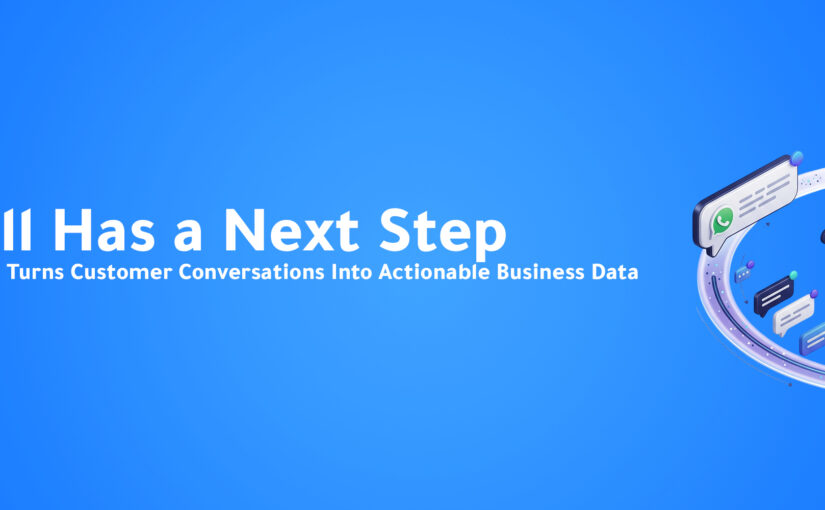
Conversational Commerce: How AI Is Turning Customer Conversations Into Sales Channels

Introduction

A customer sees a product on Instagram.

They send a message:

“Is this available in black?”

The business replies.

The customer asks about the price.

Then delivery.

Then sizing.

Then payment.

At some point, they receive a link and are asked to continue somewhere else.

Open the website.

Find the product again.

Select the right option.

Enter their information.

Complete checkout.

For the business, these may feel like normal steps.

For the customer, every step is another opportunity to leave.

This is why a major shift is happening in digital commerce.

Instead of treating messaging as a place where customers simply ask questions, businesses are increasingly turning conversations into places where customers can discover, evaluate, decide, and take action.

This approach is known as Conversational Commerce.

And with AI becoming capable of understanding intent, retrieving product information, accessing customer context, and triggering business workflows, conversational commerce is becoming far more powerful than the chatbots businesses have used in the past.

The conversation is no longer just supporting the sale.

It can become part of the sale itself.

What Is Conversational Commerce?

Conversational Commerce is the use of messaging, chat, voice, and AI-powered conversations to help customers move through the buying journey.

Instead of forcing customers to navigate the entire journey alone, businesses can assist them conversationally.

A customer can ask:

“Which package is best for a team of 20?”

Then:

“What’s the difference between these two?”

Then:

“Can you send me the pricing?”

Then:

“Okay, I want to move forward.”

Each message provides additional context.

The business can use that context to help move the customer toward the appropriate next step.

Messaging Has Changed How Customers Buy

Messaging is no longer limited to personal communication.

Customers already use messaging channels to contact businesses about:

Products.

Prices.

Availability.

Bookings.

Orders.

Technical questions.

Recommendations.

Delivery.

Support.

They often choose messaging because it feels easier than navigating a complicated website or waiting on hold.

The customer can simply ask what they want.

That changes the interface of digital commerce.

Instead of:

Search → Browse → Filter → Compare → Navigate

the journey can become:

Ask → Understand → Decide → Act

The Problem With Traditional Digital Journeys

Traditional websites are designed around navigation.

Customers need to know where to go.

Which category?

Which page?

Which filter?

Which plan?

Which form?

Which button?

For simple purchases, this may work perfectly.

But when customers need help making a decision, navigation creates friction.

Imagine someone looking for software for a 50-person customer service team.

They don’t necessarily want to read 15 product pages.

They want to ask:

“We have 50 agents handling WhatsApp and Instagram. Which plan should we use?”

That is not a navigation problem.

It’s a conversation problem.

Search Requires Customers to Know What They’re Looking For

Traditional search works best when the customer already knows the answer they need.

They type:

“Enterprise CRM pricing.”

But many customers begin with a problem rather than a product.

For example:

“My sales team is losing WhatsApp leads.”

“We need to manage messages from several branches.”

“Our support team keeps answering the same questions.”

“We need someone answering customers after working hours.”

These customers may not know which feature, package, or solution they need.

Conversational AI can begin with the problem.

Then help identify the appropriate solution.

From Product Search to Product Discovery

Consider an online retailer.

A customer writes:

“I need running shoes for daily training under $150.”

A conversational system can potentially understand:

Product: Running Shoes

Use Case: Daily Training

Budget: Under $150

Instead of showing hundreds of products, the experience can narrow the options.

The customer may then say:

“I prefer something lightweight.”

Now another preference is available.

This creates a different kind of product discovery.

The experience becomes interactive rather than purely navigational.

AI Makes Conversational Commerce More Powerful

Conversational commerce existed before modern AI.

Businesses used:

Live chat.

Messaging agents.

Rule-based bots.

Automated menus.

The difference is that traditional automation required customers to follow predefined paths.

For example:

Choose an option:

1 — Sales

2 — Support

3 — Orders

Then:

1 — Pricing

2 — Products

3 — Talk to Agent

Modern AI allows customers to communicate more naturally.

They don’t need to understand the company’s menu structure.

They can simply explain what they need.

Understanding Intent Is the First Step

Imagine a customer sends:

“We’re opening three new branches next month and need one place to manage customer messages.”

The AI can help understand several things.

The customer has:

A business requirement.

Multiple locations.

A customer communication problem.

A timeline.

Potential buying intent.

The business can respond differently from how it would respond to someone who simply asks:

“What does your platform do?”

Intent creates context.

Context creates a better conversation.

Conversational Commerce Is More Than Chatbots

One of the biggest misconceptions is that conversational commerce simply means adding a chatbot to a website.

It doesn’t.

A chatbot that answers FAQs may improve support.

But conversational commerce connects conversations with the systems required to move the customer forward.

That may include:

Product catalogs.

CRM systems.

Customer profiles.

Inventory.

Pricing.

Knowledge bases.

Calendars.

Payment or checkout workflows.

Order systems.

Sales teams.

The conversation becomes an interface to the business.

The Customer Shouldn’t Have to Start Again

Imagine a customer spends ten minutes discussing their needs with an AI assistant.

Then the AI says:

“I’ll transfer you to sales.”

A salesperson enters and asks:

“How can I help?”

The entire advantage disappears.

The customer now needs to repeat everything.

A strong conversational commerce journey preserves context during handoffs.

The salesperson should already understand:

Who the customer is.

What they asked.

What they need.

Which products were discussed.

What concerns they raised.

What action they want next.

The handoff should continue the conversation—not restart it.

AI Product Recommendations

One valuable use case for conversational commerce is helping customers narrow choices.

Many businesses offer several:

Products.

Plans.

Packages.

Services.

Configurations.

Customers may struggle to understand which option fits their needs.

Instead of displaying every option, AI can ask relevant questions.

For example:

AI: How many people will use the platform?

Customer: Around 30.

AI: Which channels do you currently use?

Customer: WhatsApp and Instagram.

AI: Do you also need a CRM?

Customer: Yes.

The system now has useful context for recommending an appropriate option.

The recommendation becomes based on the customer’s stated needs rather than simply promoting the same product to everyone.

Conversational Selling for B2B

Conversational commerce isn’t limited to e-commerce.

B2B buying journeys can benefit even more because the products are often more complex.

A business customer may need to discuss:

Team size.

Integrations.

Security.

Deployment.

Pricing.

Technical requirements.

Implementation.

Contract structure.

AI can help handle early-stage questions and gather relevant information before sales becomes involved.

For example:

Customer Inquiry

AI Understands Requirement

Qualification Questions

Relevant Solution Explained

Buying Intent Identified

Sales Conversation Triggered

The AI helps move the customer forward without trying to replace the salesperson in complex stages.

Conversational Commerce on WhatsApp

WhatsApp is particularly suited to conversational buying journeys because customers already use it naturally.

A customer can:

Ask about a product.

Request pricing.

Send a photo.

Ask whether something is available.

Request a recommendation.

Confirm details.

Schedule a call.

Follow up later.

The challenge for businesses is turning those messages into a structured customer journey.

Without connected systems, WhatsApp can become just another inbox.

With AI and workflow automation, it can become a more operational sales channel.

Social Conversations Can Become Sales Opportunities

Customers also discover businesses through platforms such as Instagram and Messenger.

A customer sees content.

They respond.

Ask a question.

Then potentially become a lead.

The problem is that social conversations can easily remain disconnected from the sales process.

A message sits inside an inbox.

No CRM record is created.

No owner is assigned.

No next action exists.

Conversational commerce connects that initial interest with the business workflow behind it.

From “How Much?” to a Structured Opportunity

Consider a simple message:

“How much?”

It looks small.

But the business may need to determine:

Which product?

Which package?

Where is the customer located?

Are they a consumer or a business?

How many units do they need?

Do they require delivery?

Are they ready to purchase?

AI can help continue the conversation naturally until enough information exists to determine the appropriate next step.

A two-word message can become a qualified opportunity.

Customer Context Makes Conversations Better

A returning customer should not always receive the same experience as a new visitor.

If the business already knows:

Previous purchases.

Previous conversations.

Current plan.

Customer status.

Open opportunity.

Support history.

The conversation can become more relevant.

For example, instead of:

“Which plan are you using?”

the system may already know.

This reduces unnecessary questions and creates a smoother customer experience.

When AI Should Hand Off to a Human

Not every sale should be completed by AI.

Some situations require:

Negotiation.

Complex advice.

Special approval.

Relationship building.

Technical expertise.

Sensitive conversations.

High-value decisions.

The objective of conversational commerce isn’t to remove humans.

It’s to use human attention where it creates the most value.

AI can handle repetitive parts of the journey.

Then bring in the appropriate employee with the relevant context.

The Difference Between Automation and Friction

Businesses sometimes automate processes in ways that make the experience harder.

A customer asks a simple question.

The bot forces them through six menus.

They type something unexpected.

The workflow breaks.

They repeatedly ask for a human.

That’s automation from the company’s perspective.

From the customer’s perspective, it’s friction.

Good conversational commerce should feel easier than the process it replaces.

If the automated experience requires more effort than talking to an employee, something is wrong.

Conversations Generate Valuable Commerce Data

Customer conversations also contain information businesses may not capture through traditional analytics.

Customers tell you:

What they want.

What confuses them.

Why they hesitate.

What competitors they consider.

Which features matter.

What they cannot find.

Why they don’t purchase.

This information can help businesses improve:

Products.

Offers.

Website content.

Sales scripts.

FAQs.

Marketing messages.

Customer journeys.

Conversational commerce isn’t only a selling channel.

It can become a continuous source of customer intelligence.

Measuring Conversational Commerce

Businesses should look beyond the number of messages.

Useful metrics may include:

Conversation-to-lead conversion.

Conversation-to-purchase conversion.

Qualified conversations.

Average response time.

Human handoff rate.

Booking rate.

Customer drop-off.

Frequently asked product questions.

Common objections.

Revenue influenced by conversations.

The goal isn’t to generate more chat activity.

It’s to understand whether conversations are moving customers toward useful outcomes.

ConnectGain: Turning Conversations Into Business Actions

With ConnectGain by Appgain, businesses can connect customer conversations with AI, CRM context, and automated workflows.

Instead of conversations ending after an answer, the interaction can trigger the next appropriate business action.

For example:

Customer Asks About a Solution

AI Understands Intent

Relevant Information Retrieved

Customer Need Identified

Lead Qualified

CRM Updated

Next Action Triggered

Sales Team Joins When Needed

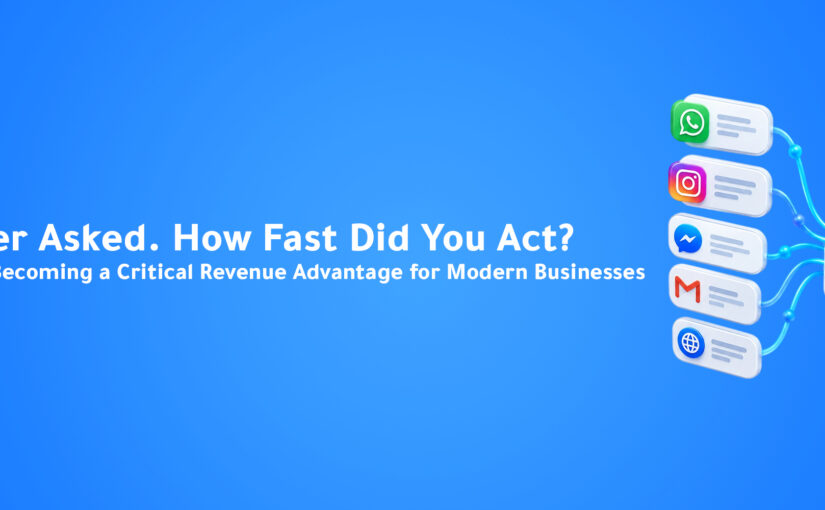
Customer conversations can take place across connected channels such as WhatsApp, Instagram, Messenger, web chat, email, and voice.

The objective is simple:

Turn conversations into progress.

From Conversational Commerce to Agentic Commerce

The next evolution goes even further.

AI is moving from systems that only recommend what the customer should do toward systems that can help execute the next step.

Instead of:

“You should schedule a demo.”

AI can help schedule it.

Instead of:

“I’ll tell sales you’re interested.”

AI can create the opportunity and assign it.

Instead of:

“Someone will follow up.”

AI can trigger the workflow.

This is where conversational commerce begins to intersect with Agentic AI.

The AI doesn’t simply participate in the conversation.

It helps move the business process forward.

How Businesses Can Start

Businesses do not need to automate every customer conversation.

Start with one high-volume journey.

For example:

Product Questions → Recommendation.

WhatsApp Inquiry → Qualified Lead.

Pricing Question → Sales Opportunity.

Customer Request → Appointment.

Product Interest → Purchase Assistance.

Then map the questions customers already ask.

Identify:

What information is needed?

Which systems contain that information?

What actions happen afterward?

When should a human become involved?

Where do customers currently leave the journey?

This provides a practical foundation for conversational commerce.

The Future of Digital Commerce Is Conversational

Websites are not disappearing.

Apps are not disappearing.

Traditional checkout is not disappearing.

But conversation is becoming another important interface between customers and businesses.

Instead of customers learning how a company’s systems work, AI can increasingly learn what the customer wants.

The customer says:

“Here’s what I need.”

The system understands.

Retrieves information.

Asks questions.

Provides options.

Connects systems.

Triggers actions.

And brings humans into the journey when appropriate.

Commerce becomes less about navigating interfaces and more about expressing intent.

Conclusion

For years, businesses treated customer conversations as something that happened around the buying journey.

A customer asked a question.

An employee answered.

Then the customer returned to the website, form, calendar, or checkout process.

Conversational Commerce changes that model.

The conversation itself can help customers discover solutions, compare options, get recommendations, provide information, qualify their needs, and move toward the next action.

AI makes those conversations more scalable.

Connected systems make them more useful.

Automation turns them into action.

The businesses that benefit most won’t simply add more chatbots.

They will design customer journeys where conversation becomes part of how business gets done.

Ready to Turn More Conversations Into Business?

ConnectGain by Appgain helps businesses connect customer conversations with AI, CRM data, and automated workflows across WhatsApp, social messaging, web, email, and voice.

Understand customer intent, provide relevant information, capture opportunities, trigger workflows, and bring your team into the conversation at the right moment.

Don’t let the conversation end with an answer. Turn it into the next action.

Contact Us

📞 WhatsApp: +20 111 998 5526
🌐 Website: appgain.io
📧 Email: He***@*****in.io
About Appgain

Appgain is an Agentic AI company helping businesses turn customer conversations into intelligent business workflows.

Through ConnectGain, organizations can connect AI with CRM, WhatsApp, voice, social messaging, customer data, and automation—helping customers move from questions to real business actions.

ConnectGain by Appgain

AI That Works Where Your Business Works.


AI Customer Journey Orchestration: How Businesses Can Coordinate Every Customer Interaction

Introduction

Marketing teams build funnels.

Sales teams build pipelines.

Customer service teams build support processes.

But customers rarely follow any of them perfectly.

A customer might discover your company through Instagram.

Visit your website three days later.

Send a WhatsApp message.

Disappear for a week.

Return through web chat.

Request pricing.

Speak with sales.

Download a proposal.

Call with a question.

Then finally decide to buy.

From the customer’s perspective, this is one continuous relationship with your business.

Inside the company, however, it may look like eight completely separate interactions.

Different channels.

Different employees.

Different systems.

Different departments.

Different pieces of customer data.

This creates one of the biggest challenges in modern customer engagement:

How do you coordinate the journey when the customer decides where it goes next?

This is where AI Customer Journey Orchestration becomes valuable.

Instead of forcing every customer through the same predefined sequence, businesses can use AI, customer context, and automation to determine the most appropriate next interaction based on what is actually happening.

The result is a customer journey that becomes more responsive, connected, and relevant.

What Is Customer Journey Orchestration?

Customer Journey Orchestration is the process of coordinating customer interactions across different channels, systems, and stages of the customer lifecycle.

Traditional automation often follows predefined sequences.

For example:

Lead Created

Email 1

Wait 2 Days

Email 2

Wait 3 Days

Sales Follow-Up

Journey orchestration works differently.

It asks:

What is happening with this customer right now?

Then the next interaction can change accordingly.

Why Linear Funnels Don’t Reflect Real Customers

Businesses often visualize customer journeys as straight lines:

Awareness → Consideration → Purchase → Retention

This framework is useful for planning.

But actual customer behavior is much messier.

A customer can move forward.

Then backward.

Then disappear.

Then return.

They may speak with sales before reading your website.

They may ask support questions before purchasing.

They may compare competitors after requesting a proposal.

They may switch channels several times.

The customer journey isn’t a straight line.

It’s a collection of signals.

The Problem With Disconnected Customer Journeys

Imagine a potential customer has already:

Spoken with your sales team.

Explained their requirements.

Received pricing.

Requested a proposal.

Then they send a WhatsApp message.

The person answering WhatsApp asks:

“Hi! How can we help you today?”

Technically, the response is polite.

But from the customer’s perspective, something is wrong.

They have already spent time explaining what they need.

The business simply doesn’t remember.

This is what happens when channels operate independently.

Customers Expect Businesses to Remember

Customers increasingly interact with companies across multiple touchpoints.

They expect context to travel with them.

If they move from:

Website → WhatsApp

or:

Instagram → Phone Call

or:

Email → Sales Meeting

they don’t think they are starting a new relationship.

They are continuing the same one.

Businesses therefore need to preserve:

Identity.

Conversation history.

Intent.

Previous actions.

Customer status.

Next steps.

Without that context, every channel becomes another starting point.

What AI Adds to Journey Orchestration

Traditional automation is excellent when the path is predictable.

AI becomes valuable when the customer does something unexpected.

Instead of relying only on:

If X happens → Do Y

AI can help understand:

What the customer wants.

What happened previously.

How interested they appear.

Which stage they may be in.

What information they already received.

Whether human involvement is needed.

What action may make sense next.

This allows automation to become more adaptive.

A Simple Example

Imagine a customer downloads a product guide.

A traditional workflow may automatically send three nurturing emails.

But after downloading the guide, the customer immediately sends:

“We need this for 50 users. Can someone send me enterprise pricing today?”

Should they continue receiving basic educational emails?

Probably not.

Their behavior has changed.

An intelligent journey can recognize the new intent and adjust.

Product Guide Downloaded

High-Intent Message Received

Educational Sequence Paused

Lead Qualified

Sales Opportunity Created

Enterprise Representative Assigned

Immediate Follow-Up Triggered

The journey adapts to the customer.

Journey Orchestration Starts With Identity

Before a business can coordinate customer interactions, it needs to understand who is interacting.

This becomes difficult when customers use different channels.

The same person may:

Message on WhatsApp.

Use an email address on the website.

Call from their phone.

Submit a form.

Speak with a salesperson.

When customer identities remain fragmented, the business may treat one person as several different leads.

Connecting customer identity creates a foundation for a more coherent journey.

Context Is More Valuable Than Channel

Businesses often organize operations around channels.

WhatsApp Team.

Email Team.

Call Center.

Social Team.

Website Leads.

But customers don’t care which internal team owns a channel.

They care about getting the right answer.

A better operating model focuses on customer context.

Instead of asking:

“Where did this message come from?”

the system can also ask:

“Who is this customer and what has already happened?”

Channel still matters.

But context matters more.

AI Can Understand Journey Signals

Customers constantly generate signals.

Some are obvious.

Others are subtle.

Examples include:

Requesting pricing.

Visiting a product page.

Asking about implementation.

Booking a demo.

Missing a meeting.

Replying after weeks of inactivity.

Mentioning a competitor.

Asking about contract terms.

Reporting a problem.

Requesting cancellation.

AI can help interpret these signals and determine whether the customer’s journey has changed.

Not Every Customer Needs the Same Next Step

Imagine three customers receive a product demonstration.

Customer A

Says:

“Please send the contract.”

Customer B

Says:

“I need some time to think.”

Customer C

Doesn’t respond afterward.

Sending all three customers the same follow-up sequence makes little sense.

Their situations are different.

A more adaptive workflow could respond differently.

Customer A

→ Sales closing workflow.

Customer B

→ Educational nurturing.

Customer C

→ Re-engagement workflow.

Same starting event.

Different next actions.

Customer Journey Orchestration for Sales

Sales journeys contain many possible paths.

A lead may:

Ask for pricing.

Request a demo.

Need technical information.

Bring another decision-maker.

Delay the purchase.

Request a proposal.

Go silent.

Return later.

AI can help interpret these changes and connect them with appropriate sales actions.

The objective isn’t to automate every sales decision.

It’s to prevent important customer signals from disappearing.

Customer Journey Orchestration for Support

Support interactions can also influence the broader customer relationship.

Imagine an existing customer has an unresolved critical support issue.

At the same time, an automated system sends:

“Would you like to upgrade your plan?”

That’s technically possible.

But it’s poor customer experience.

Journey orchestration can use support context to influence other communications.

For example:

Critical Support Case Open

Promotional Sequence Paused

Support Resolution Prioritized

Issue Resolved

Customer Experience Follow-Up

Customer context determines communication.

Journey Orchestration for Customer Retention

Customer journeys do not end after the sale.

After purchase, businesses still need to manage:

Onboarding.

Adoption.

Support.

Renewal.

Expansion.

Feedback.

Retention.

AI can help identify signals indicating that a customer may need attention.

For example:

Reduced engagement.

Repeated support requests.

Negative conversation sentiment.

Renewal approaching.

Upgrade interest.

New requirements.

Different signals can trigger different customer success workflows.

The Importance of Timing

The right message at the wrong time can still fail.

Imagine a customer asks for enterprise pricing.

The business responds three days later.

The information may be correct.

The timing isn’t.

Journey orchestration helps businesses react when important signals appear.

This could mean:

Escalating a high-intent lead.

Pausing an irrelevant campaign.

Triggering a support workflow.

Assigning an employee.

Sending relevant information.

Creating a task.

The value often comes from doing the appropriate thing while the customer still cares.

From Campaign Automation to Journey Automation

Campaign automation asks:

What message should we send next?

Journey orchestration asks a broader question:

What should happen next for this customer?

Sometimes the answer is a message.

Sometimes it’s:

A sales call.

A CRM update.

A support escalation.

A meeting.

An internal task.

A human handoff.

No communication at all.

That distinction is important.

Not every customer signal requires another automated message.

Sometimes the smartest automation is knowing when not to send one.

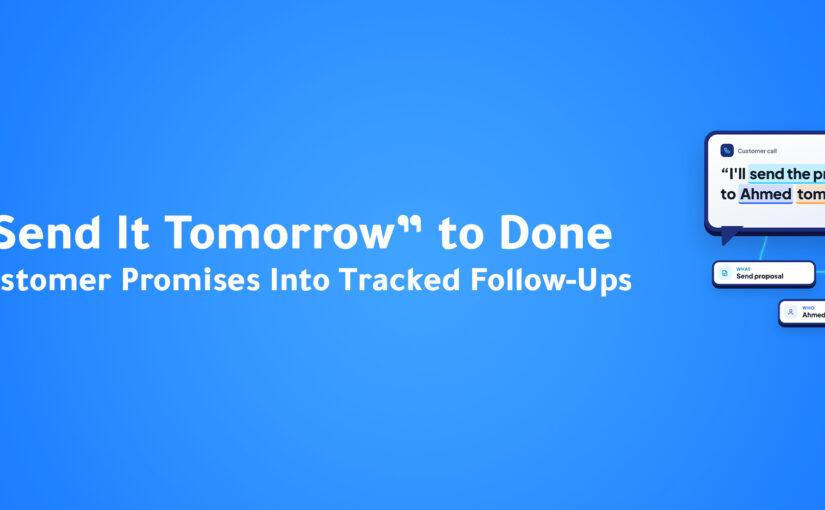
Cross-Channel Journeys

A modern customer journey may move through several communication channels.

For example:

Instagram Inquiry

WhatsApp Conversation

AI Qualification

Voice Call

Demo Scheduled

Email Proposal

WhatsApp Follow-Up

Deal Closed

If each interaction exists independently, teams lose context.

When they are connected, every interaction contributes to the same customer journey.

ConnectGain: Connecting the Customer Journey

With ConnectGain by Appgain, businesses can bring customer conversations, CRM context, AI, and workflows into a more connected customer journey.

Instead of treating each interaction as an isolated message, ConnectGain can help businesses understand customer context and connect conversations with appropriate business actions.

A journey might look like:

Customer Interaction

Identity Recognized

Context Retrieved

Intent Understood

Journey Stage Evaluated

Next Action Triggered

CRM Updated

Customer Journey Continues

The customer may communicate through WhatsApp, voice, web chat, email, or another connected channel.

The underlying objective remains the same:

Keep the business context connected as the customer moves.

AI Should Know When Humans Matter

Journey orchestration doesn’t mean removing people from customer relationships.

Some moments become more valuable when handled by humans.

For example:

Complex negotiations.

Sensitive complaints.

High-value opportunities.

Strategic accounts.

Cancellation risks.

Unusual requests.

AI can help identify these moments.

Then instead of continuing automation blindly, the system can bring the right employee into the journey with the relevant context.

Automation handles coordination.

Humans handle moments where judgment matters.

Avoid Over-Automating the Journey

There is a danger in customer journey automation.

Businesses can automate too much.

A customer sends a message.

Automation responds.

Another automation follows.

Another sequence begins.

Another notification arrives.

Eventually, the customer feels like they are communicating with a machine rather than a business.

Good journey orchestration should reduce unnecessary interactions.

The objective is relevance, not volume.

Ask:

Does this action help the customer move forward?

If not, it may not need to happen.

How to Start With Journey Orchestration

Do not attempt to automate the entire customer lifecycle immediately.

Start with one important journey.

For example:

Lead → Demo.

Demo → Proposal.

Purchase → Onboarding.

Support Request → Resolution.

Renewal → Retention.

Map what happens today.

Then identify:

Where does customer context disappear?

Where do employees manually transfer information?

Where do customers wait?

Where are irrelevant messages sent?

Where are important signals ignored?

These gaps are strong candidates for orchestration.

Questions Businesses Should Ask

Before building a customer journey workflow, ask:

Can we recognize the customer across channels?

Do we know what happened previously?

Can the system understand current intent?

Can previous customer actions influence the next workflow?

Can automation stop when it is no longer relevant?

Can a human enter the journey when necessary?

Can customer information update automatically?

Can one interaction trigger actions in another system?

These questions help separate basic automation from true journey orchestration.

The Future of Customer Journeys

Customer journeys are becoming too dynamic for businesses to manage entirely through static sequences.

Customers change channels.

Their intent changes.

Their priorities change.

Their relationship with the company changes.

AI gives businesses a way to interpret those changes faster.

CRM systems provide customer context.

Communication channels provide signals.

Automation executes actions.

Humans handle important moments.

Together, these components create customer journeys that can adapt rather than simply follow a predefined path.

Conclusion

Customers don’t experience your CRM, marketing platform, WhatsApp account, call center, and support system as separate technologies.

They experience one business.

When those systems don’t communicate, the customer feels the disconnect.

They repeat information.

Receive irrelevant messages.

Wait for internal handoffs.

Get treated like a stranger after previous interactions.

AI Customer Journey Orchestration helps businesses connect those moments.

By combining customer identity, conversation context, intent, CRM information, and automation, organizations can create journeys that respond to what customers actually do.

Because the best customer journey isn’t the one your business planned perfectly.

It’s the one that can adapt when the customer doesn’t follow the plan.

Ready to Build Customer Journeys That Adapt?

ConnectGain by Appgain helps businesses connect customer conversations, AI, CRM context, and workflows across the customer journey.

Understand intent, preserve context across channels, trigger relevant actions, involve the right teams, and adapt workflows as customer behavior changes.

Your customers choose the journey. ConnectGain helps your business keep up.

Contact Us

📞 WhatsApp: +20 111 998 5526
🌐 Website: appgain.io
📧 Email: He***@*****in.io
About Appgain

Appgain is an Agentic AI company helping businesses build intelligent, connected customer experiences.

Through ConnectGain, organizations can bring together AI, CRM, WhatsApp, voice, customer conversations, and business workflows—helping every interaction carry the context needed for the next action.

ConnectGain by Appgain

AI That Works Where Your Business Works.


AI Lead Routing: How Intelligent Lead Distribution Helps Sales Teams Respond Faster

Introduction

A new lead arrives.

They are interested.

They match your ideal customer profile.

They may even be ready to buy.

But before anyone can sell to them, one important decision needs to happen:

Who should handle this lead?

In many businesses, that decision is still surprisingly manual.

A sales manager checks the inquiry.

Someone forwards it to a salesperson.

A WhatsApp message is sent internally.

A CRM owner is assigned.

Or the lead simply enters a general queue and waits for someone to pick it up.

The problem becomes more serious as the business grows.

More salespeople.

More products.

More locations.

More languages.

More customer segments.

More communication channels.

Suddenly, assigning the right lead to the right person becomes an operational challenge of its own.

This is where AI Lead Routing can make a significant difference.

Instead of distributing leads using only basic rules or manual decisions, AI can help understand the customer, evaluate the opportunity, and route it to the salesperson, department, branch, or workflow most suited to handle it.

Because generating a lead is only the beginning.

The next question is who gets it—and how quickly.

What Is AI Lead Routing?

AI Lead Routing is the use of artificial intelligence and automation to determine where a new lead should go based on available customer and business information.

Traditional lead routing often relies on simple rules.

For example:

Country = UAE → UAE Sales Team

or:

Product = Enterprise → Enterprise Sales

These rules are useful.

But real customers are often more complicated than a single CRM field.

AI can analyze additional context from the conversation itself.

For example:

What does the customer need?

Which product are they interested in?

What language are they speaking?

How large is their company?

How urgent is the request?

Are they an existing customer?

What is their buying intent?

Which salesperson has the appropriate expertise?

This allows routing to become more contextual.

Why Lead Assignment Matters

Businesses spend significant amounts of money generating leads.

Advertising.

Content.

SEO.

Events.

Partnerships.

Outbound sales.

Social media.

But once the lead arrives, another process begins.

If the lead is sent to the wrong employee, several things can happen.

The employee may not know the product.

They may serve a different territory.

They may not speak the customer’s preferred language.

They may already have too many active opportunities.

They may need to forward the lead to someone else.

Every additional handoff creates delay.

And while the company is deciding who should respond, the customer may already be talking to a competitor.

The Manual Lead Routing Problem

Imagine a company receiving leads through:

WhatsApp.

Instagram.

Website forms.

Phone calls.

Email.

Advertising campaigns.

Web Chat.

The sales manager needs to review incoming opportunities and decide where each one belongs.

A lead asks about an enterprise solution.

Another asks about a small-business package.

Another speaks Arabic.

Another requires a technical integration.

Another is an existing customer.

Another wants to purchase immediately.

When volume is low, employees can manage this manually.

As volume increases, the process becomes difficult to maintain consistently.

Round-Robin Isn’t Always Enough

One common solution is round-robin lead distribution.

Lead 1 → Salesperson A

Lead 2 → Salesperson B

Lead 3 → Salesperson C

Lead 4 → Salesperson A

This creates a relatively equal distribution.

But equal does not always mean optimal.

Imagine Salesperson A specializes in enterprise accounts.

Salesperson B specializes in e-commerce.

Salesperson C handles Arabic-speaking customers.

A large Arabic-speaking e-commerce customer arrives.

Who should receive the lead?

Simple round-robin logic cannot understand that context.

Intelligent routing can.

How AI Lead Routing Works

The exact workflow depends on the organization, but intelligent routing generally follows several stages.

1. Capture the Lead

The lead may arrive from any connected customer touchpoint.

For example:

WhatsApp.

Website.

Social Media.

Voice Call.

Email.

Campaign.

Chatbot.

The first objective is to capture the interaction and associate it with a customer.

2. Understand the Conversation

The customer may not complete a perfectly structured form.

They may simply write:

“Hi, we’re a retail company with 12 branches and need to manage WhatsApp conversations across our sales team.”

That sentence already contains valuable routing information.

AI can identify:

Industry: Retail

Company Structure: Multi-branch

Channel Requirement: WhatsApp

Use Case: Sales Conversations

Potential Complexity: Higher-value opportunity

Instead of relying entirely on fields the customer manually selected, the conversation itself becomes part of the routing logic.

3. Qualify the Opportunity

Before routing, the system can help determine what type of opportunity it is.

Qualification information may include:

Company size.

Industry.

Location.

Budget.

Product interest.

Timeline.

Use case.

Existing customer status.

Buying intent.

This helps distinguish between leads that may require different sales motions.

4. Match the Lead With the Right Owner

Once enough context is available, routing logic can determine the appropriate destination.

For example:

Enterprise Lead

→ Senior Account Executive

Technical Integration Request

→ Solutions Consultant

Existing Customer

→ Current Account Manager

Arabic-Speaking Lead

→ Arabic-Speaking Sales Representative

Specific Region

→ Regional Sales Team

Product-Specific Inquiry

→ Product Specialist

The objective is not simply to assign the lead.

It is to make the best possible first assignment.

5. Update the CRM Automatically

Once the owner is determined, the system can update the CRM.

For example:

Create the contact.

Create the opportunity.

Assign the owner.

Record the lead source.

Add qualification information.

Attach conversation context.

Set the appropriate pipeline stage.

The salesperson receives a structured opportunity instead of an unexplained contact record.

6. Notify the Assigned Employee

Routing only works if the assigned person knows the opportunity exists.

The workflow can notify the appropriate salesperson immediately.

Instead of:

“There’s a new lead somewhere in the CRM.”

The employee can receive useful context:

New Qualified Lead

Company: XYZ Retail

Interest: WhatsApp Sales Automation

Company Size: 12 Branches

Intent: Product Demo

Priority: High

The salesperson understands why the lead matters before opening the conversation.

Lead Routing by Geography

For businesses operating across multiple markets, geography can influence ownership.

For example:

UAE leads → UAE team.

Saudi leads → Saudi team.

Egypt leads → Egypt team.

International leads → Global sales.

But geography alone may not be enough.

A Saudi enterprise lead may need a different salesperson from a Saudi small-business lead.

Intelligent routing can combine multiple signals instead of relying on one rule.

Lead Routing by Language

Language is another important factor, particularly for businesses operating across multilingual markets.

If a customer starts a conversation in Arabic, they may prefer an Arabic-speaking representative.

Another customer may communicate in English.

Others may require additional languages.

Automatically identifying the customer’s language can help create a smoother handoff.

The customer does not need to request:

“Can I speak with someone who speaks Arabic?”

The workflow can account for that preference earlier.

Lead Routing by Product Expertise

Many companies sell multiple products or services.

Not every salesperson has the same level of expertise across every offering.

Imagine a company sells:

CRM solutions.

AI Voice Agents.

WhatsApp Automation.

Enterprise Integrations.

Customer Support Automation.

A customer asking about a complex Voice AI deployment may benefit from a different salesperson than someone asking about a simple messaging package.

Routing based on product interest can reduce unnecessary internal transfers.

Lead Routing by Customer Value

Not every lead requires the same sales process.

A five-person company and a multinational organization may need completely different conversations.

AI-assisted qualification can help identify potential account value based on factors such as:

Company size.

Number of locations.

Requested capabilities.

Expected usage.

Implementation complexity.

The opportunity can then be routed to the appropriate sales team.

Lead Routing by Intent

Two customers may visit the same website but have completely different intentions.

One asks:

“How much does it cost?”

Another says:

“We need to deploy this across 80 branches next month. Can we speak with your enterprise team?”

Both are leads.

But their urgency and potential value are different.

Intent-based routing can help prioritize conversations that require immediate sales attention.

Existing Customers Need Different Routing

Not every incoming conversation should create a new lead.

An existing customer may contact the company through a different channel or phone number.

If the system recognizes them, the conversation may need to go directly to:

Their Account Manager.

Customer Success.

Support.

Billing.

The correct internal team depends on the customer’s existing relationship with the company.

Recognizing this context helps avoid awkward situations where existing customers are treated like new prospects.

Why Lead Context Matters During Handoff

Routing the lead to the correct person solves only half the problem.

The salesperson also needs context.

A bad handoff looks like this:

“Hi, I was told you’re interested. How can I help?”

The customer then repeats everything they already explained.

A better handoff includes:

Conversation summary.

Customer need.

Product interest.

Qualification information.

Previous interactions.

Requested next step.

Now the salesperson can begin with:

“I can see you’re looking to manage WhatsApp conversations across 12 retail branches. Let’s look at how that setup could work.”

The customer feels understood immediately.

AI Lead Routing and Customer Experience

Lead routing sounds like an internal sales process.

But customers experience its effects directly.

Good routing means:

Fewer transfers.

Faster responses.

More knowledgeable employees.

Less repetition.

More relevant conversations.

Poor routing creates the opposite experience.

The customer doesn’t care how your organization is structured internally.

They care about reaching someone who can help.

The Cost of Internal Handoffs

Every time a lead moves internally, context can be lost.

Salesperson A forwards it to Salesperson B.

Salesperson B asks the manager.

The manager sends it to another department.

Someone eventually contacts the customer.

By then, the customer may have spoken with three companies.

The objective of intelligent routing is to reduce unnecessary movement.

Get the opportunity closer to the right destination from the beginning.

ConnectGain: From Customer Intent to the Right Team

With ConnectGain by Appgain, customer conversations can be connected with AI-powered qualification, CRM information, and automated routing workflows.

Instead of every incoming conversation entering the same queue, businesses can create workflows based on customer context.

For example:

New Conversation

Intent Identified

Customer Information Captured

Lead Qualified

Routing Criteria Evaluated

Correct Owner Assigned

CRM Updated

Salesperson Notified

The customer journey continues without requiring a manager to manually coordinate every assignment.

Combining AI With Business Rules

AI Lead Routing should not mean allowing an algorithm to make uncontrolled decisions.

The strongest systems combine AI understanding with clear business rules.

AI may identify:

Customer intent.

Language.

Product interest.

Conversation context.

Business rules can then determine:

Which teams are eligible.

Which territories apply.

Which account ownership rules must be respected.

Which opportunities require human review.

Which leads receive priority.

This creates a balance between intelligence and operational control.

When Human Review Still Matters

Some opportunities should not be routed automatically.

For example:

Strategic accounts.

Complex partnerships.

Very high-value opportunities.

Existing enterprise relationships.

Unusual customer requirements.

AI can help identify these cases and send them for manual review rather than forcing an automatic assignment.

Automation works best when businesses define where humans should remain involved.

How to Start With Intelligent Lead Routing

Start by examining how leads are assigned today.

Ask:

Where do leads come from?

Who decides ownership?

How long does assignment take?

How often are leads reassigned?

Which factors determine the best salesperson?

Which leads require specialists?

Which customers require specific languages?

Which accounts already have owners?

Then identify the simplest routing logic that would remove the most manual work.

You do not need dozens of routing conditions on day one.

Start with the decisions your team already makes repeatedly.

Then automate them carefully.

Metrics Worth Watching

Once intelligent routing is implemented, businesses can evaluate its impact through metrics such as:

Time to assignment.

Time to first response.

Number of lead reassignments.

Lead-to-meeting conversion.

Lead-to-opportunity conversion.

Distribution across sales representatives.

Unassigned lead volume.

Qualified lead response time.

The objective isn’t simply faster distribution.

It is better distribution that improves the customer’s path to the right person.

The Future of Lead Distribution

Lead routing is evolving from:

“Who is next in line?”

to:

“Who is best positioned to handle this opportunity?”

AI can understand customer context.

CRM systems provide relationship data.

Business rules define organizational constraints.

Automation executes the assignment.

The result is a smarter connection between customer intent and company expertise.

As sales organizations become more complex, this capability will become increasingly important.

Because the fastest salesperson isn’t always the right salesperson.

And the right salesperson isn’t useful if the lead reaches them too late.

Conclusion

Businesses invest heavily in generating demand.

But what happens after a lead arrives can be just as important as how the lead was generated.

Manual assignment, generic queues, unnecessary transfers, and poor routing can introduce friction at the beginning of the sales journey.

AI Lead Routing gives businesses a smarter way to connect customer opportunities with the people best equipped to handle them.

By combining conversation context, qualification information, CRM data, and business rules, organizations can reduce unnecessary handoffs and create faster, more relevant sales experiences.

Because a lead isn’t truly delivered when it reaches your business.

It’s delivered when it reaches the right person.

Ready to Route Every Opportunity to the Right Team?

ConnectGain by Appgain helps businesses connect customer conversations with AI-powered qualification, CRM data, and intelligent routing workflows.

Capture customer intent, qualify opportunities, assign the right owner, preserve conversation context, and move leads into the sales process without unnecessary manual coordination.

The right lead. The right person. The right moment.

Contact Us

📞 WhatsApp: +20 111 998 5526
🌐 Website: appgain.io
📧 Email: He***@*****in.io
About Appgain

Appgain is an Agentic AI company helping businesses turn customer conversations into intelligent, connected workflows.

Through ConnectGain, organizations can connect AI with customer communication channels, CRM systems, lead qualification, routing, voice, and business workflows—helping teams move opportunities from first contact to the right next action.

ConnectGain by Appgain

AI That Works Where Your Business Works.


AI Sales Coaching: How AI Helps Sales Teams Improve Every Conversation

Introduction

Sales teams spend hours every week talking to potential customers.

Discovery calls.

Product demonstrations.

Follow-ups.

Negotiations.

Objection handling.

Pricing conversations.

Every call contains useful lessons.

Which questions worked?

Where did the customer lose interest?

Which objection stopped the deal?

What did the salesperson miss?

Which part of the conversation created momentum?

Traditionally, sales coaching depends on managers listening to selected calls and giving feedback.

The problem is scale.

A manager may supervise several sales representatives.

Each representative may handle dozens of conversations every week.

Listening to every call is almost impossible.

That means most coaching is based on a very small sample of the team’s real performance.

AI is changing that.

With AI Sales Coaching, businesses can analyze conversations automatically, identify patterns, highlight coaching opportunities, and help sales teams improve using real customer interactions.

Instead of coaching based only on memory or occasional call reviews, managers can use data from the conversations that are actually happening every day.

What Is AI Sales Coaching?

AI Sales Coaching uses artificial intelligence to analyze sales conversations and identify areas where sales representatives can improve.

The AI can review conversations and help surface information such as:

Customer objections.

Questions asked.

Talk-to-listen balance.

Buying signals.

Competitor mentions.

Next steps.

Missed opportunities.

Follow-up commitments.

Common conversation patterns.

The goal isn’t to replace sales managers.

It’s to give them better visibility.

Instead of manually searching for coaching opportunities, AI helps identify where attention is most needed.

Why Traditional Sales Coaching Is Difficult

Sales coaching sounds simple.

Listen to calls.

Give feedback.

Help representatives improve.

But in practice, it becomes difficult very quickly.

Too Many Calls

Managers cannot listen to every conversation.

As a result, they usually review a small sample.

That sample may not represent the salesperson’s real performance.

Coaching Happens Too Late

A call happens on Monday.

The manager reviews it on Friday.

By then, the salesperson has already had dozens of similar conversations.

Feedback Can Be Subjective

Different managers may focus on different things.

One may care about discovery questions.

Another may focus on closing.

Another may emphasize call length.

Without consistent criteria, coaching quality can vary.

Important Patterns Are Hard to See

One difficult call may not mean much.

But if the same objection appears in 40 conversations, that is valuable information.

Humans struggle to identify patterns at that scale.

AI can help.

What AI Can Analyze in a Sales Conversation

Modern AI can analyze far more than a transcript.

It can help understand the structure and context of the conversation.

Discovery Questions

Did the salesperson understand the customer’s actual problem?

For example:

What are you trying to improve?

How are you handling this today?

What is the biggest challenge with your current process?

When do you need a solution?

Good discovery creates better sales conversations later.

AI can help identify whether these questions were asked and whether important areas were missed.

Objection Handling

Customers rarely say yes immediately.

They raise objections such as:

“The price is too high.”

“We already use another platform.”

“We need to speak with management.”

“Implementation seems complicated.”

“We’re not ready yet.”

AI can identify which objections appear most frequently and how different salespeople respond.

This creates valuable coaching material.

Managers can ask:

Which responses work best?

Which objections repeatedly stop deals?

Which representatives handle them most effectively?

Buying Signals

Customers often reveal purchase intent during conversations.

They may say:

“How quickly can we start?”

“Can we add more users?”

“What does onboarding look like?”

“Can you send the contract?”

“Can we schedule another meeting with my manager?”

These signals may be obvious in one conversation.

Across hundreds of calls, however, manually tracking them becomes difficult.

AI can help surface them consistently.

Conversation Structure

Strong sales conversations usually have a logical flow.

Opening.

Discovery.

Problem exploration.

Solution discussion.

Objection handling.

Next step.

AI can help analyze whether conversations follow a productive structure.

For example, a representative may spend too much time explaining the product before understanding the customer’s problem.

That can become a coaching opportunity.

Next-Step Discipline

One of the most important parts of a sales conversation is what happens at the end.

Did the salesperson agree on a clear next step?

Was a meeting scheduled?

Was a follow-up date defined?

Was the proposal assigned?

Did both sides understand what happens next?

A great conversation can still fail if the next step is vague.

AI can help flag calls where the conversation ended without a clear action.

Coaching Every Rep, Not Just the Ones Managers Hear

One of the biggest advantages of AI Sales Coaching is coverage.

Traditional coaching often favors the calls managers happen to review.

AI can analyze a much larger portion of the team’s conversations.

That gives managers a more complete view of performance.

Instead of asking:

“Which call should I listen to?”

Managers can ask:

“Which conversations show the biggest coaching opportunities?”

That’s a much more efficient use of leadership time.

Personalized Coaching

Not every salesperson needs the same advice.

One representative may need help with discovery.

Another may struggle with objections.

Another may fail to define next steps.

Another may talk too much.

AI can help identify patterns at the individual level.

This creates the possibility of more personalized coaching.

For example:

Rep A

Needs stronger discovery questions.

Rep B

Needs better objection handling.

Rep C

Needs clearer next-step commitments.

Rep D

Needs shorter product explanations.

Instead of generic training sessions, managers can focus on specific behaviors.

Coaching Based on Real Customer Conversations

Generic sales training is useful.

But it has limitations.

Customers do not speak in textbook examples.

They use real language.

They raise unexpected objections.

They compare products differently.

They describe their problems in their own words.

AI Sales Coaching allows teams to learn directly from those real conversations.

That means coaching becomes more connected to the market.

The sales team learns from actual customer behavior rather than hypothetical scenarios.

AI Sales Coaching for New Employees

New sales representatives often require weeks or months of training.

They need to learn:

The product.

The sales process.

Common objections.

Customer language.

Competitors.

Pricing conversations.

Successful discovery questions.

Call recordings can be one of the best training resources.

With AI, new employees can access structured insights from previous conversations.

Instead of manually listening to hours of calls, they can learn from:

Common objections.

Successful responses.

Frequent questions.

Winning conversation patterns.

This can make onboarding more focused.

From Coaching to Sales Intelligence

AI Sales Coaching also creates value beyond individual performance.

When conversations are analyzed across the entire team, businesses gain broader sales intelligence.

For example, management may discover:

A new objection appearing frequently.

A competitor being mentioned more often.

Customers repeatedly asking for one missing integration.

Pricing concerns increasing.

One particular use case driving more interest.

These patterns can influence:

Sales strategy.

Marketing messaging.

Product development.

Pricing.

Enablement materials.

Customer education.

Sales conversations become a source of business intelligence, not just coaching material.

AI Doesn’t Replace the Sales Manager

Sales coaching is deeply human.

Great managers understand:

Motivation.

Confidence.

Personality.

Career goals.

Team dynamics.

Complex customer situations.

AI cannot replace those responsibilities.

Its role is different.

AI can help managers see more.

Find patterns faster.

Identify the right conversations.

Prepare more specific feedback.

Managers still make the judgment.

AI improves the information available to them.

ConnectGain: Turning Conversations Into Coaching Opportunities

With ConnectGain by Appgain, businesses can connect sales conversations with AI-powered conversation analysis, customer context, and CRM workflows.

Instead of calls simply ending and disappearing into recordings, conversations can become structured insights.

For example:

Sales Call Completed

AI Summary Generated

Objections Identified

Buying Signals Detected

Next Steps Extracted

CRM Updated

Coaching Insight Available

Managers gain better visibility into what is happening across sales conversations, while representatives spend less time documenting calls manually.

And because ConnectGain can connect customer interactions across voice, WhatsApp, and other communication channels, coaching can be based on a broader view of how the sales team communicates with customers.

What Sales Leaders Should Measure

AI Sales Coaching becomes more useful when businesses define what good conversations actually look like.

Depending on the sales process, leaders may want to evaluate:

Discovery quality.

Customer engagement.

Objection handling.

Next-step clarity.

Product knowledge.

Competitor discussions.

Buying signals.

Follow-up commitments.

Conversation consistency.

The objective is not to create a score for everything.

It is to identify the behaviors that actually influence sales outcomes.

How to Start With AI Sales Coaching

Businesses do not need to redesign the entire sales process.

Start with a small number of questions.

For example:

What objections appear most frequently?

Are sales representatives defining clear next steps?

Which discovery questions are being missed?

Which conversations require manager attention?

Then use AI to analyze those specific areas.

Once the team begins gaining useful insights, the coaching framework can expand gradually.

The Future of Sales Coaching

Sales coaching is moving from occasional review to continuous improvement.

Instead of waiting for weekly meetings, managers can gain insights from conversations as they happen.

Sales representatives can receive more timely feedback.

Managers can identify trends earlier.

Training can be based on real customer interactions.

The future isn’t AI giving salespeople generic instructions.

It’s AI helping humans understand thousands of conversations that would otherwise be impossible to review.

That gives sales leaders something they have rarely had before:

Visibility at scale.

Conclusion

Great sales teams do not improve by having more conversations.

They improve by learning from the conversations they already have.

For years, most of that learning depended on managers manually reviewing a small number of calls.

AI Sales Coaching changes that.

By analyzing customer conversations automatically, AI can help identify objections, buying signals, missed questions, coaching opportunities, and recurring patterns across the entire sales organization.

The goal isn’t to turn sales into a robotic process.

It’s the opposite.

Remove the guesswork from coaching so salespeople can become better at the human part of selling.

Ready to Learn From Every Sales Conversation?

ConnectGain by Appgain helps businesses turn sales conversations into structured insights that support better coaching, stronger CRM data, and more informed sales decisions.

Analyze conversations, identify objections and buying signals, capture next steps, and give managers greater visibility into what is actually happening across the sales team.

Every conversation can teach your team something. ConnectGain helps you capture the lesson.

Contact Us

📞 WhatsApp: +20 111 998 5526
🌐 Website: appgain.io
📧 Email: He***@*****in.io
About Appgain

Appgain is an Agentic AI company helping organizations build smarter customer engagement and sales workflows.

Through ConnectGain, businesses can connect AI with voice calls, CRM, WhatsApp, customer conversations, and business workflows—turning everyday interactions into insights and actions that help teams perform better.

ConnectGain by Appgain

AI That Works Where Your Business Works.


Too Many Tools Are Slowing Your Team Down: The Hidden Cost of Context Switching

Introduction

Open WhatsApp.

Check the CRM.

Copy the customer’s phone number.

Switch to email.

Search for the previous conversation.

Open the calendar.

Go back to the CRM.

Update the deal.

Check another messaging platform.

Create a task.

Return to WhatsApp.

Send the customer a reply.

None of these actions seems particularly difficult.

But when employees repeat them dozens—or hundreds—of times every day, something important happens.

Work becomes fragmented.

The problem isn’t necessarily that employees are working slowly.

The problem is that their attention is constantly moving between different systems.

This is known as context switching, and it has become one of the hidden productivity problems inside modern sales and customer service teams.

Businesses have invested in more software than ever before.

CRM platforms.

Messaging tools.

Email.

Calendars.

Call systems.

Support platforms.

Spreadsheets.

Internal communication tools.

Automation platforms.

Each tool may solve an individual problem.

But together, they can create a completely different one:

Employees spend too much time managing tools instead of managing customers.

What Is Context Switching?

Context switching happens when someone repeatedly moves between different tasks, applications, conversations, or sources of information.

For a sales representative, a typical workflow might look like this:

Customer sends a WhatsApp message.

The employee opens the CRM.

They search for the customer.

They return to WhatsApp.

The customer asks about a previous conversation.

The employee searches their notes.

They open the pricing document.

They return to WhatsApp.

The customer requests a meeting.

The employee opens the calendar.

They schedule the meeting.

They return to the CRM.

They create a task.

They update the opportunity.

One customer interaction has required several different systems.

Now multiply that process across an entire working day.

The issue isn’t simply the number of clicks.

It’s the constant need to mentally reconstruct what is happening.

More Software Doesn’t Always Mean More Productivity

Businesses often add new tools with good intentions.

A CRM improves customer management.

A messaging platform improves communication.

A calendar improves scheduling.

A support platform improves ticket management.

An analytics tool improves reporting.

Individually, each decision makes sense.

But over time, the technology stack becomes fragmented.

The sales team may have one system.

Customer support uses another.

Marketing has several more.

Calls happen somewhere else.

Customer conversations are spread across multiple channels.

Suddenly, employees aren’t working inside a connected system.

They’re working between systems.

And humans become the integration layer.

Your Employees Become Human APIs

Imagine this workflow.

A new customer sends a message through WhatsApp.

An employee reads it.

Then manually copies the customer’s details into the CRM.

The customer requests a meeting.

The employee opens the calendar.

After scheduling it, they return to the CRM.

They create a task.

Then they notify another employee.

Technically, the systems are working.

But who is connecting them?

The employee.

The person is effectively acting like an API between several disconnected tools.

They copy information.

Transfer context.

Trigger the next action.

Update records.

Remember what needs to happen.

This is expensive, difficult to scale, and vulnerable to human error.

The Real Cost Isn’t Just Time

Context switching affects more than productivity.

It can influence the entire customer experience.

Customer Context Gets Lost

A conversation happens on WhatsApp.

Another happens by phone.

An email arrives later.

If those interactions remain separated, the employee may not have the full picture.

The customer then hears:

“Can you explain what happened again?”

That’s not just inconvenient.

It makes the company feel disconnected.

Follow-Ups Become Harder to Manage

When the next action exists in someone’s memory rather than inside a connected workflow, it can easily be forgotten.

The employee may intend to follow up tomorrow.

Then another customer calls.

Five new messages arrive.

A meeting starts.

Tomorrow becomes next week.

CRM Data Becomes Incomplete

Every additional manual step creates another opportunity for information to disappear.

Employees may forget to:

Add notes.

Update contact details.

Move a deal.

Create a task.

Record an outcome.

The CRM eventually stops reflecting what is actually happening with customers.

Response Times Increase

Sometimes a customer is waiting even though an employee is technically working on their request.

The employee may simply be searching across systems.

The customer sees silence.

Behind the scenes, the team sees ten open tabs.

The 10-Tab Customer Journey

Think about a typical customer interaction.

The customer doesn’t care how many systems your business uses.

They simply expect the business to know who they are and what they need.

But internally, their journey may look like:

WhatsApp

CRM

Email

Knowledge Base

Calendar

Spreadsheet

Internal Chat

CRM Again

From the customer’s perspective, it’s one conversation.

From the employee’s perspective, it’s an entire technology stack.

That’s the disconnect modern businesses need to solve.

Why Adding Another Dashboard Isn’t the Answer

When businesses recognize operational inefficiency, the instinct is often to buy another platform.

Another dashboard.

Another analytics screen.

Another automation tool.

Another place employees need to log into.

But adding another interface can sometimes make the problem worse.

The better question is:

Can intelligence and automation work inside the systems where employees and customers already operate?

Instead of asking employees to constantly find the right information, technology should bring the right information into the workflow.

Instead of asking employees to manually transfer data, systems should communicate automatically.

Instead of adding another place to check, AI should help reduce the number of places that require attention.

From Tool-Centric Work to Conversation-Centric Work

Most business software is organized around systems.

CRM.

Email.

Phone.

Messaging.

Support.

But customers don’t think in systems.

They think in conversations.

A customer may:

Discover the company on Instagram.

Send a WhatsApp message.

Speak with someone by phone.

Receive an email.

Book a meeting.

Return to WhatsApp.

To the customer, this is one relationship with one company.

Businesses therefore need a way to preserve context across the journey.

The question shouldn’t be:

“Which channel did the customer use?”

It should be:

“Who is this customer, what has already happened, and what needs to happen next?”

One Customer, One Context

Imagine a different experience.

A customer sends a WhatsApp message.

The employee immediately sees:

Who the customer is.

Previous conversations.

Existing CRM information.

Open opportunities.

Previous calls.

Current tasks.

Relevant customer details.

The employee doesn’t need to reconstruct the relationship manually.

The context is already there.

If the customer requests an action, the workflow can continue without repeatedly copying information between systems.

That fundamentally changes how employees work.

Where AI Changes the Workflow

AI becomes valuable when it reduces the work surrounding the conversation.

For example, during a customer interaction, AI can help:

Identify the customer.

Understand intent.

Retrieve relevant information.

Surface previous context.

Capture important details.

Summarize the conversation.

Trigger the appropriate workflow.

Update connected systems.

Create required tasks.

The employee remains focused on the customer while technology handles much of the coordination happening behind the scenes.

That’s a very different use of AI from simply generating text.

What a Connected Workflow Looks Like

Consider a potential customer asking for a demonstration.

In a fragmented environment:

Message Received

Employee Reads Message

Opens CRM

Searches Customer

Returns to Message

Opens Calendar

Books Meeting

Returns to CRM

Updates Opportunity

Creates Task

Sends Confirmation

Now compare that with a connected workflow:

Customer Requests Demo

Customer Identified

Context Retrieved

Meeting Scheduled

CRM Updated

Task Created

Confirmation Sent

The business outcome is the same.

The amount of manual coordination is not.

Unified Customer Conversations Matter

Another part of the problem is channel fragmentation.

Customers communicate through:

WhatsApp.

Instagram.

Messenger.

Email.

Web Chat.

Voice.

Other messaging channels.

If each channel operates as a separate inbox, employees need to continuously monitor different environments.

A Unified Inbox can bring those conversations into one operational view.

That means employees can spend less time checking channels and more time handling conversations.

But unifying messages is only the first step.

The real value comes when those conversations are connected with customer data and workflows.

ConnectGain: Reduce the Distance Between Conversation and Action

ConnectGain by Appgain is designed around this exact challenge.

Instead of treating customer conversations, CRM information, AI, and workflows as isolated environments, ConnectGain brings them together.

Customer conversations across multiple channels can enter a Unified Inbox.

From there, teams can access customer context and connect conversations with CRM processes and automated workflows.

A customer interaction can move through a connected journey:

Conversation Received

Customer Context Available

AI Understands Intent

Information Captured

CRM Updated

Task Triggered

Team Continues the Conversation

The objective isn’t to give employees another tool to manage.

It’s to reduce the manual coordination required between the tools and conversations they already manage.

What Businesses Gain From Less Context Switching

Reducing fragmented work can create improvements across several areas.

More Time for Customers

Employees spend less time searching, copying, and updating.

Faster Responses

Information becomes easier to access during conversations.

Better Customer Context

Teams can understand previous interactions without reconstructing them manually.

Cleaner CRM Data

Information can move into customer records as part of the workflow.

Fewer Missed Actions

Tasks and next steps become less dependent on memory.

Easier Scaling

Growing conversation volume doesn’t require the same growth in repetitive administrative work.

Most importantly, employees can focus on the work they were actually hired to do.

Salespeople can sell.

Support teams can solve problems.

Managers can manage.

Technology handles more of the coordination underneath.

Before Adding Another Tool, Ask These Questions

Businesses evaluating their technology stack should look beyond individual features.

Ask:

How many systems does an employee open to handle one customer?

How often is information manually copied between systems?

How many customer actions depend on someone remembering the next step?

Can employees see the full customer context from one place?

Are customer conversations connected to CRM activity?

Does automation reduce work—or simply create another dashboard?

These questions reveal operational friction that traditional software audits often miss.

The Future Isn’t More Tabs

For years, digital transformation often meant adding software.

Need better communication?

Add a tool.

Need CRM?

Add a platform.

Need analytics?

Add a dashboard.

Need automation?

Add another application.

But businesses are reaching a point where simply adding more software doesn’t necessarily create more efficiency.

The next stage is about orchestration.

AI understands the conversation.

Connected systems provide context.

Automation moves information.

Workflows trigger actions.

Employees remain focused on the outcome.

The technology increasingly operates in the background.

Conclusion

Your team may not have a productivity problem.

They may have a fragmentation problem.

When customer information, conversations, tasks, calendars, calls, and CRM activity exist across disconnected environments, employees spend part of every day rebuilding context and moving information manually.

Those small actions accumulate.

And as customer volume grows, the friction grows with it.

The solution isn’t necessarily another dashboard.

It’s creating a more connected operating environment where information follows the customer and actions flow naturally from conversations.

Because the best business technology doesn’t create more places for employees to work.

It removes the work between them.

Ready to Reduce the Work Between Your Tools?

ConnectGain by Appgain brings customer conversations, AI, CRM context, and workflows together so teams can spend less time switching between systems and more time moving customers forward.

Unify conversations, preserve customer context, automate repetitive actions, and connect every interaction with what needs to happen next.

Less switching. More selling. Better customer experiences.

Contact Us

📞 WhatsApp: +20 111 998 5526
🌐 Website: appgain.io
📧 Email: He***@*****in.io
About Appgain

Appgain is an Agentic AI company building intelligent systems that work where businesses already work.

Through ConnectGain, organizations can bring together customer conversations, CRM context, AI, voice, and business workflows—reducing operational friction and helping teams turn conversations into action.

ConnectGain by Appgain

AI That Works Where Your Business Works.


Call Intelligence: How AI Turns Customer Calls Into Business Insights

Introduction

Every day, businesses have hundreds or even thousands of conversations with customers.

Sales calls.

Support calls.

Product inquiries.

Complaints.

Appointment requests.

Follow-ups.

Inside those conversations is some of the most valuable customer data a business can collect.

Customers explain what they need.

They describe their problems.

They mention competitors.

They raise objections.

They reveal buying intent.

They provide feedback about products and services.

Yet in many organizations, most of that information disappears the moment the call ends.

A salesperson may write a few notes.

A support agent may update a ticket.

Someone may remember an important detail.

But the complete conversation—and the insights hidden inside it—rarely becomes structured business data.

This is where Call Intelligence changes the way businesses manage customer conversations.

By using artificial intelligence to analyze calls, businesses can automatically understand what happened, identify important insights, update systems, and determine what should happen next.

A call stops being just a conversation.

It becomes a source of actionable business intelligence.

What Is Call Intelligence?

Call Intelligence is the use of AI to capture, analyze, and understand business phone conversations.

Instead of relying entirely on employees to remember what happened during a call, AI can process the conversation and extract important information automatically.

This can include:

Call summaries.

Customer intent.

Key discussion points.

Customer sentiment.

Questions asked.

Sales objections.

Products discussed.

Next steps.

Follow-up requirements.

Lead qualification information.

The result is structured information that businesses can use across sales, customer service, marketing, and operations.

The Problem With Traditional Call Management

Most businesses already have systems for managing customer data.

They have CRM platforms.

Support systems.

Spreadsheets.

Call center software.

Sales pipelines.

But phone conversations often remain disconnected from these systems.

Consider what normally happens after a sales call.

The salesperson ends the call.

Then they need to remember:

What did the customer ask?

What product were they interested in?

What objections did they have?

What budget did they mention?

When should we follow up?

What should be added to the CRM?

If the salesperson is handling multiple calls every day, important information can easily be forgotten.

Even when notes are added, they may look like:

“Interested. Follow up next week.”

That tells the business very little about what actually happened.

What AI Can Understand From a Call

Modern Call Intelligence systems can analyze conversations at a much deeper level.

1. Customer Intent

Why did the customer call?

For example:

Product inquiry.

Sales request.

Support issue.

Complaint.

Appointment booking.

Order tracking.

Cancellation request.

Understanding intent helps businesses categorize conversations automatically.

2. Conversation Summary

Instead of listening to an entire recording, AI can create a concise summary.

For example:

Customer is evaluating the Enterprise plan for a 40-person sales team. They require WhatsApp integration and CRM automation. Customer requested pricing and a product demonstration next week.

A manager can understand the entire conversation in seconds.

3. Customer Sentiment

AI can help identify signals indicating whether a customer interaction was positive, neutral, frustrated, or potentially at risk.

This can help support teams identify conversations that may require additional attention.

4. Sales Objections

Sales conversations contain valuable information about why customers hesitate.

Common objections may include:

Price.

Implementation time.

Missing integrations.

Contract terms.

Security concerns.

Competitor comparisons.

When these objections are captured systematically, sales leaders can identify patterns across hundreds of conversations.

5. Buying Signals

Customers often reveal purchase intent indirectly.

They may ask:

“How quickly can we implement this?”

“Can you integrate with our CRM?”

“Can we add more users later?”

“What does onboarding look like?”

“When can we schedule a demo?”

AI can identify these signals and help prioritize high-intent opportunities.

From Call Recording to Structured Data

Traditional call recording answers one question:

What was said?

Call Intelligence answers a much more useful question:

What does this conversation mean for the business?

The process may look like this:

Customer Call

Conversation Captured

AI Analysis

Summary Generated

Intent Identified

Insights Extracted

CRM Updated

Next Action Created

Instead of storing another recording, the business receives usable information.

Call Intelligence for Sales Teams

Sales managers face a difficult problem.

They cannot personally listen to every sales call.

If ten representatives each make dozens of calls every week, reviewing every conversation becomes impossible.

As a result, managers often evaluate sales performance using outcomes alone.

Deals won.

Deals lost.

Calls completed.

Meetings booked.

But those numbers do not always explain why deals are moving or getting stuck.

Call Intelligence can provide additional context.

Managers can understand:

Which objections appear most frequently.

Which competitors customers mention.

Which questions high-intent leads ask.

Which conversations require follow-up.

Where deals are getting stuck.

Which topics appear repeatedly across sales calls.

This gives managers greater visibility into what is actually happening inside the pipeline.

Call Intelligence for Customer Support

Support conversations contain another valuable source of information.

Customers frequently explain product problems more clearly during a conversation than they do through surveys.

Call Intelligence can help identify:

Recurring complaints.

Common technical issues.

Product confusion.

Service problems.

Escalation patterns.

Customer frustration.

Frequently requested features.

Instead of waiting for individual complaints to reach management, businesses can identify patterns across many conversations.

Call Intelligence for Marketing

Marketing teams can also learn from customer calls.

Sales and support conversations contain the exact language customers use to describe their problems.

That information can help marketers understand:

What customers actually care about.

Which problems appear most frequently.

Which benefits resonate.

Which objections prevent purchases.

How customers describe the product.

What competitors they are considering.

This can improve:

Advertising messages.

Landing pages.

Sales materials.

Content strategy.

Product positioning.

Customer personas.

Customer conversations become a continuous source of market research.

Call Intelligence and CRM Data

One of the biggest opportunities is connecting Call Intelligence directly with CRM systems.

Without automation, employees often need to manually enter call information.

This creates inconsistent CRM data.

One employee writes detailed notes.

Another writes one sentence.

Another forgets to update the CRM entirely.

AI can help standardize this process.

After a call, the system can automatically generate:

Call Summary

Customer Intent

Lead Status

Key Topics

Next Action

Follow-up Date

This information can then become part of the customer’s CRM history.

Conversation Intelligence vs. Call Intelligence

These terms are often used interchangeably, but there is an important distinction.

Call Intelligence focuses specifically on voice conversations.

It analyzes what happens during phone or voice calls.

Conversation Intelligence can cover a broader range of communication channels.

This may include:

Phone calls.

WhatsApp.

Web chat.

Email.

Social messaging.

Support conversations.

The goal is similar: turn unstructured customer communication into structured business intelligence.

But Conversation Intelligence gives organizations a broader view across the entire customer journey.

From Intelligence to Action

Understanding a conversation is valuable.

But understanding alone does not complete the workflow.

Imagine AI detects that a customer:

Is highly interested.

Requested a demonstration.

Asked about enterprise pricing.

Mentioned a competitor.

Wants to follow up next Tuesday.

The system could simply display those insights.

Or it could act on them.

For example:

Update the CRM.

Change the opportunity stage.

Create a follow-up task.

Schedule the demo.

Notify the salesperson.

Add the competitor mention to the customer record.

Trigger an automated follow-up.

This is where Call Intelligence becomes much more powerful when combined with Agentic AI and workflow automation.

ConnectGain: From Call Intelligence to Action

With ConnectGain by Appgain, customer conversations can become part of a connected AI-powered workflow.

After a call, ConnectGain can help transform the conversation into structured information and next steps.

For example:

Call Completed

AI Summary Generated

Customer Intent Identified

Lead Qualified

CRM Updated

Follow-up Created

Sales Team Notified

Instead of leaving valuable information trapped inside recordings, businesses can connect call insights directly to their customer workflows.

And because ConnectGain can bring together multiple customer communication channels, businesses can connect voice conversations with customer interactions across WhatsApp, web chat, email, and other channels.

This creates a more complete customer context.

The goal is not simply to analyze calls.

It’s to make every conversation useful after it ends.

The Business Benefits of Call Intelligence

When implemented effectively, Call Intelligence can help organizations improve several areas.

Better CRM Data

Customer information can be captured more consistently.

Faster Follow-Up

Next steps can be identified immediately after conversations.

Better Sales Coaching

Managers gain visibility into real customer conversations.

Stronger Customer Insights

Recurring needs, objections, and problems become easier to identify.

Less Administrative Work

Employees spend less time manually writing notes.

Better Customer Experience

Teams have more context when continuing conversations.

More Visibility

Business leaders gain a clearer understanding of what customers are actually saying.

How to Start Using Call Intelligence

Businesses do not need to analyze every conversation from day one.

A practical approach is to begin with one high-value use case.

For example:

Sales qualification calls.

Customer support calls.

Appointment booking.

Customer complaints.

Product inquiries.

Start by identifying what information your team currently captures manually.

Then ask:

Could AI capture this automatically?

Could that information update the CRM?

Could the system automatically create the next action?

This turns Call Intelligence from an analytics project into an operational improvement.

The Future of Call Intelligence

The next generation of Call Intelligence will move beyond dashboards and reports.

AI will increasingly understand conversations while they happen and connect those insights directly to business systems.

A customer will mention a requirement.

The CRM will update.

A lead will show strong buying intent.

The opportunity will be prioritized.

A customer will become frustrated.

The conversation will be escalated.

A meeting will be requested.

The calendar workflow will begin.

The distinction between understanding conversations and executing workflows will continue to disappear.

That is where Call Intelligence meets Agentic AI.

Conclusion

Customer calls contain enormous amounts of valuable business information.

The challenge has always been capturing and using it.

Call Intelligence changes that.

Instead of leaving customer insights inside recordings or relying on manual notes, AI can transform conversations into structured data that sales, support, marketing, and operations teams can use.

But the greatest opportunity goes beyond analysis.

When Call Intelligence connects with CRM systems and automated workflows, customer conversations can directly influence what the business does next.

The future of customer calls isn’t simply recording conversations.

It’s understanding them—and acting on what they reveal.

Ready to Turn Every Customer Call Into Business Intelligence?

ConnectGain by Appgain helps businesses connect AI-powered call analysis with CRM, customer conversations, and automated workflows.

Turn calls into summaries, customer insights, CRM updates, follow-ups, and actionable next steps—without relying entirely on manual work.

Make every customer conversation useful long after the call ends.

Contact Us

📞 WhatsApp: +20 111 998 5526
🌐 Website: appgain.io
📧 Email: He***@*****in.io
About Appgain

Appgain is an Agentic AI company helping businesses automate customer conversations and turn communication into real business actions.

Through ConnectGain, organizations can connect AI with CRM platforms, WhatsApp, voice calls, customer conversations, and business workflows—bringing intelligence and execution into one connected customer journey.

ConnectGain by Appgain

AI That Works Where Your Business Works.


AI CRM Automation: How AI Is Turning CRM From a Database Into an Action System

Introduction

CRM systems were designed to help businesses organize customer relationships.

They store contacts.

Track opportunities.

Record activities.

Manage sales pipelines.

Schedule follow-ups.

Keep customer information in one place.

But there is a problem.

A CRM is only as useful as the information people put into it—and the actions they take afterward.

Sales representatives forget to update deals.

Customer information becomes outdated.

Follow-up tasks are created too late.

Call notes never make it into the system.

Leads remain in the wrong pipeline stage.

Important opportunities quietly disappear.

The CRM may contain enormous amounts of customer data, but employees still need to constantly decide:

What should I do next?

Artificial intelligence is beginning to change this.

With AI CRM Automation, CRM platforms can move beyond simply storing customer information.

AI can understand conversations, identify customer intent, recommend next steps, update records, trigger workflows, and help teams act on opportunities faster.

The CRM is evolving from a system of record into a system of action.

What Is AI CRM Automation?

AI CRM Automation combines artificial intelligence with customer relationship management systems to automate tasks, decisions, and workflows around customer interactions.

Traditional CRM automation usually relies on predefined rules.

For example:

If lead status = Qualified → Create follow-up task.

AI introduces another layer.

Instead of relying only on predefined fields, AI can understand unstructured information from:

Customer conversations.

Phone calls.

WhatsApp messages.

Emails.

Support interactions.

Sales notes.

Previous customer activity.

It can then determine what information matters and what should happen next.

The Problem With Traditional CRM Systems

Most modern businesses already have a CRM.

Yet many sales teams still struggle with CRM adoption.

Why?

Because maintaining the CRM often creates additional work.

After speaking with a customer, a salesperson may need to:

Create the contact.

Enter company information.

Write call notes.

Update the opportunity.

Change the pipeline stage.

Set the deal value.

Create a task.

Schedule a follow-up.

Assign the opportunity.

Then send another message to the customer.

None of these tasks individually takes very long.

But multiplied across hundreds of customer conversations, they consume significant amounts of time.

More importantly, they create opportunities for mistakes.

The Hidden Cost of Manual CRM Updates

When CRM updates depend entirely on employees, data quality becomes inconsistent.

One salesperson documents everything.

Another enters only basic information.

Another waits until the end of the day.

Another forgets completely.

The result is a CRM filled with incomplete information.

That creates several problems.

Missed Follow-Ups

If the next action is not recorded, opportunities can easily disappear.

Inaccurate Pipelines

Deals remain in stages that no longer reflect reality.

Poor Forecasting

Management makes decisions using incomplete information.

Lost Customer Context

Employees may not know what happened in previous conversations.

Administrative Work

Sales professionals spend valuable time maintaining systems instead of talking to customers.

AI CRM Automation is designed to reduce this gap.

How AI CRM Automation Works

The process begins with customer activity.

Imagine a potential customer sends a WhatsApp message:

“We’re looking for a solution for our 25-person sales team. Can we schedule a demo next week?”

A traditional workflow may require an employee to manually process everything.

With AI CRM Automation, the system can understand the conversation and identify:

Intent: Product Inquiry

Company Size: 25-person sales team

Buying Signal: Demo Requested

Lead Status: Qualified

Next Action: Schedule Demo

The CRM can then be updated automatically.

1. AI Captures Customer Information

Customer information often appears naturally during conversations.

A customer may mention:

Their name.

Company.

Team size.

Budget.

Location.

Product interest.

Implementation timeline.

Preferred meeting date.

Instead of asking employees to manually transfer this information into CRM fields, AI can identify relevant details and structure them automatically.

2. AI Understands Customer Intent

Not every customer conversation has the same objective.

Someone may be:

Requesting support.

Asking for pricing.

Comparing products.

Booking a demonstration.

Following up on an order.

Considering cancellation.

AI can analyze the conversation and determine why the customer is contacting the business.

That intent can then influence the next workflow.

3. AI Qualifies Leads

Lead qualification often involves repetitive questions.

Sales teams want to understand factors such as:

Company size.

Customer need.

Budget.

Timeline.

Decision-making authority.

Product interest.

Instead of manually reviewing every conversation, AI can help capture qualification information as the conversation happens.

High-intent opportunities can then be prioritized faster.

4. AI Updates CRM Records

This is one of the most practical applications of AI CRM Automation.

After a conversation, AI can help:

Create a new contact.

Update an existing contact.

Add conversation summaries.

Create an opportunity.

Change the pipeline stage.

Update lead status.

Add qualification information.

Create follow-up tasks.

Instead of asking employees to remember every administrative step, the workflow can happen automatically.

5. AI Determines the Next Action

Storing information is useful.

Knowing what to do with it is more valuable.

Imagine a customer says:

“The pricing looks good. I need to discuss it with my manager and get back to you on Thursday.”

AI can identify that the opportunity is still active.

It can then create:

Follow-up: Thursday

and associate the task with the correct customer and opportunity.

This helps ensure that customer intent becomes an actual business action.

6. AI Triggers Workflows

CRM automation becomes even more powerful when connected to other systems.

For example:

Customer Requests Demo

Lead Qualified

CRM Opportunity Created

Calendar Checked

Demo Scheduled

Confirmation Sent

Sales Representative Assigned

Reminder Scheduled

One customer message can initiate an entire workflow.

From CRM Data Entry to CRM Intelligence

Traditional CRM systems require employees to tell the system what happened.

AI-powered CRM systems can increasingly understand what happened themselves.

Consider a sales call.

Without AI:

Call Ends

Employee writes notes

Employee updates CRM

Employee creates task

Employee schedules follow-up

With AI CRM Automation:

Call Ends

Summary Generated

Intent Identified

CRM Updated

Next Action Created

Follow-Up Scheduled

The salesperson can focus on the customer rather than administrative work.

AI CRM Automation for Sales Teams

Sales teams are one of the clearest use cases.

AI can help sales representatives spend less time on repetitive CRM administration.

For example, after a customer interaction, the system may automatically capture:

Lead source.

Customer requirement.

Product interest.

Qualification information.

Deal stage.

Expected next step.

Follow-up date.

Salespeople gain more time to focus on conversations, negotiations, and closing opportunities.

AI CRM Automation for Customer Support

CRM automation is not limited to sales.

Customer service teams also benefit from better customer context.

When a customer contacts support, AI can help identify:

Who the customer is.

Previous conversations.

Products they use.

Existing issues.

Recent purchases.

Open support requests.

The system can then update the customer record after the interaction.

This creates a more complete customer history across departments.

Connecting CRM With Customer Conversations

One of the biggest limitations of traditional CRM systems is that customer conversations often happen somewhere else.

WhatsApp.

Instagram.

Messenger.

Phone calls.

Email.

Web chat.

Employees communicate with customers across multiple channels, while the CRM sits in another system.

This creates fragmentation.

The conversation happens in one place.

Customer data exists somewhere else.

Tasks live in another tool.

Call recordings exist somewhere else.

AI can help connect these environments.

The CRM Should Understand the Conversation

Imagine a customer contacts your company on WhatsApp.

They previously spoke with your team by phone.

They already have an open opportunity.

They now ask:

“Can we move forward with the Enterprise plan?”

Without connected systems, an employee may need to search across several platforms to understand the context.

With AI-powered customer intelligence, the business can identify the customer, retrieve previous interactions, understand the current request, and update the existing opportunity.

The CRM becomes connected to the conversation instead of operating separately from it.

AI CRM Automation and Agentic AI

This is where CRM automation begins to evolve into something larger.

Traditional automation follows rules.

Agentic AI can understand objectives and determine which actions are required to move toward them.

Consider the objective:

Convert a qualified lead into a scheduled sales meeting.

An AI agent may need to:

Understand the conversation.

Retrieve CRM information.

Ask qualification questions.

Determine whether the lead is suitable.

Check calendar availability.

Book the meeting.

Update the opportunity.

Send confirmation.

Notify the salesperson.

The CRM becomes one part of a broader Agentic AI workflow.

The AI isn’t simply updating a database.

It is helping complete the business process.

ConnectGain: Connecting Conversations, CRM and AI

With ConnectGain by Appgain, businesses can connect customer conversations with CRM data, AI Agents, and automated workflows.

Instead of requiring teams to constantly move between communication channels and CRM screens, ConnectGain can help bring customer context and business actions together.

A conversation may begin on:

WhatsApp.

Instagram.

Messenger.

Web Chat.

Email.

Voice.

From there, AI can help understand the customer and trigger the appropriate next steps.

For example:

Customer Message

Intent Detected

Lead Qualified

Contact Created

CRM Deal Created

Sales Representative Assigned

Follow-Up Scheduled

The goal is simple:

Reduce the gap between what the customer says and what the business does next.

Better CRM Data Without More Manual Work

CRM data quality is often treated as an employee discipline problem.

Managers tell teams:

“Update the CRM.”

“Write better notes.”

“Don’t forget your follow-ups.”

“Move your deals.”

But the real problem may be the workflow itself.

If every customer interaction creates several administrative tasks, some of those tasks will eventually be missed.

AI can help capture information at the moment it is created.

That can lead to:

More complete customer records.

More consistent sales data.

Better pipeline visibility.

Fewer forgotten follow-ups.

Less administrative work.

The CRM becomes more useful because maintaining it requires less manual effort.

Will AI Replace CRM Systems?

No.

AI does not eliminate the need for CRM.

It makes CRM more useful.

Businesses still need a structured system for:

Customer records.

Sales opportunities.

Pipeline management.

Activities.

Reporting.

Ownership.

Customer history.

What changes is how information enters the CRM and what happens after it arrives.

Instead of employees manually maintaining every field, AI can increasingly assist with understanding, organizing, and acting on customer information.

How to Start With AI CRM Automation

Businesses do not need to automate the entire CRM immediately.

Start with the workflows that create the most repetitive work.

For example:

Lead Creation

Automatically create contacts from customer conversations.

Conversation Summaries

Generate structured summaries after calls or chats.

Lead Qualification

Capture qualification information during conversations.

Follow-Ups

Automatically create tasks when customers request future contact.

Pipeline Updates

Update opportunities based on customer actions.

Appointment Booking

Connect qualified leads directly with scheduling workflows.

Once these processes work reliably, automation can gradually expand.

The Future of CRM Is Action

CRM systems have spent decades becoming better at storing information.

The next evolution is helping businesses act on that information.

AI can understand what customers are saying.

CRM systems provide business context.

Automation connects systems.

Agentic AI determines what should happen next.

Together, these technologies can transform CRM from a passive database into an active part of the customer journey.

Instead of asking:

“Did someone update the CRM?”

Businesses will increasingly ask:

“What did the AI do after the customer responded?”

Conclusion

CRM systems remain essential to modern businesses.

But simply storing customer information is no longer enough.

The real value comes from turning customer data into timely action.

AI CRM Automation helps businesses connect conversations with CRM records, qualification, pipeline management, tasks, scheduling, and follow-ups.

That means less repetitive administration for employees and more consistent customer processes for the business.

The future of CRM isn’t a larger database.

It’s a system that understands the customer—and helps your team take the next action.

Ready to Turn Your CRM Into a System of Action?

ConnectGain by Appgain connects Agentic AI with customer conversations, CRM data, and business workflows.

From capturing leads and qualifying opportunities to updating CRM records, creating tasks, and triggering follow-ups, ConnectGain helps businesses move from conversation to action with less manual work.

Your CRM already knows the customer. Let AI help decide what happens next.

Contact Us

📞 WhatsApp: +20 111 998 5526
🌐 Website: appgain.io
📧 Email: He***@*****in.io
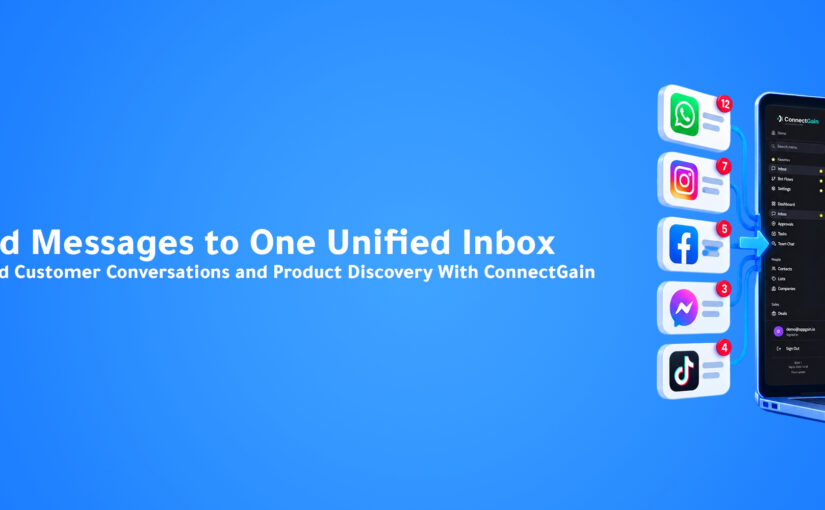
About Appgain

Appgain is an Agentic AI company helping businesses automate customer conversations and workflows through intelligent AI solutions.

Through ConnectGain, organizations can deploy AI across CRM, WhatsApp, voice, customer conversations, and business workflows—helping teams turn customer interactions into real business actions.

ConnectGain by Appgain

AI That Works Where Your Business Works.


AI Voice Agents: How AI Is Transforming Business Calls

Introduction

For decades, phone calls have remained one of the most important ways customers communicate with businesses.

Customers call to ask questions, request prices, book appointments, check orders, get support, or speak with sales teams.

But there is one fundamental problem.

Businesses cannot answer every call, every time.

Teams get busy.

Calls arrive after working hours.

Customers wait on hold.

Employees handle multiple conversations simultaneously.

And sometimes, calls are simply missed.

Every missed call can represent more than an unanswered phone.

It could be a missed lead, a frustrated customer, or a lost sales opportunity.

This is where AI Voice Agents are beginning to change the way businesses manage phone conversations.

Instead of simply answering calls, modern AI Voice Agents can understand customers, hold natural conversations, access business information, perform actions, and update business systems automatically.

The result is a completely different approach to business communication.

What Is an AI Voice Agent?

An AI Voice Agent is an artificial intelligence system designed to communicate with customers through natural voice conversations.

Unlike traditional automated phone systems that ask callers to:

“Press 1 for Sales.”

“Press 2 for Support.”

“Press 3 to speak with an agent.”

AI Voice Agents allow customers to simply explain what they need.

For example, a customer might say:

“I’d like to book a product demo next Tuesday.”

The AI can understand the request, check available appointments, collect the customer’s information, schedule the meeting, and send confirmation.

The conversation feels much closer to speaking with a real employee than navigating a traditional phone menu.

But voice interaction is only the beginning.

Modern AI Voice Agents can also connect directly with CRM platforms, calendars, databases, knowledge bases, and business workflows.

That means the AI can actually take action during and after the call.

Why Traditional Business Calls Create Bottlenecks

Phone communication creates a difficult scaling problem.

As a business grows, the number of incoming and outgoing calls increases.

Eventually, teams face several challenges.

Missed Calls

Employees cannot answer every call simultaneously.

When customers cannot reach a business quickly, they may simply contact another provider.

Long Waiting Times

High call volumes often create queues.

Even customers with simple questions may need to wait for an available employee.

Repetitive Conversations

Sales and support teams frequently answer the same questions:

“What are your prices?”

“What time do you open?”

“Can I book an appointment?”

“Where is my order?”

“What services do you provide?”

Employees spend significant time handling conversations that could be automated.

Manual Work After Calls

The call may finish, but the work often continues.

Employees still need to:

Write notes.

Update CRM records.

Create tasks.

Schedule follow-ups.

Send confirmation messages.

Assign opportunities.

This administrative work can consume almost as much time as the call itself.

How AI Voice Agents Work

A modern AI Voice Agent combines several technologies to create and manage a conversation.

1. The Customer Speaks

The customer calls the business and explains what they need naturally.

There is no need to navigate complicated menus.

2. AI Understands the Request

The system analyzes the conversation and identifies the customer’s intent.

For example:

Sales Inquiry

Appointment Request

Customer Support

Order Status

Product Question

The AI can then determine what should happen next.

3. The AI Accesses Business Knowledge

The Voice Agent can retrieve information from connected knowledge sources.

These may include:

Product information.

Pricing.

Company policies.

Frequently asked questions.

Customer records.

Previous conversations.

CRM information.

This allows the AI to provide answers based on actual business data rather than generic responses.

4. The AI Takes Action

This is where AI Voice Agents become especially powerful.

Instead of simply answering questions, the AI can execute business tasks.

For example:

Create a CRM contact.

Qualify a lead.

Update an existing customer record.

Book an appointment.

Create a sales opportunity.

Schedule a follow-up.

Send a confirmation message.

Transfer the customer to the correct employee.

The phone conversation becomes part of a larger automated workflow.

AI Voice Agents for Sales

Sales teams can benefit significantly from AI Voice Agents.

Imagine a potential customer calling after seeing an advertisement.

Instead of waiting for a salesperson, the AI Voice Agent answers immediately.

It can ask:

“What solution are you looking for?”

“How large is your company?”

“When are you planning to implement it?”

“What is the best email address to send you more information?”

Based on the answers, the AI can qualify the opportunity.

The system can then:

Create the lead in the CRM.

Assign it to the correct salesperson.

Schedule a demo.

Generate a call summary.

Create the next follow-up task.

By the time the salesperson receives the opportunity, much of the repetitive qualification work has already been completed.

AI Voice Agents for Customer Support

Voice AI can also handle many common customer service requests.

Customers can call and ask questions such as:

“Where is my order?”

“I need to change my appointment.”

“How do I reset my account?”

“Can you explain my subscription?”

The AI can access connected business systems, retrieve the relevant information, and respond immediately.

If the issue requires human expertise, the conversation can be transferred to an employee with the context already available.

The customer does not need to repeat the entire problem.

The Real Opportunity Happens After the Call

One of the biggest benefits of modern Voice AI is what happens when the conversation ends.

Traditionally, employees may need to manually document the call.

With AI, this process can happen automatically.

The system can generate:

Call Summary

A concise overview of what was discussed.

Customer Intent

The reason the customer called.

Lead Qualification

An assessment of the opportunity.

Sentiment

An indication of the customer’s experience or attitude during the conversation.

Next Action

What should happen after the call.

From Conversation to Workflow

Consider a simple sales call.

A potential customer calls and asks about a product.

The AI Voice Agent answers the questions.

Then the system automatically:

Call Completed

Summary Generated

Lead Qualified

CRM Updated

Meeting Booked

Sales Representative Notified

The call no longer exists as an isolated conversation.

It becomes part of the sales workflow.

This is where Voice AI begins to overlap with Agentic AI.

The AI is not simply speaking.

It is understanding the objective and moving the business process forward.

AI Voice Agents vs. Traditional IVR

Traditional Interactive Voice Response systems were designed primarily to route calls.

They rely on predefined menus and rigid paths.

AI Voice Agents work differently.

Customers communicate naturally instead of selecting menu options.

The AI can understand context, respond dynamically, access business data, and perform actions.

Traditional IVR asks:

“Which department do you need?”

An AI Voice Agent can understand:

“I bought something yesterday and need to change the delivery address.”

Then determine what system needs to be accessed and what action needs to happen.

That creates a dramatically more flexible customer experience.

AI Voice Agents Don’t Have to Replace Human Agents

Voice AI does not mean every customer conversation should become automated.

There are many situations where human interaction remains essential.

Complex negotiations.

Sensitive customer complaints.

High-value sales opportunities.

Unusual support cases.

Strategic conversations.

The strongest approach is often a combination of AI and human employees.

AI handles repetitive and predictable conversations.

Humans focus on situations that require judgment, empathy, creativity, or negotiation.

And when escalation is required, the AI can transfer the conversation together with the context it has already collected.

What Businesses Should Look for in an AI Voice Agent

Not every Voice AI solution provides the same capabilities.

Businesses should evaluate whether the system can integrate with the tools their teams already use.

Important capabilities include:

Natural voice conversations.

Knowledge base integration.

CRM integration.

Appointment scheduling.

Lead qualification.

Call summaries.

Conversation analytics.

Workflow automation.

Human handoff.

Multi-language support.

Most importantly, businesses should evaluate what happens after the conversation ends.

A Voice Agent becomes significantly more valuable when it can connect conversations directly to business actions.

ConnectGain: Turning Calls Into Business Actions

With ConnectGain by Appgain, AI Voice Agents can become part of the same customer engagement ecosystem used across other communication channels.

Instead of phone calls operating separately from the rest of the customer journey, conversations can connect with CRM data, workflows, customer history, and sales processes.

A customer may start with a phone call.

ConnectGain can help the business:

Understand the conversation.

Generate an AI call summary.

Capture customer information.

Qualify the opportunity.

Update CRM records.

Create tasks.

Schedule appointments.

Trigger follow-ups.

Route the conversation to the appropriate employee.

This creates continuity between the conversation and the actions that follow.

And because customer communication can also happen through WhatsApp, web chat, email, and other channels, businesses can maintain a more complete view of the customer journey.

The goal isn’t simply to automate phone calls.

It’s to make every conversation actionable.

The Future of Business Calls

Business communication is moving toward a model where customers do not need to adapt to complicated systems.

They simply explain what they need.

AI understands.

Business systems provide context.

Automation executes the required actions.

Human employees step in when their expertise creates the most value.

This shift could fundamentally change call centers, sales teams, customer support departments, appointment-based businesses, and many other industries.

The future of the business phone call is not simply about answering faster.

It’s about turning conversations into outcomes.

Conclusion

For years, businesses have treated phone calls as isolated interactions.

A customer calls.

An employee answers.

The conversation ends.

Then someone manually handles everything that comes afterward.

AI Voice Agents change that model.

They can understand natural conversations, access business knowledge, interact with connected systems, and trigger workflows while the conversation is happening.

For businesses, that means fewer missed opportunities, less repetitive work, faster customer experiences, and better-connected operations.

The most powerful AI Voice Agent isn’t simply one that can speak naturally.

It’s one that can turn what the customer says into what the business needs to do next.

Ready to Turn Every Call Into Action?

ConnectGain by Appgain helps businesses bring AI Voice Agents, CRM, customer conversations, and workflow automation together.

From answering calls and qualifying leads to generating summaries, booking appointments, updating CRM records, and triggering follow-ups, ConnectGain helps turn conversations into real business actions.

Bring Agentic AI into the conversations your business handles every day.

Contact Us

📞 WhatsApp: +20 111 998 5526
🌐 Website: appgain.io
📧 Email: He***@*****in.io
About Appgain

Appgain is an Agentic AI company helping businesses automate customer conversations and workflows through intelligent AI solutions.

Through ConnectGain, organizations can connect AI with CRM platforms, WhatsApp, voice calls, customer conversations, and business workflows—allowing AI to do more than answer questions.

It can take action.

ConnectGain by Appgain

AI That Works Where Your Business Works.


Why AI Follow-Ups Close More Deals Than Human Memory

Introduction

Ask almost any sales manager why deals are lost, and you’ll hear familiar answers.

“The customer wasn’t ready.”

“The budget wasn’t approved.”

“They chose another vendor.”

“The timing wasn’t right.”

Sometimes those reasons are true.

But there’s another reason businesses rarely measure.

Nobody followed up.

Not because the salesperson didn’t care.

Not because the CRM failed.

Not because the product wasn’t good.

Because people forget.

Sales professionals manage dozens of opportunities every day.

Calls.

Meetings.

Emails.

WhatsApp conversations.

Internal discussions.

New leads.

Existing customers.

Amid all that activity, follow-ups become dependent on memory.

And memory is unreliable.

Customers don’t disappear overnight.

They slowly drift away after days of silence.

Modern businesses are solving this challenge differently.

Instead of relying on human memory, they rely on AI.

AI never forgets.

It remembers every customer.

Every conversation.

Every promise.

Every next step.

Every follow-up.

This is why AI-powered follow-up has become one of the most valuable capabilities inside modern sales organizations.

Why Follow-Up Wins More Deals Than First Contact

Many businesses invest heavily in lead generation.

Advertising.

SEO.

Social media.

Email marketing.

Cold outreach.

Yet surprisingly little attention is given to what happens after the first conversation.

That’s where most revenue is actually won.

Customers rarely buy after the first interaction.

Especially in B2B sales.

Decision-making takes time.

Prospects compare vendors.

Discuss budgets internally.

Evaluate alternatives.

Wait for management approval.

Without structured follow-up, even highly interested prospects quietly disappear.

Not because they lost interest.

Because another company stayed in touch.

The sale often goes to the business that follows up consistently—not necessarily the one with the best product.

The Hidden Cost of Forgotten Follow-Ups

Imagine receiving 100 qualified leads every month.

If only 15% of them never receive the planned follow-up, that’s 15 opportunities silently disappearing.

Now multiply that over a year.

Then across multiple sales representatives.

The financial impact becomes enormous.

The challenge is rarely visible.

CRM dashboards still show opportunities.

Salespeople believe they’ll remember.

Managers assume follow-ups are happening.

Until pipeline reviews reveal dozens of inactive deals.

Every forgotten follow-up represents:

  • Lost revenue.
  • Longer sales cycles.
  • Lower conversion rates.
  • Reduced marketing ROI.
  • Frustrated prospects.

Businesses don’t always lose customers because competitors are better.

Sometimes they lose because competitors remembered to send one more message.

Why Human Memory Doesn’t Scale

Even the best salesperson has limits.

As pipelines grow, so does cognitive load.

Every opportunity has:

  • Different products.
  • Different timelines.
  • Different budgets.
  • Different stakeholders.
  • Different objections.
  • Different next steps.

Remembering every commitment becomes impossible.

Some customers need a reminder after two days.

Others after two weeks.

Some need another demo.

Others need pricing.

Others are waiting for legal approval.

Managing this manually eventually breaks down.

The issue isn’t discipline.

It’s capacity.

Humans are exceptional at building relationships.

They’re not designed to remember thousands of future actions with perfect accuracy.

What AI Follow-Up Actually Means

Many businesses think AI follow-up simply means sending scheduled messages.

That’s automation.

AI follow-up goes much further.

An AI-powered follow-up system understands context before taking action.

It knows:

  • Who the customer is.
  • What was discussed.
  • Which objections remain.
  • Which stage the deal is in.
  • How engaged the customer has been.
  • Which communication channel they prefer.
  • When the next interaction should happen.

Instead of sending the same message to everyone, AI adapts follow-ups based on customer behavior and conversation history.

The result feels personal—not automated.

Traditional Follow-Up vs. AI Follow-Up

Traditional Follow-Up AI Follow-Up
Depends on memory Never forgets
Same reminders for everyone Personalized timing
Manual CRM updates Automatic CRM updates
Generic templates Context-aware conversations
Stops after one reminder Continues until the journey is complete
Difficult to manage at scale Scales across thousands of customers

The Perfect AI Follow-Up Workflow

Customer requests a demo.

AI books the meeting.

CRM updated automatically.

Meeting completed.

AI generates summary.

No customer response after three days.

AI sends personalized follow-up.

Customer replies.

Salesperson notified.

Deal updated.

Next reminder scheduled automatically.

Nothing depends on memory.

Nothing gets forgotten.

Why Businesses Are Adopting AI Follow-Ups

Organizations are discovering that consistent follow-up produces predictable revenue.

Instead of hiring more coordinators or asking sales teams to manage endless reminders, they allow AI to handle repetitive engagement.

Sales professionals spend more time:

  • Building relationships.
  • Negotiating.
  • Demonstrating products.
  • Closing business.

AI handles everything in between.

The result is a healthier pipeline and higher conversion rates.

Why ConnectGain Built AI Follow-Up

At ConnectGain, follow-up isn’t treated as a reminder.

It’s treated as an intelligent workflow.

Every conversation across:

  • WhatsApp
  • Email
  • Voice Calls
  • Instagram
  • Messenger
  • Website Chat

becomes part of one customer journey.

AI understands the context of each interaction, updates the CRM, creates tasks, sends personalized follow-ups, and alerts sales representatives only when human engagement is needed.

Instead of asking your team to remember every opportunity, ConnectGain ensures every opportunity keeps moving.

Key Takeaways

✔ Most deals are lost because follow-up stops too early.

✔ Human memory doesn’t scale with growing pipelines.

✔ AI remembers every customer interaction.

✔ Personalized follow-ups improve engagement and conversion.

✔ ConnectGain automates follow-ups while keeping sales teams focused on closing deals.

Frequently Asked Questions

What is AI Follow-Up?

AI Follow-Up uses artificial intelligence to automate personalized customer follow-ups based on conversation history, CRM data, customer behavior, and business workflows.

Does AI replace salespeople?

No. AI handles repetitive follow-up tasks while sales professionals focus on relationship-building, negotiations, and closing opportunities.

Can AI update CRM after follow-ups?

Yes. Platforms like ConnectGain automatically update CRM records, schedule next actions, and create follow-up tasks without manual input.

Which businesses benefit from AI Follow-Up?

Any business managing inbound leads, long sales cycles, appointments, or customer relationships can significantly improve conversions with AI-powered follow-ups.

Conclusion

Customers rarely buy because of a single conversation.

They buy because businesses remain present throughout the buying journey.

Consistent follow-up builds trust.

Trust builds confidence.

Confidence closes deals.

The future of sales won’t belong to the businesses with the largest lead databases.

It will belong to the businesses that never forget a customer.

That’s exactly what AI makes possible.

Ready to Never Miss Another Follow-Up?

ConnectGain helps businesses automate customer follow-ups across WhatsApp, Email, Voice, Instagram, Messenger, websites, and CRM systems using AI-powered workflows that keep every opportunity moving until it’s won—or intentionally closed.

📞 WhatsApp: +20 111 998 5526

🌐 Website: https://appgain.io

📧 Email: He***@*****in.io