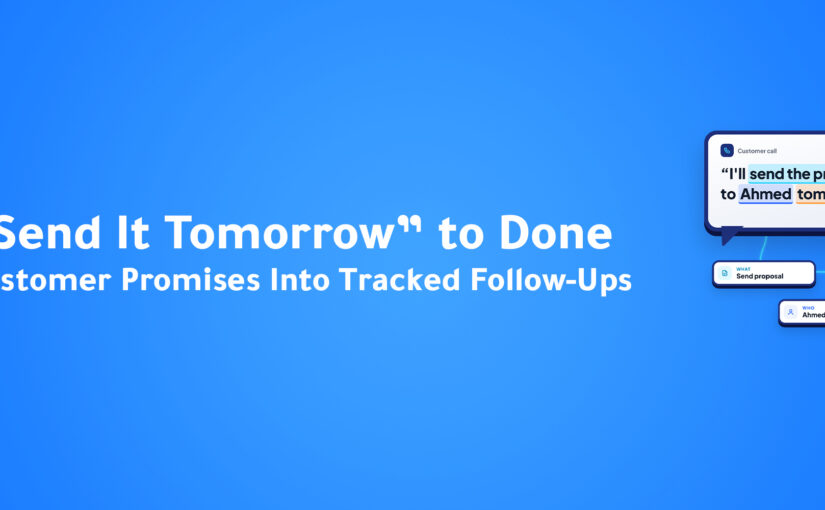
Conversation to Task: How AI Turns Customer Promises Into Tracked Follow-Ups

Introduction

A customer conversation is going well.

They are interested.

They have questions.

They are ready for the next step.

And then someone says:

“I’ll send you the proposal tomorrow.”

It sounds simple.

A friendly promise at the end of a good call.

But before anything happens, one important question needs an answer:

Where does that promise go?

In many businesses, the answer is surprisingly unreliable.

Someone remembers it.

Someone writes it in a notebook.

Someone sends themselves a message.

Someone adds it to the CRM later.

Or it simply stays in the conversation and waits to be forgotten.

The problem becomes more serious as the business grows.

More customers.

More calls.

More meetings.

More WhatsApp conversations.

More team members.

More commitments.

Suddenly, keeping track of every promise becomes an operational challenge of its own.

This is where AI Follow-Up Automation can make a significant difference.

Instead of relying on memory and manual note-taking, AI can help identify commitments inside conversations and turn them into tasks that can be reviewed, assigned, and tracked.

Because making a promise is only the beginning.

The next question is whether it becomes work—and when.

What Is Conversation-to-Task Automation?

Conversation-to-Task Automation is the use of artificial intelligence and workflow automation to identify actions inside customer conversations and convert them into structured tasks.

Traditional follow-up usually depends on people.

For example:

Call ends → Salesperson remembers → Salesperson writes a note → Salesperson creates a task

or:

Meeting ends → Someone writes minutes → Someone shares actions → Someone creates tasks

These steps work when volume is low.

But real conversations contain more than a single action.

AI can analyze additional context from the conversation itself.

For example:

What was promised?

Who made the commitment?

Which customer is involved?

When should it happen?

Is this a task, a decision, or just a discussion?

What needs to happen next?

This allows follow-up to start from the conversation, not from someone’s memory.

Why Follow-Up Matters

Businesses spend significant effort creating conversations.

Marketing.

Outbound sales.

Demos.

Customer meetings.

Support.

Account management.

But once the conversation ends, another process begins.

If the follow-up is missed, several things can happen.

The customer waits.

The salesperson forgets.

The manager does not know.

The opportunity cools down.

The customer starts to wonder whether anyone is paying attention.

Every missed follow-up creates a gap between what the customer expected and what the company delivered.

And while the company is trying to remember what was promised, the customer may already be talking to a competitor.

The Promise Gap

A promise made in a conversation has to travel a long way before it becomes work.

Conversation

↓

Someone remembers

↓

Someone writes it down

↓

Someone creates a task

↓

Someone follows up

Each step is manual.

Each step can fail.

The customer never sees the failure.

They only see that nobody came back.

We can call this the Promise Gap: the space between what was said in a conversation and what was recorded as work.

The Manual Follow-Up Problem

Imagine a company handling conversations through:

Phone calls.

Meetings.

WhatsApp.

Email.

Web chat.

Social media.

A salesperson ends a call and has already promised:

To send a proposal.

To confirm pricing.

To check an integration.

To schedule another call.

Another customer message arrives.

Then another meeting begins.

The notes from the first call are still unwritten.

When volume is low, employees can manage this manually.

As volume increases, the process becomes difficult to maintain consistently.

Why Memory Is a Poor Task Manager

Busy people don’t forget because they don’t care.

They forget because the next conversation starts before the last one is written down.

That is why follow-up is a system problem, not a discipline problem.

Asking employees to “try harder” does not solve it.

Giving them a reliable way to capture commitments does.

How Conversation-to-Task Automation Works

The exact workflow depends on the organization, but intelligent follow-up generally follows several stages.

1. Capture the Conversation

The conversation may come from any connected touchpoint.

For example:

A recorded meeting.

An uploaded recording.

A customer call.

A WhatsApp chat.

A written instruction.

The first objective is to capture what was said and connect it with the right customer.

2. Turn Speech Into Text

Calls and meetings contain commitments that were never typed anywhere.

Transcription makes them searchable and extractable.

Instead of relying on someone’s memory of a conversation, the conversation itself becomes a source of information.

3. Identify the Commitments

A transcript is not a task list.

AI can help find the parts that matter.

For example:

“I’ll send the proposal to Ahmed tomorrow.”

That sentence already contains useful information.

AI can identify:

Action: Send proposal

Person: Ahmed

Timing: Tomorrow

Type: Follow-up commitment

Instead of reading the full conversation again, the team can see the action directly.

4. Separate Actions From Discussion

Not everything said in a meeting is a task.

Some statements are:

Decisions.

Requirements.

Questions.

Risks.

Opinions.

Actual actions.

Extracting actions is different from summarizing.

A summary says what was discussed.

An action list says what must happen.

5. Review Before Creating Work

AI can mishear.

It can also treat a suggestion as a promise.

A quick human check keeps tasks accurate and owners accountable.

The reviewer can:

Confirm an action.

Change the owner.

Correct the date.

Reject something that was never committed.

6. Create the Task

Once the action is confirmed, the system can create the follow-up work.

For example:

Create the task.

Link it to the customer.

Assign the owner.

Set the due date.

Attach conversation context.

The salesperson receives a clear task instead of a vague memory.

7. Track Completion

Creating the task is not the end.

Teams still need to know whether it was completed.

A tracked task gives managers visibility.

The customer’s promise is no longer invisible.

Creating Tasks From a Single Sentence

Not every follow-up begins with a recorded meeting.

Sometimes a salesperson simply wants to say:

Create a follow-up task with Ahmed tomorrow.

An AI CRM assistant can understand the request.

It can identify:

Type of request: Action

Task: Follow-up

Contact: Ahmed

Date: Tomorrow

Then the connected system creates the task.

No tab-switching.

No long form.

No separate step.

Giving the AI What It Needs

Whether a task starts from a sentence or a conversation, clearer commitments are easier to capture.

A good commitment includes three things:

Who

What

When

Compare these two statements:

“We’ll look into it.”

and:

“I’ll confirm the pricing with Ahmed tomorrow.”

The first is a good intention.

The second can become a task.

Teams that state commitments clearly make it easier for both people and AI to follow through.

Follow-Up After Calls

Phone calls are one of the richest sources of customer commitments.

They also disappear quickly.

Unless someone writes notes, the information remains inside the call.

When calls are transcribed and analyzed, teams can identify:

What the customer asked for.

What the salesperson promised.

What the next step is.

Whether another call is needed.

The promise made on Monday can become a visible task on Monday afternoon.

Follow-Up After Meetings

Meetings often create several actions at once.

A salesperson needs to send a proposal.

A technical team member needs to verify an integration.

An account manager needs to confirm pricing.

The customer requested another meeting.

A manager needs to approve a special requirement.

A perfect transcript does not guarantee any of those things will happen.

Neither does a perfect summary.

Information is not execution.

Turning meeting actions into reviewed, assigned, and tracked tasks closes the gap.

Follow-Up After Chat Conversations

Chat creates a different challenge.

Messages move quickly.

Commitments are scattered.

A promise can be buried in the middle of a long thread.

“Sure, I’ll send the details.”

“Let me check and get back to you.”

“We can schedule a call next week.”

Each message may represent a follow-up.

AI can help identify these moments so they do not remain hidden in the conversation history.

Why Task Context Matters

A task without context creates a second problem.

Imagine receiving this:

Follow up with Ahmed.

Follow up about what?

Where was it discussed?

What was promised?

What does the customer expect?

A better task includes:

Customer.

Conversation summary.

Requested action.

Due date.

Related deal.

Previous interactions.

Now the salesperson can begin with:

“I’m following up on the proposal we discussed yesterday.”

The customer feels remembered.

Conversation-to-Task and Customer Experience

Follow-up sounds like an internal sales process.

But customers experience its effects directly.

Good follow-up means:

Fewer forgotten promises.

Faster responses.

Clearer next steps.

More confidence.

Less repetition.

Poor follow-up creates the opposite experience.

The customer doesn’t care how your internal tools work.

They care that you did what you said you would do.

The Cost of Lost Follow-Ups

Every missed commitment has a cost.

A proposal arrives late.

A question stays unanswered.

A meeting is not scheduled.

A decision is delayed.

A customer repeats information.

Individually, these problems seem small.

Together, they affect trust.

The objective of conversation-to-task automation is to reduce the number of promises that depend on memory alone.

ConnectGain: From Customer Conversation to Tracked Task

With ConnectGain by Appgain, conversations, CRM records, and tasks can work together in one workspace.

Ask ConnectGain, the AI assistant built into ConnectGain, can understand natural-language requests such as creating a follow-up task.

And the meeting workflow can turn reviewed and approved action items into tasks that can be tracked.

For example:

Conversation or Meeting

↓

Content Captured

↓

AI Analysis Created

↓

Action Items Identified

↓

Human Review

↓

Approval

↓

Task Created

↓

Follow-Up Tracked

The customer journey continues without requiring someone to remember, rewrite, and manually coordinate every promise.

Combining AI With Business Rules

Conversation-to-Task Automation should not mean letting AI create unlimited work without control.

The strongest systems combine AI understanding with clear business rules.

AI may identify:

Possible actions.

Customer names.

Dates.

Conversation context.

Business rules can then determine:

Which actions need review.

Who is allowed to approve.

Which tasks can be created directly.

Which tasks need extra attention.

This creates a balance between automation and accountability.

When Human Review Still Matters

Some actions should not be created automatically.

For example:

Pricing commitments.

Contract-related requests.

Complex technical promises.

Anything involving several teams.

Actions that are ambiguous or unclear.

AI can help identify these cases and prepare them for review rather than turning every phrase into a task.

Automation works best when businesses define where humans should remain involved.

How to Start With Conversation-to-Task Automation

Start by examining how follow-ups are handled today.

Ask:

Where do customer commitments appear?

Who writes them down?

How long does task creation take?

How often are follow-ups missed?

Which conversations create the most actions?

Which actions are repeated?

Who needs visibility?

Then identify the simplest improvement that would remove the most manual work.

You do not need to automate every conversation on day one.

Start with the commitments your team already creates repeatedly.

Then capture them carefully.

Metrics Worth Watching

Once follow-up automation is implemented, businesses can look at signals such as:

Time from conversation to task creation.

Follow-up completion.

Overdue follow-ups.

Tasks created from conversations.

Items edited during review.

Time to first follow-up.

Meetings or proposals completed after follow-up.

The objective isn’t simply to create more tasks.

It is to make sure the right promises become work.

The Future of Follow-Up

Follow-up is evolving from:

“Did someone remember?”

to:

“Was the commitment captured?”

AI can understand conversations.

People review and approve important actions.

Business rules define control.

Automation creates the task.

The result is a closer connection between what customers hear and what the company does.

Because the best follow-up isn’t the one that depends on the best memory.

And the best memory isn’t useful if the promise was never recorded.

Conclusion

Customers remember what you promised, even when your team doesn’t.

Manual notes, scattered chats, forgotten calls, and delayed task creation can introduce friction into one of the most important parts of the customer journey.

Conversation-to-Task Automation gives businesses a smarter way to turn spoken and written commitments into trackable work.

By capturing conversations, identifying actions, reviewing what matters, and creating tasks with context, organizations can reduce missed follow-ups and create a more reliable customer experience.

Because a promise isn’t truly kept when it’s made.

It’s kept when it becomes a task that gets done.

Ready to Stop Losing Follow-Ups?

ConnectGain by Appgain helps businesses connect customer conversations with AI assistance, CRM data, meeting workflows, and task creation.

Capture commitments, turn them into reviewed action items, create follow-up tasks, and keep customer promises visible.

The right promise. The right task. The right follow-up.

Contact Us

📞 WhatsApp: +20 111 998 5526

🌐 Website: appgain.io

📧 Email :He***@*****in.io

About Appgain

Appgain is an Agentic AI company helping businesses turn customer conversations into intelligent, connected workflows.

Through ConnectGain, organizations can connect AI with customer communication channels, CRM systems, lead qualification, routing, voice, and business workflows—helping teams move from first contact to the right next action.

ConnectGain by Appgain

AI That Works Where Your Business Works.
 

AI Meeting Automation: From Meeting Notes to Execution

Every meeting ends with good intentions. Someone will follow up with the customer, someone will prepare the proposal, another person will review the numbers, and someone else will make the requested changes.

Then the meeting ends—and that is often where the real problem begins.

The recording lives in one place, someone’s notes live somewhere else, decisions are buried inside an hour-long conversation, and responsibilities are distributed across messages, notebooks, and memory. By the next meeting, teams may find themselves asking the same question: “What did we agree on last time?”

The problem isn’t simply documenting meetings. It’s turning what happened in the meeting into what needs to happen next.

This is the Meeting Execution Gap, and AI can help close it. With AI Meeting Automation, businesses can move beyond recording and transcription toward a connected workflow where conversations become structured meeting minutes, decisions, requirements, action items, approvals, and ultimately tasks that can actually be tracked.

The meeting doesn’t end when people stop talking. That’s when execution begins.

What Is AI Meeting Automation?

AI Meeting Automation uses artificial intelligence and workflow automation to capture, analyze, organize, and operationalize what happens during business meetings.

Basic AI meeting tools typically focus on recording, transcription, and summarization. These capabilities are useful, but they solve only the first part of the problem. A business still needs to understand what was decided, what became an actual requirement, what actions need to happen, who should take responsibility, what could block execution, and which actions should actually move forward.

A more complete meeting workflow therefore looks like this:

Meeting → Recording → Transcription → Meeting Analysis → Decisions & Requirements → Action Items → Human Review → Approval → Tasks → Execution

This is the difference between simply documenting a meeting and turning meeting intelligence into an operational workflow.

The Real Problem Isn’t Meeting Notes

Businesses often treat meeting documentation as the main challenge. Employees spend time writing notes, managers struggle to remember what was discussed, and important details can easily be missed.

But imagine a 60-minute customer meeting ends with five important actions. The salesperson needs to send a proposal, the technical team needs to verify an integration, the account manager needs to confirm pricing, the customer requested another meeting, and management needs to approve a special requirement.

A perfect transcript doesn’t guarantee any of those things will happen. Neither does a perfect summary. Information is not execution.

In a traditional workflow, a meeting ends, someone saves the recording, another person writes notes, the notes are shared, employees identify their responsibilities, tasks are manually created, and follow-up begins. Every manual transition creates another opportunity for something to disappear.

A decision may never become a task. A requirement may be misunderstood. A deadline may never be recorded. An action may have no clear owner.

AI Meeting Automation is valuable because it helps connect what was said with what actually needs to get done.

Capture Meetings Live or Process Existing Recordings

Before AI can understand a meeting, the conversation needs to be captured. But meetings don’t always happen in the same way, so ConnectGain supports both new meetings and conversations that have already been recorded.

With Live Recording, users can record a meeting directly from ConnectGain. Before starting, they can add basic information such as the meeting name, participants, and location. During the meeting, the recording duration can be monitored, and the session can be paused, resumed, discarded, or completed and submitted for processing through Stop and Process.

For meetings that have already happened, Upload Recording allows users to upload an existing audio recording instead of replaying the conversation and documenting it manually. After adding the meeting information, the recording can be submitted through Upload and Process.

This means the same intelligence workflow can support both current meetings and previously recorded conversations.

Supporting Hybrid Meetings

Modern meetings are not always fully physical or fully remote. Sometimes several people are sitting in the same room while others participate through a call on the same device.

For supported hybrid scenarios, Include Call Audio from This Device can be used to capture call audio alongside the audio in the physical meeting environment. Live recording also requires browser microphone permission.

The objective is simple: capture the full conversation before trying to understand it.

From Audio to Searchable Business Context

Once a live meeting ends or an existing recording is uploaded, processing begins with transcription. Instead of requiring someone to replay a long recording to locate one important statement, the conversation becomes written, searchable, and reviewable text.

After processing, ConnectGain organizes the meeting around three important components: Minutes, Transcript, and Recording.

Each serves a different purpose. The original recording preserves the source conversation, the Transcript provides the detailed written version of what was said, and Meeting Minutes organize the information that matters most.

Transcript vs. Meeting Minutes

The Transcript represents the detailed textual version of the conversation. It becomes useful when someone needs to return to the original context behind a decision, requirement, or action.

For example, if the meeting minutes indicate that a customer requested changes to the implementation plan, a manager may want to understand exactly what the customer requested and how the team responded. Instead of replaying the entire recording, they can review the relevant part of the transcript.

Meeting Minutes, on the other hand, turn the conversation into a structured business summary. They can include a summary of the meeting, attendees, agenda or topics discussed, and the important points from the discussion.

The distinction is simple: Transcript tells you what was said. Meeting Minutes tell you what mattered.

Extracting Decisions and Requirements

Meetings frequently produce important decisions, but those decisions can easily become buried inside long conversations. Someone may say, “Let’s move forward with option B,” and the meeting continues for another 30 minutes.

ConnectGain can organize detected Decisions separately so teams have a clearer view of what was actually agreed. This becomes particularly valuable when several departments participate or when a single meeting produces multiple decisions.

The same principle applies to Requirements. A team may discuss many possible ideas, but only some become actual requirements. Organizing requirements separately helps distinguish between what was discussed and what became required, while preserving the surrounding meeting context for review.

Turning Meeting Conversations Into Action Items

This is where meeting intelligence starts becoming operational.

During almost every productive meeting, people agree to do things: send a proposal, contact a customer, prepare a document, verify an integration, update a design, review a contract, or schedule another meeting.

ConnectGain can identify these commitments and organize them as Action Items, including relevant details such as the action itself, priority, and surrounding context.

But there is an important distinction: detecting an Action Item does not mean immediately turning it into an executable task.

Meetings contain brainstorming, suggestions, changing opinions, and hypothetical ideas. An AI system may also need human confirmation that it interpreted the conversation correctly. That’s why ConnectGain adds a review and approval workflow before meeting outputs become operational work.

Capturing Risks, Blockers, and Important Notes

Good meeting intelligence shouldn’t capture only what the team plans to do. It should also preserve what could prevent that work from happening.

ConnectGain can organize Risks, Blockers, and Notes that emerge during the meeting. A dependency may not be ready, a technical limitation may exist, the customer may still need to approve something, or another team may need to complete work first.

This creates a more realistic picture of the meeting. Teams don’t only know what needs to happen; they can also preserve context about what might prevent it from happening.

Human Review Before AI Becomes Action

One of the most important principles behind the Meetings workflow is that AI-generated outputs are not automatically treated as approved business actions.

After analysis, the meeting begins in Draft status. At this stage, users can review the generated meeting information and modify the relevant editable content. Available functions can include Edit, Regenerate, Share, and Export PDF.

This creates a deliberate Human-in-the-Loop model. AI handles the repetitive intelligence work of transcribing, summarizing, organizing, and extracting information, while people retain control over what becomes official.

Once the outputs have been reviewed, the user can select Mark Final, moving the meeting from Draft → Final.

Importantly, Final does not mean executed. It means the meeting output has completed its preparation and review stage and is ready for the next governance step.

Approval Before Execution

After a meeting becomes Final, it can move into Approvals. The responsible manager or authorized reviewer can examine the meeting outputs—particularly the actions that may create operational work—and choose to Approve or Reject them.

If the output is rejected, those actions do not proceed into execution. If approved, the relevant Action Items can move forward into Tasks.

This creates an important layer between AI interpretation and business execution. Instead of allowing AI to automatically turn everything mentioned during a conversation into work, ConnectGain combines AI intelligence with human judgment.

The model becomes:

AI Intelligence → Human Review → Approval → Automated Execution

From Approved Action Items to Tasks

Once Action Items are approved, they can move into the ConnectGain Tasks workflow. This is where the meeting stops being documentation and starts becoming execution.

A task can contain operational information such as Task Name, Description, Priority, Due Date, Assignee, and Status. Teams can then follow these tasks through the available task management experience, including search, filters, overdue monitoring, and List or Calendar views where available.

Instead of a meeting ending with a vague statement like “someone needs to follow up,” the outcome can become a structured task that makes it clear what needs to happen, who owns it, when it is due, and what its current status is.

The Complete Meeting-to-Execution Workflow

The full ConnectGain journey can be summarized as:

Live Meeting / Uploaded Recording → AI Transcription → Meeting Minutes & Analysis → Decisions & Requirements → Action Items → Risks, Blockers & Notes → Human Review → Draft → Final → Approval / Rejection → Approved Action Items → Tasks → Assignment → Execution & Follow-Up

This workflow can be understood through four core layers:

Capture: Record a meeting live or upload an existing recording.

Intelligence: Generate transcription and structured meeting outputs, including decisions, requirements, action items, risks, blockers, and notes.

Governance: Keep the meeting in Draft for human review, move it to Final when ready, and require Approval or Rejection before actions proceed.

Execution: Convert approved Action Items into tasks with ownership, priority, deadlines, status, and ongoing follow-up.

That’s what separates the capability from a basic meeting transcription tool.

From Meeting Notes to Meeting Operations

A traditional AI meeting tool may follow a relatively simple journey:

Meeting → Recording → Transcript → Summary → Done

ConnectGain continues beyond that point:

Meeting → Transcript → Analysis → Decisions → Requirements → Action Items → Review → Approval → Tasks → Execution

The difference is not simply that one workflow contains more AI features. The business outcome is different.

One helps the team remember what happened. The other helps the team act on what happened.

ConnectGain: Turning Meetings Into Actionable Workflows

This is the approach behind Meetings in ConnectGain. Instead of treating meetings as isolated recordings, ConnectGain connects capture, intelligence, governance, and execution in the same workflow.

A meeting can begin through Live Recording or an uploaded recording. The conversation is then transcribed and analyzed into structured outputs such as Meeting Minutes, Decisions, Requirements, Action Items, Risks, Blockers, and Notes.

Users can review the AI-generated output while the meeting remains in Draft. Once the information is ready, the meeting can move to Final and enter the Approval workflow. Approved Action Items can then become Tasks that are assigned and followed through execution.

So the positioning shouldn’t simply be:

“ConnectGain records and summarizes meetings.”

The stronger value is:

“ConnectGain turns meetings into an actionable workflow—from recording and AI analysis to human approval, task assignment, and execution tracking.”

One Meeting. One Connected Workflow.

Imagine a customer implementation meeting where the customer requests three changes, the technical team identifies a blocker, the account manager promises updated documentation, and the project manager agrees to schedule another meeting.

Traditionally, those outcomes could become scattered across the recording, personal notes, email, WhatsApp, task management tools, and employee memory.

With a connected meeting workflow, the recording can become a transcript, the customer’s requirements can be extracted, the technical blocker can be documented, Action Items can be identified, and the team can review the output before it becomes Final.

A manager can then approve the relevant actions, approved work can become Tasks, owners can be assigned, and execution can be tracked.

One meeting becomes one connected path from conversation to action.

Why This Matters for Managers, Teams, and Customers

Managers don’t necessarily need more recordings. They need clarity about what the team decided, what customers requested, which actions need to happen, who owns them, what could block execution, and what remains incomplete.

Employees benefit because they don’t have to rely entirely on memory after several meetings in the same day. AI can help surface commitments while employees focus more attention on the actual conversation.

Customers feel the impact too. When meeting outcomes are poorly documented, customers often have to repeat requests or remind businesses about previous commitments. A structured workflow preserves the context and connects it with the work that follows.

Ultimately, meetings should create accountability. Statements such as “we’ll look into it” or “someone will follow up” sound productive but don’t define execution. A stronger workflow connects each approved outcome with an action, owner, priority, deadline, and status.

The Future of Meetings Is Not Better Notes

AI has already made meeting transcription and summarization easier. But that is increasingly becoming only the beginning.

The larger opportunity is connecting meeting intelligence with business execution. Decisions become visible, requirements become documented, actions become reviewable, approved tasks receive owners, deadlines become trackable, and blockers remain part of the operational context.

AI does not need to replace the human meeting. People still need to talk, listen, think, negotiate, and decide. AI can handle more of the work around those conversations—capturing, transcribing, structuring, and extracting information—while humans review and approve what matters and automation connects approved outcomes with execution.

The meeting stops being an isolated event. It becomes the beginning of a workflow.

Conclusion

Businesses don’t have meetings because they want transcripts. They have meetings because something needs to happen afterward.

A decision needs to be made, a customer needs something, a problem needs to be solved, a project needs to move, a salesperson needs to follow up, or a team needs to execute.

That is why the real value of AI Meeting Automation is not simply understanding what people said. It’s connecting the conversation with what happens next.

With ConnectGain Meetings, businesses can move from live or uploaded recordings to transcription, structured Meeting Minutes, Decisions, Requirements, Action Items, human review, approvals, and ultimately Tasks that can be assigned and tracked.

The complete journey is:

What was said → What was decided → What needs to happen → Who should do it → What actually gets tracked.

Because a successful meeting isn’t one with perfect notes. It’s one where the right work gets done afterward.

Ready to Turn Meetings Into Execution?

ConnectGain by Appgain helps businesses transform meetings into structured, actionable workflows. Capture live meetings or upload existing recordings, generate transcripts and intelligent meeting minutes, extract decisions and action items, review AI-generated outputs, approve the work that should move forward, and turn approved actions into trackable Tasks.

Don’t just record what happened. Make sure what happens next gets done.

WhatsApp: +20 111 998 5526
Website: appgain.io
Email: He***@*****in.io

About Appgain

Appgain is an Agentic AI company helping businesses connect customer conversations, meetings, CRM data, voice, and operational workflows. Through ConnectGain, organizations can use AI to turn conversations into structured business intelligence and connect that intelligence with human review, approvals, tasks, and execution.

ConnectGain by Appgain — AI That Works Where Your Business Works.