AI Meeting Automation: From Meeting Notes to Execution

Every meeting ends with good intentions. Someone will follow up with the customer, someone will prepare the proposal, another person will review the numbers, and someone else will make the requested changes.

Then the meeting ends—and that is often where the real problem begins.

The recording lives in one place, someone’s notes live somewhere else, decisions are buried inside an hour-long conversation, and responsibilities are distributed across messages, notebooks, and memory. By the next meeting, teams may find themselves asking the same question: “What did we agree on last time?”

The problem isn’t simply documenting meetings. It’s turning what happened in the meeting into what needs to happen next.

This is the Meeting Execution Gap, and AI can help close it. With AI Meeting Automation, businesses can move beyond recording and transcription toward a connected workflow where conversations become structured meeting minutes, decisions, requirements, action items, approvals, and ultimately tasks that can actually be tracked.

The meeting doesn’t end when people stop talking. That’s when execution begins.

What Is AI Meeting Automation?

AI Meeting Automation uses artificial intelligence and workflow automation to capture, analyze, organize, and operationalize what happens during business meetings.

Basic AI meeting tools typically focus on recording, transcription, and summarization. These capabilities are useful, but they solve only the first part of the problem. A business still needs to understand what was decided, what became an actual requirement, what actions need to happen, who should take responsibility, what could block execution, and which actions should actually move forward.

A more complete meeting workflow therefore looks like this:

Meeting → Recording → Transcription → Meeting Analysis → Decisions & Requirements → Action Items → Human Review → Approval → Tasks → Execution

This is the difference between simply documenting a meeting and turning meeting intelligence into an operational workflow.

The Real Problem Isn’t Meeting Notes

Businesses often treat meeting documentation as the main challenge. Employees spend time writing notes, managers struggle to remember what was discussed, and important details can easily be missed.

But imagine a 60-minute customer meeting ends with five important actions. The salesperson needs to send a proposal, the technical team needs to verify an integration, the account manager needs to confirm pricing, the customer requested another meeting, and management needs to approve a special requirement.

A perfect transcript doesn’t guarantee any of those things will happen. Neither does a perfect summary. Information is not execution.

In a traditional workflow, a meeting ends, someone saves the recording, another person writes notes, the notes are shared, employees identify their responsibilities, tasks are manually created, and follow-up begins. Every manual transition creates another opportunity for something to disappear.

A decision may never become a task. A requirement may be misunderstood. A deadline may never be recorded. An action may have no clear owner.

AI Meeting Automation is valuable because it helps connect what was said with what actually needs to get done.

Capture Meetings Live or Process Existing Recordings

Before AI can understand a meeting, the conversation needs to be captured. But meetings don’t always happen in the same way, so ConnectGain supports both new meetings and conversations that have already been recorded.

With Live Recording, users can record a meeting directly from ConnectGain. Before starting, they can add basic information such as the meeting name, participants, and location. During the meeting, the recording duration can be monitored, and the session can be paused, resumed, discarded, or completed and submitted for processing through Stop and Process.

For meetings that have already happened, Upload Recording allows users to upload an existing audio recording instead of replaying the conversation and documenting it manually. After adding the meeting information, the recording can be submitted through Upload and Process.

This means the same intelligence workflow can support both current meetings and previously recorded conversations.

Supporting Hybrid Meetings

Modern meetings are not always fully physical or fully remote. Sometimes several people are sitting in the same room while others participate through a call on the same device.

For supported hybrid scenarios, Include Call Audio from This Device can be used to capture call audio alongside the audio in the physical meeting environment. Live recording also requires browser microphone permission.

The objective is simple: capture the full conversation before trying to understand it.

From Audio to Searchable Business Context

Once a live meeting ends or an existing recording is uploaded, processing begins with transcription. Instead of requiring someone to replay a long recording to locate one important statement, the conversation becomes written, searchable, and reviewable text.

After processing, ConnectGain organizes the meeting around three important components: Minutes, Transcript, and Recording.

Each serves a different purpose. The original recording preserves the source conversation, the Transcript provides the detailed written version of what was said, and Meeting Minutes organize the information that matters most.

Transcript vs. Meeting Minutes

The Transcript represents the detailed textual version of the conversation. It becomes useful when someone needs to return to the original context behind a decision, requirement, or action.

For example, if the meeting minutes indicate that a customer requested changes to the implementation plan, a manager may want to understand exactly what the customer requested and how the team responded. Instead of replaying the entire recording, they can review the relevant part of the transcript.

Meeting Minutes, on the other hand, turn the conversation into a structured business summary. They can include a summary of the meeting, attendees, agenda or topics discussed, and the important points from the discussion.

The distinction is simple: Transcript tells you what was said. Meeting Minutes tell you what mattered.

Extracting Decisions and Requirements

Meetings frequently produce important decisions, but those decisions can easily become buried inside long conversations. Someone may say, “Let’s move forward with option B,” and the meeting continues for another 30 minutes.

ConnectGain can organize detected Decisions separately so teams have a clearer view of what was actually agreed. This becomes particularly valuable when several departments participate or when a single meeting produces multiple decisions.

The same principle applies to Requirements. A team may discuss many possible ideas, but only some become actual requirements. Organizing requirements separately helps distinguish between what was discussed and what became required, while preserving the surrounding meeting context for review.

Turning Meeting Conversations Into Action Items

This is where meeting intelligence starts becoming operational.

During almost every productive meeting, people agree to do things: send a proposal, contact a customer, prepare a document, verify an integration, update a design, review a contract, or schedule another meeting.

ConnectGain can identify these commitments and organize them as Action Items, including relevant details such as the action itself, priority, and surrounding context.

But there is an important distinction: detecting an Action Item does not mean immediately turning it into an executable task.

Meetings contain brainstorming, suggestions, changing opinions, and hypothetical ideas. An AI system may also need human confirmation that it interpreted the conversation correctly. That’s why ConnectGain adds a review and approval workflow before meeting outputs become operational work.

Capturing Risks, Blockers, and Important Notes

Good meeting intelligence shouldn’t capture only what the team plans to do. It should also preserve what could prevent that work from happening.

ConnectGain can organize Risks, Blockers, and Notes that emerge during the meeting. A dependency may not be ready, a technical limitation may exist, the customer may still need to approve something, or another team may need to complete work first.

This creates a more realistic picture of the meeting. Teams don’t only know what needs to happen; they can also preserve context about what might prevent it from happening.

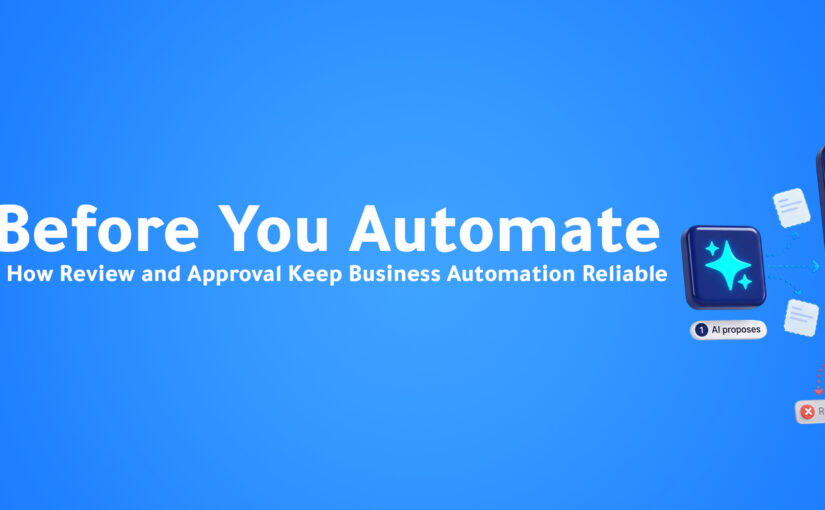
Human Review Before AI Becomes Action

One of the most important principles behind the Meetings workflow is that AI-generated outputs are not automatically treated as approved business actions.

After analysis, the meeting begins in Draft status. At this stage, users can review the generated meeting information and modify the relevant editable content. Available functions can include Edit, Regenerate, Share, and Export PDF.

This creates a deliberate Human-in-the-Loop model. AI handles the repetitive intelligence work of transcribing, summarizing, organizing, and extracting information, while people retain control over what becomes official.

Once the outputs have been reviewed, the user can select Mark Final, moving the meeting from Draft → Final.

Importantly, Final does not mean executed. It means the meeting output has completed its preparation and review stage and is ready for the next governance step.

Approval Before Execution

After a meeting becomes Final, it can move into Approvals. The responsible manager or authorized reviewer can examine the meeting outputs—particularly the actions that may create operational work—and choose to Approve or Reject them.

If the output is rejected, those actions do not proceed into execution. If approved, the relevant Action Items can move forward into Tasks.

This creates an important layer between AI interpretation and business execution. Instead of allowing AI to automatically turn everything mentioned during a conversation into work, ConnectGain combines AI intelligence with human judgment.

The model becomes:

AI Intelligence → Human Review → Approval → Automated Execution

From Approved Action Items to Tasks

Once Action Items are approved, they can move into the ConnectGain Tasks workflow. This is where the meeting stops being documentation and starts becoming execution.

A task can contain operational information such as Task Name, Description, Priority, Due Date, Assignee, and Status. Teams can then follow these tasks through the available task management experience, including search, filters, overdue monitoring, and List or Calendar views where available.

Instead of a meeting ending with a vague statement like “someone needs to follow up,” the outcome can become a structured task that makes it clear what needs to happen, who owns it, when it is due, and what its current status is.

The Complete Meeting-to-Execution Workflow

The full ConnectGain journey can be summarized as:

Live Meeting / Uploaded Recording → AI Transcription → Meeting Minutes & Analysis → Decisions & Requirements → Action Items → Risks, Blockers & Notes → Human Review → Draft → Final → Approval / Rejection → Approved Action Items → Tasks → Assignment → Execution & Follow-Up

This workflow can be understood through four core layers:

Capture: Record a meeting live or upload an existing recording.

Intelligence: Generate transcription and structured meeting outputs, including decisions, requirements, action items, risks, blockers, and notes.

Governance: Keep the meeting in Draft for human review, move it to Final when ready, and require Approval or Rejection before actions proceed.

Execution: Convert approved Action Items into tasks with ownership, priority, deadlines, status, and ongoing follow-up.

That’s what separates the capability from a basic meeting transcription tool.

From Meeting Notes to Meeting Operations

A traditional AI meeting tool may follow a relatively simple journey:

Meeting → Recording → Transcript → Summary → Done

ConnectGain continues beyond that point:

Meeting → Transcript → Analysis → Decisions → Requirements → Action Items → Review → Approval → Tasks → Execution

The difference is not simply that one workflow contains more AI features. The business outcome is different.

One helps the team remember what happened. The other helps the team act on what happened.

ConnectGain: Turning Meetings Into Actionable Workflows

This is the approach behind Meetings in ConnectGain. Instead of treating meetings as isolated recordings, ConnectGain connects capture, intelligence, governance, and execution in the same workflow.

A meeting can begin through Live Recording or an uploaded recording. The conversation is then transcribed and analyzed into structured outputs such as Meeting Minutes, Decisions, Requirements, Action Items, Risks, Blockers, and Notes.

Users can review the AI-generated output while the meeting remains in Draft. Once the information is ready, the meeting can move to Final and enter the Approval workflow. Approved Action Items can then become Tasks that are assigned and followed through execution.

So the positioning shouldn’t simply be:

“ConnectGain records and summarizes meetings.”

The stronger value is:

“ConnectGain turns meetings into an actionable workflow—from recording and AI analysis to human approval, task assignment, and execution tracking.”

One Meeting. One Connected Workflow.

Imagine a customer implementation meeting where the customer requests three changes, the technical team identifies a blocker, the account manager promises updated documentation, and the project manager agrees to schedule another meeting.

Traditionally, those outcomes could become scattered across the recording, personal notes, email, WhatsApp, task management tools, and employee memory.

With a connected meeting workflow, the recording can become a transcript, the customer’s requirements can be extracted, the technical blocker can be documented, Action Items can be identified, and the team can review the output before it becomes Final.

A manager can then approve the relevant actions, approved work can become Tasks, owners can be assigned, and execution can be tracked.

One meeting becomes one connected path from conversation to action.

Why This Matters for Managers, Teams, and Customers

Managers don’t necessarily need more recordings. They need clarity about what the team decided, what customers requested, which actions need to happen, who owns them, what could block execution, and what remains incomplete.

Employees benefit because they don’t have to rely entirely on memory after several meetings in the same day. AI can help surface commitments while employees focus more attention on the actual conversation.

Customers feel the impact too. When meeting outcomes are poorly documented, customers often have to repeat requests or remind businesses about previous commitments. A structured workflow preserves the context and connects it with the work that follows.

Ultimately, meetings should create accountability. Statements such as “we’ll look into it” or “someone will follow up” sound productive but don’t define execution. A stronger workflow connects each approved outcome with an action, owner, priority, deadline, and status.

The Future of Meetings Is Not Better Notes

AI has already made meeting transcription and summarization easier. But that is increasingly becoming only the beginning.

The larger opportunity is connecting meeting intelligence with business execution. Decisions become visible, requirements become documented, actions become reviewable, approved tasks receive owners, deadlines become trackable, and blockers remain part of the operational context.

AI does not need to replace the human meeting. People still need to talk, listen, think, negotiate, and decide. AI can handle more of the work around those conversations—capturing, transcribing, structuring, and extracting information—while humans review and approve what matters and automation connects approved outcomes with execution.

The meeting stops being an isolated event. It becomes the beginning of a workflow.

Conclusion

Businesses don’t have meetings because they want transcripts. They have meetings because something needs to happen afterward.

A decision needs to be made, a customer needs something, a problem needs to be solved, a project needs to move, a salesperson needs to follow up, or a team needs to execute.

That is why the real value of AI Meeting Automation is not simply understanding what people said. It’s connecting the conversation with what happens next.

With ConnectGain Meetings, businesses can move from live or uploaded recordings to transcription, structured Meeting Minutes, Decisions, Requirements, Action Items, human review, approvals, and ultimately Tasks that can be assigned and tracked.

The complete journey is:

What was said → What was decided → What needs to happen → Who should do it → What actually gets tracked.

Because a successful meeting isn’t one with perfect notes. It’s one where the right work gets done afterward.

Ready to Turn Meetings Into Execution?

ConnectGain by Appgain helps businesses transform meetings into structured, actionable workflows. Capture live meetings or upload existing recordings, generate transcripts and intelligent meeting minutes, extract decisions and action items, review AI-generated outputs, approve the work that should move forward, and turn approved actions into trackable Tasks.

Don’t just record what happened. Make sure what happens next gets done.

WhatsApp: +20 111 998 5526
Website: appgain.io
Email: He***@*****in.io

About Appgain

Appgain is an Agentic AI company helping businesses connect customer conversations, meetings, CRM data, voice, and operational workflows. Through ConnectGain, organizations can use AI to turn conversations into structured business intelligence and connect that intelligence with human review, approvals, tasks, and execution.

ConnectGain by Appgain — AI That Works Where Your Business Works.
 

AI CRM Assistant: What If You Could Just Ask Your CRM?

Introduction

CRM systems contain some of the most valuable information inside a business.

Customers.

Contacts.

Deals.

Tasks.

Sales pipelines.

Conversations.

Team activity.

Performance data.

But having information and being able to access it quickly are two very different things.

Imagine a sales manager wants to know:

“How many deals are currently in negotiation?”

The answer already exists somewhere inside the CRM.

But getting it may require opening the pipeline, selecting the right filters, choosing the correct date range, reviewing the results, and possibly opening individual opportunities.

Now imagine they want to know:

“Who has been most active on the sales team this week?”

That may require another dashboard.

Another report.

Another set of filters.

And if they want to create a follow-up task afterward, that becomes another workflow entirely.

The CRM has the information.

The friction is getting to it—and acting on it.

Artificial intelligence is beginning to change this relationship.

Instead of requiring employees to understand exactly where information lives inside a CRM, an AI CRM Assistant can allow them to interact with business data using natural language.

Ask a question.

Get the relevant information.

And increasingly, take action from the same conversation.

The CRM is no longer just something employees navigate.

It becomes something they can talk to.

What Is an AI CRM Assistant?

An AI CRM Assistant is an artificial intelligence interface connected to CRM data, business information, and operational tools.

Instead of navigating through multiple screens to find information, users can ask questions naturally.

For example:

“How many deals do we have this month?”

“Show me opportunities currently in negotiation.”

“What tasks are due today?”

“Who has been most active this week?”

The AI interprets the request, retrieves the relevant business information, and returns the answer conversationally.

This is fundamentally different from a generic chatbot.

A generic AI model may understand what a sales pipeline is.

But it does not automatically know what is happening inside your sales pipeline.

An AI CRM Assistant can be connected to the actual business workspace.

That changes the conversation from:

“What is a sales pipeline?”

to:

“What is happening in my sales pipeline right now?”

Why Traditional CRM Navigation Creates Friction

CRM systems are powerful because they organize enormous amounts of business information.

But that power often creates complexity.

A CRM may contain separate areas for:

Contacts.

Companies.

Deals.

Tasks.

Tickets.

Conversations.

Reports.

Analytics.

Team activity.

Sales pipelines.

To experienced CRM users, navigating these systems may feel normal.

But employees still need to know where information lives.

They need to understand:

Which screen to open.

Which report to use.

Which filters to apply.

Which customer record to search.

Which pipeline contains the opportunity.

Which activity needs to be updated.

The information exists.

But retrieving it still requires employees to understand the structure of the software.

AI introduces another interface.

Natural language.

From CRM Navigation to CRM Conversation

Consider a simple question:

“How many deals are currently in negotiation?”

In a traditional CRM workflow:

Question

↓

Open CRM

↓

Find Deals

↓

Open Pipeline

↓

Apply Filters

↓

Select Negotiation Stage

↓

Review Results

↓

Interpret Data

Now consider an AI-powered workflow:

Question

↓

Ask AI

↓

CRM Context Retrieved

↓

Answer Generated

The information hasn’t changed.

The way employees access it has.

This represents an important shift in business software.

The graphical interface does not disappear.

Dashboards, reports, pipelines, and CRM records remain important.

But they are no longer necessarily the only way to access business information.

Conversation becomes another interface to the CRM.

1. Ask Questions About Your Sales Pipeline

Sales pipelines change constantly.

New opportunities appear.

Deals move between stages.

Customers stop responding.

Negotiations begin.

Opportunities close.

Managers need to understand these changes quickly.

Traditionally, this means reviewing dashboards and pipeline reports.

An AI CRM Assistant introduces a simpler interaction.

A manager could ask:

“How many deals do we have this month?”

Or:

“Show me deals currently in negotiation.”

Instead of manually reconstructing the pipeline through filters, the user starts with the business question itself.

This can be especially useful when someone needs a quick answer rather than a full report.

2. Find Customer Information Faster

Customer information is one of the most frequently accessed parts of any CRM.

But as the database grows, finding the right customer can require several steps.

Search contacts.

Open the record.

Review activities.

Check related deals.

Look at previous interactions.

An AI CRM Assistant can provide another way to retrieve this information.

For example:

“Find the contact for Ahmed.”

Or:

“Show me the customer associated with this opportunity.”

The objective isn’t to replace the customer profile.

The detailed CRM record remains important.

The objective is to reduce the time required to reach the relevant information.

3. Understand Tasks and Follow-Ups

CRM systems help teams organize work.

But tasks are only useful if employees know what requires attention.

A salesperson may have:

Calls to make.

Customers to follow up with.

Proposals to send.

Meetings to prepare for.

Opportunities to update.

Instead of manually reviewing multiple task lists, an employee could ask:

“What tasks are due today?”

Or:

“Which follow-ups need my attention?”

This turns the AI CRM Assistant into more than an information search tool.

It becomes an interface for understanding what needs to happen next.

4. Understand Team Activity

Managers frequently need visibility into team activity.

Who is active?

Which employees are handling the most work?

Where are opportunities moving?

Where might attention be needed?

This information often exists inside analytics and reporting dashboards.

But managers may not always need an entire dashboard.

Sometimes they need one answer.

For example:

“Who has been most active this week?”

An AI CRM Assistant can make operational data easier to access by allowing managers to start with the question instead of the report.

5. Access Conversation and Performance Insights

Customer conversations generate valuable operational information.

Messages arrive.

Conversations are assigned.

Teams respond.

Customers engage across channels.

Managers may want to understand what is happening without manually navigating through multiple reporting views.

An AI Assistant connected with inbox and analytics information can make these insights easier to access.

The important shift is not simply faster reporting.

It is changing how users interact with business intelligence.

Instead of:

Find the report → understand the dashboard → locate the metric

the workflow becomes:

Ask the business question → receive the relevant information

The Next Step: AI That Doesn’t Just Answer

Finding information is useful.

Acting on it is more valuable.

This is where AI CRM Assistants begin moving beyond conversational search.

Imagine a salesperson says:

“Create a follow-up task with Ahmed tomorrow.”

The request contains an action.

The AI needs to understand:

What action is required.

Who it relates to.

When it should happen.

Where the information should be stored.

Then the connected system can execute the appropriate operation.

The workflow becomes:

User Request

↓

Intent Understood

↓

Relevant Context Retrieved

↓

Action Identified

↓

Task Created

↓

CRM Updated

This represents an important evolution.

AI is no longer simply answering questions about the CRM.

It is helping users operate the CRM.

From AI Search to AI Action

Business AI is moving through several stages.

AI Search

“Find this information.”

The AI retrieves relevant data.

AI Assistant

“Explain what is happening.”

The AI combines information and provides context.

AI Action

“Do this for me.”

The AI interacts with connected business systems to complete an operation.

This progression is important because employees rarely need information for its own sake.

They need information because they are trying to make a decision or complete an action.

The real value appears when the distance between those two moments becomes smaller.

Why Natural Language Changes CRM Adoption

Businesses have struggled with CRM adoption for years.

The problem is not always that employees dislike CRM.

Often, the CRM creates additional administrative work.

Employees need to learn:

Where customer information lives.

How opportunities are structured.

Which filters to use.

How reports work.

Where tasks are created.

Which fields need updating.

This creates a learning curve.

Natural-language interfaces can reduce part of that friction.

Instead of requiring every user to understand the structure of the system before accessing information, the employee can begin with what they already understand:

The business question.

They do not necessarily need to know which report contains the answer.

They need to know what they want to know.

That changes the relationship between the employee and the software.

Your CRM Already Has the Data

One of the interesting things about AI CRM Assistants is that they do not necessarily require businesses to generate entirely new information.

Much of the useful information already exists.

Deals already exist.

Contacts already exist.

Tasks already exist.

Customer conversations already exist.

Analytics already exist.

Team activity already exists.

The challenge is connecting employees with that information efficiently.

An AI layer can help translate natural-language questions into structured requests for business information.

That means the value is not simply:

More data.

It is:

Better access to the data the business already has.

Meet Ask ConnectGain

This is the idea behind Ask ConnectGain, the AI Assistant built directly into ConnectGain.

Ask ConnectGain gives team members a natural-language way to interact with information and capabilities inside their ConnectGain workspace.

Instead of navigating between different screens every time they need an answer, users can ask questions directly from the platform.

For example:

“How many deals do we have this month?”

“Show me deals in negotiation.”

“Who has been most active this week?”

The assistant can work with relevant workspace information to help users reach answers faster.

But the goal goes beyond answering questions.

Ask ConnectGain can also support actions inside the workspace.

For example:

“Create a follow-up task with Ahmed tomorrow.”

This moves the interaction from asking about work to getting work done.

What Can Ask ConnectGain Work With?

Ask ConnectGain can interact with several important areas of the ConnectGain workspace.

Deals

Users can query and filter deal information without manually navigating the entire sales pipeline.

This can help answer questions about:

Active opportunities.

Pipeline stages.

Current deals.

Sales activity.

Tasks

Users can retrieve task information and create new tasks directly through natural-language requests.

That means a conversation with the assistant can become an operational action.

Contacts

Ask ConnectGain can help users search customer and contact information without manually browsing the contact database.

Inbox Insights

Teams can access relevant conversation metrics and better understand activity happening across customer communications.

Analytics

Users can ask questions related to business and performance information without always needing to manually build or navigate a report.

Team Activity

Managers can access information about team activity and available team members through conversational requests.

Together, these capabilities turn the AI Assistant into an interface across multiple areas of the business workspace.

Ask in Arabic or English

Natural-language business interfaces become significantly more useful when employees can interact with them in the language they naturally use.

Ask ConnectGain can support conversations in both Arabic and English, responding according to the language used by the team member.

That means an employee can ask:

“كم صفقة عندنا الشهر ده؟”

while another team member can ask:

“How many deals do we have this month?”

The interaction remains natural for both.

This is especially important for teams operating across multilingual markets where forcing every employee into a single interaction language creates unnecessary friction.

Voice Makes the Interaction Even More Natural

Typing is not always the fastest way to interact with business software.

Sometimes the most natural interface is simply speaking.

Voice input can allow employees to ask their question without typing it manually.

For example, a manager could ask:

“Show me the deals currently in negotiation.”

The spoken request can be converted into text and processed by the assistant.

This creates another important shift.

Business software traditionally expects employees to communicate through:

Clicks.

Forms.

Menus.

Fields.

Filters.

AI increasingly allows them to communicate through something much more familiar:

Language.

A Day With an AI CRM Assistant

Imagine a sales manager beginning the day.

9:00 AM

Instead of opening the task dashboard:

“What tasks are due today?”

11:30 AM

Before a pipeline review:

“Show me deals currently in negotiation.”

2:00 PM

Before speaking with the team:

“Who has been most active this week?”

4:30 PM

After speaking with a customer:

“Create a follow-up task with Ahmed tomorrow.”

Four requests.

Several different CRM operations.

One conversational interface.

The value is not simply saving a few clicks.

It is reducing the amount of attention employees spend navigating software instead of working on the business itself.

AI CRM Assistants and the Future of Business Software

For decades, business software has been organized around interfaces.

Menus.

Modules.

Dashboards.

Navigation bars.

Forms.

Users learned how the software was structured and adapted their workflows accordingly.

AI introduces the possibility of reversing that relationship.

Instead of asking:

“Where inside the software do I find this?”

employees can increasingly ask:

“What do I need to know?”

The AI can help determine where the relevant information lives.

This does not eliminate traditional software interfaces.

Some tasks are still better handled visually.

Managers may want to examine an entire pipeline.

Salespeople may need to edit detailed customer records.

Analysts may need complex dashboards.

Administrators may need precise configuration screens.

The AI Assistant becomes another layer.

A faster path when the user already knows the question they want answered.

The CRM Becomes a System You Can Ask

Traditional CRM interaction is based heavily on navigation.

The employee tells the system where to go.

Open Deals.

Select Pipeline.

Choose Stage.

Apply Date.

Find Customer.

Open Record.

AI changes the interaction.

The employee describes the objective.

The system determines how to retrieve the relevant information.

This may sound like a small difference.

It is not.

It moves business software from:

Navigation-first

toward:

Intent-first.

AI CRM Assistants Won’t Replace the CRM

An AI CRM Assistant does not eliminate the need for CRM systems.

Businesses still need structured systems for:

Customer records.

Contacts.

Deals.

Pipeline management.

Tasks.

Ownership.

Reporting.

Permissions.

Customer history.

Operational data.

The CRM remains the system of record.

What changes is the interface between employees and that information.

Instead of requiring employees to interact only through traditional CRM screens, AI provides another way to access intelligence and initiate actions.

The CRM remains the system of record.

AI becomes an interface to intelligence and action.

From Assistant to Agentic AI

The evolution becomes even more interesting when AI can interact with multiple business systems.

Consider a future request:

“Follow up with every qualified lead that hasn’t responded this week.”

Completing that objective may require several steps.

Identify qualified leads.

Check recent conversations.

Determine which customers have not responded.

Create follow-up actions.

Update CRM information.

Potentially trigger communication workflows.

This is where AI CRM Assistants begin moving toward Agentic AI.

Instead of executing one isolated command, AI can increasingly understand an objective and coordinate the steps required to complete it.

The CRM becomes part of a broader AI-powered operating environment.

The Future of CRM May Be Less Clicking

For years, CRM innovation focused heavily on adding capabilities.

More dashboards.

More reports.

More fields.

More integrations.

More automation.

Those capabilities remain important.

But the next major improvement may not be another screen.

It may be reducing how often employees need to search for the right screen in the first place.

AI CRM Assistants create a new interaction model.

Ask a question.

Retrieve the context.

Understand the answer.

Take the next action.

Instead of employees constantly adapting to the structure of software, software can increasingly adapt to the way employees naturally communicate.

And that may fundamentally change how teams use CRM systems.

Conclusion

CRM systems already contain enormous amounts of valuable business information.

The challenge is making that information accessible at the moment employees need it.

Traditionally, that meant learning where everything lives.

Which screen.

Which report.

Which filter.

Which customer record.

Which workflow.

AI CRM Assistants introduce another possibility.

Just ask.

Ask about the pipeline.

Ask about tasks.

Ask about contacts.

Ask about team activity.

Ask about performance.

And increasingly, ask the system to take action.

With Ask ConnectGain, this conversational approach becomes part of the ConnectGain workspace—helping teams interact with CRM information and business operations through natural language.

The future of CRM isn’t necessarily a larger dashboard.

It may simply be a conversation.

Ready to Stop Searching Your CRM?

Ask ConnectGain helps teams interact with CRM information, deals, tasks, contacts, analytics, and team activity through natural language.

Ask questions.

Find answers.

Take action.

Your CRM already has the data. Now you can just ask for it.

Contact Us

📞 WhatsApp: +20 111 998 5526
🌐 Website: appgain.io
📧 Email: He***@*****in.io

About Appgain

Appgain is an Agentic AI company helping businesses connect artificial intelligence with customer conversations, CRM data, voice, and automated workflows.

Through ConnectGain, organizations can bring AI into the systems where their teams already work—helping employees access business context, automate repetitive operations, and turn customer interactions into real business actions.

ConnectGain by Appgain

AI That Works Where Your Business Works.
 

Too Many Tools Are Slowing Your Team Down: The Hidden Cost of Context Switching

Introduction

Open WhatsApp.

Check the CRM.

Copy the customer’s phone number.

Switch to email.

Search for the previous conversation.

Open the calendar.

Go back to the CRM.

Update the deal.

Check another messaging platform.

Create a task.

Return to WhatsApp.

Send the customer a reply.

None of these actions seems particularly difficult.

But when employees repeat them dozens—or hundreds—of times every day, something important happens.

Work becomes fragmented.

The problem isn’t necessarily that employees are working slowly.

The problem is that their attention is constantly moving between different systems.

This is known as context switching, and it has become one of the hidden productivity problems inside modern sales and customer service teams.

Businesses have invested in more software than ever before.

CRM platforms.

Messaging tools.

Email.

Calendars.

Call systems.

Support platforms.

Spreadsheets.

Internal communication tools.

Automation platforms.

Each tool may solve an individual problem.

But together, they can create a completely different one:

Employees spend too much time managing tools instead of managing customers.

What Is Context Switching?

Context switching happens when someone repeatedly moves between different tasks, applications, conversations, or sources of information.

For a sales representative, a typical workflow might look like this:

Customer sends a WhatsApp message.

The employee opens the CRM.

They search for the customer.

They return to WhatsApp.

The customer asks about a previous conversation.

The employee searches their notes.

They open the pricing document.

They return to WhatsApp.

The customer requests a meeting.

The employee opens the calendar.

They schedule the meeting.

They return to the CRM.

They create a task.

They update the opportunity.

One customer interaction has required several different systems.

Now multiply that process across an entire working day.

The issue isn’t simply the number of clicks.

It’s the constant need to mentally reconstruct what is happening.

More Software Doesn’t Always Mean More Productivity

Businesses often add new tools with good intentions.

A CRM improves customer management.

A messaging platform improves communication.

A calendar improves scheduling.

A support platform improves ticket management.

An analytics tool improves reporting.

Individually, each decision makes sense.

But over time, the technology stack becomes fragmented.

The sales team may have one system.

Customer support uses another.

Marketing has several more.

Calls happen somewhere else.

Customer conversations are spread across multiple channels.

Suddenly, employees aren’t working inside a connected system.

They’re working between systems.

And humans become the integration layer.

Your Employees Become Human APIs

Imagine this workflow.

A new customer sends a message through WhatsApp.

An employee reads it.

Then manually copies the customer’s details into the CRM.

The customer requests a meeting.

The employee opens the calendar.

After scheduling it, they return to the CRM.

They create a task.

Then they notify another employee.

Technically, the systems are working.

But who is connecting them?

The employee.

The person is effectively acting like an API between several disconnected tools.

They copy information.

Transfer context.

Trigger the next action.

Update records.

Remember what needs to happen.

This is expensive, difficult to scale, and vulnerable to human error.

The Real Cost Isn’t Just Time

Context switching affects more than productivity.

It can influence the entire customer experience.

Customer Context Gets Lost

A conversation happens on WhatsApp.

Another happens by phone.

An email arrives later.

If those interactions remain separated, the employee may not have the full picture.

The customer then hears:

“Can you explain what happened again?”

That’s not just inconvenient.

It makes the company feel disconnected.

Follow-Ups Become Harder to Manage

When the next action exists in someone’s memory rather than inside a connected workflow, it can easily be forgotten.

The employee may intend to follow up tomorrow.

Then another customer calls.

Five new messages arrive.

A meeting starts.

Tomorrow becomes next week.

CRM Data Becomes Incomplete

Every additional manual step creates another opportunity for information to disappear.

Employees may forget to:

Add notes.

Update contact details.

Move a deal.

Create a task.

Record an outcome.

The CRM eventually stops reflecting what is actually happening with customers.

Response Times Increase

Sometimes a customer is waiting even though an employee is technically working on their request.

The employee may simply be searching across systems.

The customer sees silence.

Behind the scenes, the team sees ten open tabs.

The 10-Tab Customer Journey

Think about a typical customer interaction.

The customer doesn’t care how many systems your business uses.

They simply expect the business to know who they are and what they need.

But internally, their journey may look like:

WhatsApp

↓

CRM

↓

Email

↓

Knowledge Base

↓

Calendar

↓

Spreadsheet

↓

Internal Chat

↓

CRM Again

From the customer’s perspective, it’s one conversation.

From the employee’s perspective, it’s an entire technology stack.

That’s the disconnect modern businesses need to solve.

Why Adding Another Dashboard Isn’t the Answer

When businesses recognize operational inefficiency, the instinct is often to buy another platform.

Another dashboard.

Another analytics screen.

Another automation tool.

Another place employees need to log into.

But adding another interface can sometimes make the problem worse.

The better question is:

Can intelligence and automation work inside the systems where employees and customers already operate?

Instead of asking employees to constantly find the right information, technology should bring the right information into the workflow.

Instead of asking employees to manually transfer data, systems should communicate automatically.

Instead of adding another place to check, AI should help reduce the number of places that require attention.

From Tool-Centric Work to Conversation-Centric Work

Most business software is organized around systems.

CRM.

Email.

Phone.

Messaging.

Support.

But customers don’t think in systems.

They think in conversations.

A customer may:

Discover the company on Instagram.

Send a WhatsApp message.

Speak with someone by phone.

Receive an email.

Book a meeting.

Return to WhatsApp.

To the customer, this is one relationship with one company.

Businesses therefore need a way to preserve context across the journey.

The question shouldn’t be:

“Which channel did the customer use?”

It should be:

“Who is this customer, what has already happened, and what needs to happen next?”

One Customer, One Context

Imagine a different experience.

A customer sends a WhatsApp message.

The employee immediately sees:

Who the customer is.

Previous conversations.

Existing CRM information.

Open opportunities.

Previous calls.

Current tasks.

Relevant customer details.

The employee doesn’t need to reconstruct the relationship manually.

The context is already there.

If the customer requests an action, the workflow can continue without repeatedly copying information between systems.

That fundamentally changes how employees work.

Where AI Changes the Workflow

AI becomes valuable when it reduces the work surrounding the conversation.

For example, during a customer interaction, AI can help:

Identify the customer.

Understand intent.

Retrieve relevant information.

Surface previous context.

Capture important details.

Summarize the conversation.

Trigger the appropriate workflow.

Update connected systems.

Create required tasks.

The employee remains focused on the customer while technology handles much of the coordination happening behind the scenes.

That’s a very different use of AI from simply generating text.

What a Connected Workflow Looks Like

Consider a potential customer asking for a demonstration.

In a fragmented environment:

Message Received

↓

Employee Reads Message

↓

Opens CRM

↓

Searches Customer

↓

Returns to Message

↓

Opens Calendar

↓

Books Meeting

↓

Returns to CRM

↓

Updates Opportunity

↓

Creates Task

↓

Sends Confirmation

Now compare that with a connected workflow:

Customer Requests Demo

↓

Customer Identified

↓

Context Retrieved

↓

Meeting Scheduled

↓

CRM Updated

↓

Task Created

↓

Confirmation Sent

The business outcome is the same.

The amount of manual coordination is not.

Unified Customer Conversations Matter

Another part of the problem is channel fragmentation.

Customers communicate through:

WhatsApp.

Instagram.

Messenger.

Email.

Web Chat.

Voice.

Other messaging channels.

If each channel operates as a separate inbox, employees need to continuously monitor different environments.

A Unified Inbox can bring those conversations into one operational view.

That means employees can spend less time checking channels and more time handling conversations.

But unifying messages is only the first step.

The real value comes when those conversations are connected with customer data and workflows.

ConnectGain: Reduce the Distance Between Conversation and Action

ConnectGain by Appgain is designed around this exact challenge.

Instead of treating customer conversations, CRM information, AI, and workflows as isolated environments, ConnectGain brings them together.

Customer conversations across multiple channels can enter a Unified Inbox.

From there, teams can access customer context and connect conversations with CRM processes and automated workflows.

A customer interaction can move through a connected journey:

Conversation Received

↓

Customer Context Available

↓

AI Understands Intent

↓

Information Captured

↓

CRM Updated

↓

Task Triggered

↓

Team Continues the Conversation

The objective isn’t to give employees another tool to manage.

It’s to reduce the manual coordination required between the tools and conversations they already manage.

What Businesses Gain From Less Context Switching

Reducing fragmented work can create improvements across several areas.

More Time for Customers

Employees spend less time searching, copying, and updating.

Faster Responses

Information becomes easier to access during conversations.

Better Customer Context

Teams can understand previous interactions without reconstructing them manually.

Cleaner CRM Data

Information can move into customer records as part of the workflow.

Fewer Missed Actions

Tasks and next steps become less dependent on memory.

Easier Scaling

Growing conversation volume doesn’t require the same growth in repetitive administrative work.

Most importantly, employees can focus on the work they were actually hired to do.

Salespeople can sell.

Support teams can solve problems.

Managers can manage.

Technology handles more of the coordination underneath.

Before Adding Another Tool, Ask These Questions

Businesses evaluating their technology stack should look beyond individual features.

Ask:

How many systems does an employee open to handle one customer?

How often is information manually copied between systems?

How many customer actions depend on someone remembering the next step?

Can employees see the full customer context from one place?

Are customer conversations connected to CRM activity?

Does automation reduce work—or simply create another dashboard?

These questions reveal operational friction that traditional software audits often miss.

The Future Isn’t More Tabs

For years, digital transformation often meant adding software.

Need better communication?

Add a tool.

Need CRM?

Add a platform.

Need analytics?

Add a dashboard.

Need automation?

Add another application.

But businesses are reaching a point where simply adding more software doesn’t necessarily create more efficiency.

The next stage is about orchestration.

AI understands the conversation.

Connected systems provide context.

Automation moves information.

Workflows trigger actions.

Employees remain focused on the outcome.

The technology increasingly operates in the background.

Conclusion

Your team may not have a productivity problem.

They may have a fragmentation problem.

When customer information, conversations, tasks, calendars, calls, and CRM activity exist across disconnected environments, employees spend part of every day rebuilding context and moving information manually.

Those small actions accumulate.

And as customer volume grows, the friction grows with it.

The solution isn’t necessarily another dashboard.

It’s creating a more connected operating environment where information follows the customer and actions flow naturally from conversations.

Because the best business technology doesn’t create more places for employees to work.

It removes the work between them.

Ready to Reduce the Work Between Your Tools?

ConnectGain by Appgain brings customer conversations, AI, CRM context, and workflows together so teams can spend less time switching between systems and more time moving customers forward.

Unify conversations, preserve customer context, automate repetitive actions, and connect every interaction with what needs to happen next.

Less switching. More selling. Better customer experiences.

Contact Us

📞 WhatsApp: +20 111 998 5526
🌐 Website: appgain.io
📧 Email: He***@*****in.io

About Appgain

Appgain is an Agentic AI company building intelligent systems that work where businesses already work.

Through ConnectGain, organizations can bring together customer conversations, CRM context, AI, voice, and business workflows—reducing operational friction and helping teams turn conversations into action.

ConnectGain by Appgain

AI That Works Where Your Business Works.
 

Call Intelligence: How AI Turns Customer Calls Into Business Insights

Introduction

Every day, businesses have hundreds or even thousands of conversations with customers.

Sales calls.

Support calls.

Product inquiries.

Complaints.

Appointment requests.

Follow-ups.

Inside those conversations is some of the most valuable customer data a business can collect.

Customers explain what they need.

They describe their problems.

They mention competitors.

They raise objections.

They reveal buying intent.

They provide feedback about products and services.

Yet in many organizations, most of that information disappears the moment the call ends.

A salesperson may write a few notes.

A support agent may update a ticket.

Someone may remember an important detail.

But the complete conversation—and the insights hidden inside it—rarely becomes structured business data.

This is where Call Intelligence changes the way businesses manage customer conversations.

By using artificial intelligence to analyze calls, businesses can automatically understand what happened, identify important insights, update systems, and determine what should happen next.

A call stops being just a conversation.

It becomes a source of actionable business intelligence.

What Is Call Intelligence?

Call Intelligence is the use of AI to capture, analyze, and understand business phone conversations.

Instead of relying entirely on employees to remember what happened during a call, AI can process the conversation and extract important information automatically.

This can include:

Call summaries.

Customer intent.

Key discussion points.

Customer sentiment.

Questions asked.

Sales objections.

Products discussed.

Next steps.

Follow-up requirements.

Lead qualification information.

The result is structured information that businesses can use across sales, customer service, marketing, and operations.

The Problem With Traditional Call Management

Most businesses already have systems for managing customer data.

They have CRM platforms.

Support systems.

Spreadsheets.

Call center software.

Sales pipelines.

But phone conversations often remain disconnected from these systems.

Consider what normally happens after a sales call.

The salesperson ends the call.

Then they need to remember:

What did the customer ask?

What product were they interested in?

What objections did they have?

What budget did they mention?

When should we follow up?

What should be added to the CRM?

If the salesperson is handling multiple calls every day, important information can easily be forgotten.

Even when notes are added, they may look like:

“Interested. Follow up next week.”

That tells the business very little about what actually happened.

What AI Can Understand From a Call

Modern Call Intelligence systems can analyze conversations at a much deeper level.

1. Customer Intent

Why did the customer call?

For example:

Product inquiry.

Sales request.

Support issue.

Complaint.

Appointment booking.

Order tracking.

Cancellation request.

Understanding intent helps businesses categorize conversations automatically.

2. Conversation Summary

Instead of listening to an entire recording, AI can create a concise summary.

For example:

Customer is evaluating the Enterprise plan for a 40-person sales team. They require WhatsApp integration and CRM automation. Customer requested pricing and a product demonstration next week.

A manager can understand the entire conversation in seconds.

3. Customer Sentiment

AI can help identify signals indicating whether a customer interaction was positive, neutral, frustrated, or potentially at risk.

This can help support teams identify conversations that may require additional attention.

4. Sales Objections

Sales conversations contain valuable information about why customers hesitate.

Common objections may include:

Price.

Implementation time.

Missing integrations.

Contract terms.

Security concerns.

Competitor comparisons.

When these objections are captured systematically, sales leaders can identify patterns across hundreds of conversations.

5. Buying Signals

Customers often reveal purchase intent indirectly.

They may ask:

“How quickly can we implement this?”

“Can you integrate with our CRM?”

“Can we add more users later?”

“What does onboarding look like?”

“When can we schedule a demo?”

AI can identify these signals and help prioritize high-intent opportunities.

From Call Recording to Structured Data

Traditional call recording answers one question:

What was said?

Call Intelligence answers a much more useful question:

What does this conversation mean for the business?

The process may look like this:

Customer Call

↓

Conversation Captured

↓

AI Analysis

↓

Summary Generated

↓

Intent Identified

↓

Insights Extracted

↓

CRM Updated

↓

Next Action Created

Instead of storing another recording, the business receives usable information.

Call Intelligence for Sales Teams

Sales managers face a difficult problem.

They cannot personally listen to every sales call.

If ten representatives each make dozens of calls every week, reviewing every conversation becomes impossible.

As a result, managers often evaluate sales performance using outcomes alone.

Deals won.

Deals lost.

Calls completed.

Meetings booked.

But those numbers do not always explain why deals are moving or getting stuck.

Call Intelligence can provide additional context.

Managers can understand:

Which objections appear most frequently.

Which competitors customers mention.

Which questions high-intent leads ask.

Which conversations require follow-up.

Where deals are getting stuck.

Which topics appear repeatedly across sales calls.

This gives managers greater visibility into what is actually happening inside the pipeline.

Call Intelligence for Customer Support

Support conversations contain another valuable source of information.

Customers frequently explain product problems more clearly during a conversation than they do through surveys.

Call Intelligence can help identify:

Recurring complaints.

Common technical issues.

Product confusion.

Service problems.

Escalation patterns.

Customer frustration.

Frequently requested features.

Instead of waiting for individual complaints to reach management, businesses can identify patterns across many conversations.

Call Intelligence for Marketing

Marketing teams can also learn from customer calls.

Sales and support conversations contain the exact language customers use to describe their problems.

That information can help marketers understand:

What customers actually care about.

Which problems appear most frequently.

Which benefits resonate.

Which objections prevent purchases.

How customers describe the product.

What competitors they are considering.

This can improve:

Advertising messages.

Landing pages.

Sales materials.

Content strategy.

Product positioning.

Customer personas.

Customer conversations become a continuous source of market research.

Call Intelligence and CRM Data

One of the biggest opportunities is connecting Call Intelligence directly with CRM systems.

Without automation, employees often need to manually enter call information.

This creates inconsistent CRM data.

One employee writes detailed notes.

Another writes one sentence.

Another forgets to update the CRM entirely.

AI can help standardize this process.

After a call, the system can automatically generate:

Call Summary

Customer Intent

Lead Status

Key Topics

Next Action

Follow-up Date

This information can then become part of the customer’s CRM history.

Conversation Intelligence vs. Call Intelligence

These terms are often used interchangeably, but there is an important distinction.

Call Intelligence focuses specifically on voice conversations.

It analyzes what happens during phone or voice calls.

Conversation Intelligence can cover a broader range of communication channels.

This may include:

Phone calls.

WhatsApp.

Web chat.

Email.

Social messaging.

Support conversations.

The goal is similar: turn unstructured customer communication into structured business intelligence.

But Conversation Intelligence gives organizations a broader view across the entire customer journey.

From Intelligence to Action

Understanding a conversation is valuable.

But understanding alone does not complete the workflow.

Imagine AI detects that a customer:

Is highly interested.

Requested a demonstration.

Asked about enterprise pricing.

Mentioned a competitor.

Wants to follow up next Tuesday.

The system could simply display those insights.

Or it could act on them.

For example:

Update the CRM.

Change the opportunity stage.

Create a follow-up task.

Schedule the demo.

Notify the salesperson.

Add the competitor mention to the customer record.

Trigger an automated follow-up.

This is where Call Intelligence becomes much more powerful when combined with Agentic AI and workflow automation.

ConnectGain: From Call Intelligence to Action

With ConnectGain by Appgain, customer conversations can become part of a connected AI-powered workflow.

After a call, ConnectGain can help transform the conversation into structured information and next steps.

For example:

Call Completed

↓

AI Summary Generated

↓

Customer Intent Identified

↓

Lead Qualified

↓

CRM Updated

↓

Follow-up Created

↓

Sales Team Notified

Instead of leaving valuable information trapped inside recordings, businesses can connect call insights directly to their customer workflows.

And because ConnectGain can bring together multiple customer communication channels, businesses can connect voice conversations with customer interactions across WhatsApp, web chat, email, and other channels.

This creates a more complete customer context.

The goal is not simply to analyze calls.

It’s to make every conversation useful after it ends.

The Business Benefits of Call Intelligence

When implemented effectively, Call Intelligence can help organizations improve several areas.

Better CRM Data

Customer information can be captured more consistently.

Faster Follow-Up

Next steps can be identified immediately after conversations.

Better Sales Coaching

Managers gain visibility into real customer conversations.

Stronger Customer Insights

Recurring needs, objections, and problems become easier to identify.

Less Administrative Work

Employees spend less time manually writing notes.

Better Customer Experience

Teams have more context when continuing conversations.

More Visibility

Business leaders gain a clearer understanding of what customers are actually saying.

How to Start Using Call Intelligence

Businesses do not need to analyze every conversation from day one.

A practical approach is to begin with one high-value use case.

For example:

Sales qualification calls.

Customer support calls.

Appointment booking.

Customer complaints.

Product inquiries.

Start by identifying what information your team currently captures manually.

Then ask:

Could AI capture this automatically?

Could that information update the CRM?

Could the system automatically create the next action?

This turns Call Intelligence from an analytics project into an operational improvement.

The Future of Call Intelligence

The next generation of Call Intelligence will move beyond dashboards and reports.

AI will increasingly understand conversations while they happen and connect those insights directly to business systems.

A customer will mention a requirement.

The CRM will update.

A lead will show strong buying intent.

The opportunity will be prioritized.

A customer will become frustrated.

The conversation will be escalated.

A meeting will be requested.

The calendar workflow will begin.

The distinction between understanding conversations and executing workflows will continue to disappear.

That is where Call Intelligence meets Agentic AI.

Conclusion

Customer calls contain enormous amounts of valuable business information.

The challenge has always been capturing and using it.

Call Intelligence changes that.

Instead of leaving customer insights inside recordings or relying on manual notes, AI can transform conversations into structured data that sales, support, marketing, and operations teams can use.

But the greatest opportunity goes beyond analysis.

When Call Intelligence connects with CRM systems and automated workflows, customer conversations can directly influence what the business does next.

The future of customer calls isn’t simply recording conversations.

It’s understanding them—and acting on what they reveal.

Ready to Turn Every Customer Call Into Business Intelligence?

ConnectGain by Appgain helps businesses connect AI-powered call analysis with CRM, customer conversations, and automated workflows.

Turn calls into summaries, customer insights, CRM updates, follow-ups, and actionable next steps—without relying entirely on manual work.

Make every customer conversation useful long after the call ends.

Contact Us

📞 WhatsApp: +20 111 998 5526
🌐 Website: appgain.io
📧 Email: He***@*****in.io

About Appgain

Appgain is an Agentic AI company helping businesses automate customer conversations and turn communication into real business actions.

Through ConnectGain, organizations can connect AI with CRM platforms, WhatsApp, voice calls, customer conversations, and business workflows—bringing intelligence and execution into one connected customer journey.

ConnectGain by Appgain

AI That Works Where Your Business Works.
 

AI CRM Automation: How AI Is Turning CRM From a Database Into an Action System

Introduction

CRM systems were designed to help businesses organize customer relationships.

They store contacts.

Track opportunities.

Record activities.

Manage sales pipelines.

Schedule follow-ups.

Keep customer information in one place.

But there is a problem.

A CRM is only as useful as the information people put into it—and the actions they take afterward.

Sales representatives forget to update deals.

Customer information becomes outdated.

Follow-up tasks are created too late.

Call notes never make it into the system.

Leads remain in the wrong pipeline stage.

Important opportunities quietly disappear.

The CRM may contain enormous amounts of customer data, but employees still need to constantly decide:

What should I do next?

Artificial intelligence is beginning to change this.

With AI CRM Automation, CRM platforms can move beyond simply storing customer information.

AI can understand conversations, identify customer intent, recommend next steps, update records, trigger workflows, and help teams act on opportunities faster.

The CRM is evolving from a system of record into a system of action.

What Is AI CRM Automation?

AI CRM Automation combines artificial intelligence with customer relationship management systems to automate tasks, decisions, and workflows around customer interactions.

Traditional CRM automation usually relies on predefined rules.

For example:

If lead status = Qualified → Create follow-up task.

AI introduces another layer.

Instead of relying only on predefined fields, AI can understand unstructured information from:

Customer conversations.

Phone calls.

WhatsApp messages.

Emails.

Support interactions.

Sales notes.

Previous customer activity.

It can then determine what information matters and what should happen next.

The Problem With Traditional CRM Systems

Most modern businesses already have a CRM.

Yet many sales teams still struggle with CRM adoption.

Why?

Because maintaining the CRM often creates additional work.

After speaking with a customer, a salesperson may need to:

Create the contact.

Enter company information.

Write call notes.

Update the opportunity.

Change the pipeline stage.

Set the deal value.

Create a task.

Schedule a follow-up.

Assign the opportunity.

Then send another message to the customer.

None of these tasks individually takes very long.

But multiplied across hundreds of customer conversations, they consume significant amounts of time.

More importantly, they create opportunities for mistakes.

The Hidden Cost of Manual CRM Updates

When CRM updates depend entirely on employees, data quality becomes inconsistent.

One salesperson documents everything.

Another enters only basic information.

Another waits until the end of the day.

Another forgets completely.

The result is a CRM filled with incomplete information.

That creates several problems.

Missed Follow-Ups

If the next action is not recorded, opportunities can easily disappear.

Inaccurate Pipelines

Deals remain in stages that no longer reflect reality.

Poor Forecasting

Management makes decisions using incomplete information.

Lost Customer Context

Employees may not know what happened in previous conversations.

Administrative Work

Sales professionals spend valuable time maintaining systems instead of talking to customers.

AI CRM Automation is designed to reduce this gap.

How AI CRM Automation Works

The process begins with customer activity.

Imagine a potential customer sends a WhatsApp message:

“We’re looking for a solution for our 25-person sales team. Can we schedule a demo next week?”

A traditional workflow may require an employee to manually process everything.

With AI CRM Automation, the system can understand the conversation and identify:

Intent: Product Inquiry

Company Size: 25-person sales team

Buying Signal: Demo Requested

Lead Status: Qualified

Next Action: Schedule Demo

The CRM can then be updated automatically.

1. AI Captures Customer Information

Customer information often appears naturally during conversations.

A customer may mention:

Their name.

Company.

Team size.

Budget.

Location.

Product interest.

Implementation timeline.

Preferred meeting date.

Instead of asking employees to manually transfer this information into CRM fields, AI can identify relevant details and structure them automatically.

2. AI Understands Customer Intent

Not every customer conversation has the same objective.

Someone may be:

Requesting support.

Asking for pricing.

Comparing products.

Booking a demonstration.

Following up on an order.

Considering cancellation.

AI can analyze the conversation and determine why the customer is contacting the business.

That intent can then influence the next workflow.

3. AI Qualifies Leads

Lead qualification often involves repetitive questions.

Sales teams want to understand factors such as:

Company size.

Customer need.

Budget.

Timeline.

Decision-making authority.

Product interest.

Instead of manually reviewing every conversation, AI can help capture qualification information as the conversation happens.

High-intent opportunities can then be prioritized faster.

4. AI Updates CRM Records

This is one of the most practical applications of AI CRM Automation.

After a conversation, AI can help:

Create a new contact.

Update an existing contact.

Add conversation summaries.

Create an opportunity.

Change the pipeline stage.

Update lead status.

Add qualification information.

Create follow-up tasks.

Instead of asking employees to remember every administrative step, the workflow can happen automatically.

5. AI Determines the Next Action

Storing information is useful.

Knowing what to do with it is more valuable.

Imagine a customer says:

“The pricing looks good. I need to discuss it with my manager and get back to you on Thursday.”

AI can identify that the opportunity is still active.

It can then create:

Follow-up: Thursday

and associate the task with the correct customer and opportunity.

This helps ensure that customer intent becomes an actual business action.

6. AI Triggers Workflows

CRM automation becomes even more powerful when connected to other systems.

For example:

Customer Requests Demo

↓

Lead Qualified

↓

CRM Opportunity Created

↓

Calendar Checked

↓

Demo Scheduled

↓

Confirmation Sent

↓

Sales Representative Assigned

↓

Reminder Scheduled

One customer message can initiate an entire workflow.

From CRM Data Entry to CRM Intelligence

Traditional CRM systems require employees to tell the system what happened.

AI-powered CRM systems can increasingly understand what happened themselves.

Consider a sales call.

Without AI:

Call Ends

↓

Employee writes notes

↓

Employee updates CRM

↓

Employee creates task

↓

Employee schedules follow-up

With AI CRM Automation:

Call Ends

↓

Summary Generated

↓

Intent Identified

↓

CRM Updated

↓

Next Action Created

↓

Follow-Up Scheduled

The salesperson can focus on the customer rather than administrative work.

AI CRM Automation for Sales Teams

Sales teams are one of the clearest use cases.

AI can help sales representatives spend less time on repetitive CRM administration.

For example, after a customer interaction, the system may automatically capture:

Lead source.

Customer requirement.

Product interest.

Qualification information.

Deal stage.

Expected next step.

Follow-up date.

Salespeople gain more time to focus on conversations, negotiations, and closing opportunities.

AI CRM Automation for Customer Support

CRM automation is not limited to sales.

Customer service teams also benefit from better customer context.

When a customer contacts support, AI can help identify:

Who the customer is.

Previous conversations.

Products they use.

Existing issues.

Recent purchases.

Open support requests.

The system can then update the customer record after the interaction.

This creates a more complete customer history across departments.

Connecting CRM With Customer Conversations

One of the biggest limitations of traditional CRM systems is that customer conversations often happen somewhere else.

WhatsApp.

Instagram.

Messenger.

Phone calls.

Email.

Web chat.

Employees communicate with customers across multiple channels, while the CRM sits in another system.

This creates fragmentation.

The conversation happens in one place.

Customer data exists somewhere else.

Tasks live in another tool.

Call recordings exist somewhere else.

AI can help connect these environments.

The CRM Should Understand the Conversation

Imagine a customer contacts your company on WhatsApp.

They previously spoke with your team by phone.

They already have an open opportunity.

They now ask:

“Can we move forward with the Enterprise plan?”

Without connected systems, an employee may need to search across several platforms to understand the context.

With AI-powered customer intelligence, the business can identify the customer, retrieve previous interactions, understand the current request, and update the existing opportunity.

The CRM becomes connected to the conversation instead of operating separately from it.

AI CRM Automation and Agentic AI

This is where CRM automation begins to evolve into something larger.

Traditional automation follows rules.

Agentic AI can understand objectives and determine which actions are required to move toward them.

Consider the objective:

Convert a qualified lead into a scheduled sales meeting.

An AI agent may need to:

Understand the conversation.

Retrieve CRM information.

Ask qualification questions.

Determine whether the lead is suitable.

Check calendar availability.

Book the meeting.

Update the opportunity.

Send confirmation.

Notify the salesperson.

The CRM becomes one part of a broader Agentic AI workflow.

The AI isn’t simply updating a database.

It is helping complete the business process.

ConnectGain: Connecting Conversations, CRM and AI

With ConnectGain by Appgain, businesses can connect customer conversations with CRM data, AI Agents, and automated workflows.

Instead of requiring teams to constantly move between communication channels and CRM screens, ConnectGain can help bring customer context and business actions together.

A conversation may begin on:

WhatsApp.

Instagram.

Messenger.

Web Chat.

Email.

Voice.

From there, AI can help understand the customer and trigger the appropriate next steps.

For example:

Customer Message

↓

Intent Detected

↓

Lead Qualified

↓

Contact Created

↓

CRM Deal Created

↓

Sales Representative Assigned

↓

Follow-Up Scheduled

The goal is simple:

Reduce the gap between what the customer says and what the business does next.

Better CRM Data Without More Manual Work

CRM data quality is often treated as an employee discipline problem.

Managers tell teams:

“Update the CRM.”

“Write better notes.”

“Don’t forget your follow-ups.”

“Move your deals.”

But the real problem may be the workflow itself.

If every customer interaction creates several administrative tasks, some of those tasks will eventually be missed.

AI can help capture information at the moment it is created.

That can lead to:

More complete customer records.

More consistent sales data.

Better pipeline visibility.

Fewer forgotten follow-ups.

Less administrative work.

The CRM becomes more useful because maintaining it requires less manual effort.

Will AI Replace CRM Systems?

No.

AI does not eliminate the need for CRM.

It makes CRM more useful.

Businesses still need a structured system for:

Customer records.

Sales opportunities.

Pipeline management.

Activities.

Reporting.

Ownership.

Customer history.

What changes is how information enters the CRM and what happens after it arrives.

Instead of employees manually maintaining every field, AI can increasingly assist with understanding, organizing, and acting on customer information.

How to Start With AI CRM Automation

Businesses do not need to automate the entire CRM immediately.

Start with the workflows that create the most repetitive work.

For example:

Lead Creation

Automatically create contacts from customer conversations.

Conversation Summaries

Generate structured summaries after calls or chats.

Lead Qualification

Capture qualification information during conversations.

Follow-Ups

Automatically create tasks when customers request future contact.

Pipeline Updates

Update opportunities based on customer actions.

Appointment Booking

Connect qualified leads directly with scheduling workflows.

Once these processes work reliably, automation can gradually expand.

The Future of CRM Is Action

CRM systems have spent decades becoming better at storing information.

The next evolution is helping businesses act on that information.

AI can understand what customers are saying.

CRM systems provide business context.

Automation connects systems.

Agentic AI determines what should happen next.

Together, these technologies can transform CRM from a passive database into an active part of the customer journey.

Instead of asking:

“Did someone update the CRM?”

Businesses will increasingly ask:

“What did the AI do after the customer responded?”

Conclusion

CRM systems remain essential to modern businesses.

But simply storing customer information is no longer enough.

The real value comes from turning customer data into timely action.

AI CRM Automation helps businesses connect conversations with CRM records, qualification, pipeline management, tasks, scheduling, and follow-ups.

That means less repetitive administration for employees and more consistent customer processes for the business.

The future of CRM isn’t a larger database.

It’s a system that understands the customer—and helps your team take the next action.

Ready to Turn Your CRM Into a System of Action?

ConnectGain by Appgain connects Agentic AI with customer conversations, CRM data, and business workflows.

From capturing leads and qualifying opportunities to updating CRM records, creating tasks, and triggering follow-ups, ConnectGain helps businesses move from conversation to action with less manual work.

Your CRM already knows the customer. Let AI help decide what happens next.

Contact Us

📞 WhatsApp: +20 111 998 5526
🌐 Website: appgain.io
📧 Email: He***@*****in.io

About Appgain

Appgain is an Agentic AI company helping businesses automate customer conversations and workflows through intelligent AI solutions.

Through ConnectGain, organizations can deploy AI across CRM, WhatsApp, voice, customer conversations, and business workflows—helping teams turn customer interactions into real business actions.

ConnectGain by Appgain

AI That Works Where Your Business Works.
 

AI Voice Agents: How AI Is Transforming Business Calls

Introduction

For decades, phone calls have remained one of the most important ways customers communicate with businesses.

Customers call to ask questions, request prices, book appointments, check orders, get support, or speak with sales teams.

But there is one fundamental problem.

Businesses cannot answer every call, every time.

Teams get busy.

Calls arrive after working hours.

Customers wait on hold.

Employees handle multiple conversations simultaneously.

And sometimes, calls are simply missed.

Every missed call can represent more than an unanswered phone.

It could be a missed lead, a frustrated customer, or a lost sales opportunity.

This is where AI Voice Agents are beginning to change the way businesses manage phone conversations.

Instead of simply answering calls, modern AI Voice Agents can understand customers, hold natural conversations, access business information, perform actions, and update business systems automatically.

The result is a completely different approach to business communication.

What Is an AI Voice Agent?

An AI Voice Agent is an artificial intelligence system designed to communicate with customers through natural voice conversations.

Unlike traditional automated phone systems that ask callers to:

“Press 1 for Sales.”

“Press 2 for Support.”

“Press 3 to speak with an agent.”

AI Voice Agents allow customers to simply explain what they need.

For example, a customer might say:

“I’d like to book a product demo next Tuesday.”

The AI can understand the request, check available appointments, collect the customer’s information, schedule the meeting, and send confirmation.

The conversation feels much closer to speaking with a real employee than navigating a traditional phone menu.

But voice interaction is only the beginning.

Modern AI Voice Agents can also connect directly with CRM platforms, calendars, databases, knowledge bases, and business workflows.

That means the AI can actually take action during and after the call.

Why Traditional Business Calls Create Bottlenecks

Phone communication creates a difficult scaling problem.

As a business grows, the number of incoming and outgoing calls increases.

Eventually, teams face several challenges.

Missed Calls

Employees cannot answer every call simultaneously.

When customers cannot reach a business quickly, they may simply contact another provider.

Long Waiting Times

High call volumes often create queues.

Even customers with simple questions may need to wait for an available employee.

Repetitive Conversations

Sales and support teams frequently answer the same questions:

“What are your prices?”

“What time do you open?”

“Can I book an appointment?”

“Where is my order?”

“What services do you provide?”

Employees spend significant time handling conversations that could be automated.

Manual Work After Calls

The call may finish, but the work often continues.

Employees still need to:

Write notes.

Update CRM records.

Create tasks.

Schedule follow-ups.

Send confirmation messages.

Assign opportunities.

This administrative work can consume almost as much time as the call itself.

How AI Voice Agents Work

A modern AI Voice Agent combines several technologies to create and manage a conversation.

1. The Customer Speaks

The customer calls the business and explains what they need naturally.

There is no need to navigate complicated menus.

2. AI Understands the Request

The system analyzes the conversation and identifies the customer’s intent.

For example:

Sales Inquiry

Appointment Request

Customer Support

Order Status

Product Question

The AI can then determine what should happen next.

3. The AI Accesses Business Knowledge

The Voice Agent can retrieve information from connected knowledge sources.

These may include:

Product information.

Pricing.

Company policies.

Frequently asked questions.

Customer records.

Previous conversations.

CRM information.

This allows the AI to provide answers based on actual business data rather than generic responses.

4. The AI Takes Action

This is where AI Voice Agents become especially powerful.

Instead of simply answering questions, the AI can execute business tasks.

For example:

Create a CRM contact.

Qualify a lead.

Update an existing customer record.

Book an appointment.

Create a sales opportunity.

Schedule a follow-up.

Send a confirmation message.

Transfer the customer to the correct employee.

The phone conversation becomes part of a larger automated workflow.

AI Voice Agents for Sales

Sales teams can benefit significantly from AI Voice Agents.

Imagine a potential customer calling after seeing an advertisement.

Instead of waiting for a salesperson, the AI Voice Agent answers immediately.

It can ask:

“What solution are you looking for?”

“How large is your company?”

“When are you planning to implement it?”

“What is the best email address to send you more information?”

Based on the answers, the AI can qualify the opportunity.

The system can then:

Create the lead in the CRM.

Assign it to the correct salesperson.

Schedule a demo.

Generate a call summary.

Create the next follow-up task.

By the time the salesperson receives the opportunity, much of the repetitive qualification work has already been completed.

AI Voice Agents for Customer Support

Voice AI can also handle many common customer service requests.

Customers can call and ask questions such as:

“Where is my order?”

“I need to change my appointment.”

“How do I reset my account?”

“Can you explain my subscription?”

The AI can access connected business systems, retrieve the relevant information, and respond immediately.

If the issue requires human expertise, the conversation can be transferred to an employee with the context already available.

The customer does not need to repeat the entire problem.

The Real Opportunity Happens After the Call

One of the biggest benefits of modern Voice AI is what happens when the conversation ends.

Traditionally, employees may need to manually document the call.

With AI, this process can happen automatically.

The system can generate:

Call Summary

A concise overview of what was discussed.

Customer Intent

The reason the customer called.

Lead Qualification

An assessment of the opportunity.

Sentiment

An indication of the customer’s experience or attitude during the conversation.

Next Action

What should happen after the call.

From Conversation to Workflow

Consider a simple sales call.

A potential customer calls and asks about a product.

The AI Voice Agent answers the questions.

Then the system automatically:

Call Completed

↓

Summary Generated

↓

Lead Qualified

↓

CRM Updated

↓

Meeting Booked

↓

Sales Representative Notified

The call no longer exists as an isolated conversation.

It becomes part of the sales workflow.

This is where Voice AI begins to overlap with Agentic AI.

The AI is not simply speaking.

It is understanding the objective and moving the business process forward.

AI Voice Agents vs. Traditional IVR

Traditional Interactive Voice Response systems were designed primarily to route calls.

They rely on predefined menus and rigid paths.

AI Voice Agents work differently.

Customers communicate naturally instead of selecting menu options.

The AI can understand context, respond dynamically, access business data, and perform actions.

Traditional IVR asks:

“Which department do you need?”

An AI Voice Agent can understand:

“I bought something yesterday and need to change the delivery address.”

Then determine what system needs to be accessed and what action needs to happen.

That creates a dramatically more flexible customer experience.

AI Voice Agents Don’t Have to Replace Human Agents

Voice AI does not mean every customer conversation should become automated.

There are many situations where human interaction remains essential.

Complex negotiations.

Sensitive customer complaints.

High-value sales opportunities.

Unusual support cases.

Strategic conversations.

The strongest approach is often a combination of AI and human employees.

AI handles repetitive and predictable conversations.

Humans focus on situations that require judgment, empathy, creativity, or negotiation.

And when escalation is required, the AI can transfer the conversation together with the context it has already collected.

What Businesses Should Look for in an AI Voice Agent

Not every Voice AI solution provides the same capabilities.

Businesses should evaluate whether the system can integrate with the tools their teams already use.

Important capabilities include:

Natural voice conversations.

Knowledge base integration.

CRM integration.

Appointment scheduling.

Lead qualification.

Call summaries.

Conversation analytics.

Workflow automation.

Human handoff.

Multi-language support.

Most importantly, businesses should evaluate what happens after the conversation ends.

A Voice Agent becomes significantly more valuable when it can connect conversations directly to business actions.

ConnectGain: Turning Calls Into Business Actions

With ConnectGain by Appgain, AI Voice Agents can become part of the same customer engagement ecosystem used across other communication channels.

Instead of phone calls operating separately from the rest of the customer journey, conversations can connect with CRM data, workflows, customer history, and sales processes.

A customer may start with a phone call.

ConnectGain can help the business:

Understand the conversation.

Generate an AI call summary.

Capture customer information.

Qualify the opportunity.

Update CRM records.

Create tasks.

Schedule appointments.

Trigger follow-ups.

Route the conversation to the appropriate employee.

This creates continuity between the conversation and the actions that follow.

And because customer communication can also happen through WhatsApp, web chat, email, and other channels, businesses can maintain a more complete view of the customer journey.

The goal isn’t simply to automate phone calls.

It’s to make every conversation actionable.

The Future of Business Calls

Business communication is moving toward a model where customers do not need to adapt to complicated systems.

They simply explain what they need.

AI understands.

Business systems provide context.

Automation executes the required actions.

Human employees step in when their expertise creates the most value.

This shift could fundamentally change call centers, sales teams, customer support departments, appointment-based businesses, and many other industries.

The future of the business phone call is not simply about answering faster.

It’s about turning conversations into outcomes.

Conclusion

For years, businesses have treated phone calls as isolated interactions.

A customer calls.

An employee answers.

The conversation ends.

Then someone manually handles everything that comes afterward.

AI Voice Agents change that model.

They can understand natural conversations, access business knowledge, interact with connected systems, and trigger workflows while the conversation is happening.

For businesses, that means fewer missed opportunities, less repetitive work, faster customer experiences, and better-connected operations.

The most powerful AI Voice Agent isn’t simply one that can speak naturally.

It’s one that can turn what the customer says into what the business needs to do next.

Ready to Turn Every Call Into Action?

ConnectGain by Appgain helps businesses bring AI Voice Agents, CRM, customer conversations, and workflow automation together.

From answering calls and qualifying leads to generating summaries, booking appointments, updating CRM records, and triggering follow-ups, ConnectGain helps turn conversations into real business actions.

Bring Agentic AI into the conversations your business handles every day.

Contact Us

📞 WhatsApp: +20 111 998 5526
🌐 Website: appgain.io
📧 Email: He***@*****in.io

About Appgain

Appgain is an Agentic AI company helping businesses automate customer conversations and workflows through intelligent AI solutions.

Through ConnectGain, organizations can connect AI with CRM platforms, WhatsApp, voice calls, customer conversations, and business workflows—allowing AI to do more than answer questions.

It can take action.

ConnectGain by Appgain

AI That Works Where Your Business Works.
 

The Complete Guide to AI Voice Agents: Beyond Traditional Call Centers

Introduction

For decades, the phone has remained one of the most important business communication channels.

Despite the rise of messaging apps, email, and social media, millions of customers still prefer calling a business when they need immediate answers.

They call to book appointments.

They call to request pricing.

They call to track orders.

They call because they expect a real conversation.

Unfortunately, many businesses struggle to deliver that experience.

Calls go unanswered.

Customers wait in long queues.

Support agents become overwhelmed.

Sales teams miss opportunities while speaking with other customers.

Every missed call represents more than a communication failure.

It represents lost revenue, reduced customer satisfaction, and a growing operational challenge.

Traditionally, the solution was simple.

Hire more agents.

Expand the call center.

Increase shifts.

But today’s businesses are discovering a different approach.

Instead of continuously increasing headcount, they’re introducing AI Voice Agents capable of answering calls instantly, understanding natural conversations, completing business tasks, and working alongside human teams.

The future of customer communication isn’t replacing people.

It’s giving every customer an immediate, intelligent first response.

Why Traditional Call Centers Struggle to Scale

Call centers have always faced the same challenge.

Customer demand is unpredictable.

Some hours are quiet.

Others become overwhelming.

Businesses hire enough staff to handle average demand.

But customers don’t arrive at average times.

They arrive all at once.

Monday mornings.

Lunch hours.

Marketing campaigns.

Product launches.

Holiday seasons.

Suddenly, call queues grow.

Waiting times increase.

Agents rush conversations.

Customers become frustrated.

Managers begin hiring additional staff.

The cycle repeats.

Scaling a traditional call center is expensive because every increase in customer demand usually requires more people.

More employees mean:

  • Higher recruitment costs.
  • Longer onboarding periods.
  • Continuous training.
  • Shift scheduling.
  • Quality assurance.
  • Team management.
  • Higher operational expenses.

Growth becomes directly tied to headcount.

And headcount becomes one of the largest operating costs in the business.

The Hidden Cost of Missed Calls

Most organizations measure the number of calls they answer.

Far fewer measure the cost of the calls they never answer.

Every missed call represents uncertainty.

Did the customer call back?

Did they contact a competitor?

Were they ready to purchase?

Did they abandon the process completely?

Businesses rarely know.

Yet the consequences are significant.

A missed sales inquiry may become a competitor’s customer.

A missed support call may become a negative online review.

A missed appointment request may become an empty calendar slot.

The financial impact extends far beyond the phone itself.

Missed calls reduce:

  • Customer satisfaction.
  • Sales opportunities.
  • Team productivity.
  • Brand reputation.
  • Revenue growth.

The challenge isn’t simply answering more calls.

It’s ensuring every customer receives immediate attention.

Customers Expect Conversations—Not Menus

Think about the last time you called a company.

Instead of speaking with someone, you probably heard something like:

“Press 1 for Sales.”

“Press 2 for Billing.”

“Press 3 for Technical Support.”

If you’ve ever felt frustrated navigating these menus…

You’re not alone.

Traditional Interactive Voice Response (IVR) systems were designed around company departments—not customer needs.

Customers don’t naturally think in menu options.

They think in questions.

They want to say:

“I’d like to book an appointment.”

“Where is my order?”

“Can someone explain your pricing?”

“I’d like to speak with sales.”

Modern AI Voice Agents allow customers to communicate naturally.

Instead of forcing callers to adapt to technology…

Technology adapts to the customer.

What Is an AI Voice Agent?

An AI Voice Agent is much more than an automated phone system.

It isn’t an IVR.

It isn’t a prerecorded voice menu.

And it certainly isn’t a robot reading scripts.

An AI Voice Agent is an intelligent digital employee capable of understanding spoken language, maintaining conversation context, interacting with business systems, and completing real business tasks over the phone.

Rather than following rigid decision trees, it understands intent.

It recognizes what customers are trying to accomplish.

It asks relevant follow-up questions.

It accesses CRM information.

It performs actions.

And when necessary, it transfers the conversation to a human employee—with complete context already attached.

The experience feels less like navigating software…

And more like speaking with a knowledgeable assistant.

AI Voice Agents Don’t Just Answer Calls

This is one of the biggest misconceptions in the market today.

Many businesses believe AI Voice Agents exist only to answer frequently asked questions.

In reality, answering questions is just the beginning.

Modern AI Voice Agents can:

  • Verify customer identity.
  • Check CRM records.
  • Book appointments.
  • Update customer information.
  • Qualify sales opportunities.
  • Schedule callbacks.
  • Send WhatsApp confirmations.
  • Trigger internal workflows.
  • Escalate urgent cases.
  • Generate conversation summaries.

Instead of functioning as a digital receptionist…

They operate as intelligent business employees capable of completing entire workflows during a single phone call.

Why Businesses Are Adopting AI Voice Agents Now

Several trends are driving rapid adoption.

Customer expectations continue rising.

Businesses are expected to respond instantly.

Labor costs continue increasing.

Finding experienced support and sales agents becomes more difficult every year.

Meanwhile, AI has improved dramatically.

Modern voice models understand natural conversations.

They recognize interruptions.

Handle incomplete sentences.

Maintain conversational context.

Adapt to different speaking styles.

And integrate directly with CRM systems and business workflows.

For many organizations, AI Voice Agents have become the most practical way to improve customer experience while controlling operational costs.

Instead of replacing entire call centers…

Businesses are augmenting them.

AI handles repetitive conversations.

Human employees focus on situations where empathy, judgment, and expertise create the greatest value.

The Beginning of a New Workforce

Just as AI SDRs are transforming sales…

AI Voice Agents are transforming customer communication.

They’re becoming the first point of contact for thousands of businesses.

Not because they’re cheaper.

Because they’re faster.

More consistent.

Always available.

And capable of handling work that previously required multiple employees.

This isn’t simply the evolution of customer service.

It’s the evolution of the workforce itself.

AI Voice Agent vs. Traditional IVR

For years, businesses relied on Interactive Voice Response (IVR) systems to manage incoming calls.

Customers became familiar with hearing:

“Press 1 for Sales.”

“Press 2 for Billing.”

“Press 3 for Technical Support.”

At the time, IVR systems solved an important problem.

They helped route calls without requiring a receptionist.

But customer expectations have changed dramatically.

People no longer want to navigate menus.

They want to have conversations.

That’s the biggest difference between IVR and AI Voice Agents.

Traditional IVR systems expect customers to adapt to technology.

AI Voice Agents adapt to the customer.

Instead of forcing callers through predefined options, AI understands natural language, identifies intent, and guides the conversation intelligently.

The experience becomes faster, smoother, and significantly more human.

Traditional IVR vs. AI Voice Agent

Traditional IVR AI Voice Agent
Menu-based navigation Natural human conversation
Fixed decision trees Dynamic conversations based on context
Requires keypad input Understands spoken language
Cannot understand customer intent Detects customer intent automatically
No customer memory Uses CRM history and customer profile
Transfers most requests to humans Resolves many requests independently
Limited personalization Personalized responses using business data
Often frustrating Conversational and natural

The difference isn’t just better technology.

It’s a completely different customer experience.

What Can an AI Voice Agent Actually Do?

Many businesses still assume AI Voice Agents simply answer frequently asked questions.

In reality, they can perform complete business workflows during a single conversation.

Instead of acting like an automated answering machine, they function as intelligent operational employees.

Here are just a few examples.

1. Answer Inbound Calls Instantly

Customers no longer wait in queues listening to hold music.

Every incoming call is answered immediately.

Whether it’s 9:00 AM or 2:00 AM, the customer receives immediate attention.

That first impression matters.

Fast responses build trust before the conversation even begins.

2. Qualify Sales Opportunities

When a potential customer calls, the AI doesn’t simply answer questions.

It begins qualifying the opportunity.

For example, it can ask:

  • What solution are you looking for?
  • How many users will need access?
  • Which industry are you in?
  • When are you planning to implement the solution?

Based on the answers, the AI scores the opportunity and routes it to the appropriate salesperson.

By the time the sales team joins the conversation, they already understand the customer’s needs.

3. Book Appointments Automatically

One of the most repetitive tasks inside many businesses is appointment scheduling.

Customers call.

Employees check calendars.

Suggested times are exchanged.

Appointments are confirmed.

Reminders are sent.

An AI Voice Agent can manage this entire process automatically.

It checks availability.

Offers suitable time slots.

Confirms appointments.

Updates calendars.

Sends confirmation messages through WhatsApp or Email.

Everything happens during one conversation.

4. Update CRM Records Automatically

One of the biggest productivity challenges inside call centers is manual documentation.

After every phone call, agents spend valuable time writing notes.

Updating customer records.

Changing deal stages.

Creating reminders.

An AI Voice Agent performs these tasks automatically.

Every conversation generates:

  • A complete transcript.
  • An AI-generated summary.
  • CRM updates.
  • Follow-up tasks.
  • Customer sentiment analysis.
  • Action items.

Nothing is forgotten.

Nothing depends on manual data entry.

5. Handle Routine Customer Service Requests

Many inbound calls involve repetitive requests.

Customers ask about:

  • Business hours.
  • Order status.
  • Delivery updates.
  • Account balances.
  • Payment methods.
  • Pricing information.
  • Appointment confirmations.

These conversations consume a large percentage of support capacity.

AI Voice Agents can resolve many of them instantly, allowing human agents to focus on more complex customer needs.

6. Escalate Complex Conversations

Not every situation should be handled by AI.

And that’s exactly the point.

An effective AI Voice Agent knows when to involve a human.

If a customer becomes frustrated…

Requests special pricing…

Needs technical expertise…

Or raises a complex issue…

The AI transfers the conversation to the appropriate employee.

But unlike traditional transfers, the human agent doesn’t start from zero.

Before answering, they already receive:

  • Customer identity.
  • Conversation summary.
  • Call transcript.
  • Customer history.
  • Previous interactions.
  • Recommended next action.

The customer never has to repeat themselves.

7. Follow Up Automatically

The conversation doesn’t end when the phone call ends.

An AI Voice Agent can continue the customer journey automatically.

For example:

After a sales call:

  • Send a proposal.
  • Schedule a follow-up.
  • Notify the salesperson.

After a medical appointment:

  • Send confirmation.
  • Share preparation instructions.
  • Request patient feedback.

After an e-commerce order:

  • Confirm the purchase.
  • Share shipping updates.
  • Ask for a product review.

The phone call becomes the beginning of an automated workflow—not the end of one.

Industries Already Using AI Voice Agents

AI Voice Agents are no longer limited to technology companies.

Organizations across almost every industry are beginning to deploy them.

🏥 Healthcare

  • Appointment booking.
  • Patient reminders.
  • Prescription refill requests.
  • Post-visit follow-ups.

🏢 Real Estate

  • Lead qualification.
  • Property inquiries.
  • Viewing appointments.
  • Buyer follow-ups.

🚗 Automotive

  • Service bookings.
  • Maintenance reminders.
  • Test drive scheduling.
  • Customer satisfaction surveys.

🎓 Education

  • Student inquiries.
  • Admission information.
  • Interview scheduling.
  • Tuition payment reminders.

🛍️ E-commerce

  • Order tracking.
  • Delivery updates.
  • Returns.
  • Customer support.

🏦 Financial Services

  • Payment reminders.
  • Loan inquiries.
  • Account verification.
  • Collections.

🍽️ Restaurants

  • Table reservations.
  • Delivery inquiries.
  • Catering requests.
  • Customer feedback.

✈️ Travel & Hospitality

  • Reservation confirmations.
  • Booking changes.
  • Customer assistance.
  • Travel updates.

Regardless of industry, the objective remains the same.

Reduce repetitive conversations.

Increase response speed.

Deliver a better customer experience.

Voice AI Is About More Than Automation

Many businesses still evaluate AI Voice Agents by asking one question:

“Can it answer phone calls?”

A better question is:

“Can it complete business tasks?”

Answering calls is easy.

Creating customer value is much harder.

Modern AI Voice Agents don’t simply provide information.

They move work forward.

They schedule.

Update.

Notify.

Summarize.

Recommend.

Escalate.

Follow up.

That’s why they’re becoming digital employees rather than digital receptionists.


A Day Inside an AI-Powered Call Center

Imagine a business day that begins at 8:00 AM.

The phone starts ringing before employees even log in.

In a traditional call center, customers immediately begin waiting in queues.

Some calls are missed.

Others are transferred multiple times.

Agents rush to keep up.

Now imagine the same morning with an AI Voice Agent.

8:00 AM

The first customer calls to ask about pricing.

The AI answers instantly.

It understands the customer’s request, asks qualification questions, identifies the customer’s industry, and creates a CRM record automatically.

Before the call ends, the customer already has a demo appointment booked.

8:15 AM

A returning customer calls asking about an existing order.

The AI recognizes the phone number immediately.

It retrieves the customer’s purchase history.

Checks the latest order status.

Provides an update.

Then sends the tracking link through WhatsApp before ending the conversation.

No human intervention required.

9:00 AM

A potential customer calls requesting information about an enterprise solution.

The AI understands this is a high-value opportunity.

Instead of handling everything itself, it qualifies the lead by asking several business questions:

  • Company size.
  • Industry.
  • Expected number of users.
  • Current software.

The AI scores the opportunity.

Creates a Deal inside the CRM.

Assigns it to the Enterprise Sales Manager.

Books a meeting based on calendar availability.

Generates a complete summary.

By the time the salesperson joins the meeting…

They already know everything.

11:00 AM

Another customer becomes frustrated.

Their issue requires human judgment.

The AI immediately transfers the call.

But unlike traditional call transfers…

The support agent already receives:

  • Customer profile.
  • Conversation transcript.
  • AI-generated summary.
  • Previous interactions.
  • Customer sentiment.
  • Suggested next action.

The customer never repeats the problem.

The agent begins solving it immediately.

3:00 PM

Managers open the dashboard.

Without requesting reports…

They already see:

  • Calls answered.
  • Missed calls.
  • Appointment booking rate.
  • Average conversation duration.
  • Customer sentiment.
  • Lead qualification rate.
  • Sales opportunities created.
  • Conversion performance.

Every insight is generated automatically.

No manual reporting.

No spreadsheets.

No delays.

6:00 PM

The office closes.

The AI doesn’t.

Customers continue calling.

Appointments continue being scheduled.

Leads continue being qualified.

Support requests continue being resolved.

Business doesn’t stop simply because the office closes.

Why ConnectGain Builds AI Voice Employees

Most platforms describe their solution as an AI phone bot.

Others call it conversational AI.

Some simply describe it as voice automation.

At ConnectGain, we believe those descriptions are too limited.

Answering phone calls is only one responsibility.

Businesses need AI that can actually perform work.

That’s why ConnectGain builds AI Voice Employees, not just Voice Bots.

An AI Voice Employee becomes an active member of your operations.

It doesn’t simply answer questions.

It:

  • Understands customer intent.
  • Accesses CRM records.
  • Updates customer information.
  • Creates opportunities.
  • Schedules appointments.
  • Qualifies leads.
  • Sends WhatsApp confirmations.
  • Generates summaries.
  • Triggers business workflows.
  • Escalates conversations intelligently.

Instead of acting like software…

It behaves like a trained employee who never forgets, never gets tired, and always follows the company’s process.

Why AI Voice Agents Are Becoming a Competitive Advantage

Every business answers phone calls.

Very few turn those conversations into structured business intelligence.

Every call contains valuable information.

Customer objections.

Buying signals.

Common questions.

Service issues.

Competitive insights.

Sales opportunities.

Traditional call centers lose much of this knowledge because conversations disappear once the call ends.

AI Voice Employees capture everything.

Every conversation becomes searchable.

Every interaction becomes measurable.

Every customer insight becomes reusable.

Businesses stop treating calls as isolated events.

Instead, every phone conversation becomes part of a continuously improving knowledge system.

This is where the real competitive advantage begins.

The Future of Customer Communication

The future isn’t about replacing call centers.

It’s about transforming them.

Human agents will continue handling complex conversations.

Building trust.

Negotiating contracts.

Solving exceptional cases.

AI Voice Employees will handle repetitive communication.

Routine questions.

Scheduling.

Qualification.

Documentation.

Follow-ups.

Together…

They create faster businesses.

More productive teams.

Better customer experiences.

And organizations that scale without increasing operational complexity.

Key Takeaways

The role of voice communication is changing rapidly.

Businesses that continue relying entirely on traditional call centers will face increasing costs and growing customer expectations.

Organizations adopting AI Voice Employees today gain several advantages:

✔ Every call is answered instantly.

✔ Appointments are booked automatically.

✔ CRM updates happen without manual effort.

✔ Customer context follows every conversation.

✔ Human agents focus on high-value interactions.

✔ Managers gain complete visibility into customer communication.

✔ Every phone conversation contributes to business intelligence.

The future isn’t human agents or AI.

The future is human agents empowered by AI.

Frequently Asked Questions

What is an AI Voice Agent?

An AI Voice Agent is an intelligent digital employee capable of understanding natural conversations, answering customer calls, qualifying leads, scheduling appointments, updating CRM systems, and executing business workflows during phone conversations.

Is an AI Voice Agent the same as IVR?

No.

Traditional IVR systems rely on menu options and predefined rules.

AI Voice Agents understand natural speech, recognize customer intent, maintain context, and complete business tasks through conversational interactions.

Can AI Voice Agents replace call center employees?

No.

AI Voice Agents are designed to automate repetitive phone conversations while allowing human agents to focus on situations requiring empathy, expertise, negotiation, and decision-making.

Which industries benefit most from AI Voice Agents?

Healthcare, Real Estate, Financial Services, Automotive, Education, Retail, Hospitality, Insurance, Customer Support, and E-commerce all benefit from AI Voice Employees that improve response times and automate repetitive communication.

How does ConnectGain deploy AI Voice Employees?

ConnectGain integrates AI Voice Employees with CRM systems, WhatsApp, calendars, customer databases, and business workflows, allowing organizations to automate customer conversations while keeping human teams in control of complex interactions.

Conclusion

For years, businesses viewed phone calls as isolated conversations.

Answer the call.

Solve the issue.

Move on.

Modern organizations are beginning to think differently.

Every phone conversation is an opportunity to create knowledge.

Improve customer experience.

Generate revenue.

Strengthen relationships.

And automate repetitive work.

AI Voice Employees make this possible.

Not by replacing people.

But by allowing people to focus on the conversations that matter most.

The future of customer communication won’t be measured by how many agents answer the phone.

It will be measured by how intelligently every conversation moves the business forward.

Ready to Build Your First AI Voice Employee?

ConnectGain helps businesses deploy AI Voice Employees that answer calls, qualify leads, schedule appointments, update CRM systems, generate AI-powered summaries, and automate customer communication across every stage of the customer journey.

Whether you’re managing inbound sales, customer support, appointment booking, or outbound follow-ups, ConnectGain empowers your team with AI that works alongside people—not instead of them.

📞 WhatsApp: +20 111 998 5526

🌐 Website: https://appgain.io

📧 Email: He***@*****in.io

The Rise of AI Employees: How Businesses Are Scaling Without Hiring More Staff

Introduction

Imagine posting a job opening today.

You receive hundreds of applications.

You spend weeks reviewing resumes.

You schedule interviews.

You negotiate salaries.

You invest months in onboarding and training.

Then, just as your new employee becomes productive, another company offers them a better opportunity.

The hiring process starts all over again.

Now imagine something different.

Imagine hiring an employee who never sleeps.

Never forgets a follow-up.

Never calls in sick.

Never asks for vacation.

Never gets overwhelmed during busy seasons.

Works instantly across WhatsApp, Email, CRM, Voice, and customer support.

Learns continuously from every interaction.

And becomes more valuable over time.

This isn’t science fiction.

It’s already happening.

Welcome to the era of AI Employees.

Across industries, organizations are beginning to rethink how work gets done.

Instead of hiring more people for repetitive operational tasks, they’re introducing intelligent AI employees that work alongside human teams—handling routine work, accelerating response times, and allowing employees to focus on higher-value activities.

The future of work isn’t humans versus AI.

It’s humans working alongside AI.

What Is an AI Employee?

The phrase “AI Employee” is becoming increasingly common, but it is also widely misunderstood.

Many people assume an AI employee is simply another chatbot.

Others imagine a voice assistant answering customer questions.

Neither definition is accurate.

An AI employee is a goal-oriented digital worker capable of performing real business tasks with minimal human supervision.

Unlike traditional software, AI employees don’t simply execute one predefined action.

They understand objectives, gather context, interact with multiple business systems, and complete workflows from start to finish.

Think about a human sales coordinator.

Their job isn’t just replying to customers.

They must:

  • Read customer messages.
  • Understand intent.
  • Check CRM records.
  • Schedule meetings.
  • Notify sales representatives.
  • Create follow-up tasks.
  • Update opportunity stages.
  • Keep everything organized.

Modern AI employees can now perform many of these responsibilities automatically.

Not because they’re replacing people.

Because they’re handling repetitive operational work that slows people down.

AI Employees Are Not Chatbots

This distinction is important.

For years, businesses experimented with chatbots.

Most chatbots followed simple decision trees.

If a customer selected option one…

The bot returned answer one.

If they selected option two…

Another predefined response appeared.

The conversation was limited by rules.

AI employees work differently.

Instead of following rigid scripts, they understand natural language, maintain conversation context, connect to business systems, and make informed decisions within defined business policies.

They don’t simply answer questions.

They complete work.

For example, instead of replying:

“Our sales team will contact you soon.”

An AI employee can:

  • Qualify the customer.
  • Create a CRM opportunity.
  • Assign the lead.
  • Book a meeting.
  • Send confirmation messages.
  • Schedule future follow-ups.
  • Notify the salesperson.

The customer experiences one smooth interaction.

Behind the scenes, multiple business processes have already been completed.

Why Businesses Are Suddenly Talking About AI Employees

Just a few years ago, automation was considered a competitive advantage.

Today, it’s becoming a business necessity.

Customer expectations have changed dramatically.

People expect businesses to respond immediately.

They expect personalized experiences.

They expect companies to remember previous conversations.

At the same time, organizations face growing operational pressure.

Hiring costs continue to rise.

Teams are expected to accomplish more with limited resources.

Communication channels continue expanding.

Customer journeys become increasingly complex.

Business leaders have realized something important.

The challenge isn’t finding more employees.

It’s helping existing employees accomplish more meaningful work.

That’s exactly where AI employees create value.

They don’t increase headcount.

They increase capacity.

The Shift From Headcount to Capability

For decades, business growth followed a predictable formula.

More customers required more employees.

More employees required more managers.

More managers required more administrative overhead.

Growth became expensive.

AI changes this equation.

Instead of asking:

“How many people do we need?”

Organizations now ask:

“Which tasks actually require people?”

The answer is often surprising.

Many daily business activities don’t require creativity, negotiation, or emotional intelligence.

They require consistency.

Speed.

Accuracy.

And repetition.

These are exactly the types of work AI employees perform exceptionally well.

This allows human employees to spend their time where they create the greatest business value.

Building relationships.

Solving complex problems.

Negotiating contracts.

Closing strategic deals.

Leading teams.

Making decisions.

The work becomes more human—not less.

Every Business Already Has Work for an AI Employee

Many executives assume AI employees are only relevant for large enterprises.

In reality, almost every business already has repetitive workflows that could be automated.

Consider how many tasks happen every single day:

  • Responding to frequently asked questions.
  • Qualifying incoming leads.
  • Scheduling meetings.
  • Updating CRM records.
  • Sending follow-up reminders.
  • Summarizing meetings.
  • Routing conversations to the correct department.
  • Confirming appointments.
  • Following up on unpaid invoices.
  • Generating daily reports.

These activities are essential.

But they rarely require human creativity.

When AI employees handle these responsibilities, human teams regain valuable time to focus on growth, customer relationships, and strategic work.

Why This Is Bigger Than Automation

The conversation is no longer about automation.

Automation has existed for decades.

What’s changing today is autonomy.

Traditional automation waits for instructions.

AI employees understand goals.

Traditional automation completes one predefined task.

AI employees coordinate multiple tasks across multiple systems.

Traditional automation follows workflows.

AI employees help drive workflows forward.

This shift—from automation to intelligent execution—is one of the biggest transformations in modern business operations.

And it’s only just beginning.

AI Employees vs. Traditional Automation

For years, businesses have relied on automation to improve efficiency.

If a customer submitted a form, an email was sent.

If an invoice was paid, a receipt was generated.

If an appointment was booked, a calendar invitation was created.

These workflows saved time.

But they all had one limitation.

They only worked when every possible step had already been predefined.

Traditional automation follows instructions.

AI employees understand objectives.

That difference changes everything.

Imagine a customer sends the following message:

“Hi, I’m looking for a CRM solution for my sales team.”

A traditional automation system might simply send an email to the sales department.

An AI employee does much more.

It understands the customer’s intent.

It identifies that this is a sales opportunity.

It creates a CRM record.

Qualifies the lead.

Assigns the opportunity to the appropriate salesperson.

Suggests a meeting time.

Schedules the follow-up.

Updates the CRM.

Notifies the sales manager.

All before anyone touches the keyboard.

The AI isn’t following one instruction.

It’s completing an objective.

Traditional Automation vs. AI Employees

Traditional Automation AI Employee
Executes predefined rules Understands business goals
Handles one task at a time Coordinates complete workflows
Waits for a trigger Acts proactively based on context
Limited business awareness Understands customer history
Requires manual supervision Continuously supports employees
Cannot prioritize work Recommends next best actions
Static workflows Adapts to changing conversations
Records information Creates business outcomes

Automation makes work faster.

AI employees make businesses smarter.

Where AI Employees Create the Biggest Impact

One of the biggest misconceptions about AI employees is that they belong only inside customer support.

In reality, every department already has repetitive work waiting to be automated.

Let’s look at how modern businesses are beginning to deploy AI employees across the organization.

AI Employee for Sales

Sales teams spend far less time selling than most executives realize.

Much of their day is consumed by administrative work.

Updating CRM records.

Scheduling meetings.

Writing follow-up emails.

Preparing meeting notes.

Qualifying leads.

Tracking opportunities.

An AI Sales Employee can automatically:

  • Qualify inbound leads.
  • Score opportunities based on buying intent.
  • Schedule meetings.
  • Generate call summaries.
  • Update CRM records.
  • Create follow-up tasks.
  • Recommend the next best sales action.
  • Notify managers when deals become inactive.

Instead of replacing sales representatives…

It allows them to spend more time closing business.

AI Employee for Customer Support

Support teams often answer the same questions hundreds of times every week.

Customers ask about:

  • Pricing.
  • Order status.
  • Delivery times.
  • Account information.
  • Product availability.
  • Business hours.

An AI Support Employee can:

  • Respond instantly.
  • Understand customer history.
  • Detect frustration.
  • Escalate complex issues.
  • Generate support summaries.
  • Update customer records automatically.

Customers receive faster service.

Human agents focus on more complex situations.

Everyone benefits.

AI Employee for Marketing

Marketing teams manage an enormous number of repetitive tasks.

Campaign reporting.

Lead routing.

Audience segmentation.

Performance monitoring.

Content scheduling.

An AI Marketing Employee can:

  • Analyze campaign performance.
  • Recommend audience improvements.
  • Route qualified leads to Sales.
  • Monitor customer engagement.
  • Generate campaign summaries.
  • Identify high-performing channels.

Instead of spending hours preparing reports…

Marketers spend more time improving strategy.

AI Employee for Operations

Operations departments coordinate dozens of moving parts every day.

Appointments.

Internal approvals.

Customer requests.

Order processing.

Workflow monitoring.

An AI Operations Employee can:

  • Coordinate workflows.
  • Monitor service-level agreements (SLAs).
  • Route requests automatically.
  • Detect workflow bottlenecks.
  • Notify managers about delays.
  • Keep departments synchronized.

Operations become more predictable.

Teams spend less time chasing updates.

AI Employee for Human Resources

Recruitment is filled with repetitive activities.

Reviewing resumes.

Scheduling interviews.

Answering candidate questions.

Following up with applicants.

Preparing documentation.

An AI HR Employee can:

  • Screen applications.
  • Schedule interviews.
  • Answer frequently asked questions.
  • Collect candidate information.
  • Send reminders.
  • Coordinate hiring workflows.

HR professionals spend more time evaluating people…

Instead of managing calendars.

AI Employee for Finance

Finance teams rely heavily on repetitive communication.

Invoice reminders.

Payment confirmations.

Collections.

Approval workflows.

Monthly reporting.

An AI Finance Employee can:

  • Send payment reminders.
  • Follow up on outstanding invoices.
  • Generate financial summaries.
  • Notify managers about overdue accounts.
  • Answer common billing questions.
  • Route finance requests automatically.

The result is improved cash flow and fewer manual tasks.

A Day Inside an AI-Powered Business

Imagine arriving at work tomorrow morning.

Instead of opening five different systems, your AI employees have already completed dozens of tasks before the office even opens.

8:00 AM

New customer inquiries from WhatsApp, Instagram, and your website have already been answered.

Qualified leads have been added to the CRM.

Sales representatives receive a prioritized list of today’s opportunities.

9:00 AM

Every customer conversation from the previous evening has been summarized.

CRM records are already updated.

No manual data entry required.

10:00 AM

Meeting invitations have been scheduled automatically.

Customers receive confirmation messages.

Calendar conflicts have already been resolved.

11:00 AM

AI identifies three opportunities showing strong buying intent.

The sales manager receives an alert recommending immediate follow-up.

1:00 PM

A customer submits a support request.

The AI resolves the issue instantly.

Another complex request is routed to a human specialist with complete conversation history already attached.

3:00 PM

Managers receive live dashboards showing:

  • Sales performance.
  • Customer response times.
  • Lead conversion rates.
  • Pipeline movement.
  • Customer satisfaction.

No one spent hours preparing reports.

The AI generated them automatically.

5:00 PM

Before employees leave the office, every customer follow-up has already been scheduled.

Nothing depends on memory.

Nothing is forgotten.

The team leaves knowing tomorrow’s work is already organized.

That isn’t the future.

For many businesses, it’s already becoming reality.


Why ConnectGain Is Building AI Employees

Artificial intelligence is evolving rapidly.

Many software companies are adding AI features to their products.

Some generate emails.

Others summarize meetings.

Some answer customer questions.

These are valuable improvements.

But they represent only one small piece of a much bigger transformation.

At ConnectGain, we believe the future isn’t about adding AI to software.

It’s about building AI employees that become active members of your business.

Instead of asking employees to switch between multiple applications, AI should work where business already happens.

Inside customer conversations.

Inside CRM systems.

Inside WhatsApp.

Inside voice calls.

Inside marketing campaigns.

Inside customer support workflows.

The goal isn’t to create another dashboard.

The goal is to create an intelligent workforce that operates quietly in the background—supporting people, accelerating processes, and ensuring that nothing falls through the cracks.

That philosophy is at the core of ConnectGain.

AI Employees Don’t Replace Teams

One of the biggest misconceptions surrounding AI employees is the belief that they are designed to replace human workers.

The reality is quite different.

Businesses don’t succeed because they eliminate people.

They succeed because they allow people to focus on the work that only humans can do.

Think about your highest-performing salesperson.

Would you rather have them spend two hours updating CRM records…

Or two hours speaking with customers?

Think about your customer support specialists.

Should they spend their day answering the same delivery question hundreds of times…

Or helping customers solve complex problems?

Think about your managers.

Should they spend hours collecting reports…

Or making better business decisions?

AI employees remove repetitive operational work.

Human employees create trust.

Together, they build stronger businesses.

The Future Organization

The traditional organization chart is changing.

For decades, every department consisted entirely of people.

Tomorrow’s organizations will look different.

Instead of growing only through hiring, businesses will grow by combining human expertise with AI capabilities.

Imagine a sales department where every sales representative works alongside an AI Sales Employee.

Imagine a support team where every agent has an AI Support Employee handling repetitive requests.

Imagine marketing teams with AI Campaign Specialists optimizing campaigns in real time.

Imagine operations teams with AI Coordinators monitoring workflows twenty-four hours a day.

The future workforce won’t be made of humans alone.

It will be built around collaboration between people and intelligent digital workers.

The companies that learn how to manage this collaboration will scale faster than those relying solely on headcount.

Why This Shift Matters

Business growth has traditionally depended on hiring.

More customers meant more employees.

More employees meant more management.

More management meant higher operating costs.

AI changes this equation.

Organizations can now increase capacity without increasing complexity at the same rate.

Instead of asking:

“How many people should we hire this year?”

Leaders are beginning to ask:

“Which responsibilities should AI handle so our people can focus on creating value?”

That shift doesn’t reduce the importance of people.

It increases it.

When repetitive work disappears, human creativity, empathy, negotiation, and strategic thinking become even more valuable.

The future belongs to businesses where AI handles execution while people lead innovation.

The Competitive Advantage of AI Employees

Companies adopting AI employees today are already seeing measurable improvements.

Not because AI magically increases sales.

But because it removes the operational friction that slows businesses down.

Organizations benefit from:

  • Faster customer response times.
  • More consistent follow-ups.
  • Better CRM accuracy.
  • Higher sales productivity.
  • Improved customer satisfaction.
  • Reduced administrative workload.
  • Better visibility across departments.
  • More scalable operations.

The result is not simply efficiency.

It is a better customer experience.

And in today’s market, customer experience has become one of the strongest competitive advantages a business can build.

The Future Starts With One AI Employee

Many executives assume AI transformation requires rebuilding the entire organization.

It doesn’t.

Most successful companies begin with a single workflow.

One repetitive task.

One department.

One AI employee.

Perhaps it’s an AI SDR qualifying inbound leads.

Perhaps it’s an AI Support Employee answering common customer questions.

Perhaps it’s an AI Voice Employee summarizing every customer call.

The important step isn’t transforming everything overnight.

It’s starting.

Every successful AI transformation begins with one business problem solved exceptionally well.

From there, organizations expand gradually—adding AI employees wherever they create measurable value.

Key Takeaways

Before thinking about replacing employees, think about replacing repetitive work.

Remember these principles:

  • AI employees are digital workers designed to support human teams.
  • They execute workflows, not just conversations.
  • They increase business capacity without proportional hiring.
  • They remove repetitive operational work.
  • Human employees remain essential for relationships, strategy, negotiation, and leadership.
  • The future belongs to organizations where humans and AI collaborate seamlessly.
  • ConnectGain helps businesses deploy AI employees inside the tools they already use.

Frequently Asked Questions

What is an AI Employee?

An AI employee is an intelligent digital worker capable of completing real business tasks such as qualifying leads, updating CRM records, scheduling meetings, managing follow-ups, and supporting customer conversations with minimal human intervention.

Are AI employees the same as chatbots?

No.

Traditional chatbots primarily answer questions using predefined rules.

AI employees understand business objectives, connect multiple systems, maintain context, and execute complete workflows.

Will AI replace sales and support teams?

No.

AI employees are designed to remove repetitive operational work so human employees can focus on activities that require judgment, creativity, relationship-building, and decision-making.

Which departments benefit most from AI employees?

Sales, Customer Support, Marketing, Operations, Human Resources, Finance, and Customer Success all benefit from AI employees by automating repetitive tasks and improving operational efficiency.

How does ConnectGain help businesses deploy AI employees?

ConnectGain embeds AI directly into CRM systems, WhatsApp, Voice, Email, Instagram, Messenger, websites, and business workflows, enabling organizations to automate customer conversations and operational processes without changing the way teams work.

Conclusion

Artificial intelligence is no longer just another productivity tool.

It is becoming part of the workforce.

Businesses that continue using AI only for isolated tasks will certainly improve efficiency.

But businesses that introduce AI employees into their everyday operations will fundamentally change how work gets done.

The future workplace will not be built around humans alone.

Nor will it be built around AI alone.

It will be built around collaboration.

Humans will provide creativity, empathy, leadership, and strategic thinking.

AI employees will provide speed, consistency, scalability, and continuous execution.

Together, they will create organizations that are faster, smarter, and better prepared for the future.

The question is no longer whether AI belongs in your business.

The question is:

Which AI employee will you hire first?

Ready to Build Your First AI Employee?

ConnectGain helps businesses deploy AI employees that work across WhatsApp, CRM, Voice, Email, Instagram, Messenger, websites, and customer workflows—automating repetitive work while empowering human teams to focus on growth.

Whether you’re looking to automate sales, customer support, lead qualification, or internal operations, ConnectGain provides the AI workforce that integrates seamlessly with the tools your business already uses.

📞 WhatsApp: +20 111 998 5526

🌐 Website: https://appgain.io

📧 Email: He***@*****in.io

How to Fix Your CRM by Fixing Your Sales Process First

Introduction

Every year, businesses invest billions of dollars in CRM software hoping it will solve their sales problems.

They purchase new platforms, migrate customer data, train employees, build dashboards, and create reports.

For a few weeks, everything looks promising.

Then something happens.

Sales representatives stop updating the CRM.

Managers lose confidence in the reports.

Customer information becomes outdated.

Follow-ups are missed.

Important leads disappear.

Revenue slows down.

Eventually, executives reach the same conclusion.

“Our CRM isn’t working.”

But here’s the uncomfortable truth.

Your CRM probably isn’t broken.

Your sales process is.

Technology cannot fix an inefficient sales process.

It simply makes an inefficient process happen faster.

The companies achieving the highest ROI from their CRM aren’t necessarily using better software.

They’re using better processes.

Today, the most successful businesses combine structured sales workflows with AI automation, allowing technology to execute repetitive tasks while people focus on building relationships and closing deals.

Understanding this difference changes everything.

Why Most CRM Projects Fail

Most CRM implementations don’t fail because of the software.

They fail because organizations expect technology to compensate for broken internal processes.

Installing a CRM is easy.

Changing how an organization sells is much harder.

When businesses introduce a CRM without redesigning their sales workflow, the same problems continue to exist.

The only difference is that they’re now happening inside expensive software.

Some of the most common reasons CRM initiatives fail include:

  • Sales representatives update customer records only when they have time.
  • Customer conversations are scattered across WhatsApp, email, spreadsheets, and handwritten notes.
  • Different salespeople follow completely different sales processes.
  • Follow-ups depend on memory instead of automation.
  • Managers lack visibility into what’s actually happening inside the pipeline.

None of these issues are software problems.

They’re process problems.

And no CRM—regardless of price—can solve them automatically.

The Biggest CRM Myth

Many organizations believe buying a CRM automatically improves sales performance.

Unfortunately, that’s not how CRM systems work.

A CRM is not a salesperson.

It doesn’t build relationships.

It doesn’t negotiate.

It doesn’t remember to follow up unless someone tells it to.

It doesn’t qualify opportunities on its own.

It simply stores information.

Think of a CRM as the digital memory of your sales organization.

If nobody feeds it accurate information…

It becomes an empty database.

If information is entered late…

Managers make decisions using outdated data.

If nobody follows a consistent sales process…

The CRM simply documents inconsistency.

The software isn’t failing.

It’s reflecting the way your business operates.

CRM Doesn’t Generate Revenue

One of the biggest misconceptions in modern sales is believing that CRM software directly increases revenue.

It doesn’t.

Revenue comes from actions.

Actions such as:

  • Responding quickly to new inquiries.
  • Following up consistently.
  • Understanding customer intent.
  • Prioritizing the right opportunities.
  • Booking meetings.
  • Moving deals forward.
  • Closing business.

A traditional CRM records these activities after they happen.

It rarely helps make them happen.

That’s why many businesses end up with beautifully organized pipelines…

Filled with opportunities that never move.

A CRM Can Only Be As Good As Your Process

Imagine two companies using exactly the same CRM platform.

Company A

Every salesperson has a different way of working.

Some update the CRM daily.

Others update it once a week.

Some forget follow-ups.

Others keep customer notes inside WhatsApp.

Managers constantly ask for manual updates.

Reports are never trusted.

Despite having an expensive CRM, visibility remains poor.

Company B

Every customer follows the same structured sales journey.

New leads are captured automatically.

Customer conversations are synchronized.

AI qualifies opportunities.

Follow-ups are scheduled automatically.

Managers see live pipeline data.

Salespeople spend their time selling instead of updating records.

Same CRM.

Completely different results.

The difference isn’t technology.

The difference is process.

Why Manual CRM Updates Always Fail

One of the most common bottlenecks inside sales teams is manual data entry.

Every conversation creates additional work:

  • Update the contact.
  • Add meeting notes.
  • Change the deal stage.
  • Schedule the next follow-up.
  • Create reminders.
  • Assign internal tasks.
  • Record customer objections.
  • Log call outcomes.

Each individual task only takes a minute or two.

But across dozens of conversations every day…

Sales representatives lose hours performing administrative work instead of selling.

Eventually, something has to give.

Usually…

It’s the CRM.

Salespeople stop updating it.

Managers stop trusting it.

Executives stop relying on reports.

The CRM slowly becomes an expensive archive rather than an active sales platform.

7 Signs Your Sales Process Is Broken

Most businesses don’t realize they have a sales process problem.

They assume slow growth, inconsistent results, or missed revenue are simply part of doing business.

In reality, these symptoms usually point to broken workflows—not poor salespeople.

If several of the following situations sound familiar, your sales process may need more attention than your CRM.

1. Your Sales Team Updates the CRM at the End of the Day

This is one of the clearest warning signs.

Instead of updating customer information immediately after each interaction, sales representatives postpone data entry until later.

Sometimes “later” means the end of the day.

Sometimes it means tomorrow.

Sometimes it never happens.

As a result:

  • Customer information becomes outdated.
  • Managers lose real-time visibility.
  • Follow-ups are delayed.
  • Pipeline reports become unreliable.

When CRM updates depend on memory, accuracy always suffers.

2. Customer Conversations Are Everywhere

Ask yourself where customer information currently lives.

Is it inside your CRM?

Or is it scattered across:

  • WhatsApp
  • Email
  • Phone calls
  • Instagram
  • Messenger
  • Sticky notes
  • Excel spreadsheets
  • Personal notebooks

Every disconnected communication channel creates another opportunity for information to disappear.

The more systems your team switches between, the less complete your customer history becomes.

Without a unified customer record, every conversation starts from zero.

3. Sales Managers Don’t Trust CRM Reports

This is more common than most organizations admit.

Managers attend weekly pipeline meetings but begin every discussion by asking questions like:

“Is this report updated?”

“Did everyone enter yesterday’s meetings?”

“Is this opportunity still active?”

When managers stop trusting CRM data, they return to manual spreadsheets and status meetings.

At that point, the CRM is no longer driving decisions.

People are.

4. Follow-Ups Depend on Memory

Many sales teams still rely on calendar reminders, sticky notes, or personal to-do lists.

The process often looks like this:

Customer requests pricing.

↓

Salesperson sends proposal.

↓

Salesperson plans to follow up next week.

↓

A meeting runs late.

↓

Another customer calls.

↓

Several urgent emails arrive.

↓

The follow-up never happens.

The customer isn’t lost because of price.

The customer is lost because nobody remembered to reach out.

5. Every Salesperson Works Differently

Successful sales organizations don’t rely on individual habits.

They rely on standardized processes.

If every salesperson:

  • Qualifies leads differently,
  • Writes different notes,
  • Uses different follow-up timing,
  • Updates different CRM fields,

then managers cannot accurately measure performance or optimize the sales process.

Consistency creates scalability.

Randomness creates chaos.

6. Nobody Knows the Next Best Action

Imagine opening a customer profile.

Can your team immediately answer:

  • What happened last?
  • What should happen next?
  • Who owns this opportunity?
  • When should the next conversation happen?

If not, your CRM is storing history rather than driving action.

Modern sales systems should guide teams toward the next best step—not simply document previous ones.

7. Your Pipeline Looks Full… But Revenue Doesn’t

This is perhaps the biggest warning sign of all.

Your CRM dashboard shows:

  • Hundreds of opportunities.
  • Active deals.
  • New leads arriving daily.

Yet monthly revenue barely changes.

Why?

Because opportunities sitting inside a pipeline are not progress.

Only movement creates revenue.

Deals must advance from stage to stage through structured actions, consistent follow-ups, and timely customer engagement.

Without execution, even the healthiest-looking pipeline becomes nothing more than a list of inactive records.

Traditional CRM vs. Modern AI CRM

The role of CRM software is evolving rapidly.

Traditional CRM systems were built to store information.

Modern AI-powered CRM systems are built to execute work.

Traditional CRM AI-Powered CRM
Stores customer records Understands customer intent
Records completed activities Recommends next best actions
Depends on manual updates Updates itself automatically
Waits for employees Initiates workflows instantly
Creates reports Creates momentum
Tracks conversations Participates in conversations
Organizes data Drives revenue-generating actions

This shift represents one of the biggest changes in sales technology over the past decade.

Instead of becoming better databases…

CRM platforms are becoming intelligent business assistants.

What Modern Sales Teams Expect

Today’s sales teams don’t want another dashboard.

They don’t want more forms to complete.

They don’t want more administrative work.

They want technology that quietly works in the background.

A modern CRM should automatically:

  • Capture customer conversations.
  • Update records.
  • Summarize meetings.
  • Schedule follow-ups.
  • Notify the right salesperson.
  • Identify buying intent.
  • Recommend the next action.
  • Keep opportunities moving.

The less time sales representatives spend managing software, the more time they spend managing relationships.

And relationships—not software—are what close deals.


How Agentic AI Changes CRM Completely

Traditional CRM systems were designed to document customer interactions.

Modern businesses need something very different.

They need systems that don’t simply record work—they need systems that actively help complete it.

This is where Agentic AI changes everything.

Instead of waiting for employees to manually perform every task, Agentic AI continuously observes customer interactions, understands business context, and initiates the next best action automatically.

Think of it as moving from a digital filing cabinet to an intelligent sales assistant.

For example, imagine a customer sends a message through WhatsApp asking for pricing.

In a traditional workflow, the salesperson must:

  • Read the message.
  • Reply manually.
  • Create a CRM record.
  • Qualify the lead.
  • Assign the opportunity.
  • Schedule a follow-up.
  • Create reminders.
  • Update the deal stage.

Every step depends on the salesperson remembering what to do next.

Now imagine the same conversation with Agentic AI.

The customer sends a message.

Within seconds:

  • The conversation is analyzed.
  • Customer intent is identified.
  • A CRM profile is created automatically.
  • The lead is qualified.
  • The opportunity is assigned to the correct salesperson.
  • A follow-up sequence is scheduled.
  • The CRM updates itself.
  • The sales manager immediately sees the opportunity in the pipeline.

The salesperson joins the conversation only when human expertise creates the most value.

Instead of spending time managing software, they spend time selling.

That is the difference between automation and Agentic AI.

Automation follows instructions.

Agentic AI understands objectives.

From Data Storage to Revenue Generation

For years, CRM software has been treated as a database.

A place where businesses stored contacts, notes, activities, and sales opportunities.

While useful, this approach has one major limitation.

Data alone doesn’t generate revenue.

Revenue comes from action.

Every successful sale requires dozens of small actions happening at exactly the right time.

A customer receives a fast response.

A follow-up arrives before interest fades.

A meeting gets scheduled.

A proposal is sent.

Questions are answered.

Objections are addressed.

The deal progresses.

Modern AI-powered CRM systems transform customer data into business actions.

Instead of asking employees to remember every step, AI ensures that every opportunity continues moving forward.

The CRM becomes more than a record of the past.

It becomes an engine that drives future revenue.

A Modern AI-Powered Sales Workflow

Imagine a typical customer journey inside a growing business.

A potential customer discovers your company through an advertisement and sends a message asking for more information.

Instead of waiting in an inbox, the conversation immediately activates an intelligent workflow.

The AI identifies the customer’s intent, creates a CRM profile, qualifies the opportunity, and assigns it to the appropriate salesperson.

If the customer requests a meeting, the system schedules it automatically.

After the meeting ends, AI generates a summary, extracts key action items, updates the CRM, creates follow-up tasks, and reminds the salesperson when it’s time to reconnect.

If the customer doesn’t respond after a few days, AI triggers another personalized follow-up based on previous conversations.

Every interaction is documented.

Every opportunity keeps moving.

Nothing depends on memory.

Nothing is forgotten.

This is what modern sales operations should look like.

Why ConnectGain Is Different

Many software platforms describe themselves as AI-powered.

In reality, they simply add AI features to existing dashboards.

ConnectGain takes a fundamentally different approach.

Instead of asking employees to open another application, ConnectGain brings AI directly into the places where work already happens.

Whether customers communicate through:

  • WhatsApp
  • Instagram
  • Messenger
  • Email
  • Voice calls
  • Live Chat
  • SMS
  • Your existing CRM

ConnectGain works behind the scenes, connecting conversations, customer data, workflows, and sales processes into one intelligent system.

Rather than becoming another dashboard to manage, ConnectGain becomes the AI layer that powers your existing business operations.

That’s the future of business software.

AI that works where your business already works.

Key Takeaways

Before investing in another CRM platform, ask a different question.

Is your sales process designed for modern customer expectations?

Remember these key lessons:

  • A CRM cannot fix a broken sales process.
  • Manual CRM updates always create inconsistencies.
  • Customer conversations should never be scattered across disconnected channels.
  • Revenue grows when follow-ups happen consistently.
  • AI transforms CRM from passive storage into active execution.
  • Agentic AI supports sales teams instead of replacing them.
  • Businesses that automate repetitive work allow salespeople to focus on relationships and closing deals.

Technology is most valuable when it removes friction—not when it creates more work.

Frequently Asked Questions

Why do CRM implementations often fail?

Most CRM projects fail because organizations automate broken processes instead of improving them. Software alone cannot solve inconsistent workflows, poor follow-up habits, or disconnected customer communication.

Can AI replace a CRM?

No.

AI complements a CRM rather than replacing it.

The CRM remains the system of record, while AI automates updates, recommends next actions, manages follow-ups, and supports sales teams throughout the customer journey.

What is the biggest problem with traditional CRM systems?

Traditional CRM platforms depend heavily on manual data entry.

When employees become busy, CRM information quickly becomes outdated, reducing visibility and making reports less reliable.

How does Agentic AI improve sales performance?

Agentic AI continuously analyzes customer conversations, qualifies leads, schedules follow-ups, updates CRM records automatically, and recommends the next best action, allowing sales teams to spend more time selling instead of performing administrative work.

Is ConnectGain a CRM?

ConnectGain is not designed to replace your CRM.

It enhances your existing CRM by embedding AI into your communication channels, customer conversations, and sales workflows, transforming your CRM into an intelligent execution engine.

Conclusion

Businesses don’t struggle because they chose the wrong CRM.

They struggle because they’re trying to solve process problems with software alone.

A CRM is only as effective as the workflow behind it.

The organizations leading the next generation of sales aren’t replacing their CRM every few years.

They’re making it smarter.

By combining structured sales processes with Agentic AI, businesses eliminate repetitive work, improve customer experiences, and give their sales teams more time to focus on what truly matters—building trust and closing deals.

The future of CRM isn’t another dashboard.

It’s intelligent automation working quietly in the background.

Ready to Turn Your CRM Into a Revenue Engine?

ConnectGain helps businesses automate customer conversations, centralize communication, and transform traditional CRM systems into AI-powered sales engines.

Connect WhatsApp, Instagram, Messenger, websites, Email, SMS, Web Push, and App Push while improving sales productivity, customer engagement, and follow-up consistency.

📞 WhatsApp: +20 111 998 5526

🌐 Website: https://appgain.io

📧 Email: He***@*****in.io

AI Chatbots vs. AI Agents: What’s the Difference?

For years, businesses believed chatbots were the future of customer communication.

And for a while, they were.

Chatbots transformed how companies handled frequently asked questions, reduced support workloads, and provided customers with instant responses at any time of day.

For many businesses, implementing a chatbot was their first step toward digital transformation.

But customer expectations have changed.

Today’s customers expect more than quick answers.

They expect businesses to understand their needs, remember previous interactions, solve problems without unnecessary back-and-forth, and complete tasks from start to finish.

A chatbot can answer a question.

An AI agent can complete the work behind that question.

That difference may seem small, but it represents one of the biggest shifts happening in business technology today.

Organizations are no longer looking for software that simply responds.

They’re investing in systems that understand, decide, and take action.

This new generation of business automation is powered by Agentic AI.

In this article, we’ll explore the differences between traditional AI chatbots and AI agents, why businesses are moving beyond scripted conversations, and how Agentic AI is transforming customer service, sales, and business operations.

What Is an AI Chatbot?

An AI chatbot is a conversational system designed to interact with users through text or voice.

Its primary purpose is to answer questions, provide information, and guide users through predefined conversations.

Modern chatbots have become significantly more capable than the rule-based bots of the past.

Powered by Large Language Models (LLMs), they can understand natural language, generate human-like responses, and answer a wide variety of questions.

However, despite these improvements, most chatbots still focus on one primary objective:

Generating responses.

Once the conversation ends, the chatbot typically stops working.

Any additional action—updating a CRM, creating a task, assigning a lead, or scheduling a meeting—still depends on another system or a human employee.

The chatbot communicates.

It doesn’t operate the business.

Where Traditional Chatbots Fall Short

Chatbots solve many communication challenges.

But they also have clear limitations.

Many businesses discover these limitations as customer expectations continue to rise.

A traditional chatbot may successfully answer:

“What are your business hours?”

“What plans do you offer?”

“Where is your office?”

But what happens when the customer asks:

“I’d like to schedule a demo.”

Or:

“I’m ready to purchase.”

Or:

“I’ve already spoken with your sales team.”

At that point, the chatbot often reaches the end of its capabilities.

The conversation must be transferred to a human employee.

The CRM needs manual updates.

Someone must remember the follow-up.

Someone must assign the opportunity.

The customer journey becomes disconnected.

The chatbot did its job.

The business still has work to do.

What Is an AI Agent?

An AI agent goes far beyond conversation.

Instead of simply answering questions, it works toward achieving a specific business objective.

An AI agent can understand goals, analyze available information, make decisions, interact with business systems, execute workflows, and continue working until the objective is complete.

Think of it as the difference between an assistant who gives directions and an employee who actually completes the task.

For example, imagine a customer sends this message:

“I’d like to schedule a product demo.”

A chatbot might reply with a scheduling link.

An AI agent can:

  • Understand the customer’s intent.
  • Retrieve CRM information.
  • Determine whether the customer is already in the sales pipeline.
  • Qualify the lead.
  • Suggest the best available meeting time.
  • Book the appointment.
  • Update the CRM.
  • Notify the assigned salesperson.
  • Schedule follow-up reminders.

The customer sends one message.

The AI completes an entire workflow.

Goal-Oriented Instead of Response-Oriented

The biggest difference between chatbots and AI agents isn’t intelligence.

It’s purpose.

Chatbots are designed to answer.

AI agents are designed to achieve outcomes.

That shift changes everything.

Instead of asking:

“What should I reply?”

An AI agent asks:

“What needs to happen next?”

That single change transforms AI from a communication tool into a business system.

Every customer interaction becomes an opportunity to move the business forward.

AI Agents Think in Workflows

Businesses don’t operate through isolated conversations.

They operate through connected processes.

A customer conversation may trigger:

  • Lead qualification.
  • CRM updates.
  • Appointment scheduling.
  • Internal approvals.
  • Proposal generation.
  • Customer onboarding.
  • Payment processing.
  • Follow-up sequences.

Traditional chatbots rarely understand these relationships.

AI agents do.

They see conversations as the beginning of business workflows—not the end.

Understanding Context

One of the biggest limitations of many chatbot implementations is context.

They respond primarily to the current message.

AI agents consider much more.

They can access:

  • CRM history.
  • Previous conversations.
  • Customer purchases.
  • Active opportunities.
  • Support tickets.
  • Internal knowledge bases.
  • Product documentation.
  • Calendar availability.
  • Business policies.

Because they understand context, AI agents deliver more relevant, more personalized, and more accurate interactions.

Customers no longer feel like they’re starting from zero every time they send a message.

Memory Makes Better Conversations

Imagine contacting a company you’ve worked with for three years.

You send a simple WhatsApp message.

A chatbot replies:

“Hello. Please tell us your name.”

An AI agent already knows:

  • Who you are.
  • Which products you use.
  • Which account manager supports you.
  • Your recent conversations.
  • Open support requests.
  • Pending invoices.
  • Previous purchases.

The conversation continues naturally.

That level of continuity creates a much better customer experience while reducing frustration for both customers and employees.

AI Chatbots vs. AI Agents: What’s the Difference?

AI Agents Make Decisions

One of the biggest differences between chatbots and AI agents is decision-making.

Traditional chatbots follow predefined conversation paths.

If a customer asks a question that matches a known scenario, the chatbot responds.

If the conversation moves outside those predefined boundaries, the chatbot often becomes limited.

AI agents work differently.

Instead of following a script, they evaluate the situation before deciding what should happen next.

For example, imagine a customer writes:

“We’re interested in your Enterprise plan and would like to speak with your sales team this week.”

A chatbot might simply respond with a generic message:

“Thank you. Someone will contact you soon.”

An AI agent can immediately recognize:

  • This is an enterprise opportunity.
  • The customer is showing strong buying intent.
  • The request requires immediate attention.

Based on that understanding, it can:

  • Create a high-priority opportunity.
  • Assign the conversation to an enterprise account executive.
  • Book a meeting.
  • Notify the sales manager.
  • Update the CRM.
  • Schedule follow-up reminders.

The AI isn’t simply responding.

It’s making business decisions.

AI Agents Execute Workflows

Conversation is only one part of business.

Real work happens after the conversation.

This is where AI agents create the greatest value.

Imagine a customer sends this message:

“I’d like to renew my annual subscription.”

A chatbot may provide renewal instructions.

An AI agent can automatically:

  • Verify the customer’s subscription.
  • Check renewal eligibility.
  • Generate the renewal request.
  • Update the CRM.
  • Notify the finance team.
  • Send the payment link.
  • Schedule onboarding if necessary.
  • Confirm completion.

The customer experiences one seamless conversation.

Behind the scenes, multiple business systems work together automatically.

Human Collaboration Instead of Human Replacement

One common misconception about AI agents is that they replace employees.

In reality, they make employees more effective.

AI agents are designed to handle repetitive, time-consuming work while allowing people to focus on conversations that require judgment, creativity, and relationship building.

For example, AI can:

  • Collect customer information.
  • Qualify leads.
  • Answer common questions.
  • Update CRM records.
  • Schedule meetings.
  • Generate summaries.
  • Recommend next actions.

When human expertise is needed, the AI transfers the conversation together with complete context.

The employee immediately sees:

  • Customer history.
  • Conversation summary.
  • Customer intent.
  • Previous interactions.
  • Suggested next steps.

Instead of replacing people, AI removes the administrative work that slows them down.

AI Chatbots vs. AI Agents: A Comparison

Feature Traditional AI Chatbot AI Agent
Primary Goal Answer questions Achieve business outcomes
Understands Context Limited Comprehensive
Remembers Previous Conversations Usually limited Yes
CRM Integration Basic Deep, real-time
Decision Making Rule-based Context-aware
Workflow Execution Limited End-to-end
Lead Qualification Basic Intelligent
Meeting Scheduling Usually manual Automatic
CRM Updates Often manual Automatic
Follow-up Management Limited Continuous
Collaboration With Employees Simple handoff Intelligent collaboration
Business Impact Better communication Better business execution

The comparison makes one thing clear:

Chatbots improve conversations.

AI agents improve businesses.

A Real Business Scenario

Let’s compare both approaches using the same customer request.

Scenario

A customer sends a WhatsApp message saying:

“Hi, I’d like to learn more about your Enterprise solution.”

Traditional Chatbot

The chatbot responds with:

“Thank you for contacting us. Here is information about our Enterprise plan.”

The conversation ends.

Someone later checks the inbox.

Creates the contact.

Updates the CRM.

Assigns the lead.

Schedules a meeting.

The process depends on human follow-up.

AI Agent

The AI immediately:

  • Identifies enterprise buying intent.
  • Retrieves customer information.
  • Checks whether the customer already exists in the CRM.
  • Creates a new opportunity if necessary.
  • Assigns the lead to the enterprise sales team.
  • Suggests available meeting times.
  • Books the appointment.
  • Creates follow-up reminders.
  • Updates dashboards.
  • Notifies the sales manager.

The customer experiences one conversation.

The business completes an entire workflow.

Why Businesses Are Moving Beyond Chatbots

Organizations are realizing that answering customer questions is only one part of customer engagement.

Real business value comes from what happens after the conversation.

Companies adopting AI agents report improvements such as:

  • Faster response times.
  • Better customer experiences.
  • More qualified leads.
  • Higher conversion rates.
  • Better CRM accuracy.
  • Reduced manual work.
  • Improved operational efficiency.
  • More productive employees.
  • Better visibility across customer interactions.

Instead of hiring more people to manage repetitive work, businesses allow AI to handle routine execution while employees focus on high-value activities.

The Future of Customer Conversations

The future isn’t about smarter chatbots.

It’s about intelligent business systems.

AI agents will increasingly become active participants in everyday business operations.

They won’t simply answer questions.

They will:

  • Understand customer goals.
  • Collaborate with employees.
  • Connect business systems.
  • Make decisions.
  • Execute workflows.
  • Monitor progress.
  • Learn continuously.
  • Deliver measurable business outcomes.

This shift represents one of the biggest transformations in enterprise software.

Businesses that adopt Agentic AI today will build faster, more efficient, and more scalable customer operations tomorrow.

How Appgain Brings Agentic AI to Life with ConnectGain

At Appgain, we believe AI should do more than generate responses.

It should understand customers, take action, and help businesses complete real work.

That’s why Appgain developed ConnectGain, an Agentic AI platform designed to bring customer conversations, CRM, voice, and business workflows together in one intelligent ecosystem.

Through ConnectGain, Appgain enables businesses to move beyond traditional chatbots and deploy AI agents that can:

  • Understand customer intent and conversation context.
  • Qualify leads automatically.
  • Create and update CRM records and deals.
  • Route conversations to the right team members.
  • Trigger workflows, tasks, and follow-ups.
  • Analyze customer calls and conversations.
  • Generate AI-powered summaries.
  • Support customer interactions across multiple communication channels.
  • Work alongside human teams when human involvement is needed.

Instead of stopping after answering a customer’s question, ConnectGain helps businesses turn conversations into action.

A customer message can become a qualified lead, a CRM opportunity, a follow-up task, or the next step in a business workflow—all within one connected platform.

With ConnectGain, Appgain is turning Agentic AI from a concept into a practical business system that helps companies automate real work, improve customer experiences, and move opportunities forward.

ConnectGain by Appgain — AI That Works Where Your Business Works.
Conclusion

Chatbots changed the way businesses communicate.

AI agents are changing the way businesses operate.

The difference isn’t simply better technology.

It’s a different philosophy.

Instead of focusing only on conversation, AI agents focus on outcomes.

They understand context, make decisions, execute workflows, and work alongside employees to complete meaningful business tasks.

As organizations continue adopting Agentic AI, the question is no longer whether businesses should automate conversations.

The question is whether those conversations should simply end with an answer—or continue until the work is done.

Ready to Move Beyond Traditional Chatbots?

Appgain helps businesses build Agentic AI systems that don’t just answer questions—they qualify leads, automate workflows, update CRM records, analyze customer conversations, and execute real business tasks across WhatsApp, Instagram, Messenger, websites, Email, SMS, Web Push, and App Push.

📞 WhatsApp: +20 111 998 5526

🌐 Website: https://appgain.io

📧 Email: He***@*****in.io