Omnichannel Communication Strategy for MENA Businesses

Introduction

Your customers are everywhere.

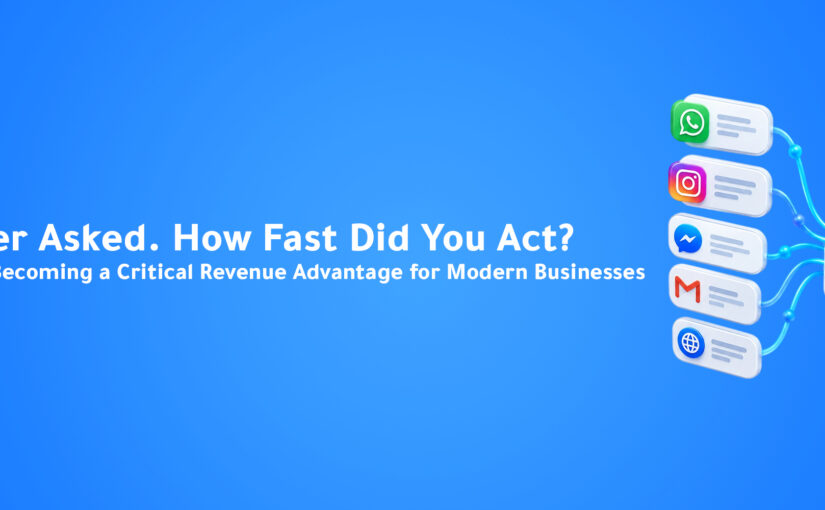
They send WhatsApp messages in the morning, comment on Instagram in the afternoon, call during business hours, and send emails when they need formal communication.

Some customers prefer Telegram. Others use website chat widgets or Facebook Messenger.

The problem is not the number of channels.

The problem is managing them separately.

This creates fragmented customer experiences, missed conversations, delayed responses, and operational chaos.

That is why building a strong omnichannel communication strategy is now essential for MENA businesses.

This guide explains how to create a practical omnichannel communication strategy that improves customer experience, increases response speed, and supports business growth.


Why Omnichannel Is Harder in MENA

Most omnichannel guides are written for Western markets where email and phone are the primary channels.

In MENA, the channel priority is very different.


Primary Channels

These are the highest-volume and highest-priority channels:

  • WhatsApp
  • Phone calls
  • Instagram

WhatsApp dominates customer communication across industries.

Phone calls remain critical for high-value deals and older customer segments.

Instagram is often the first contact point for younger buyers.


Secondary Channels

These still matter but serve different purposes:

  • Facebook Messenger
  • TikTok
  • Telegram

Messenger remains strong in Egypt.

TikTok is growing fast for retail and F&B.

Telegram is preferred by privacy-focused users and specific business communities.


Formal and Transactional Channels

These include:

  • Email
  • SMS

Email supports invoices, contracts, and B2B communication.

SMS remains important for OTPs, reminders, and notifications.


Most global platforms still treat WhatsApp and Instagram as add-ons.

For MENA businesses, they should be the center of the strategy.


The Four Stages of Omnichannel Maturity

Not every business needs full automation from day one.

Understanding the maturity stages helps define your next move.


Stage 1 — Multi-Channel

Most MENA businesses are here today.

They use multiple channels, but each one is managed separately.

This creates disconnected customer experiences.

A customer who contacts you twice may need to repeat everything again.


Stage 2 — Centralized Inbox

All channels feed into one inbox.

Agents manage WhatsApp, Instagram, Messenger, and email from one place.

Customer history becomes visible across channels.

This improves efficiency significantly.


Stage 3 — Intelligent Routing

The system routes conversations automatically based on:

  • Agent skills
  • Customer priority
  • Workload
  • Urgency
  • VIP status

This improves speed and service quality.


Stage 4 — AI-Powered Omnichannel

This is the transformation stage.

AI handles a large percentage of incoming messages automatically.

Customers describe what they need naturally.

The system responds using CRM data, knowledge base content, and automation rules.

Human agents focus only on complex or high-value interactions.

This is where real scalability begins.


Building Your Omnichannel Communication Strategy

Before building the system, start with a channel audit.


Step 1 — Volume Audit

Review the last 30 days.

Count incoming messages from every channel.

Identify which channels generate the highest volume.

This becomes your primary focus.


Step 2 — Quality Audit

Which channels bring the highest-value leads?

High volume does not always mean high quality.

For example:

Instagram may generate more inquiries, but WhatsApp often brings faster buyers.


Step 3 — Conversion Audit

Measure how each channel converts.

Track:

  • First contact
  • Qualified lead
  • Closed deal

This helps you prioritize investment.


Step 4 — Abandonment Audit

How many messages go unanswered?

How many leads disappear because of delayed responses?

These are your fastest automation wins.


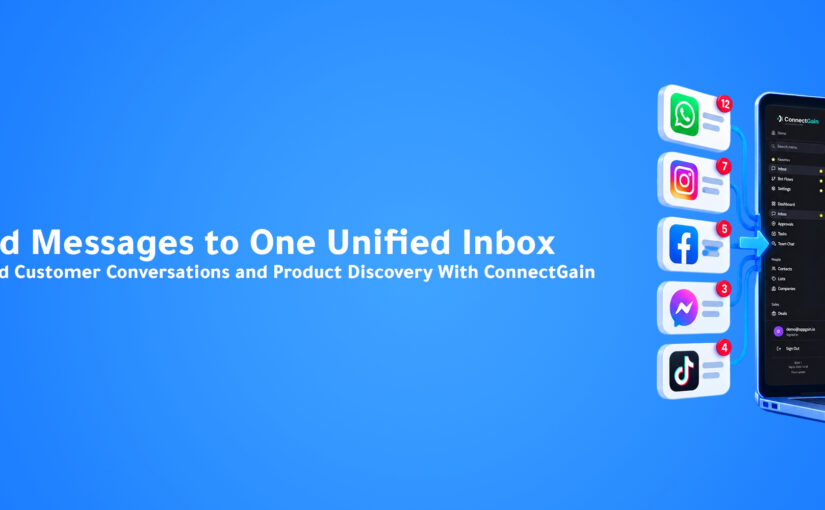
The Unified Inbox: The Foundation of Omnichannel

The first real investment should be a unified inbox.

This means all customer conversations appear in one place.

ConnectGain supports:

  • WhatsApp (Lite + Cloud API)
  • Facebook Messenger
  • Instagram Direct Messages
  • Telegram
  • TikTok Messages
  • Email
  • SMS
  • Web Push
  • Website Chat Widget

Every customer profile includes full conversation history across all channels.

If someone messages on Instagram today and WhatsApp tomorrow, your team sees everything.

This matches ConnectGain’s unified conversations hub where every interaction becomes a single customer journey .


AI Automation Across All Channels

The real power of omnichannel appears when automation works everywhere.


One Bot Across Multiple Channels

The same chatbot flow works on:

  • WhatsApp
  • Instagram
  • Messenger
  • Telegram
  • Website chat

Build once. Deploy everywhere.


One Knowledge Base for All Conversations

Your FAQ, pricing, and product information power responses across every channel.

This creates consistency and accuracy.


CRM Updates From Every Interaction

Whether the customer calls, messages, or emails, the CRM updates automatically.

This removes manual work and improves visibility.


Behavior-Based Follow-Ups

Follow-up should depend on customer behavior—not the channel.

A serious buyer should receive the same journey whether they contacted you by call or WhatsApp.

This reflects ConnectGain’s execution automation engine where workflows trigger actions based on intent, not platform .


Practical Implementation Roadmap


Month 1 — Connect Your Channels

Start with:

  • WhatsApp Business API
  • Instagram Business
  • Facebook Messenger
  • Email integration

Build the centralized inbox first.


Month 2 — Standardize Response Templates

Create approved templates for:

  • Pricing requests
  • Booking inquiries
  • Support questions
  • Follow-up responses

This improves speed and consistency.


Month 3 — Deploy First Automation Flows

Start with your top three inquiry types.

Deploy first on WhatsApp, then expand to Instagram and Messenger.


Month 4 — Connect CRM and Automation

When customers request quotes, create deals automatically.

When deal stages change, trigger follow-up sequences.

This turns conversations into sales pipelines.


Month 5 — Add AI Intelligence

Deploy RAG-based AI automation.

Train the system using:

  • FAQs
  • Product documents
  • Service information
  • Internal knowledge

Now the system becomes truly intelligent.


Month 6+ — Optimize With Data

Review:

  • Response times
  • Deflection rate
  • Conversion by channel
  • Customer satisfaction

Use real data to improve continuously.


The Metrics That Matter

Track the right KPIs:

  • First Response Time
  • Deflection Rate
  • Cross-Channel Contact Rate
  • Customer Satisfaction Score
  • Conversion Rate by Channel

Without measurement, optimization is impossible.


Start Your Growth Journey

If your customers are everywhere, your business must be ready everywhere too.

A strong omnichannel communication strategy helps you:

  • Respond faster
  • Reduce missed leads
  • Improve customer satisfaction
  • Increase sales conversions
  • Scale operations without chaos

Appgain helps businesses across MENA unify conversations, automate customer journeys, and build scalable growth systems.

Let’s build your success story.

WhatsApp: +20 111 9985526
Website: https://appgain.io
Email: He***@*****in.io


Conclusion

Customers do not think in channels.

They think in conversations.

Your business should do the same.

A strong omnichannel communication strategy is not about adding more channels.

It is about creating one connected customer experience across all of them.

That is how modern MENA businesses grow faster, serve better, and compete smarter.

Human-in-the-Loop AI Agents: When to Escalate and When to Automate in Marketing

Discover the optimal balance between AI automation and human intervention in your marketing workflows. As AI capabilities expand, knowing when to let your AI agents handle tasks independently and when human expertise is necessary has become a critical skill for marketing teams looking to maximize efficiency while maintaining quality.

The rise of domain-specific AI agents is transforming marketing operations, but even the most sophisticated systems require thoughtful integration with human workflows. This guide will help you design effective handoff strategies between your AI systems and human teams to create a seamless collaborative environment.

Understanding Human-in-the-Loop AI in Marketing

Human-in-the-loop (HITL) AI refers to systems where human judgment remains part of the operational cycle, providing oversight, correction, and decision-making at critical junctures. In marketing, this approach combines the efficiency and scalability of AI with human creativity, empathy, and strategic thinking.

The HITL model operates on a spectrum ranging from fully automated to completely manual processes:

  • Fully Automated: AI handles the entire process with no human intervention
  • AI with Human Review: AI performs tasks but humans verify outputs before deployment
  • Human-Guided AI: Humans make key decisions while AI handles execution
  • AI-Assisted Human Work: Humans lead the process with AI providing support and suggestions
  • Fully Manual: Humans handle the entire process with minimal or no AI assistance

When to Automate: Tasks Ideal for AI Agents

Certain marketing tasks are particularly well-suited for AI automation with minimal human oversight:

1. Data Analysis and Reporting

AI excels at processing large datasets, identifying patterns, and generating insights. Automated systems can track campaigns and build comprehensive dashboards that update in real-time, freeing your team from manual reporting tasks.

2. Routine Content Generation

For standardized content like product descriptions, social media updates, and basic email templates, AI can produce high-quality outputs at scale. These systems can maintain brand voice while dramatically increasing production capacity.

3. Campaign Optimization

AI agents can continuously monitor campaign performance, make real-time adjustments to bidding strategies, audience targeting, and creative elements to maximize ROI without constant human supervision.

4. Personalization Execution

Once personalization strategies are established, AI can handle the implementation across channels, ensuring each customer receives tailored content, recommendations, and offers based on their behavior and preferences. This personalization at scale would be impossible to execute manually.

5. Initial Customer Interactions

Chatbots and conversational AI can handle initial customer inquiries, qualification, and basic support, providing immediate responses 24/7 while collecting information that may be needed for human follow-up.

When to Escalate: Tasks Requiring Human Expertise

Despite advances in AI technology, certain marketing functions still benefit significantly from human involvement:

1. Strategic Decision-Making

Humans should lead high-level strategy development, brand positioning, and campaign planning. While AI can provide data to inform these decisions, the nuanced judgment required exceeds current AI capabilities.

2. Creative Concept Development

Original creative concepts, breakthrough campaign ideas, and innovative approaches still require human creativity. AI can assist with execution and variation, but truly novel creative direction benefits from human imagination.

3. Sensitive Communications

Communications during crises, addressing sensitive topics, or handling complex customer issues should involve human review to ensure appropriate tone, empathy, and brand alignment.

4. Complex Negotiations

Partnership development, influencer relationships, and vendor negotiations require human relationship-building skills and nuanced communication that AI cannot fully replicate.

5. Ethical Oversight

Humans must provide ethical guidance and review for marketing activities to ensure campaigns align with company values, avoid bias, and maintain appropriate standards.

Designing Effective Handoff Strategies

Creating smooth transitions between AI and human team members requires thoughtful process design:

Clear Escalation Triggers

Define specific conditions that trigger human involvement, such as:

  • Confidence thresholds (when AI confidence falls below a certain level)
  • Specific customer segments or high-value accounts
  • Unusual patterns or anomalies in data
  • Presence of sensitive keywords or topics
  • Customer explicitly requesting human assistance

Seamless Knowledge Transfer

When escalation occurs, ensure your AI systems provide human team members with all relevant context:

  • Complete conversation or interaction history
  • Customer profile and historical data
  • Actions already taken by the AI
  • Specific reason for escalation
  • Recommended next steps (if applicable)

Feedback Loops for Continuous Improvement

Implement mechanisms for humans to provide feedback on AI performance:

  • Simple rating systems for AI-generated content
  • Annotation tools to highlight errors or improvement areas
  • Regular review sessions to identify common issues
  • Documentation of successful interventions to train future models

Transparent Process Documentation

Ensure all team members understand the collaboration workflow:

  • Clear documentation of which tasks are automated vs. human-led
  • Visual process maps showing handoff points
  • Training for both technical and non-technical team members
  • Regular updates as AI capabilities evolve

Implementing HITL in Common Marketing Workflows

Content Marketing

AI handles: Draft generation, SEO optimization, basic editing, content distribution

Humans provide: Creative direction, final approval, expert insights, strategic alignment

For example, AI might generate blog drafts and optimize them for search engines, while humans review for brand voice, add unique insights, and make final editorial decisions.

Email Marketing

AI handles: Audience segmentation, template customization, A/B testing, scheduling

Humans provide: Campaign strategy, creative direction, final approval

AI can draft personalized email content and even help with email warming strategies, while humans focus on overall campaign goals and approve final messaging.

Social Media Management

AI handles: Content suggestions, posting schedule, performance tracking, basic engagement

Humans provide: Brand voice oversight, community management, crisis response

AI might suggest and schedule regular posts, while humans handle sensitive community interactions and real-time trend response.

Customer Support

AI handles: Initial response, FAQs, data collection, basic troubleshooting

Humans provide: Complex issue resolution, empathetic support, relationship building

Chatbots can handle common questions and collect information, escalating to human agents when issues become complex or emotionally charged.

Advertising Management

AI handles: Budget allocation, bid management, performance optimization, audience targeting

Humans provide: Creative direction, campaign strategy, final approval

AI can continuously optimize ad performance while humans focus on creative development and strategic decisions.

Measuring the Success of Your HITL Strategy

Evaluate your human-in-the-loop implementation with these key metrics:

Efficiency Metrics

  • Time saved by automation
  • Volume of work processed
  • Cost per marketing action
  • Team productivity increases

Quality Metrics

  • Error rates in AI outputs
  • Customer satisfaction scores
  • Content engagement metrics
  • Campaign performance

Process Metrics

  • Escalation frequency
  • Resolution time for escalated issues
  • AI confidence scores over time
  • Human intervention requirements

Team Satisfaction

  • Marketing team feedback on AI collaboration
  • Reduction in repetitive tasks
  • Increased focus on strategic work

Key Takeaways

  • Human-in-the-loop AI combines the efficiency of automation with human creativity and judgment
  • Automate routine, data-heavy, and scalable tasks while keeping humans involved in strategic, creative, and sensitive activities
  • Design clear escalation triggers and knowledge transfer processes for seamless handoffs
  • Implement feedback loops to continuously improve your AI systems
  • Measure both efficiency gains and quality outcomes to optimize your approach
  • Gradually expand automation as AI capabilities and team comfort levels increase

Conclusion

The most effective marketing operations don’t choose between AI and human expertise—they strategically combine both. By thoughtfully designing when and how your AI agents escalate to human team members, you create a system that leverages the unique strengths of each.

This human-in-the-loop approach allows you to scale your marketing efforts while maintaining quality, creativity, and the human touch that builds genuine connections with your audience. As AI capabilities continue to evolve, regularly reassess your automation/escalation balance to ensure you’re maximizing both efficiency and effectiveness.

The future of marketing isn’t AI replacing humans—it’s AI and humans working together in increasingly sophisticated ways. Start building your collaborative workflows today to stay ahead of the curve.


Real-Time Inventory Updates via AI Agents: Preventing COD Cancellations Before They Happen

Learn how AI agents with RAG technology can access live inventory data during customer conversations to prevent COD cancellations and improve sales conversion.

In e-commerce, few things frustrate customers more than placing a cash-on-delivery (COD) order only to discover the item is out of stock when it’s time for delivery. These last-minute cancellations not only damage customer trust but also waste valuable resources in processing, logistics, and customer service. Modern domain-specific AI agents equipped with Retrieval Augmented Generation (RAG) capabilities are revolutionizing how businesses handle inventory information during customer interactions, dramatically reducing cancellation rates and improving the shopping experience.

The High Cost of Inventory Disconnects

When customers place COD orders for products that are actually unavailable, it creates a cascade of problems:

  • Wasted fulfillment resources on orders destined for cancellation
  • Damaged customer trust and brand reputation
  • Lost revenue opportunities when alternatives aren’t offered
  • Increased customer service burden handling complaints

Traditional e-commerce systems often operate with inventory data that updates in batches, creating dangerous windows where customers can order products that have actually sold out. This disconnect between sales channels and inventory management is where AI agents with real-time data access can make a transformative difference.

How RAG-Powered AI Agents Transform Inventory Management

Retrieval Augmented Generation (RAG) allows AI systems to supplement their responses with real-time information retrieved from external databases. For inventory management, this creates powerful capabilities:

Real-Time Inventory Verification

Instead of relying on potentially outdated cache data, AI agents can query inventory management systems in real-time during customer conversations. This ensures customers only place orders for products that are genuinely available.

Intelligent Alternative Suggestions

When items are unavailable or running low, well-trained AI personas can immediately suggest similar alternatives based on customer preferences, maintaining sales opportunities rather than losing them.

Dynamic Delivery Time Updates

By connecting to supply chain data, AI agents can provide accurate delivery estimates based on current inventory location and availability, setting realistic customer expectations from the start.

Building Your RAG-Enhanced Inventory System

Implementing a real-time inventory-aware AI agent requires several key components:

1. Unified Data Architecture

Create API endpoints that allow your AI system to query inventory databases in real-time, ensuring all sales channels work from the same source of truth. This might involve:

  • REST APIs to your inventory management system
  • WebSocket connections for real-time updates
  • Caching layers with appropriate invalidation strategies

2. Contextual Awareness Training

Your AI agents need to understand when to check inventory status during conversations. Train them to recognize purchase intent signals and proactively verify availability before proceeding to checkout steps.

3. Customer-Friendly Response Strategies

Develop thoughtful response templates for out-of-stock scenarios that maintain customer interest. For example:

“I notice the blue model you’re interested in is currently out of stock. We have the same model in red available for immediate shipping, or I can notify you when the blue returns to inventory in approximately 5 days. What would you prefer?”

4. Integration with Customer Communication Channels

Deploy your inventory-aware AI agents across all customer touchpoints, especially in WhatsApp automation workflows where COD orders are often placed and confirmed.

Real-World Implementation Example

Consider this conversation flow between a customer and an AI agent with RAG-powered inventory access:

Customer: “I’d like to order the Premium Wireless Headphones in black for cash on delivery.”

AI Agent: [Queries inventory system in real-time] “I’d be happy to help with your order. I’ve just checked our warehouse, and while we have the Premium Wireless Headphones, we only have 2 units left in silver. The black version is currently out of stock. Would you like to proceed with silver instead, or would you prefer to be notified when black becomes available?”

Customer: “When do you expect to have black back in stock?”

AI Agent: [Queries supply chain system] “Our next shipment of black Premium Wireless Headphones is scheduled to arrive in our warehouse this Friday. I could place a pre-order for you with delivery expected by next Monday. Alternatively, I can offer you a 10% discount if you choose the silver model for immediate dispatch. Which option works better for you?”

Customer: “I’ll take the silver with the discount.”

AI Agent: “Excellent choice! I’ll apply the 10% discount and process your order for the silver Premium Wireless Headphones with cash on delivery. Is there anything else you’d like to add to your order today?”

This interaction demonstrates how real-time inventory checks can transform potential cancellations into successful sales while improving customer satisfaction.

Measuring Success: Key Performance Indicators

To evaluate the effectiveness of your RAG-powered inventory system, track these metrics:

  • COD Cancellation Rate: Should decrease significantly as customers only order available items
  • Alternative Product Acceptance Rate: Percentage of customers who accept suggested alternatives when first choices are unavailable
  • Customer Satisfaction Scores: Should improve as expectations are managed from the beginning
  • Average Order Value: May increase as AI suggests relevant alternatives or complementary products
  • Fulfillment Efficiency: Resources saved by not processing doomed-to-cancel orders

Implementing proper analytics dashboards will help you quantify these improvements and refine your system over time.

Key Takeaways

  • Real-time inventory verification through RAG-powered AI agents dramatically reduces COD cancellations
  • Intelligent product alternatives maintain sales opportunities even when first choices are unavailable
  • Integration across all customer communication channels ensures consistent inventory information
  • Accurate delivery time estimates improve customer satisfaction and reduce support inquiries
  • Measuring KPIs like cancellation rates and alternative acceptance helps optimize the system

Conclusion

The integration of real-time inventory data with AI conversational agents represents a significant advancement in e-commerce operations. By preventing COD cancellations before they happen, businesses can save resources, improve customer satisfaction, and increase sales conversion rates. The technology to implement these systems is accessible today through modern AI frameworks and API-driven architectures.

As customer expectations for accuracy and transparency continue to rise, real-time inventory-aware AI will become a standard feature of successful e-commerce operations rather than a competitive advantage. Businesses that implement these systems now will be well-positioned to reduce cancellations, improve operational efficiency, and build stronger customer relationships.

Training AI Personas: How to Build Bots That Feel Human

In 2025, it’s no longer enough for bots to just answer. They need to connect.

The future of AI communication lies in human-like personas — bots that respond naturally, carry context, and reflect your brand voice. Whether you’re building a WhatsApp assistant, a sales agent, or a support bot, the secret is in how you train your AI.

This guide walks you through the key steps to designing AI personas that feel real — and how to deploy them through Appgain’s WhatsApp API.

Why AI Personas Matter

Customers today can spot a generic bot from the first message. Robotic replies, inconsistent tone, or lack of context kill trust instantly.

AI personas solve that by giving your bots:

  • A distinct personality
  • Tone that matches your brand
  • Context memory to hold conversations
  • Natural fallback responses
  • The ability to learn and adapt over time

Step 1: Define the Role and Personality

Before you write a single prompt, ask:

  • Is this bot a sales agent, support rep, or onboarding guide?
  • Should it sound professional, friendly, witty, or calm?
  • What phrases, words, or emojis should it avoid or always use?

Example Persona Brief:

  • Name: Layla
  • Role: WhatsApp Sales Assistant
  • Tone: Friendly, helpful, not pushy
  • Traits: Uses customer name often, recommends based on behavior, never overpromises


Step 2: Create Prompt Templates

Prompts are what shape your AI’s behavior.

Instead of just saying:
“Send discount message.”

Use structured prompts like:
“You are a helpful sales assistant. Greet the customer by name, mention their interest in product X, and offer a limited-time 10% discount using natural language. Do not sound robotic or aggressive.”

Save different prompt templates for:

  • Product recommendation
  • Cart recovery
  • Lead qualification
  • Support replies
  • Follow-ups

Use tools like ChatGPT, Claude, or Hugging Face to test tone and consistency.

Step 3: Add Context and Memory

To make a bot feel human, it must remember what was said.

You can simulate memory in tools like:

  • ChatGPT with function calling or custom instructions
  • Hugging Face pipelines with history chaining
  • Flowise, LangChain, or vector databases for long-term context

Examples of context-aware behavior:

  • “You asked about size last time. Here’s a guide.”
  • “Just checking in — did the last offer work for you?”

Step 4: Design Smart Fallbacks

Not all questions will be covered.

To avoid cold responses like “I don’t understand,” design fallbacks like:

  • “Hmm, I’m not sure about that — but I can check with the team if you’d like.”
  • “Can I guide you to our support center for that?”
  • “Would you prefer to speak with a human agent now?”

Natural fallbacks preserve trust.

Step 5: Connect to WhatsApp via Appgain

Once your persona is ready, it’s time to deploy.

Using Appgain’s WhatsApp API and Automation Builder:

  • Plug your AI persona into message flows
  • Trigger the right prompt based on CRM data or user behavior
  • Send smart replies in real-time
  • Combine with buttons, rich media, and flows for full interaction

Example:
A customer abandons cart → AI bot checks last viewed items → sends friendly reminder with promo code → offers to answer product questions

Final Thoughts

Human-like AI isn’t just about tech — it’s about empathy, tone, and timing.

By designing AI personas with purpose and connecting them through Appgain, you create smarter, more natural conversations that convert.

Your bot doesn’t just reply — it represents your brand.

Ready to build a persona that sells, supports, and scales?
Visit appgain.io to get started.

Mastering Geolocation Push Notifications: Strategies for Engagement and Sales

Geolocation push notifications are useful tools for businesses. Not only do they help you connect with customers, but they also increase sales. In this article, we will explain what geolocation push notifications are and provide tips for success.

What Are Geolocation Push Notifications?

Geolocation push notifications send messages based on where a user is located. You can use them for various purposes, such as promotions, updates, or alerts. Furthermore, personalizing these messages makes them even more relevant to users.

There are two main types:

  1. Global Notifications: These notifications reach all subscribers, regardless of their location. Consequently, they work well for announcements that everyone should see.
  2. Location-Based Notifications: In contrast, these notifications target users in specific areas, such as a city. Therefore, they are especially effective for local offers or events.

Examples of Geolocation Push Notifications

Many brands successfully use geolocation push notifications. Here are a few examples:

  • Starbucks: For instance, they send reminders to help customers find the nearest store. As a result, this approach makes customers feel welcome.
  • Ritual: This app, on the other hand, offers discounts for local restaurants and sends messages at lunchtime. This timing maximizes engagement.
  • McDonald’s: Additionally, they provide discounts tied to local events, like sports wins. Thus, this strategy effectively grabs attention.
  • Hunter Boots: Furthermore, they send weather alerts to encourage purchases during bad weather. This can significantly increase sales during those times.

Best Practices for Geolocation Push Notifications

To create effective geolocation campaigns, follow these tips:

  • Encourage Users to Subscribe: First, invite users to opt in. Making the opt-in box on your website attractive is crucial for higher subscription rates.
  • Write Clear Messages: Next, keep your notifications simple. Use easy language that encourages users to act immediately.
  • Check and Improve Your Campaigns: Finally, regularly review how your notifications perform. Use this data to adjust your strategy. For example, A/B testing can help you find what works best.

Conclusion

In summary, geolocation push notifications can help businesses connect with customers and boost sales. By understanding how they work and following these tips, you can create effective campaigns. Therefore, explore the potential of geolocation push notifications and watch your business grow.Start now and discover how Appgain.io can be the perfect partner for your business growth

Thopify Move to Shopify – A Success Story with Appgain’s Tools

In today’s fast-changing digital world, e-commerce platforms like Thopify need to keep improving. Recently, Thopify move to Shopify (formerly Cancan Online) marked a significant shift as they switched from a PHP system to a powerful Shopify platform. This transition was crucial for Thopify to enhance user engagement and improve shopping experiences. Appgain led this change by using our AI and marketing tools. Here’s how we did it, and why Thopify move to Shopify was essential for their growth.

Why Thopify Needed to Change

Thopify is a popular online fashion store. However, they faced several challenges:

First, they struggled to grow their operations. Additionally, users were not engaged. Finally, they needed a more personalized shopping experience. To solve these problems, Thopify decided to move to Shopify. This platform offers faster performance, better security, and easy connections to helpful marketing tools. Therefore, the change was essential for Thopify move to Shopify.

How Appgain Helped Thopify

At Appgain, we aim to help businesses grow. Thus, we followed key steps to transform Thopify using our knowledge in AI marketing and custom development.

Moving from PHP to Shopify
First, we shifted Thopify backend from PHP to Shopify. This change brought many benefits:
As a result, Thopify became faster and easier to grow. Moreover, it allowed simple integration with marketing tools like Appgain’s Marketing SDK. Additionally, security was improved, making shopping safer for users.

Adding Appgain Marketing SDK
Next, we added the Appgain Marketing SDK to Thopify Shopify platform. This provided important benefits:
For instance, personalized push notifications and in-app messages kept users interested. In addition, user segmentation allowed for targeted campaigns based on behavior. Also, deep linking directed users to specific content, which improved conversion rates. Finally, automated marketing campaigns helped recover abandoned carts, leading to more sales.

Integrating MirrorSize SDK
Furthermore, we added the MirrorSize SDK to Thopify app. This feature allows users to:
Specifically, take body measurements using their smartphones. In addition, they receive size recommendations, which reduces returns. As a result, users enjoy a smoother shopping experience based on their body size.

Creating a Custom Fashion Builder App
Lastly, we developed a custom fashion builder app for Thopify. This app lets users:
Easily customize clothing designs to match their preferences. Moreover, they can select sizes, colors, and other features. Thus, they have a more engaging shopping experience overall.

The Results of Thopify’s Change

The changes at Thopify led to great results:
For example, user engagement increased. The Appgain Marketing SDK boosted click rates on notifications, leading to more user interaction. Additionally, there were fewer returns. Thanks to the MirrorSize SDK, users chose the right sizes, resulting in happier customers. Moreover, faster product launches became possible. With Shopify’s help, Thopify could introduce new products quickly. Overall, the custom fashion builder app made shopping more interactive and personal.

Conclusion: A New Chapter for Thopify

In summary, the change from Cancan Online to Thopify shows how digital transformation can help a business grow. By using Appgain’s Marketing SDK, AI technology, and custom development, Thopify move to Shopify can now provide a better shopping experience. Ultimately, this project demonstrates how Appgain’s solutions can help any e-commerce platform succeed.