Every day, businesses have conversations that contain valuable information.
Sales calls reveal buying intent. Customer support calls reveal recurring problems. Follow-up calls reveal objections. Appointment calls reveal customer needs. Renewal conversations reveal satisfaction and churn risks.
Yet once the call ends, much of that information is often difficult to use.
The recording may be saved somewhere. An employee may write a few notes. A CRM record may receive a short update. Then the team moves on to the next conversation.
The problem is not that businesses don’t have customer data.
The problem is that some of their most valuable data is trapped inside conversations.
AI Call Intelligence changes that.
Instead of treating a phone call as an audio file that needs to be stored, businesses can use AI to turn the conversation into structured information, insights, summaries, and actions that can become part of the wider CRM workflow.
Why Call Recordings Alone Are Not Enough
Recording customer calls has been common for years.
Businesses record calls for quality monitoring, training, compliance, documentation, or simply because they want to keep a history of customer interactions.
But a recording by itself doesn’t tell a manager what matters.
Imagine a sales team handling hundreds of calls every week.
How many calls can a manager realistically listen to from beginning to end?
Even if every call is recorded, reviewing all of them manually would require an enormous amount of time.
As a result, businesses often review only a small sample of conversations.
That means important information can remain hidden inside the recordings.
A customer may mention a competitor.
A prospect may reveal that they are ready to buy next month.
Another customer may express frustration.
A salesperson may promise to follow up on a specific date.
All of these details can be commercially important.
But if nobody extracts them from the conversation, they remain buried in the audio.
What Is AI Call Intelligence?
AI Call Intelligence uses artificial intelligence to analyze customer phone conversations and turn them into useful business insights.
Instead of requiring an employee to manually listen to and document every call, AI can process the conversation and identify relevant information such as:
- Customer intent
- Sentiment
- Keywords
- Topics discussed
- Buying signals
- Customer objections
- Follow-up commitments
- Action items
- Important conversation details
The result is a transformation from:
Call Recording → Audio File
to:
Call → Transcript → Analysis → Insights → Business Actions
The conversation becomes usable data.
Automatic Call Transcription
The first step is understanding what was actually said.
AI can convert a recorded conversation into a written transcript that the team can review without having to replay the entire call.
A transcript also creates a searchable text representation of the conversation.
Instead of searching through hours of audio, an employee can review the relevant parts of the conversation directly.
This is particularly useful when teams need to verify:
- What the customer requested
- What the salesperson promised
- Which product was discussed
- What objections were raised
- What the agreed next step was
The transcript becomes the foundation for everything that follows.
Sentiment Analysis
Words are only part of a customer conversation.
The customer’s tone and overall sentiment can provide additional context.
A customer might be:
Satisfied
Excited
Confused
Neutral
Frustrated
Understanding sentiment at scale can help businesses identify conversations that deserve attention.
For example, a customer who sounds increasingly frustrated may require human intervention even if their original request appears routine.
A positive conversation, on the other hand, may indicate a strong relationship or a potential sales opportunity.
AI Call Intelligence makes these patterns easier to identify across large volumes of calls.
Detecting Keywords and Topics
Businesses often want to know what customers are talking about.
Which products are mentioned most frequently?
Which problems are customers reporting?
Which competitors are appearing in sales conversations?
Which questions keep coming up?
AI can identify important keywords and topics across conversations, making it easier to discover patterns that might otherwise require extensive manual review.
This can help businesses understand not just individual calls, but what is happening across the entire customer conversation landscape.
Understanding Customer Intent
One of the most valuable capabilities of AI Call Intelligence is identifying customer intent.
Consider these statements:
“We’re comparing a few providers right now.”
“We need to start next month.”
“Can you send me the proposal today?”
“I’m not sure we’re ready yet.”
Each statement communicates something different about the customer’s position.
AI can help identify these signals and organize them into actionable information.
For sales teams, this can make it easier to distinguish between conversations that require immediate attention and conversations that can be followed up later.
Automatic Call Summaries
After a long call, employees shouldn’t have to spend additional time reconstructing everything that happened.
AI can generate a structured summary of the conversation.
Instead of a salesperson writing:
“Good call. Customer interested. Follow up soon.”
the system can provide a clearer representation of the key discussion points and next steps.
This saves administrative time while giving other team members better context when they need to understand the conversation.
A good summary can also make customer handoffs easier.
If another employee needs to take over the opportunity, they don’t necessarily have to listen to the entire original recording before understanding what happened.
Extracting Action Items
A conversation becomes valuable when it leads to action.
During a call, a salesperson might promise to:
- Send a proposal.
- Contact another decision maker.
- Schedule a meeting.
- Provide additional information.
- Follow up next week.
- Confirm an order.
These commitments can easily become forgotten when they’re left inside a recording or handwritten notes.
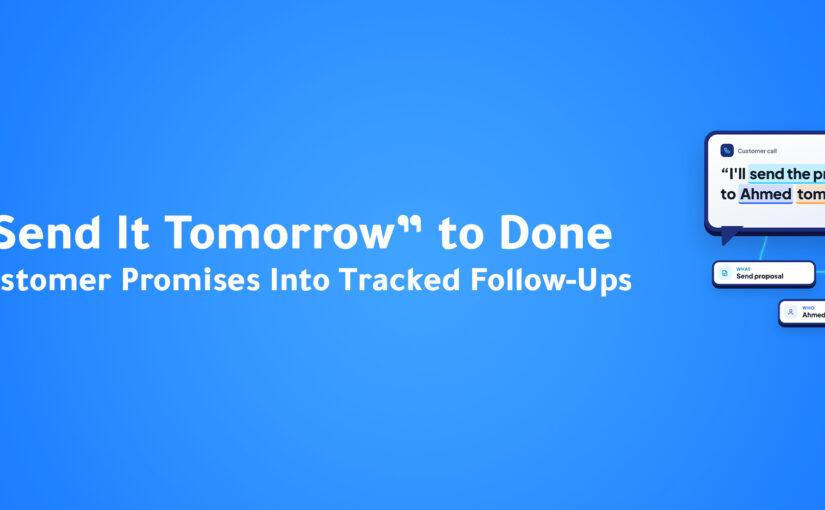
AI can extract action items from conversations and turn them into structured next steps.
This creates a much stronger connection between the conversation and the workflow that follows.
Conversation → Action Item → Task → Follow-Up
The call doesn’t simply end.
The workflow continues.
Connecting Calls With the CRM
The real value of AI Call Intelligence becomes even greater when conversation insights are connected to CRM data.
A phone call shouldn’t exist separately from the customer’s record.
The team may need to know:
- Who the customer is.
- Which salesperson owns the opportunity.
- What stage the deal is in.
- What happened during the last conversation.
- What the customer is interested in.
- What needs to happen next.
When call intelligence is connected to the CRM, the conversation can become part of the customer’s broader history.
ConnectGain brings CRM functionality together with customer conversations, sales pipelines, tasks, analytics, and AI capabilities, allowing businesses to connect communication with the wider customer workflow. CONNECTGAIN_MARKETING_FACT_SHEE…
This changes the role of the call from a standalone interaction into a connected business event.
From Call to CRM Action
Consider a simple example.
A prospect calls a sales representative and says they are interested in an enterprise plan but need a proposal before making a decision.
A traditional process might look like:
Call → Employee Takes Notes → Employee Updates CRM → Employee Creates Task
Every step depends on the employee remembering to do it.
With AI Call Intelligence, the workflow can become:
Call → Transcription → Intent Detected → Summary Generated → Action Item Identified → CRM Updated → Follow-Up Task
The employee can then spend less time documenting the call and more time acting on the opportunity.
Agent Performance Analysis
Call intelligence isn’t only useful for understanding customers.
It can also help managers understand how their teams communicate.
Instead of relying entirely on occasional call reviews, managers can analyze patterns across conversations.
For example:
- Which objections appear most frequently?
- Which topics require additional training?
- Which conversations are generating strong buying signals?
- Where are customers experiencing friction?
- Which areas of the sales process need improvement?
This creates a more data-driven approach to coaching.
Rather than saying:
“I think the team needs to improve objection handling.”
Managers can use conversation data to investigate where objections occur and how they are being handled.
AI Call Intelligence Across Industries
The value of call intelligence isn’t limited to one type of business.
Sales Teams
Sales teams can use call intelligence to identify buying signals, objections, customer intent, and follow-up commitments.
Customer Support
Support teams can analyze recurring complaints, customer sentiment, escalation risks, and service issues.
Healthcare
Healthcare organizations can use conversation analysis to better organize customer or patient interactions while maintaining appropriate operational controls.
Financial Services
Financial teams can analyze customer conversations to understand requests, concerns, and next steps.
Insurance
Insurance teams can identify customer needs, objections, and follow-up requirements across large volumes of calls.
Real Estate
Real estate teams can use call intelligence to identify property interests, buying intent, urgency, and follow-up opportunities.
Automotive
Automotive sales teams can analyze conversations around vehicle interest, pricing, financing, appointments, and purchase intent.
The common factor is simple:
Every industry has conversations.
AI Call Intelligence helps turn those conversations into structured information.
Why Businesses Need More Than Transcription
Transcription is useful.
But transcription alone isn’t the final objective.
A business doesn’t necessarily need thousands of pages of text.
It needs to know:
What happened?
What does it mean?
What should happen next?
That’s why the progression matters:
Transcription → Understanding → Insight → Action
The goal isn’t to create another data archive.
It’s to make customer conversations useful to the business.
How ConnectGain Brings Call Intelligence Into the Workflow
ConnectGain is designed to connect customer conversations with CRM and business workflows.
Its broader platform combines customer communication, CRM, AI, automation, and analytics so that customer interactions can contribute to the next business action. CONNECTGAIN_MARKETING_FACT_SHEE…
With AI Call Intelligence, the phone conversation can become part of that connected process.
The workflow can move from:
Customer Call
to:
Transcript
to:
Conversation Analysis
to:
Customer Intent
to:
Summary
to:
Action Items
to:
CRM Activity
to:
Follow-Up
This means the value of the call continues after the conversation ends.
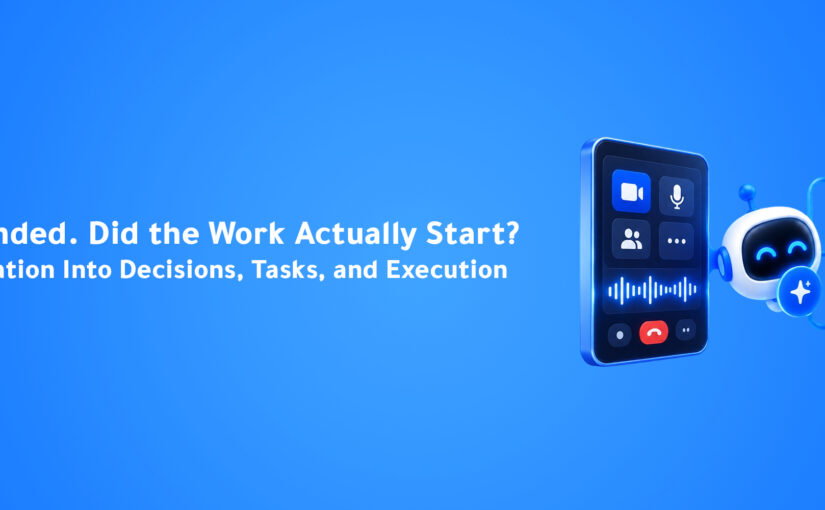
The Call Ended. The Workflow Didn’t.
This is perhaps the most important shift.
In a traditional workflow:
Call → Recording → End
The recording may exist, but the business still has to decide what to do with it.
In an AI-powered workflow:
Call → Transcription → Analysis → Summary → Action → CRM → Follow-Up
The system can help carry the information forward.
The call becomes a trigger for the next stage of the customer journey.
From Conversations to Business Intelligence
When businesses analyze one call, they gain insight into one interaction.
When they analyze thousands of calls, something much more powerful becomes possible.
Patterns begin to emerge.
Businesses can discover:
- Common customer objections.
- Frequently discussed products.
- Repeated service problems.
- Competitor mentions.
- Common buying signals.
- Customer sentiment trends.
- Training opportunities.
- Follow-up patterns.
The organization starts learning from conversations at scale.
That is where AI Call Intelligence moves beyond call management and becomes a source of business intelligence.
Key Takeaways
✔ Call recordings store conversations, but AI can help businesses understand them.
✔ Automatic transcription makes customer calls searchable and easier to review.
✔ Sentiment analysis can reveal customer satisfaction and frustration.
✔ AI can identify customer intent, keywords, topics, and buying signals.
✔ Automatic summaries reduce the manual work required after calls.
✔ Action-item extraction connects conversations with the work that needs to happen next.
✔ CRM integration turns call insights into part of the customer’s broader history.
✔ Call intelligence can support sales coaching and customer experience improvement.
✔ The real value is not recording more calls. It’s learning from them.
Frequently Asked Questions
What is AI Call Intelligence?
AI Call Intelligence uses artificial intelligence to analyze phone conversations and transform them into structured information such as transcripts, summaries, sentiment, customer intent, and action items.
Is AI Call Intelligence the same as call recording?
No. Call recording primarily stores the audio. AI Call Intelligence analyzes the conversation and extracts useful information from it.
Can AI summarize customer calls?
Yes. AI can generate structured summaries that capture important parts of a conversation and make it easier for employees to understand what happened.
Can AI detect customer intent?
Yes. AI can analyze conversation context and identify signals related to customer intent, interest, objections, urgency, and potential next steps.
How does AI Call Intelligence help sales teams?
It can help sales teams identify buying signals, understand objections, reduce manual note-taking, create follow-up actions, and give managers more visibility into customer conversations.
Can call insights be connected to a CRM?
Yes. Connecting conversation intelligence with CRM workflows allows call information to become part of customer records, sales activity, tasks, and follow-up processes.
Conclusion
Every customer call contains information that can influence what happens next.
The problem is that businesses have traditionally treated that information as a recording rather than as structured business data.
AI Call Intelligence changes that model.
Instead of simply storing the conversation, AI can transcribe it, analyze sentiment, identify customer intent, detect important topics, generate summaries, extract action items, and connect the resulting insights with CRM workflows.
The result is a more intelligent customer journey:
The call happens. The AI understands it. The business acts on it.
That is the real opportunity behind AI Call Intelligence.
Every call should leave your business smarter.
Ready to Turn Every Call Into Business Intelligence?
ConnectGain by Appgain helps businesses connect customer conversations, AI-powered call intelligence, CRM data, automation, and follow-up workflows in one connected platform.
Turn calls into transcripts, insights, summaries, action items, and business workflows—so your team can spend less time documenting conversations and more time acting on them.
Don’t just store your calls. Start using what they tell you.
Contact Us
📞 WhatsApp: +20 111 998 5526
🌐 Website: appgain.io
📧 Email: He***@*****in.io