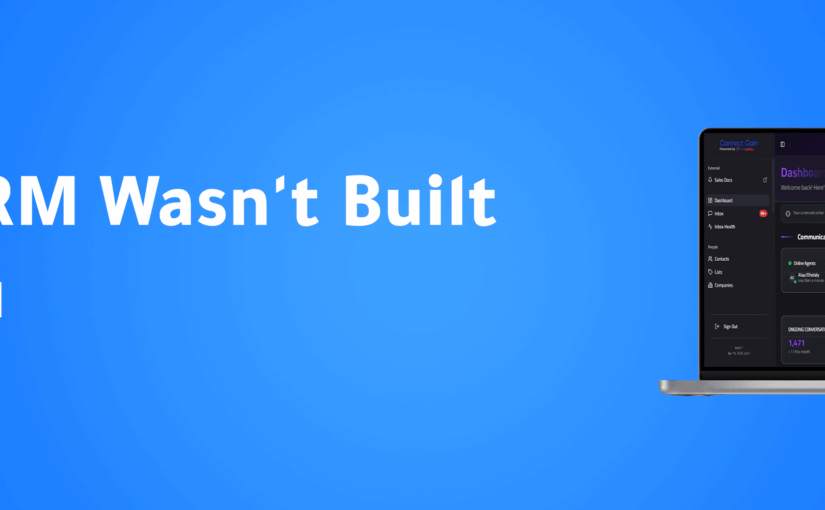
In November 2025, Appgain officially launched ConnectGain, a unified communication and automation platform built to solve one of the biggest challenges modern businesses face today: fragmented customer conversations.
Sales and support teams often struggle to manage messages scattered across WhatsApp, Instagram, Facebook, website chat, and other channels — leading to delayed responses, missed leads, and lost context.
ConnectGain changes that.
One Inbox for Every Customer Conversation
With ConnectGain, all customer conversations are brought together into one intelligent inbox.
Powered by AI agents, the platform understands customer intent, automates follow-ups, and routes conversations instantly to the right team — without manual effort.
This allows teams to manage conversations at scale while maintaining speed, accuracy, and personalization.
Why Fragmented Conversations Hurt Growth
When customer messages are spread across multiple channels, businesses face real operational challenges, including:
Slow response times
Missed or unqualified leads
Lost conversation history
Inconsistent follow-ups
Limited visibility across teams
ConnectGain eliminates these issues by centralizing conversations and automating key sales actions.
What ConnectGain Helps Businesses Do
With ConnectGain, businesses can:
Respond in real time across all customer channels from one inbox
Automate lead qualification and follow-ups using AI agents
Track conversations through clear, actionable pipelines
Turn conversations into measurable revenue automatically
Every interaction becomes structured, trackable, and growth-focused.
Built for Modern Sales and Support Teams
ConnectGain is designed for fast-moving teams that rely on conversations to drive revenue.
By combining omnichannel messaging with AI-powered automation, ConnectGain helps teams sell faster, follow up smarter, maintain full conversation context, and scale customer engagement without increasing headcount.
A Step Forward in Appgain’s Mission
This launch represents a major step in Appgain’s mission to simplify customer communication and help businesses grow faster with fewer manual processes.
ConnectGain is not just an inbox — it is a growth engine built for modern sales teams.
Conclusion
ConnectGain eliminates fragmented conversations and transforms them into a clear, actionable system that helps modern teams grow faster and work smarter.
Ready to see ConnectGain in action? Request a ConnectGain demo and discover how your team can turn conversations into revenue.
Transform your marketing operations with autonomous AI agents that work around the clock. This comprehensive guide walks you through creating your first marketing AI agent using Appgain’s platform, empowering you to automate complex workflows and deliver personalized customer experiences. As generative AI continues to revolutionize marketing content, building your own specialized agents has become essential for staying competitive in today’s digital landscape.
Why Marketing AI Agents Are Changing the Game
Marketing AI agents represent the next evolution in automation—autonomous systems that can make decisions, execute tasks, and optimize campaigns without constant human supervision. Unlike traditional automation tools that follow rigid rules, AI agents can:
Adapt to changing customer behaviors
Process and act on real-time data
Perform complex, multi-step marketing workflows
Learn and improve from interactions over time
Prerequisites for Building Your Marketing AI Agent
Before diving into the technical steps, ensure you have:
An active Appgain account with appropriate permissions
Clear marketing objectives for your AI agent
Basic understanding of your customer journey
Relevant data sources identified
Step 1: Define Your Agent’s Purpose and Scope
Every effective AI agent starts with a clear mission. Begin by answering these questions:
What specific marketing problem will this agent solve?
Which customer segments will it target?
What actions will it be authorized to take?
How will you measure its success?
For example, you might create an agent that identifies customers at risk of churn and automatically executes re-engagement campaigns through multiple channels.
Step 2: Access the Agent Builder in Appgain
Log into your Appgain dashboard and navigate to the AI Agents section. Click “Create New Agent” to access the agent builder interface. Here, you’ll provide basic information:
Description: Detail what the agent does and its intended outcomes
Category: Select from options like “Customer Engagement,” “Lead Nurturing,” etc.
Step 3: Configure Data Sources and Permissions
Your agent needs access to relevant data to make informed decisions. In the Data Sources tab:
Connect CRM systems containing customer data
Link analytics platforms for behavioral insights
Integrate communication channels (email, SMS, WhatsApp, etc.)
Set appropriate data access permissions
Appgain’s platform makes it easy to connect with popular tools through pre-built integrations, eliminating the need for complex API work.
Step 4: Design Your Agent’s Decision Logic
This is where the magic happens. Using Appgain’s visual workflow builder:
Create trigger conditions that activate your agent (e.g., “Customer hasn’t opened app in 14 days”)
Define decision points with conditional logic
Set up action sequences for different scenarios
Establish feedback loops for continuous learning
The platform offers both pre-built templates and custom options to accommodate different levels of complexity. Training your AI agent with domain-specific knowledge significantly improves its effectiveness in specialized marketing contexts.
Step 5: Set Up Communication Templates
Your agent will need pre-approved content to communicate with customers. Create templates for:
As your agent operates, it will generate valuable performance data. Use this information to:
Refine decision thresholds
Improve message content and timing
Expand or narrow the agent’s scope
Adjust resource allocations
Appgain’s platform includes AI-powered optimization suggestions that help identify improvement opportunities based on your agent’s performance history.
Advanced Features for Experienced Users
Once you’re comfortable with basic agent creation, explore these advanced capabilities:
Multi-agent orchestration for complex customer journeys
Custom AI model integration for specialized prediction tasks
Advanced A/B testing frameworks for message optimization
Marketing AI agents automate complex workflows while adapting to changing conditions
Appgain’s platform simplifies agent creation with visual builders and pre-built integrations
Start with a clear purpose and appropriate guardrails for your agent
Test thoroughly in sandbox mode before deploying to real customers
Continuously monitor and optimize your agent based on performance data
Conclusion
Building your first marketing AI agent may seem daunting, but Appgain’s platform makes the process accessible even to marketers without technical backgrounds. By following this step-by-step guide, you can create autonomous agents that transform your marketing operations, deliver personalized experiences at scale, and free your team to focus on strategic initiatives. As marketing continues to evolve, those who harness AI agents will gain significant competitive advantages through enhanced efficiency, responsiveness, and customer understanding.
Ready to build your first marketing AI agent? Log into your Appgain account today and put these steps into action. Your marketing automation journey is about to reach an entirely new level of sophistication and effectiveness.
In the competitive e-commerce landscape, Cash on Delivery (COD) remains a popular payment method in many markets, despite presenting unique challenges for retailers. Failed deliveries due to customer unavailability, address issues, or order cancellations can significantly impact your bottom line. This case study explores how implementing WhatsApp automation for customer conversations with AI-powered confirmation workflows reduced failed COD deliveries by an impressive 40%, saving businesses thousands in operational costs while improving customer satisfaction.
The COD Delivery Challenge
Cash on Delivery orders face several unique challenges compared to prepaid orders:
Higher cancellation rates (15-30% industry average)
Increased return costs for failed delivery attempts
Customer unavailability at delivery time
Address verification issues
Last-minute order cancellations
For many e-commerce businesses, especially those operating in regions where digital payment adoption is still growing, COD remains essential despite these challenges. Each failed delivery attempt costs between $5-15 in logistics expenses, not counting the opportunity cost of inventory tied up in transit.
The Traditional Approach vs. WhatsApp AI Agents
Before implementing an automated solution, most businesses relied on:
Manual phone calls by customer service agents (time-consuming and expensive)
Basic SMS notifications (low engagement rates, no confirmation mechanism)
Email confirmations (low open rates for time-sensitive communications)
The breakthrough came with AI-powered WhatsApp agents trained to feel human in their interactions. These agents could handle the entire confirmation workflow while maintaining a conversational, helpful tone that customers responded to positively.
The Automated Confirmation Workflow
The solution implemented a three-stage confirmation process through WhatsApp:
Stage 1: Initial Order Confirmation
Within 30 minutes of order placement:
AI agent sends personalized confirmation message with order details
Customer confirms order with a simple “Yes”
Address verification with option to update if needed
Payment method confirmation
Stage 2: Pre-Delivery Confirmation
24 hours before scheduled delivery:
Delivery time window notification
Option to reschedule if customer won’t be available
Final confirmation of delivery address
Reminder about payment amount needed
Stage 3: Day-of-Delivery Communication
2 hours before delivery:
Real-time delivery status updates
Direct line to delivery agent through the same WhatsApp thread
Last-minute rescheduling option if needed
Technical Implementation
The solution was built using:
WhatsApp Business API integration through Appgain
Custom-trained AI agents with domain-specific knowledge
Integration with existing order management systems
Real-time logistics tracking integration
Automated workflow triggers based on order status changes
The implementation leveraged custom agent infrastructure to ensure the AI could handle complex customer inquiries, not just follow a rigid script. This allowed the system to resolve edge cases without human intervention in over 85% of interactions.
Results: 40% Reduction in Failed Deliveries
After implementing the WhatsApp AI confirmation workflow, the client experienced:
40% reduction in failed delivery attempts
92% customer confirmation rate (compared to 45% with previous methods)
68% decrease in “customer not available” cases
73% reduction in address-related delivery issues
31% decrease in last-minute cancellations
$12,500 monthly savings in redelivery costs
Beyond the direct savings, customer satisfaction scores increased by 27% for COD orders, and the average delivery time decreased by 1.2 days due to fewer failed attempts.
Customer Feedback Analysis
Customer surveys revealed several key factors behind the success:
Convenience: 89% of customers preferred WhatsApp over phone calls
Flexibility: 76% appreciated the ability to reschedule deliveries easily
Responsiveness: 82% rated the AI agent responses as “helpful” or “very helpful”
Personalization: 71% felt the communication was personalized to their needs
The personalization at scale was particularly important, as customers reported feeling like they were chatting with a helpful customer service agent rather than a bot.
Implementation Challenges and Solutions
The project wasn’t without challenges:
Challenge: Language Variations and Slang
Solution: The AI was trained on regional language patterns and common slang to improve comprehension and maintain conversation flow.
Challenge: Complex Customer Questions
Solution: Implementing a hybrid system where AI handled 85% of interactions but could seamlessly transfer to human agents for complex cases.
Challenge: Integration with Legacy Systems
Solution: Creating middleware connectors to bridge the gap between modern API-based WhatsApp systems and older order management platforms.
Key Takeaways
WhatsApp AI agents can significantly reduce COD delivery failures through proactive, multi-stage confirmation
Customers strongly prefer messaging-based confirmation over traditional phone calls
Personalized, conversational AI drives higher engagement than template-based messages
The ROI on automated confirmation workflows is substantial, with both direct cost savings and improved customer satisfaction
Implementation success depends on seamless integration with existing systems and thoughtful AI training
Conclusion: The Future of COD Order Management
This case study demonstrates that COD orders, often seen as problematic for e-commerce operations, can be efficiently managed through intelligent automation. By leveraging WhatsApp’s high engagement rates and combining them with well-trained AI agents, businesses can dramatically reduce failed deliveries while improving the customer experience.
The 40% reduction in failed deliveries represents not just a significant cost saving but also a competitive advantage in markets where COD remains an important payment option. As AI technology continues to advance, we expect these systems to become even more sophisticated, potentially eliminating the majority of preventable delivery failures.
Discover how AI-powered send time optimization can dramatically improve your marketing campaign performance by delivering messages when customers are most receptive.
In the competitive landscape of digital marketing, timing isn’t just important—it’s everything. Your carefully crafted message means nothing if it arrives when your audience isn’t paying attention. This is where AI-powered marketing automation is revolutionizing campaign effectiveness through smart send time optimization. By analyzing user behavior patterns and engagement data, AI can determine the optimal moment to deliver your message for maximum impact.
Why Timing Matters in Marketing Campaigns
The difference between a successful campaign and a failed one often comes down to timing. Consider these statistics:
Emails sent at optimal times can see up to 30% higher open rates
SMS messages timed correctly can increase conversion rates by up to 25%
When messages arrive at the right moment, they feel less intrusive and more helpful, transforming what might have been perceived as spam into a valuable service.
How AI Determines the Perfect Send Time
Traditional marketing relied on broad generalizations about when audiences might be receptive. Modern AI-powered send time optimization is far more sophisticated, analyzing:
Individual User Behavior Patterns
AI algorithms track when each user typically engages with your content across channels. Does Jane usually check her email at 7 AM before work? Does Michael tend to browse shopping apps during his lunch break? These individual patterns create a personalized engagement profile for each customer.
Historical Engagement Data
The system analyzes past interactions with your campaigns—opens, clicks, conversions, and purchases—to identify trends in when specific users or segments are most responsive.
Contextual Factors
Advanced AI considers contextual elements like:
Time zone differences
Day of week variations in engagement
Seasonal behavioral changes
Device usage patterns (mobile vs. desktop)
Continuous Learning
Unlike static send time rules, AI systems continuously refine their understanding with each campaign, improving predictions over time through machine learning.
The Business Impact of Smart Timing
Implementing AI-driven send time optimization delivers measurable benefits:
Improved Campaign Performance
When messages arrive at the optimal moment, performance metrics improve across the board:
Higher open and click-through rates
Increased conversion rates
Better ROI on marketing spend
Enhanced Customer Experience
Smart timing creates a better customer experience by respecting users’ natural rhythms and preferences. This personalization at scale makes customers feel understood rather than bombarded.
Reduced Unsubscribe Rates
When messages arrive at inconvenient times, users are more likely to unsubscribe or mark content as spam. Optimal timing significantly reduces these negative actions.
Implementing AI Send Time Optimization
To leverage this powerful capability in your marketing strategy:
Data Collection Phase
Begin by collecting sufficient engagement data across channels. The AI needs historical information to establish baseline patterns. This typically requires:
3-6 months of campaign data
User engagement metrics across channels
Conversion tracking implementation
Integration with Marketing Automation
Smart timing works best when integrated with your broader marketing automation strategy, allowing for seamless execution across email, SMS, push notifications, and other channels.
Testing and Refinement
Even with AI, it’s important to test and validate results:
Run A/B tests comparing AI-optimized timing against control groups
Monitor key performance indicators to measure impact
Refine algorithms based on results
Beyond Basic Timing: Advanced Applications
The most sophisticated marketing teams are taking AI-powered timing to the next level:
Multi-Channel Coordination
Advanced systems can coordinate timing across channels, ensuring that your email, SMS, and push notification strategy work in harmony rather than overwhelming customers.
Journey-Based Timing
Rather than optimizing individual messages in isolation, AI can determine the ideal cadence for entire customer journeys, spacing touchpoints appropriately based on the customer’s position in the sales funnel.
Predictive Engagement Modeling
The most advanced systems don’t just react to past behavior—they predict future engagement windows based on complex behavioral models, anticipating when a customer is likely to be receptive even before they establish a clear pattern.
Key Takeaways
AI-powered send time optimization dramatically improves campaign performance by delivering messages when recipients are most likely to engage
The technology analyzes individual behavior patterns, historical engagement data, and contextual factors to determine optimal timing
Benefits include improved metrics, enhanced customer experience, and reduced unsubscribe rates
Implementation requires sufficient historical data, integration with marketing automation systems, and ongoing testing
Advanced applications include multi-channel coordination, journey-based timing, and predictive engagement modeling
Conclusion
In the age of information overload, capturing attention requires more than compelling content—it demands perfect timing. AI-powered send time optimization represents one of the most impactful applications of artificial intelligence in marketing today, allowing brands to meet customers in their moments of receptivity.
By implementing smart timing in your marketing automation strategy, you’re not just improving campaign metrics—you’re fundamentally transforming how customers experience your brand, shifting from interruption to anticipation. In a world where every second counts, letting AI choose the best send time isn’t just a tactical advantage—it’s a strategic imperative for customer-centric marketing.
Ready to take your campaign performance to the next level? Smart timing is just the beginning of what AI can do for your marketing automation strategy.
The social media landscape has officially entered a new era.
What once required a full team of writers, designers, editors, and strategists can now be generated in seconds — powered by generative AI.
In 2025, content is no longer just created — it’s generated, personalized, and automated.
If your brand is still relying on manual workflows, traditional content calendars, and slow production cycles, you’re not just behind — you’re invisible.
Meta and TikTok Are Leading the AI Content Shift
Social platforms are no longer passive distribution channels. They are now AI-powered content engines.
How Meta Is Using Generative AI
Meta has introduced a suite of AI-powered tools that help brands and creators publish faster and smarter:
Automatic script generation for Reels and Stories
Caption suggestions based on trending phrases and audience behavior
These tools significantly reduce production time while increasing content consistency.
TikTok’s Creative Assistant: Built for Speed & Performance
TikTok has fully embraced AI to support high-performing short-form content:
Smart scripting based on niche, hook, and CTA
Auto-generated captions and subtitles
AI-assisted transitions and visual filters
Thumbnail generation and post timing optimization
The result is that anyone can now produce platform-native, high-performing content without a large creative team.
Why Generative AI Matters for Modern Marketing Teams
Before generative AI, scaling content meant scaling people.
Traditional Content Creation Required:
Writers
Designers
Editors
Strategists
With Generative AI, Small Teams Can:
Script and publish short-form videos in minutes
Test multiple hooks, captions, and CTAs instantly
Localize content for different markets without new production cycles
The Outcome:
More content
Less effort
Faster speed-to-market
This isn’t about cutting teams — it’s about amplifying productivity.
Appgain: From Content Creation to Smart Distribution
Generative AI solves creation. Appgain solves delivery, targeting, and action.
Once content is created, Appgain ensures it reaches the right audience — on the channels that convert.
WhatsApp API Distribution
Send new Reels or TikToks directly to engaged followers
Add quick-reply buttons like “Watch Now” or “Get the Deal”
Turn content into instant conversations
WhatsApp isn’t just a channel — it’s a conversion engine.
Push Notifications
Instantly notify users when new content goes live
Smart targeting based on past engagement
Ideal for product launches, announcements, and viral content
Email Broadcasts (AI-Personalized)
Embed videos directly inside email campaigns
Use AI-generated captions customized per segment
Personalize based on behavior, interest, and interaction history
Example Automation Flow Using n8n + Appgain
Appgain’s native n8n integration allows full automation from post to performance.
Sample Workflow:
Step 1: A new video is published on Instagram Step 2: n8n extracts the caption, link, and thumbnail Step 3: Appgain automatically:
Sends WhatsApp messages to the highly engaged segment
Triggers push notifications for users who watched previous Reels
Adds the video to a weekly curated email digest
All of this happens without manual work.
The Results Brands See with AI + Appgain
Teams combining generative AI with Appgain automation report:
Three times faster content rollout
Forty percent higher click-through rates on WhatsApp
Fifty percent reduction in time spent on content delivery and segmentation
This is how modern content teams scale — without burnout.
Final Thoughts: Content Is Generated. Distribution Wins.
Generative AI has already changed how content is created.
Appgain ensures that content is:
Delivered
Seen
Acted on
Whether you’re a fast-growing brand or a social team managing multiple channels, AI-powered creation combined with automated distribution is no longer optional — it’s the new standard.
For years, digital marketers relied on cookies to track visitors, retarget ads, and recover lost conversions. A user visited a website, viewed a product, and then saw ads follow them everywhere. That system worked — until privacy rules changed.
Today, that era is ending.
Major browsers are removing third-party cookies. As a result, traditional retargeting is losing accuracy, reach, and reliability. Marketers now face a critical question: how do you stay connected to your audience when browser tracking disappears?
The answer lies in first-party messaging channels.
The Death of the Cookie Era
Chrome, Safari, and Firefox have all tightened privacy controls. Third-party cookies are being phased out. Consequently, ad platforms can no longer track users across websites the way they used to.
This shift means:
Retargeting ads are less precise
Attribution is harder to measure
Customer journeys are fragmented
If a business does not own its audience data, it depends entirely on platforms it cannot control.
Why First-Party Data Wins
First-party data is information customers share directly with your business. This includes phone numbers, WhatsApp opt-ins, email addresses, and purchase behavior.
Because it is consent-based, first-party data is:
Privacy-compliant
More accurate
Future-proof
Moreover, it allows brands to communicate without relying on browsers or third-party trackers.
WhatsApp & SMS: The New Retargeting Powerhouses
Direct messaging channels are becoming the strongest alternative to cookie-based retargeting.
They offer:
Instant reach: Messages arrive directly on the user’s phone
High engagement: WhatsApp open rates reach up to 98%, while SMS exceeds 90%
Personalization at scale: Automation delivers relevant messages to each user
Privacy-friendly communication: No tracking, only consent
Instead of hoping an ad reaches a visitor again, brands can send a direct message about a product viewed, a cart left behind, or a reminder that actually gets seen.
How Appgain Enables Cookie-Free Retargeting
Appgain provides the infrastructure to shift from browser-based tracking to direct, owned communication.
With Appgain, businesses can:
Capture leads through forms, QR codes, and checkout flows
Segment users by behavior, location, or purchase history
Automate WhatsApp and SMS campaigns with personalization
Track performance without relying on cookies
As a result, retargeting becomes more reliable and measurable — even in a cookie-free environment.
Final Thoughts
The end of cookies doesn’t mean the end of retargeting — it means the end of guessing.
In a world where privacy comes first, brands that rely on WhatsApp and SMS gain something far more powerful than tracking: direct access, real consent, and meaningful conversations.
With Appgain, you’re not chasing users across the web.
You’re building a first-party messaging engine that keeps your audience close — and your campaigns effective.
Most clicks go unnoticed. A user taps a link, views a product, and disappears.
However, with the right setup, every click can become a future opportunity — even if the user does not convert right away.
In this guide, you will learn how to use Appgain’s short links and Meta Pixels to capture user intent, build custom audiences, and automatically trigger retargeting campaigns across Meta platforms using n8n.
Why Short Links Are More Than Just Links
Short links are not only about shortening URLs. In fact, they act as behavioral tracking points across every channel.
Each time a user clicks an Appgain short link in WhatsApp, SMS, email, or social media, the system can:
Assign tags or events (for example: Clicked Product A)
Trigger actions in external platforms
As a result, every click becomes structured data that can be reused for targeting and automation.
The Power of Meta Pixel and Custom Audiences
The Meta Pixel tracks user activity on your website and sends that data back to Meta platforms such as Facebook and Instagram.
However, when you combine Meta Pixel data with Appgain short links and n8n, the value increases significantly. You can:
Combine link click data with on-site behavior
Automatically add users to Meta Custom Audiences
Retarget users based on the exact product or page they viewed
Because of this setup, retargeting becomes precise rather than generic.
Use Case 1: E-commerce Retargeting
Scenario
You send a WhatsApp broadcast with a short link to a “New Arrivals” page. Several users click, browse products, and leave without purchasing.
Automation Flow
Appgain detects the short link click
Meta Pixel fires when the user lands on the product page
n8n matches the click with pixel activity
The user is added to a Meta Custom Audience
A retargeting ad is automatically shown within 24 hours
Result
Users see ads related to the exact products they viewed, which increases return visits and conversions.
Use Case 2: Influencer Traffic Capture
Scenario
An influencer shares your Appgain short link in an Instagram story. Followers click the link and explore your website.
Automation Flow
Click triggers a tag such as Influencer_X
Meta Pixel tracks landing page behavior
n8n syncs users into a warm audience inside Meta
You retarget interested users who did not convert
In addition, the same audience can be reused to build lookalike campaigns.
How to Set It Up Step by Step
Create an Appgain short link with UTM parameters
Embed the Meta Pixel on the destination page
Use n8n to:
Detect short link clicks
Match CRM tags or events
Update Meta Custom Audiences automatically
Launch retargeting campaigns inside Meta Ads Manager
Once configured, the entire flow runs automatically without manual work.
Final Thoughts
Clicks are not the end of a user journey — they are the beginning.
With Appgain, you are not simply tracking traffic. You are building a retargeting engine that captures intent, follows behavior, and converts interest into real results.
In email marketing, success is not only about the message itself. It is also about how, when, and from where that message is sent. One of the most critical — yet often overlooked — steps in launching successful email campaigns is email warming.
If email warming is ignored, even well-written campaigns may never reach the inbox. Instead, they may land in spam folders or trigger restrictions on your sending domain. This guide explains what email warming is, why it matters, and how Appgain helps businesses warm their email infrastructure properly using AWS SES and trusted warming tools.
What Is Email Warming?
Email warming is the process of gradually increasing the number of emails sent from a new domain, IP address, or email account. The goal is to build trust with Internet Service Providers (ISPs) such as Gmail, Outlook, and Yahoo.
When a brand-new domain suddenly sends thousands of emails, ISPs treat that behavior as suspicious. As a result, emails may be filtered, blocked, or marked as spam. Email warming prevents this by creating a consistent sending history with healthy engagement signals.
You can think of email warming as building credibility over time. A steady, controlled sending pattern tells email providers that your domain is legitimate and safe.
Why Email Warming Matters
1. Builds Sender Reputation
Every email domain and IP address has a sender reputation. This reputation is influenced by sending behavior, engagement rates, bounce rates, and spam complaints. Email warming helps establish a positive history from the beginning.
A strong sender reputation increases the likelihood that your emails will reach inboxes instead of spam folders.
2. Helps Avoid Spam Filters
Spam filters look beyond content. They also analyze sending patterns and historical behavior. Without warming, even high-quality emails may be flagged simply because the infrastructure appears untrusted.
By warming your domain gradually, you reduce the risk of triggering automated spam detection systems.
3. Prevents Domain and IP Blacklisting
Sending large volumes too quickly can lead to temporary or permanent blacklisting. Once a domain or IP is blacklisted, recovery becomes difficult and time-consuming.
Email warming significantly reduces this risk by aligning with ISP best practices from day one.
What Happens If You Skip Email Warming?
Skipping email warming can lead to several serious issues:
Emails are routed directly to spam folders
Open and click rates drop sharply
Sender reputation is damaged
IP addresses or domains may be blacklisted
Campaign performance declines long-term
In short, email warming is not optional. It protects both your current campaigns and your future deliverability.
How Appgain Supports Smart Email Warming
Appgain provides a complete infrastructure for safe and effective email warming. This includes integration with Amazon SES (Simple Email Service) and trusted warming tools such as Lemlist, Mailwarm, or Warmup Inbox.
Here’s how the process works:
Your sending domain is configured and verified with AWS SES
Warming tools simulate real engagement through opens and replies
Email volume increases gradually over a defined period
Sender reputation and deliverability signals are monitored continuously
This process is automated, controlled, and aligned with industry best practices.
Sample Email Warming Schedule
Below is an example of a basic 10-day warming plan for a small business starting with a new domain:
Example of a 10-day email warming plan to build sender reputation and avoid spam filters
This schedule can vary depending on domain age, list quality, and infrastructure.
Email Warming Tips for Small and Medium Businesses
To get the best results from email warming:
Start slowly and increase volume gradually
Send emails to real, engaged users
Avoid inactive or purchased lists
Vary your email content and purpose
Monitor metrics such as bounce rate and spam complaints
Clean your list regularly
Consistency is more important than speed during the warming phase.
Final Thoughts
Email warming isn’t just a technical setup — it’s the foundation of making sure your emails actually reach the inbox. When you build sender reputation gradually and follow best practices, your messages earn trust instead of landing in spam.
With Appgain, you’re not just sending email campaigns. You’re building a reliable email infrastructure that protects your domain, improves deliverability, and maximizes campaign performance.
WhatsApp is one of the most effective channels for business communication, yet it enforces strict policies. When companies ignore these rules, their messages may be flagged as spam or their business numbers may face restrictions. Because of that, marketers need a clear method for creating safe, user-friendly WhatsApp messages.
In this guide, you will learn how to use ChatGPT to write compliant WhatsApp messages, how WhatsApp’s spam detection works, and how to test and improve your campaigns with Appgain’s WhatsApp API.
Why WhatsApp Flags Messages
A simple infographic showing the main factors that cause WhatsApp messages to be flagged as spam.
WhatsApp protects users from unwanted or irrelevant content. Its detection system relies on three main components.
1. Language and Content Filters
WhatsApp automatically flags messages that include aggressive sales language, misleading claims, or repetitive promotional formatting.
2. User Behavior Signals
If users frequently block your number, report your messages, or never engage, WhatsApp lowers your sender quality score.
3. Sending Patterns
Sending the same unpersonalized message to large audiences or sending at a high frequency increases the risk of being flagged.
How ChatGPT Helps You Stay Compliant
ChatGPT allows marketers to generate message variations, personalize content, and avoid risky language. When used effectively, it helps you:
Avoid spam-triggering words
Maintain a conversational and friendly tone
Personalize messages at scale
Generate safe, compliant WhatsApp templates
Instead of guessing what may cause a message to be flagged, you can use ChatGPT to create structured, user-focused messages based on WhatsApp’s best practices.
Best Practices for Writing WhatsApp Messages
To improve compliance and engagement, follow these principles.
Focus on Value, Not Promotion
Avoid overly pushy sales messages.
Instead of: “Buy now and get 50% off!”
Try: “We thought you might like these new arrivals.”
Keep the Tone Conversational
Write naturally and avoid robotic or formal text.
Personalize Whenever Possible
Reference the user’s name, interest, or purchase history to reduce block rates.
Use Soft CTAs
Avoid commands such as “Act now.” Use gentle guidance like “Would you like to explore the latest items?”
ChatGPT Prompt Examples for Safe WhatsApp Messaging
Use the prompt ideas below to generate compliant message templates:
Cart Reminder
“Write a friendly reminder for a user who left items in their cart. Keep the tone conversational and avoid strong promotional language.”
Personalized Follow-Up
“Create a message for a returning customer based on their last purchase. Offer something relevant without pressure.”
Re-Engagement Prompt
“Write a soft re-engagement message for a customer who has not interacted in 30 days.”
Order Confirmation with Suggestion
“Write an order confirmation message that includes a light suggestion for a related product.”
Limited-Time Announcement
“Create a short message inviting the user to view a relevant campaign without using pushy phrases.”
Testing and Improving with Appgain’s WhatsApp API
Once your messages are ready, you can test their performance using Appgain’s WhatsApp API.
Step 1: Send via WhatsApp API
Deliver personalized messages using templates, dynamic fields, and buttons.
Step 2: Monitor Message Performance
Track key metrics such as delivery rate, read rate, clicks, and opt-outs.
Step 3: Iterate Based on Feedback
If a message performs poorly, adjust the tone or content using ChatGPT and test a new version. Continuous iteration leads to stronger results.
Final Thoughts
Writing WhatsApp messages that avoid spam filters isn’t just a compliance task — it’s the foundation of building conversations that users actually want to receive. When your messaging feels natural, thoughtful, and personal, it earns trust instead of triggering blocks.
With Appgain, you’re not simply sending WhatsApp campaigns. You’re shaping a messaging experience that respects the user, follows WhatsApp’s rules, and delivers measurable business impact.
Artificial intelligence is now more than a support tool. Today, it can function like a real team member. It manages tasks, drafts documents, and supports daily operations. However, the true value appears when the AI understands your domain. When this happens, the agent becomes more accurate, more helpful, and easier to trust.
In this guide, we explain how to train your AI intern step by step. We also show how to organize your data, choose the right training method, and design agents that match your industry. As a result, your AI can reflect your brand voice, understand your customers, and follow your internal processes. Because of this, the AI becomes a useful assistant instead of a generic chatbot. In addition, the same methods work for both e-commerce and SaaS, which makes this guide suitable for many industries.
Why Domain-Specific AI Matters
General-purpose models are powerful. However, they often lack the detailed context your business needs. They do not fully understand your product lines, customer types, KPIs, or tone of voice. As a result, the output may feel generic or inconsistent. When you train an agent with domain-specific data, its performance improves significantly. It becomes clearer, more consistent, and more aligned with your real workflows.
A domain-trained agent can deliver several benefits. For example, it can write product descriptions in your voice, draft campaign briefs based on previous launches, or respond to customers using accurate terminology. Moreover, it can summarize important metrics using your internal logic. Because of these advantages, a domain-specific agent becomes a dependable digital intern.
Step 1: Define the Role of Your AI Intern
Before you begin training, define the role clearly. This step acts as the job description for your AI intern. When the role is specific, the agent performs better.
E-commerce example: Act as a junior copywriter who understands the product catalog, seasonal promotions, and SEO strategy.
SaaS example: Act as a product manager who writes feature briefs, user stories, and competitor summaries.
Clear role definitions guide the entire training process. In addition, they help you measure whether your AI intern is improving over time.
Step 2: Collect Your Domain Data
Your AI intern learns through examples. Therefore, your dataset should include real content from your business. You can use product descriptions, blog posts, campaign emails, customer personas, internal SOPs, meeting notes, and feature requests. When the dataset is relevant and diverse, the agent becomes more accurate.
In addition, organizing your data makes training easier. Group similar documents together. Remove outdated information. Highlight patterns you want the AI to follow. Because of this preparation, the training steps become more reliable and predictable.
Step 3: Choose Between RAG or Fine-Tuning
Comparison between RAG and Fine-Tuning — the two main methods for training a domain-specific AI intern.
There are two effective ways to train a domain-specific agent. Each method has its strengths.
Option 1: Retrieval-Augmented Generation (RAG)
RAG does not require model retraining. Instead, it allows the AI to search your documents during each query.
To use RAG:
Store your documents in a vector database such as Pinecone, Weaviate, Chroma, or Qdrant
Connect the database to a framework like LangChain or LlamaIndex
Link the retrieval pipeline to GPT or Claude
This method is flexible. Moreover, it keeps your system updated with new documents instantly. As a result, RAG is ideal for fast-changing industries.
Option 2: Fine-Tuning
Fine-tuning is suitable when you want deeper personalization.
To fine-tune:
Choose a base model such as GPT-3.5, Claude 3, or an open-source LLM
Create prompt-response pairs from your data
Use OpenAI, Anthropic, or open-source tools to train the model
Fine-tuning allows the AI to internalize your writing style, tone, vocabulary, and business reasoning. Because of this, it generates more consistent and natural responses.
Step 4: Set Guardrails and Feedback Loops
After training, the AI intern needs structure. Guardrails prevent mistakes. For example, you may require the agent to avoid mentioning prices or discounts without approval. You can also set review steps where a team member checks the output before use. These checkpoints improve safety and accuracy.
Feedback loops are equally important. By collecting corrections, ratings, and suggestions, the AI becomes more reliable. Over time, this creates a self-improving system that adapts to your needs.
E-Commerce Use Cases
E-commerce AI use cases: product descriptions, email campaigns, and social media planning.
1. Product Description Generation
A domain-trained AI can write accurate, SEO-friendly product descriptions. Because it understands tone and category rules, the text becomes more consistent and requires less editing.
2. Email Campaign Assistant
When trained on past campaigns, the AI can draft flash sale messages, abandoned cart emails, and loyalty program content. This reduces workload and speeds up campaign creation.
3. Social Media Planner
With access to your tone guidelines and previous posts, the AI can create caption options, weekly planning calendars, and campaign slogans.
SaaS Use Cases
SaaS AI use cases: feature briefs, competitive insights, and customer onboarding support.
1. Feature Brief Generator
The AI can draft PRDs, epics, and user stories. Because it understands your terminology and roadmap, the writing becomes more structured.
2. Competitive Research Summarizer
You can provide internal battlecards and market research. As a result, the AI can summarize competitor updates and suggest positioning ideas.
3. Onboarding Flow Assistant
The AI can recommend onboarding steps, activation messages, and tooltips for different customer segments.
Final Thoughts
Training an AI intern isn’t just a technical process — it’s the beginning of teaching your systems to think, adapt, and support your team with real intelligence.
With Appgain, you’re not simply building an automated workflow. You’re shaping an AI teammate that understands your domain, learns your style, and elevates the way your organization works.