Customer Communication: 10Percent Academy Success Story

For an e-learning platform, delivering a strong learning experience starts before a learner even joins a course. Potential and existing learners may reach out with questions, request information, or need assistance at different stages of their journey.

For 10Percent Academy, managing these customer interactions across multiple communication channels required a more centralized approach.

The academy subscribed to ConnectGain Dashboard to bring customer conversations into one environment, organize how incoming inquiries are distributed among team members, and maintain clear control over what each employee can access.

The Challenge: Managing Conversations Across Multiple Channels

10Percent Academy is a premium e-learning platform focused on practical, expert-led education designed to help learners continuously develop their skills and accelerate their career growth.

As customer communication takes place across multiple connected channels, managing each channel independently can make the team’s workflow more fragmented.

Employees may need to move between different communication environments to monitor conversations, respond to inquiries, and determine who is responsible for each customer.

The academy needed a centralized communication workflow where conversations could be managed by the team without making each individual channel a separate operational workspace.

The Solution: ConnectGain Unified Inbox

The core of the 10Percent Academy implementation is ConnectGain Inbox.

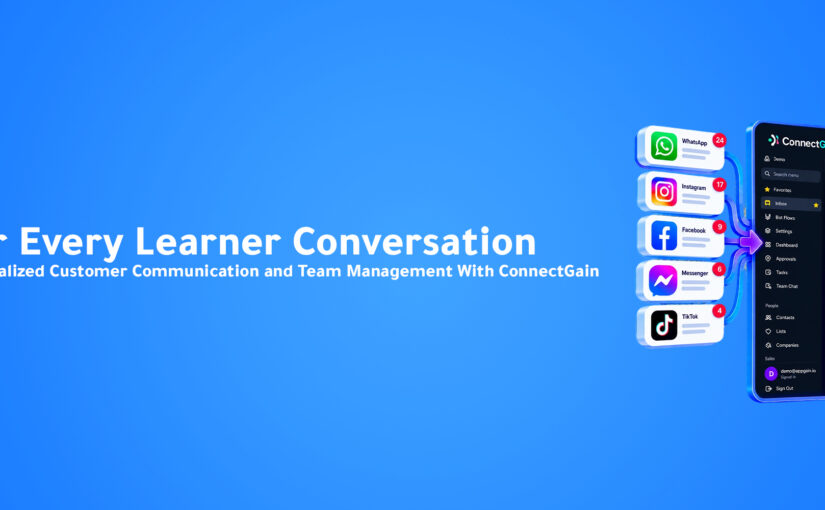
Conversations from multiple connected communication channels are received and managed through one Unified Inbox.

Instead of requiring the team to manage each channel separately, employees can work from a single interface where customer conversations are centralized.

The workflow becomes:

Multiple Communication Channels → ConnectGain Unified Inbox → Team Member → Customer Response

This gives the academy one operational environment for managing customer interactions across its connected channels.

Creating a Central Workspace for Customer Communication

A Unified Inbox is more than a place where messages appear.

It changes how the team approaches customer communication.

Instead of organizing work according to the channel where a customer happened to send a message, the academy can organize communication around the people responsible for handling those conversations.

This gives the team a centralized view of customer interactions and creates a more consistent workflow for managing incoming inquiries.

Automatic Conversation Distribution

Centralizing customer conversations solves one part of the challenge. The next step is determining who should handle each new inquiry.

10Percent Academy uses Automatic Conversation Distribution within ConnectGain.

Incoming conversations can be automatically distributed among team members who are currently online.

Instead of manually deciding who should handle every new customer conversation, ConnectGain helps route inquiries among available employees.

The process becomes:

New Customer Inquiry → Available Team Member Identified → Conversation Assigned → Customer Assisted

This creates clearer conversation ownership and helps organize the distribution of incoming communication across the team.

Reducing Manual Conversation Assignment

When a team manages multiple customer conversations, manually assigning every inquiry adds another operational step.

Someone needs to monitor incoming messages, identify available employees, and determine who should take responsibility for each conversation.

Automatic distribution helps simplify this process.

By assigning incoming conversations based on employee availability, 10Percent Academy can create a more structured communication workflow without relying entirely on manual coordination.

User Roles and Permissions

Centralizing customer conversations also requires clear access control.

10Percent Academy’s ConnectGain Dashboard includes an Admin role and multiple Agent users.

The Admin can define and manage permissions for individual Agents based on their responsibilities.

These permissions can include access to customer conversations within the Inbox, WhatsApp and other connected communication channels, customer Deals, and specific areas and functionalities within the ConnectGain Dashboard.

Giving Each Agent the Right Level of Access

Not every employee needs access to every part of a customer communication platform.

An Agent may need access to particular conversations or communication channels, while other areas of the CRM may not be relevant to their responsibilities.

With ConnectGain permissions, the Admin can control which parts of the platform each Agent can access.

This gives 10Percent Academy a way to maintain centralized customer communication while still keeping customer data and platform functionality appropriately controlled.

Connecting Conversations With Team Responsibility

The individual capabilities become more valuable when they work together as one workflow.

A customer can contact 10Percent Academy through a connected channel. The conversation enters the Unified Inbox. ConnectGain can distribute it to an available team member, and the employee can handle the inquiry according to the access permissions assigned to their account.

The workflow becomes:

Customer Message → Unified Inbox → Automatic Distribution → Authorized Agent → Customer Assistance

This creates a clearer connection between the incoming customer conversation and the team member responsible for handling it.

Building a More Organized Customer Communication Process

For an e-learning business, customer communication can support many stages of the learner relationship.

What matters operationally is ensuring those conversations have a clear place to go and a clear owner inside the team.

ConnectGain gives 10Percent Academy a centralized foundation for that process.

Instead of maintaining separate communication workflows around individual channels, the academy can bring customer interactions into one shared environment.

The Business Value

The 10Percent Academy implementation provides a more centralized structure for managing customer communication.

The academy gains one Unified Inbox for connected channels, automatic conversation distribution among available team members, and role-based permissions for Admins and Agents.

These capabilities help reduce fragmentation in the team’s communication workflow while providing management with greater control over platform access.

For employees, customer conversations can be managed from a central interface. For management, access can be defined according to each Agent’s responsibilities.

From Separate Channels to One Team Workflow

The biggest change is not simply putting messages into the same Inbox.

It is connecting incoming customer communication with team availability and employee responsibilities.

The model changes from:

Multiple Channels → Separate Management → Manual Coordination

to:

Connected Channels → Unified Inbox → Automatic Distribution → Controlled Agent Access

This provides a clearer operational structure for customer communication.

Conclusion

10Percent Academy needed a more organized way to manage customer conversations across connected communication channels while ensuring incoming inquiries could be distributed across its team.

With ConnectGain Unified Inbox, customer conversations can be managed through one centralized interface. Automatic Conversation Distribution helps route incoming inquiries among available employees, while Admin and Agent permissions provide control over who can access different channels, customer Deals, and platform functionality.

The result is a simpler model for managing customer communication:

One Inbox. Clearer ownership. Controlled access. A more organized team workflow.

For 10Percent Academy, ConnectGain creates a centralized communication environment that allows the team to focus more on the customer conversation and less on managing separate communication channels.

Ready to Centralize Your Customer Conversations?

With ConnectGain by Appgain, businesses can bring customer conversations from connected channels into one centralized workspace while making it easier to distribute inquiries across their teams and control employee access.

From a Unified Inbox and automatic conversation assignment to Admin and Agent permissions, ConnectGain helps teams create a more organized customer communication workflow.

Bring your conversations together. Give every inquiry an owner. Keep your team connected.

Contact Us

📞 WhatsApp: +20 111 998 5526
🌐 Website: appgain.io
📧 Email: He***@*****in.io

About Appgain

Appgain is an Agentic AI company helping businesses turn customer conversations into intelligent business workflows.

Through ConnectGain, organizations can connect AI with CRM, WhatsApp, voice, social messaging, customer data, and automation—helping teams move from customer conversations to real business actions.

ConnectGain by Appgain

AI That Works Where Your Business Works.
 

Unified Customer Inbox: The LapGo Store Success Story

For a retail business selling laptops, smart devices, and accessories, customer conversations can arrive from multiple social media channels throughout the day. Customers may ask about products, specifications, pricing, availability, warranties, or purchasing options before making a decision.

For LapGo Store, managing these interactions separately across different channels could create a fragmented workflow for the team. Employees need to monitor incoming conversations, respond to customers, share relevant products, and make sure each inquiry reaches an available team member.

LapGo Store subscribed to ConnectGain CRM to bring these activities into a more centralized customer communication workflow built around one Unified Inbox.

The Challenge: Customer Conversations Across Multiple Channels

Social media gives customers more ways to reach a business, but it also creates an operational challenge.

When conversations are managed separately across different platforms, employees may need to move between multiple inboxes throughout the day. This makes customer communication dependent on the structure of each individual channel rather than the workflow of the team handling those customers.

For a retail business, this becomes especially important because conversations are often directly connected to product discovery and purchasing decisions.

LapGo Store needed a way to centralize these interactions while maintaining clear conversation ownership and controlled access for different employees.

The Solution: One Unified Inbox for Customer Conversations

The core of the LapGo Store implementation is ConnectGain Inbox.

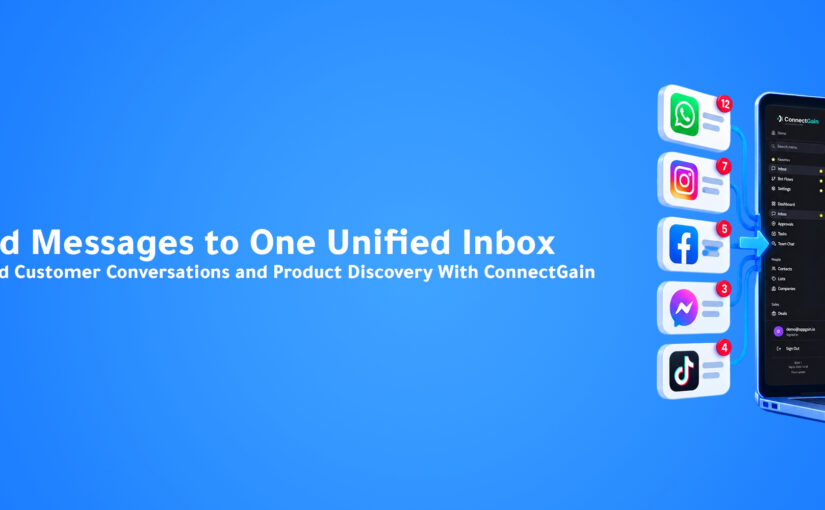
Conversations from multiple connected social media channels can be received and managed through one centralized Inbox, allowing the team to handle customer inquiries from a single interface instead of managing each channel separately.

The communication workflow becomes:

Multiple Social Channels → ConnectGain Unified Inbox → Available Team Member → Customer Response

This creates a centralized workspace where the team can focus on customer conversations without making each individual social platform a separate operational environment.

Bringing Product Discovery Into the Conversation

For LapGo Store, customer communication is closely connected to product discovery.

A customer may enter a conversation asking about a laptop, smart device, or accessory and then need additional product information before deciding what to purchase.

Through the WhatsApp Catalog integration, products can be displayed and shared directly within the ConnectGain Inbox experience.

This allows the team to provide relevant product information while continuing the customer conversation, making it easier for customers to browse and explore available products during the interaction.

Instead of treating product discovery and customer communication as completely separate activities, the two can become part of the same journey.

From Customer Question to Relevant Product

Consider a customer who contacts LapGo Store through WhatsApp asking about a laptop.

Without an integrated product experience, an employee may need to leave the conversation, locate the product information somewhere else, copy the relevant details, and then return to the customer.

With the WhatsApp Catalog connected to the Inbox, the team has a more direct way to introduce relevant products during the conversation.

The journey becomes more connected:

Customer Inquiry → Product Discussion → Relevant Product Shared → Customer Continues Exploring

For a retail business, reducing the distance between a customer’s question and the product they are considering can create a smoother communication experience.

Automatically Distributing Incoming Conversations

Centralizing customer messages solves one challenge, but another important question remains:

Who should handle each new conversation?

LapGo Store uses ConnectGain’s Automatic Conversation Distribution to assign incoming conversations among available team members.

Assignment is based on employees who are currently online, helping distribute customer inquiries across the team without requiring every conversation to be assigned manually.

The workflow becomes:

New Conversation → Check Available Team Members → Assign Conversation → Agent Handles Customer

This helps create clearer ownership of incoming inquiries and a more organized internal workflow.

Supporting Team Collaboration as Conversation Volume Grows

When several employees are responsible for customer communication, the challenge is not only answering messages quickly. The business also needs a structure for distributing the workload.

Automatic assignment helps prevent conversation management from depending entirely on employees manually selecting new inquiries.

Available team members can receive conversations according to the configured distribution workflow, giving LapGo Store a more structured approach to handling incoming customer communication.

This becomes increasingly valuable as conversations arrive from multiple connected channels.

User Roles and Permissions

Centralizing communication also requires control over who can access different parts of the platform.

LapGo Store’s ConnectGain Dashboard includes an Admin role and multiple Agent users.

The Admin can define and manage permissions for individual Agents according to their responsibilities. These permissions can include access to customer conversations within the Inbox, WhatsApp and other connected communication channels, customer Deals, and specific areas or functionality within the ConnectGain Dashboard.

This allows LapGo Store to centralize customer communication while maintaining controlled access across the team.

Giving Each Agent the Access They Need

Not every employee necessarily requires the same level of access.

An Agent responsible for customer conversations may need access to the Inbox and relevant channels, while another role may require access to additional CRM functionality.

By managing permissions at the Agent level, LapGo Store can align platform access more closely with employee responsibilities.

The result is a more controlled environment where centralization does not mean giving every user unrestricted access to every area of the system.

Connecting Communication, Products, and Team Ownership

The value of the LapGo Store implementation becomes clearer when the individual capabilities are viewed as one connected workflow.

A customer can start a conversation through a connected social channel. That conversation enters the Unified Inbox, can be assigned to an available team member, and can include product discovery through the WhatsApp Catalog.

At the same time, Admin permissions determine what different team members can access within the platform.

The journey becomes:

Customer Message → Unified Inbox → Automatic Assignment → Agent Conversation → Product Sharing → Continued Customer Assistance

Rather than solving only one communication problem, ConnectGain connects several operational steps around the customer conversation.

The Business Value

The LapGo Store implementation creates a more centralized foundation for managing customer communication across connected social channels.

The team gains one Unified Inbox for conversations, automatic distribution of incoming inquiries, WhatsApp Catalog integration for product sharing, and role-based access management for Admins and Agents.

Instead of customer communication being organized around the individual platform where each message originated, it can be organized around the team responsible for serving the customer.

For customers, this creates a more connected path between asking a question and exploring relevant products. For the team, it creates a clearer environment for receiving, distributing, and managing customer conversations.

From Multiple Inboxes to One Customer Communication Workflow

The important change for LapGo Store is not simply moving messages into another Inbox.

It is creating a central communication layer where multiple parts of the customer interaction can work together.

The model changes from:

Separate Channels → Separate Conversations → Manual Team Coordination

to:

Connected Channels → Unified Inbox → Automatic Distribution → Product Sharing → Customer Assistance

This provides the team with a more organized way to manage conversations while keeping the customer interaction connected to product discovery.

Conclusion

For LapGo Store, customer communication across social media needed to be easier to manage as one operational workflow.

With ConnectGain Unified Inbox, conversations from connected social channels can be managed centrally. Automatic Conversation Distribution helps route new inquiries among available employees, while the WhatsApp Catalog allows relevant products to become part of the customer conversation.

Admin and Agent permissions add another layer of control, ensuring employees can access the areas of ConnectGain relevant to their responsibilities.

The result is a simpler model for retail customer communication:

Multiple channels. One Inbox. Relevant products. Clear ownership. Controlled access.

For LapGo Store, ConnectGain turns scattered social conversations into a more centralized and manageable customer communication workflow.

Ready to Bring Every Customer Conversation Into One Place?

With ConnectGain by Appgain, businesses can centralize customer conversations across connected channels, distribute inquiries among their teams, manage access and permissions, and bring relevant customer and product information closer to every interaction.

Instead of making your team manage separate communication environments, create one connected workspace built around the customer.

Bring your channels together. Organize your team. Make every conversation easier to manage.

Contact Us

📞 WhatsApp: +20 111 998 5526
🌐 Website: appgain.io
📧 Email: He***@*****in.io

About Appgain

Appgain is an Agentic AI company helping businesses turn customer conversations into intelligent business workflows.

Through ConnectGain, organizations can connect AI with CRM, WhatsApp, voice, social messaging, customer data, and automation—helping teams move from customer conversations to real business actions.

ConnectGain by Appgain

AI That Works Where Your Business Works.