Introduction
AI can answer almost anything.
But that doesn’t mean it knows your business.
It may understand general concepts.
It may know how sales works.
It may recognize customer service questions.
It may generate polished responses.
But ask it something specific to your company:
“Which plan includes WhatsApp automation?”
“What is our refund policy?”
“Which products are available in Saudi Arabia?”
“How does our onboarding process work?”
“Can this customer upgrade without changing their contract?”
Now the problem becomes clear.
Generic AI doesn’t automatically know:
Your pricing.
Your policies.
Your products.
Your processes.
Your documentation.
Your internal rules.
Your customer history.
If AI doesn’t have access to trusted business information, it has two options:
Give a generic answer.
Or give the wrong one.
For businesses, neither is good enough.
This is why the AI Knowledge Base is becoming one of the most important foundations of business AI.
It gives AI access to the information that actually matters inside your organization—so responses become more relevant, more consistent, and more useful.
What Is an AI Knowledge Base?
An AI Knowledge Base is a structured source of company information that AI systems can search and use when responding to customers or employees.
It may contain:
Product documentation.
Pricing.
FAQs.
Policies.
Internal procedures.
Service information.
Training materials.
Technical documents.
Support articles.
Onboarding guides.
Sales enablement content.
Instead of relying only on the AI model’s general knowledge, the system retrieves relevant company information before generating an answer.
This allows AI to respond based on your actual business data.
Why General AI Isn’t Enough for Business
Large language models are incredibly capable.
But they are trained on broad information.
They do not automatically know the latest details of your organization.
For example, imagine a customer asks:
“Do you support Instagram messaging on the Professional plan?”
A generic AI model may know what Instagram messaging is.
But unless it has access to your product documentation and pricing structure, it cannot reliably answer the question.
The same applies to:
Contract terms.
Shipping policies.
Implementation timelines.
Feature availability.
Customer eligibility.
Internal workflows.
The more business-specific the question becomes, the more important trusted data becomes.
The Risk of AI Hallucinations
One of the biggest concerns businesses have with AI is incorrect information.
AI models can sometimes produce answers that sound confident even when the information is inaccurate or incomplete.
For a casual conversation, that may be inconvenient.
For a business, it can become expensive.
Imagine AI incorrectly telling a customer:
A feature is available when it isn’t.
A refund is guaranteed when policy says otherwise.
A product is in stock when it isn’t.
A contract includes something it doesn’t.
A delivery date is confirmed when it hasn’t been.
These mistakes can damage trust quickly.
The objective isn’t simply to make AI sound intelligent.
It’s to make AI reliably informed.
How an AI Knowledge Base Works
A typical AI Knowledge Base workflow looks like this:
Customer asks a question
↓
AI identifies what information is needed
↓
Knowledge Base is searched
↓
Relevant information is retrieved
↓
AI generates the answer
↓
Customer receives a business-specific response
Instead of generating an answer only from the language model’s memory, AI grounds its response in trusted company information.
What Is RAG?
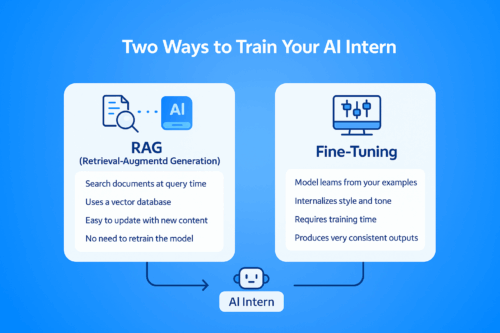
One of the most common technologies behind modern AI Knowledge Bases is called Retrieval-Augmented Generation, or RAG.
The concept is relatively simple.
Before generating a response, the AI retrieves relevant information from an external knowledge source.
That information is then used as context for the answer.
For example:
Customer asks:
“What is your cancellation policy?”
Without RAG:
The AI attempts to answer using general knowledge.
With RAG:
The AI searches your company’s actual cancellation policy.
It retrieves the relevant section.
Then generates a response based on that information.
The difference is important.
The AI isn’t expected to memorize your business.
It knows where to find the answer.
AI Knowledge Base vs. Traditional FAQ
Businesses have used FAQs for years.
They are useful, but limited.
Traditional FAQs depend on customers finding the right question themselves.
An AI Knowledge Base works differently.
Customers can ask naturally.
For example, the documentation may contain:
“Subscriptions may be cancelled with 30 days’ written notice.”
The customer may ask:
“Can I stop my plan next month?”
AI can understand that both refer to the same concept.
It retrieves the relevant policy and explains it conversationally.
This makes business knowledge easier to access.
One Source of Truth
Many companies suffer from a problem that has nothing to do with AI.
Different employees have different versions of the same information.
Sales says one thing.
Support says another.
A PDF says something else.
An old WhatsApp message contains outdated pricing.
A spreadsheet has the latest information.
This creates confusion for both employees and customers.
A well-maintained AI Knowledge Base can become a single source of truth.
Instead of relying on memory or scattered documents, employees and AI systems access the same approved information.
That creates more consistent communication.
How Businesses Can Use an AI Knowledge Base
The use cases extend far beyond customer support.
Customer Support
AI can answer common questions using verified company documentation.
For example:
How do I reset my account?
What is your refund policy?
How long does delivery take?
What documents do I need?
Sales
AI can help sales teams access accurate product information during customer conversations.
For example:
Which plan fits this customer?
Does this feature require an upgrade?
Which integrations are supported?
What is included in implementation?
Salespeople spend less time searching documents and more time speaking with customers.
AI Voice Agents
Voice Agents also need business knowledge.
A customer calling by phone may ask questions about:
Pricing.
Availability.
Appointments.
Services.
Policies.
Products.
An AI Voice Agent connected to a trusted Knowledge Base can retrieve the correct information during the conversation.
Without that connection, Voice AI is simply speaking intelligently without necessarily knowing the business.
Employee Support
AI Knowledge Bases can also work internally.
Employees frequently ask repetitive questions:
How do I submit this request?
What is the approval process?
Where is the latest product documentation?
What information should I collect from this customer?
Which policy applies?
Instead of searching internal drives or asking colleagues repeatedly, employees can ask an AI assistant.
Faster Employee Onboarding
New employees often spend their first weeks learning where information lives.
Which folder?
Which document?
Which Slack message?
Which colleague should they ask?
An AI Knowledge Base changes that experience.
New employees can ask questions naturally and receive answers based on company documentation.
This doesn’t eliminate training.
But it makes knowledge easier to access during the learning process.
Building an Effective AI Knowledge Base
Creating a folder full of documents is not enough.
The quality of the AI depends heavily on the quality of the knowledge it can access.
Several principles matter.
1. Use Trusted Sources
Knowledge should come from approved business sources.
Avoid connecting AI to random internal information without knowing whether it is current or accurate.
2. Remove Outdated Information
Old documentation can be worse than missing documentation.
If an old pricing file and a new pricing file both exist, AI may receive conflicting information.
Businesses need clear ownership of what information remains active.
3. Organize Information Clearly
Documents should be structured logically.
For example:
Products.
Pricing.
Policies.
Sales.
Support.
Implementation.
Technical Documentation.
Internal Procedures.
Good organization improves both human and AI access.
4. Keep Information Updated
A Knowledge Base is not a one-time project.
Products change.
Pricing changes.
Policies change.
Processes evolve.
The Knowledge Base must evolve with them.
5. Define Access Permissions
Not every piece of information should be available to everyone.
Some information may be customer-facing.
Other information may be internal.
Some may be restricted to specific departments.
AI systems need permissions that respect those boundaries.
Public Knowledge vs. Private Knowledge
Businesses often have multiple types of information.
Public Knowledge
Information customers are allowed to receive.
Examples:
Products.
Features.
Pricing.
FAQs.
Policies.
Documentation.
Internal Knowledge
Information designed for employees.
Examples:
Internal processes.
Sales playbooks.
Escalation procedures.
Approval rules.
Operational guidelines.
Customer-Specific Knowledge
Information related to one customer.
Examples:
Account information.
Previous purchases.
Open opportunities.
Support history.
Contract status.
A mature AI system needs to understand which information can be used in which situation.
Why Permissions Matter
Imagine a customer asks:
“What’s the lowest price you can offer?”
The Knowledge Base may contain an internal document with discount thresholds.
That doesn’t mean the AI should reveal it.
The ability to retrieve information must be combined with appropriate access control.
This is especially important for:
Pricing.
Contracts.
Internal strategy.
Employee data.
Financial information.
Private customer records.
Security isn’t separate from AI Knowledge Management.
It’s part of it.
Knowledge Base Quality Affects AI Quality
Businesses sometimes focus heavily on choosing the best AI model.
But model capability is only part of the equation.
A powerful model connected to poor information will still give poor business answers.
Think of it this way:
Better AI Model + Bad Knowledge = Bad Business Response
Strong AI + Trusted Knowledge = Useful Business AI
That means one of the most important AI investments a company can make is improving the quality of its own information.
From Knowledge Retrieval to Action
Finding the right answer is only the first step.
Modern AI can use knowledge to determine what should happen next.
For example, a customer asks:
“My subscription ends next month. Can I upgrade now?”
AI retrieves:
The upgrade policy.
The customer’s current plan.
The customer’s contract details.
Then it may:
Explain the available options.
Recommend the correct upgrade.
Create an opportunity.
Notify the account manager.
Schedule a follow-up.
The Knowledge Base informs the decision.
Automation executes the action.
This is where knowledge becomes operational.
Knowledge Is the Foundation of Agentic AI
Agentic AI can perform actions.
But good actions require good information.
An AI agent cannot reliably qualify leads if it doesn’t understand:
Products.
Ideal customer profiles.
Qualification rules.
Pricing.
Available plans.
An AI support agent cannot resolve customer problems if it doesn’t understand:
Policies.
Troubleshooting procedures.
Product documentation.
Escalation rules.
The smarter the business knowledge layer becomes, the more useful AI agents become.
ConnectGain: Connecting AI With Business Knowledge
With ConnectGain by Appgain, businesses can connect AI-powered customer conversations with trusted knowledge sources.
Instead of allowing AI to respond using generic information alone, teams can provide relevant company knowledge that supports more accurate, contextual conversations.
A workflow may look like:
Customer Question
↓
Intent Understood
↓
Knowledge Retrieved
↓
Relevant Answer Generated
↓
Customer Context Checked
↓
Next Action Triggered
This can support customer conversations across channels such as:
WhatsApp.
Web Chat.
Voice.
Email.
Other connected customer communication channels.
The objective isn’t simply to make AI know more.
It’s to make AI know what your business knows.
What Happens When Knowledge Is Connected Across Teams?
One of the most powerful effects of an AI Knowledge Base is consistency.
Sales accesses the same product information as support.
AI Voice Agents use the same policies as chat assistants.
New employees receive the same approved answers as experienced employees.
Customers receive more consistent information across channels.
This helps organizations reduce dependence on individual memory.
Knowledge becomes an organizational asset rather than something stored in people’s heads.
How to Start Building an AI Knowledge Base
Businesses don’t need to upload every document immediately.
Start with the information customers and employees request most often.
A practical first Knowledge Base may include:
Product overview.
Pricing.
Frequently asked questions.
Support policies.
Implementation information.
Sales documentation.
Customer service procedures.
Then evaluate:
Which questions still cannot be answered?
Where does information conflict?
Which documents become outdated most often?
What should be restricted?
The Knowledge Base can improve gradually over time.
Common AI Knowledge Base Mistakes
Uploading Everything
More information does not automatically mean better answers.
Quality matters more than volume.
Ignoring Old Documents
Conflicting information creates unreliable responses.
No Ownership
Someone must be responsible for maintaining important knowledge.
Weak Permissions
Private information needs appropriate access controls.
Treating Knowledge as Static
Business knowledge changes continuously.
The system needs to change with it.
The Future of Business Knowledge
For years, companies stored knowledge in documents.
Then they stored it in wikis.
Then internal search became more powerful.
AI is changing the interface again.
Employees and customers no longer need to know where the information is located.
They can simply ask.
AI finds the relevant information.
Explains it clearly.
Uses context.
And increasingly, takes the next appropriate action.
The Knowledge Base becomes more than a library.
It becomes part of the business operating system.
Conclusion
AI does not become valuable to a business simply because it can generate fluent answers.
It becomes valuable when those answers are based on reliable, relevant, and current business knowledge.
An AI Knowledge Base gives organizations a way to connect artificial intelligence with the information that defines how their business actually works.
Products.
Pricing.
Policies.
Processes.
Customer context.
Internal expertise.
When AI has access to the right knowledge, conversations become more accurate, employees spend less time searching, and customer experiences become more consistent.
The future of business AI will not be built only on smarter models.
It will be built on better knowledge.
Ready to Give Your AI the Knowledge It Needs?
ConnectGain by Appgain helps businesses connect AI-powered customer conversations with trusted business knowledge, CRM context, and automated workflows.
Give your AI access to the information your team already relies on—so it can answer more accurately, support customers more consistently, and help trigger the right next action.
Better knowledge creates better
AI. Better AI creates better customer experiences.
Contact Us
📞 WhatsApp: +20 111 998 5526
🌐 Website: appgain.io
📧 Email: He***@*****in.io
About Appgain
Appgain is an Agentic AI company helping businesses connect artificial intelligence with customer conversations, business knowledge, CRM systems, and workflows.
Through ConnectGain, organizations can build AI-powered customer experiences grounded in their own business information—helping AI understand context, provide better answers, and support real business actions.
ConnectGain by Appgain
AI That Works Where Your Business Works.