Artificial intelligence is now more than a support tool. Today, it can function like a real team member. It manages tasks, drafts documents, and supports daily operations. However, the true value appears when the AI understands your domain. When this happens, the agent becomes more accurate, more helpful, and easier to trust.
In this guide, we explain how to train your AI intern step by step. We also show how to organize your data, choose the right training method, and design agents that match your industry. As a result, your AI can reflect your brand voice, understand your customers, and follow your internal processes. Because of this, the AI becomes a useful assistant instead of a generic chatbot. In addition, the same methods work for both e-commerce and SaaS, which makes this guide suitable for many industries.
Why Domain-Specific AI Matters
General-purpose models are powerful. However, they often lack the detailed context your business needs. They do not fully understand your product lines, customer types, KPIs, or tone of voice. As a result, the output may feel generic or inconsistent. When you train an agent with domain-specific data, its performance improves significantly. It becomes clearer, more consistent, and more aligned with your real workflows.
A domain-trained agent can deliver several benefits. For example, it can write product descriptions in your voice, draft campaign briefs based on previous launches, or respond to customers using accurate terminology. Moreover, it can summarize important metrics using your internal logic. Because of these advantages, a domain-specific agent becomes a dependable digital intern.
Step 1: Define the Role of Your AI Intern
Before you begin training, define the role clearly. This step acts as the job description for your AI intern. When the role is specific, the agent performs better.
E-commerce example:
Act as a junior copywriter who understands the product catalog, seasonal promotions, and SEO strategy.
SaaS example:
Act as a product manager who writes feature briefs, user stories, and competitor summaries.
Clear role definitions guide the entire training process. In addition, they help you measure whether your AI intern is improving over time.
Step 2: Collect Your Domain Data
Your AI intern learns through examples. Therefore, your dataset should include real content from your business. You can use product descriptions, blog posts, campaign emails, customer personas, internal SOPs, meeting notes, and feature requests. When the dataset is relevant and diverse, the agent becomes more accurate.
In addition, organizing your data makes training easier. Group similar documents together. Remove outdated information. Highlight patterns you want the AI to follow. Because of this preparation, the training steps become more reliable and predictable.
Step 3: Choose Between RAG or Fine-Tuning
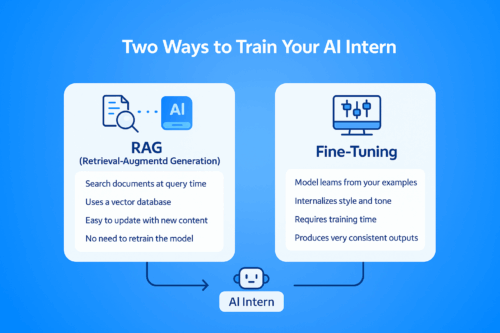
There are two effective ways to train a domain-specific agent. Each method has its strengths.
Option 1: Retrieval-Augmented Generation (RAG)
RAG does not require model retraining. Instead, it allows the AI to search your documents during each query.
To use RAG:
-
Store your documents in a vector database such as Pinecone, Weaviate, Chroma, or Qdrant
-
Connect the database to a framework like LangChain or LlamaIndex
-
Link the retrieval pipeline to GPT or Claude
This method is flexible. Moreover, it keeps your system updated with new documents instantly. As a result, RAG is ideal for fast-changing industries.
Option 2: Fine-Tuning
Fine-tuning is suitable when you want deeper personalization.
To fine-tune:
-
Choose a base model such as GPT-3.5, Claude 3, or an open-source LLM
-
Create prompt-response pairs from your data
-
Use OpenAI, Anthropic, or open-source tools to train the model
Fine-tuning allows the AI to internalize your writing style, tone, vocabulary, and business reasoning. Because of this, it generates more consistent and natural responses.
Step 4: Set Guardrails and Feedback Loops
After training, the AI intern needs structure. Guardrails prevent mistakes. For example, you may require the agent to avoid mentioning prices or discounts without approval. You can also set review steps where a team member checks the output before use. These checkpoints improve safety and accuracy.
Feedback loops are equally important. By collecting corrections, ratings, and suggestions, the AI becomes more reliable. Over time, this creates a self-improving system that adapts to your needs.
E-Commerce Use Cases
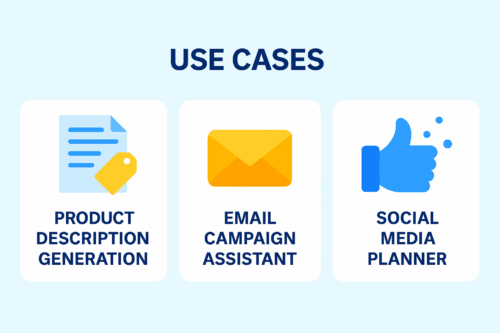
1. Product Description Generation
A domain-trained AI can write accurate, SEO-friendly product descriptions. Because it understands tone and category rules, the text becomes more consistent and requires less editing.
2. Email Campaign Assistant
When trained on past campaigns, the AI can draft flash sale messages, abandoned cart emails, and loyalty program content. This reduces workload and speeds up campaign creation.
3. Social Media Planner
With access to your tone guidelines and previous posts, the AI can create caption options, weekly planning calendars, and campaign slogans.
SaaS Use Cases
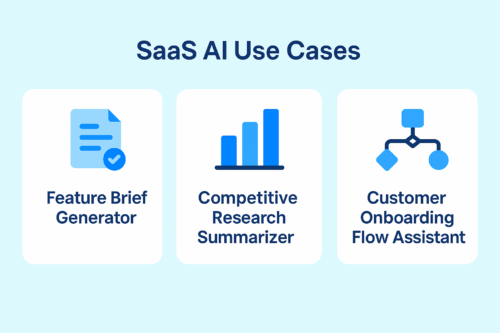
1. Feature Brief Generator
The AI can draft PRDs, epics, and user stories. Because it understands your terminology and roadmap, the writing becomes more structured.
2. Competitive Research Summarizer
You can provide internal battlecards and market research. As a result, the AI can summarize competitor updates and suggest positioning ideas.
3. Onboarding Flow Assistant
The AI can recommend onboarding steps, activation messages, and tooltips for different customer segments.
Final Thoughts
Training an AI intern isn’t just a technical process — it’s the beginning of teaching your systems to think, adapt, and support your team with real intelligence.
With Appgain, you’re not simply building an automated workflow.
You’re shaping an AI teammate that understands your domain, learns your style, and elevates the way your organization works.