SMS + WhatsApp Orchestration: How AI Agents Choose the Right Channel at the Right Time

In today’s hyper-connected world, choosing the right communication channel can make or break your customer engagement strategy. Modern marketing demands more than just blasting messages across multiple platforms—it requires intelligent orchestration between SMS and WhatsApp messaging to reach customers when and where they’re most receptive. This intelligent channel selection, powered by AI agents, is revolutionizing how businesses communicate with their audiences.

The Channel Selection Challenge

Marketers face a daily dilemma: should this message be an SMS or a WhatsApp message? The answer isn’t always straightforward and depends on numerous factors:

  • Message urgency and importance
  • Customer preferences and past behavior
  • Time of day and geographical location
  • Message content and formatting needs
  • Delivery confirmation requirements

Making the wrong choice can lead to ignored messages, customer frustration, or wasted marketing budget. This is where AI-powered channel orchestration becomes invaluable.

How AI Agents Make Channel Decisions

Modern AI agents don’t just automate messaging—they intelligently orchestrate the entire communication process by analyzing multiple data points:

1. User Behavior Analysis

AI systems track and analyze how users interact with different message types:

  • Open rates and response times across channels
  • Click-through rates on links in messages
  • Conversion rates following different message types
  • Time patterns showing when users are most responsive

2. Contextual Understanding

AI agents consider the context of each communication:

  • Transactional vs. promotional content
  • Time sensitivity of information
  • Previous interactions in the customer journey
  • Current stage in the sales funnel

3. Preference Learning

The AI continuously adapts to individual preferences:

  • Explicit preferences (opt-ins, settings)
  • Implicit preferences (engagement patterns)
  • A/B testing results across user segments

SMS vs. WhatsApp: When to Use Each

Understanding the strengths of each channel is crucial for effective orchestration.

When AI Chooses SMS

  • Universal Reach: When the recipient might not have WhatsApp installed
  • Critical Alerts: For time-sensitive information like verification codes or urgent alerts
  • Simplicity: When the message is brief and doesn’t require rich media
  • Regulatory Communications: For compliance-related messages that need guaranteed delivery

SMS remains unmatched in its ubiquity and reliability, making it ideal for critical communications that must reach every user regardless of smartphone ownership or internet connectivity.

When AI Chooses WhatsApp

  • Rich Content: When messages benefit from images, videos, or formatted text
  • Interactive Engagement: For conversations requiring back-and-forth communication
  • Cost Efficiency: For frequent communications with international users
  • Brand Experience: When a more polished, branded experience enhances the message

WhatsApp offers richer engagement possibilities and has become the preferred channel for personalized communications at scale, especially when building ongoing relationships with customers.

Real-World Orchestration Scenarios

Scenario 1: E-commerce Order Updates

An AI agent might orchestrate communications for an online purchase as follows:

  1. Order Confirmation: WhatsApp message with rich details (product images, order summary)
  2. Shipping Alert: SMS notification for immediate attention
  3. Delivery Preparation: WhatsApp message with delivery window and driver details
  4. Feedback Request: Channel selection based on previous engagement patterns

Scenario 2: Banking Communications

For financial services, the orchestration might look like:

  1. Transaction Alerts: SMS for immediate notification of account activity
  2. Statement Availability: WhatsApp message with secure download link
  3. Fraud Prevention: SMS for urgent verification needs
  4. Financial Advice: WhatsApp for personalized recommendations with visual aids

Implementing AI-Driven Channel Orchestration

Data Requirements

Effective channel orchestration requires comprehensive data:

  • Customer profile information
  • Historical engagement metrics
  • Channel performance analytics
  • Contextual data (time, location, device)

Technical Implementation

Building an effective orchestration system requires:

  1. Integration with both SMS and WhatsApp Business APIs
  2. Machine learning models trained on engagement data
  3. Real-time decision engines
  4. Feedback loops for continuous improvement

Companies looking to implement sophisticated AI agents should consider architecting their own agent infrastructure to fully customize the decision-making process.

Measuring Success

The effectiveness of channel orchestration should be measured through:

  • Engagement rates across channels
  • Conversion improvements
  • Customer satisfaction scores
  • Cost efficiency metrics

Proper campaign tracking and dashboard building are essential for optimizing your orchestration strategy over time.

Future of AI-Driven Channel Orchestration

The future of messaging orchestration is evolving rapidly:

  • Predictive Engagement: AI will anticipate needs before customers express them
  • Cross-Channel Journey Mapping: Seamless transitions between channels based on context
  • Emotional Intelligence: Channel selection based on sentiment analysis and emotional context
  • Autonomous Optimization: Self-improving systems that continuously refine channel selection

As AI technology advances, the line between different messaging channels will blur from the customer’s perspective, creating a unified communication experience that adapts to their needs in real-time.

Key Takeaways

  • AI-powered channel orchestration intelligently selects between SMS and WhatsApp based on multiple factors
  • SMS excels for universal reach and critical alerts, while WhatsApp offers rich engagement and interactive experiences
  • Effective orchestration requires comprehensive data, proper technical implementation, and continuous measurement
  • The future of messaging will feature predictive engagement and seamless cross-channel experiences
  • Implementing AI agents for channel selection can significantly improve engagement rates and conversion metrics

In today’s competitive landscape, intelligent channel orchestration isn’t just a nice-to-have—it’s becoming essential for businesses that want to communicate effectively with their customers. By leveraging AI to make smart decisions about when to use SMS versus WhatsApp, companies can ensure their messages not only reach customers but resonate with them at exactly the right moment.

Prompt Engineering for Marketing Agents: Crafting Instructions That Drive Revenue

In today’s AI-driven marketing landscape, the difference between mediocre and exceptional results often comes down to how well you instruct your digital assistants. Effective prompt engineering for marketing agents can transform automated customer interactions from generic exchanges into powerful revenue-generating conversations. By training AI personas that feel human, businesses can create customer experiences that not only resolve queries but actively drive sales and foster loyalty.

Why System Prompts Matter for Marketing Success

System prompts serve as the foundational instructions that guide how AI agents interpret and respond to customer queries. Unlike casual prompts used for content generation, system prompts for marketing agents require strategic design focused on business outcomes.

When crafted properly, these instructions can:

  • Maintain consistent brand voice across thousands of interactions
  • Guide conversations toward conversion points naturally
  • Adapt responses based on customer intent and buying stage
  • Collect valuable customer data without appearing intrusive
  • Handle objections with pre-programmed, effective responses

The Anatomy of a Revenue-Driving System Prompt

Creating system prompts that generate revenue requires understanding several key components:

1. Identity and Constraints

Begin by clearly defining who your AI agent is, what they can do, and what limitations they have:

You are MarketingBot, a customer success specialist for [Brand]. 
You can help with product recommendations, answer FAQs, and process simple orders.
You cannot access customer payment details or modify existing orders.

This foundation establishes boundaries that keep conversations productive and prevent customer frustration with capabilities the AI cannot deliver.

2. Goal-Oriented Directives

Include specific business objectives that guide the AI’s responses:

Your primary goal is to guide customers toward completing purchases.
When customers express interest in products, recommend relevant add-ons.
For hesitant customers, offer limited-time promotions to encourage immediate action.

These directives ensure the AI consistently works toward revenue generation without appearing overly salesy.

3. Contextual Understanding

Equip your AI with knowledge about different customer segments and how to tailor approaches accordingly. Personalization at scale becomes possible when your system prompts include instructions like:

Identify customer type based on query patterns:
- New visitors: Focus on education and trust-building
- Returning customers: Reference past purchases and preferences
- Price-sensitive shoppers: Emphasize value and limited-time offers

4. Conversation Flow Management

Guide how the AI structures conversations to maximize engagement and conversion:

Follow this conversation structure:
1. Greet and identify customer needs
2. Provide valuable information related to their query
3. Ask clarifying questions to understand purchase intent
4. Present solutions with clear benefits
5. Address objections proactively
6. Guide toward next steps (purchase, demo, etc.)

Real-World Examples That Drive Results

Example 1: E-commerce Product Specialist

You are a Product Advisor for our premium skincare line. When customers ask about products:
1. Identify their skin concerns first
2. Recommend 1-2 core products that address these concerns
3. Suggest a complementary product that enhances results
4. Mention our satisfaction guarantee to reduce purchase anxiety
5. Provide a clear call-to-action to complete purchase

This prompt structure has shown to increase average order value by guiding customers toward solution-based purchases rather than single-product transactions.

Example 2: Service Booking Assistant

You are a Booking Specialist for our consulting firm. Your goal is to convert inquiries into scheduled consultations.
- Ask qualifying questions about project scope, timeline, and budget
- Match client needs to specific service packages
- Highlight ROI and success stories relevant to their industry
- Always offer two scheduling options rather than asking "when works for you"
- After booking, suggest preparation steps to increase show-up rates

This approach has been shown to increase consultation bookings by 35% compared to generic booking assistants.

Optimizing Prompts Through Testing and Iteration

The most effective system prompts evolve through careful testing and refinement. When optimizing your prompts:

  1. Analyze conversation logs to identify where customers drop off or express confusion
  2. Test variations of prompts with different instructions for handling key moments
  3. Track conversion metrics tied to specific prompt changes
  4. Gather customer feedback about their experience with the AI agent

Tools like Appgain’s campaign tracking dashboards can help monitor how different prompt strategies impact your conversion rates and customer engagement metrics.

Common Pitfalls in Marketing Agent Prompts

Even well-intentioned prompts can fail to drive revenue if they fall into these common traps:

  • Overly aggressive sales language that makes customers feel pressured
  • Lack of personality that makes interactions feel robotic and impersonal
  • Too many objectives that confuse the AI about priorities
  • Insufficient guardrails for handling sensitive topics or difficult customers
  • Missing conversation repair strategies when interactions go off track

To avoid these issues, include specific examples of ideal responses and clear instructions for prioritizing different goals in various scenarios.

Integrating AI Agents Into Your Marketing Ecosystem

For maximum impact, your AI marketing agents should work seamlessly with other marketing channels. Consider how your system prompts can support:

  • Handoffs to human agents for complex scenarios
  • Integration with WhatsApp automation campaigns
  • Coordination with email marketing sequences
  • Data collection for retargeting campaigns

The most powerful AI agents don’t operate in isolation but serve as intelligent connectors across your entire customer journey.

Key Takeaways

  • Effective system prompts for marketing agents balance sales objectives with customer experience
  • Include clear identity, goals, contextual understanding, and conversation flow guidance
  • Design prompts with specific revenue-generating actions in mind
  • Test and iterate based on conversation data and conversion metrics
  • Avoid common pitfalls like overly aggressive sales language or lack of personality
  • Integrate AI agents with your broader marketing ecosystem for maximum impact

Conclusion

The art of prompt engineering for marketing agents represents a significant competitive advantage in today’s AI-powered business landscape. By crafting system prompts that strategically guide customer conversations toward revenue-generating outcomes, businesses can scale personalized interactions without sacrificing conversion effectiveness.

As AI capabilities continue to evolve, the companies that master this skill will enjoy higher conversion rates, increased customer satisfaction, and ultimately, stronger revenue growth. Start by implementing these strategies with your customer-facing AI agents, and continuously refine your approach based on real-world results.

How to Use ChatGPT to Write WhatsApp Messages That Don’t Get Flagged as Spam

WhatsApp is one of the most effective channels for business communication, yet it enforces strict policies. When companies ignore these rules, their messages may be flagged as spam or their business numbers may face restrictions. Because of that, marketers need a clear method for creating safe, user-friendly WhatsApp messages.

In this guide, you will learn how to use ChatGPT to write compliant WhatsApp messages, how WhatsApp’s spam detection works, and how to test and improve your campaigns with Appgain’s WhatsApp API.


Why WhatsApp Flags Messages

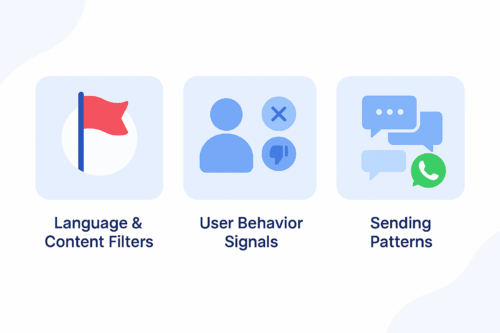
A clean blue infographic illustrating three reasons WhatsApp flags messages: language and content filters, user behavior signals, and sending patterns.
A simple infographic showing the main factors that cause WhatsApp messages to be flagged as spam.

WhatsApp protects users from unwanted or irrelevant content. Its detection system relies on three main components.

1. Language and Content Filters

WhatsApp automatically flags messages that include aggressive sales language, misleading claims, or repetitive promotional formatting.

2. User Behavior Signals

If users frequently block your number, report your messages, or never engage, WhatsApp lowers your sender quality score.

3. Sending Patterns

Sending the same unpersonalized message to large audiences or sending at a high frequency increases the risk of being flagged.


How ChatGPT Helps You Stay Compliant

ChatGPT allows marketers to generate message variations, personalize content, and avoid risky language. When used effectively, it helps you:

  • Avoid spam-triggering words

  • Maintain a conversational and friendly tone

  • Personalize messages at scale

  • Generate safe, compliant WhatsApp templates

Instead of guessing what may cause a message to be flagged, you can use ChatGPT to create structured, user-focused messages based on WhatsApp’s best practices.


Best Practices for Writing WhatsApp Messages

To improve compliance and engagement, follow these principles.

Focus on Value, Not Promotion

Avoid overly pushy sales messages.

Instead of:
“Buy now and get 50% off!”

Try:
“We thought you might like these new arrivals.”

Keep the Tone Conversational

Write naturally and avoid robotic or formal text.

Personalize Whenever Possible

Reference the user’s name, interest, or purchase history to reduce block rates.

Use Soft CTAs

Avoid commands such as “Act now.”
Use gentle guidance like “Would you like to explore the latest items?”


ChatGPT Prompt Examples for Safe WhatsApp Messaging

Use the prompt ideas below to generate compliant message templates:

Cart Reminder

“Write a friendly reminder for a user who left items in their cart. Keep the tone conversational and avoid strong promotional language.”

Personalized Follow-Up

“Create a message for a returning customer based on their last purchase. Offer something relevant without pressure.”

Re-Engagement Prompt

“Write a soft re-engagement message for a customer who has not interacted in 30 days.”

Order Confirmation with Suggestion

“Write an order confirmation message that includes a light suggestion for a related product.”

Limited-Time Announcement

“Create a short message inviting the user to view a relevant campaign without using pushy phrases.”


Testing and Improving with Appgain’s WhatsApp API

Once your messages are ready, you can test their performance using Appgain’s WhatsApp API.

Step 1: Send via WhatsApp API

Deliver personalized messages using templates, dynamic fields, and buttons.

Step 2: Monitor Message Performance

Track key metrics such as delivery rate, read rate, clicks, and opt-outs.

Step 3: Iterate Based on Feedback

If a message performs poorly, adjust the tone or content using ChatGPT and test a new version. Continuous iteration leads to stronger results.


Final Thoughts

Writing WhatsApp messages that avoid spam filters isn’t just a compliance task — it’s the foundation of building conversations that users actually want to receive. When your messaging feels natural, thoughtful, and personal, it earns trust instead of triggering blocks.

With Appgain, you’re not simply sending WhatsApp campaigns.
You’re shaping a messaging experience that respects the user, follows WhatsApp’s rules, and delivers measurable business impact.

Push Notifications vs. WhatsApp: Which Drives Better Re-Engagement?

In the world of re-engagement, one message can make the difference between a lost user and a returning customer.

But which channel delivers better results — Push Notifications or WhatsApp?

This article compares both channels across open rates, user experience, and use cases — and shows how to get the best of both with Appgain.

Push Notifications: Fast and Far-Reaching

Why marketers rely on it

  • Reaches users instantly, even outside your app
  • Ideal for short, urgent messages
  • Easy to implement for web or mobile

Performance Snapshot

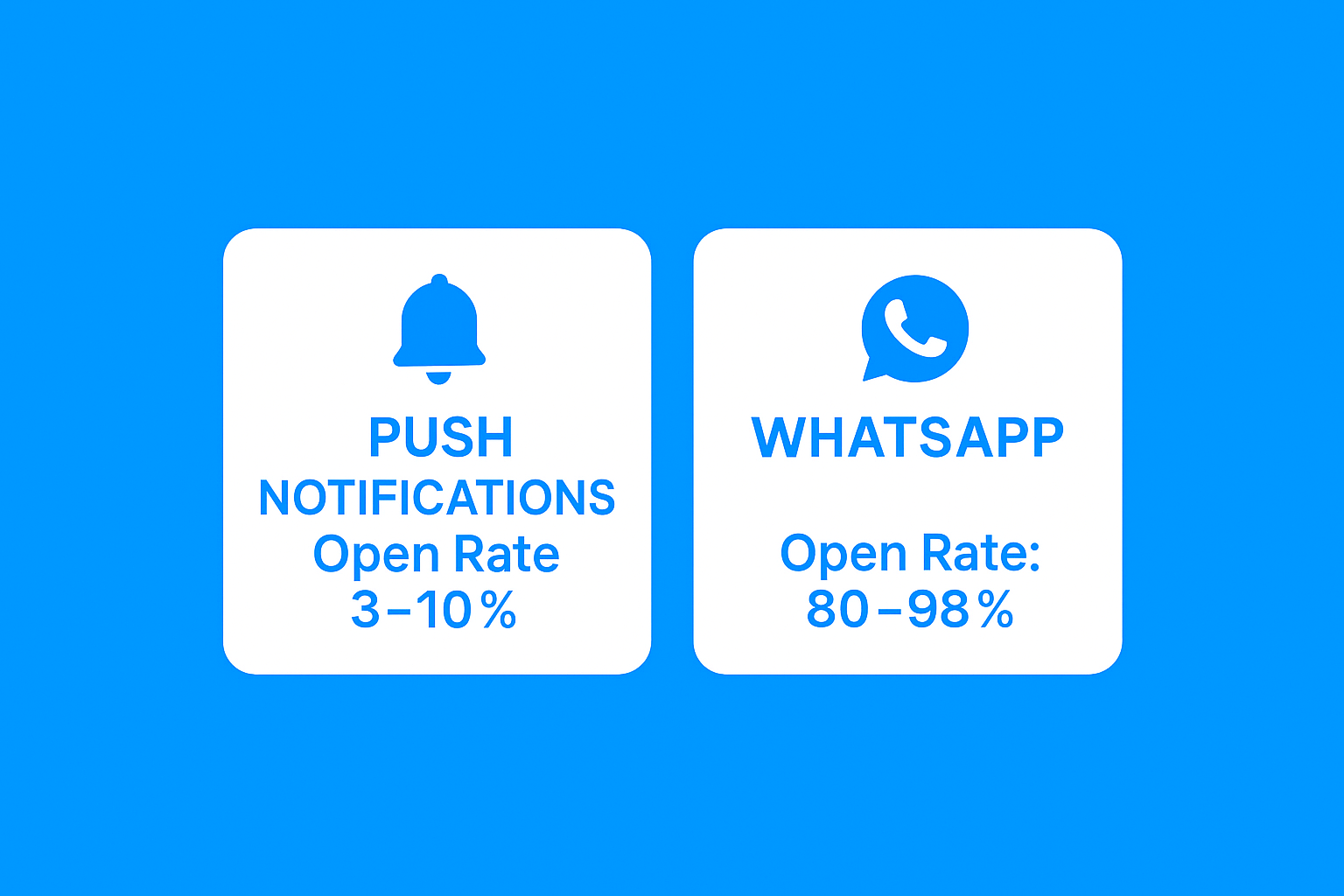
  • Average Open Rate: 3% to 10%
  • Best For: Abandoned cart nudges, flash offers, quick alerts

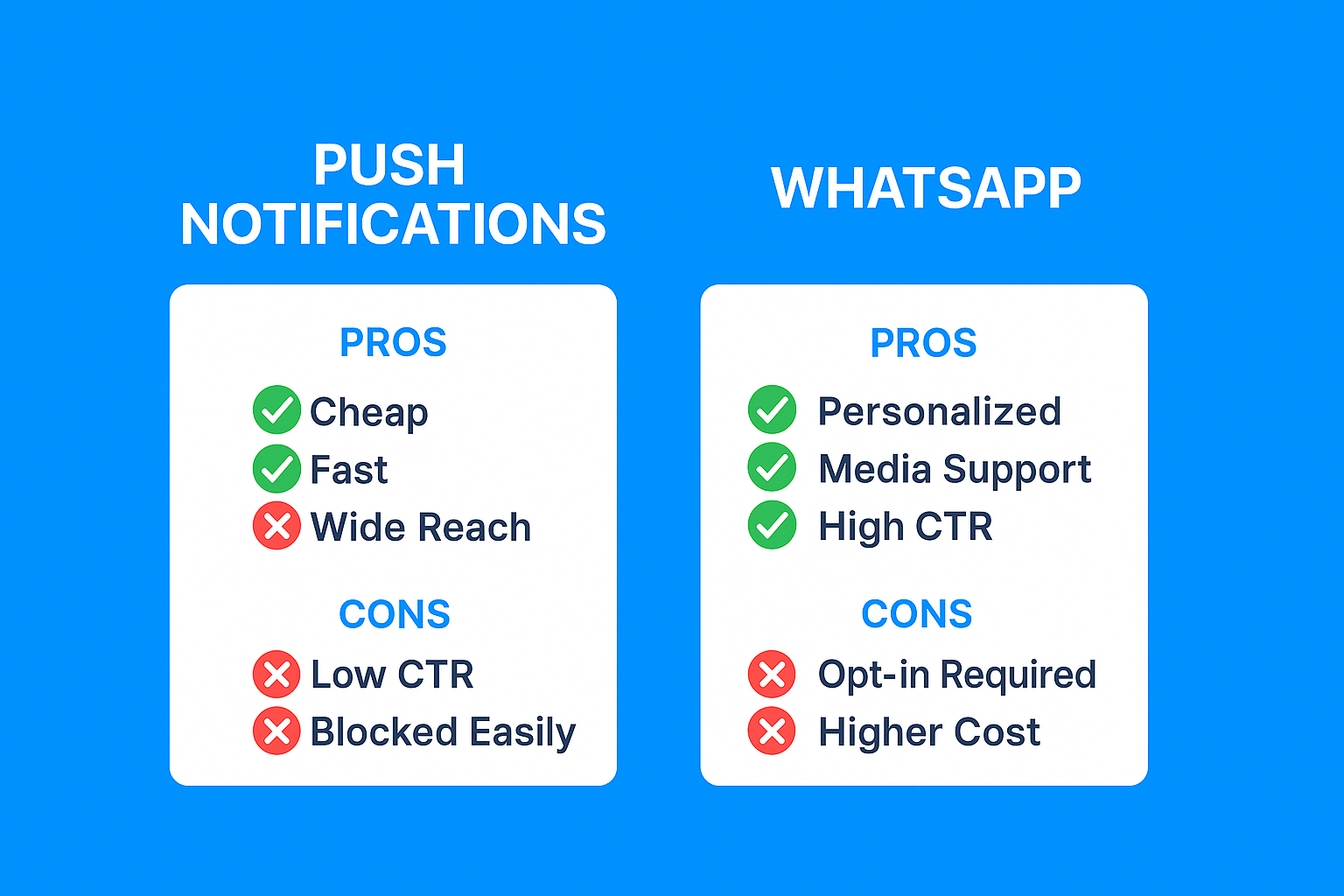
Pros

  • Lightweight and low-cost
  • No contact list required
  • Works well for both mobile apps and websites

Cons

  • Can be blocked by user settings
  • Limited space for personalization
  • Higher opt-out rates over time


WhatsApp: Personal and High-Converting

Why it works

  • Reaches users in the app they use most
  • Supports two-way interaction and rich content
  • Excellent for event-based automations and AI integration

Performance Snapshot

  • Open Rate: 80% to 98%
  • Click-Through Rate: Up to 45%
  • Best For: Personalized re-engagement, cart recovery, drip campaigns

Pros

  • Deep personalization with media support
  • AI chatbot-friendly
  • Higher engagement and conversion

Cons

  • Requires opt-in
  • Daily templates need approval
  • Higher cost per message than push


When to Use Both Together

Top-performing brands use both channels strategically.

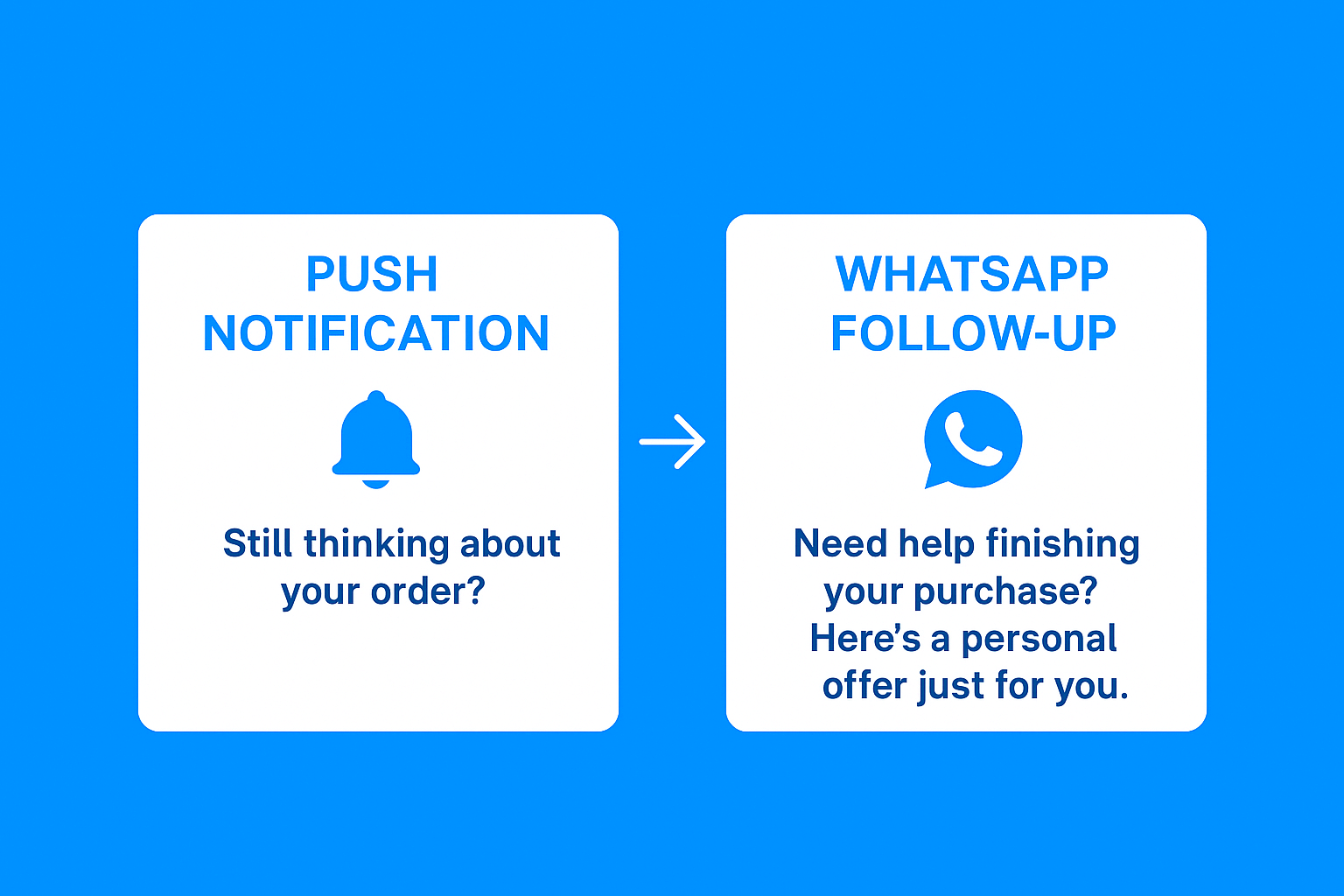
Sample Flow

  1. Push Notification: “Still thinking about your order? Items are selling fast.”
  2. WhatsApp Follow-Up (next day): “Need help finishing your purchase? Here’s a personal offer just for you.”


How Appgain Helps

  • Build flows in n8n using CRM or behavior triggers
  • Switch channels automatically based on engagement
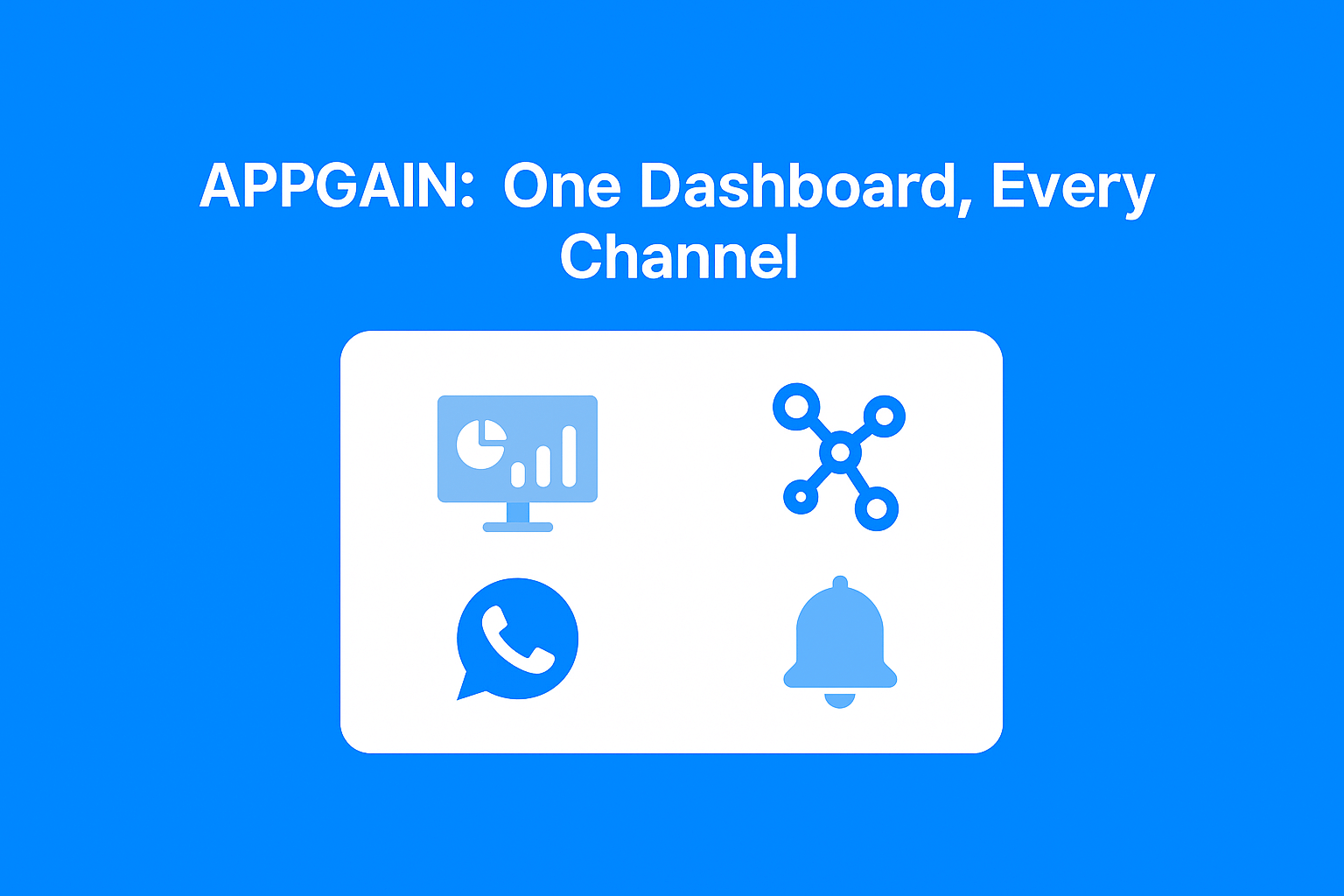
  • Track delivery, clicks, and ROI in one dashboard

Performance Comparison

Channel Open Rate CTR Opt-In Required
Push 3% – 10% 0.5% – 2% No
WhatsApp 80% – 98% 20% – 45% Yes

Final Thoughts

Push notifications grab attention.
WhatsApp drives conversations and conversions.

But the most effective strategy isn’t picking one — it’s using both in harmony.

With Appgain’s automation tools, CRM integration, and unified messaging APIs, you can build smarter, faster, and more effective re-engagement campaigns.

Ready to boost retention with smarter messaging?
Visit appgain.io and get started today.

WhatsApp Automation = 98% Open Rate – Here’s Why It Works

98%. That’s the average open rate for WhatsApp messages.
Not emails. Not SMS.
WhatsApp.

In a world full of unopened emails and ignored push notifications, WhatsApp is the rare channel where people actually read, react, and respond — often within seconds.

That’s why the smartest brands are embracing WhatsApp marketing automation — not just as a support channel, but as their primary engagement and sales engine.


WhatsApp-First: A Shift in Marketing Strategy

Your audience isn’t in their inbox anymore. They’re on WhatsApp — chatting with friends, family, and yes, businesses.
That’s what makes it powerful.

WhatsApp-first means you lead the customer journey from chat, not email. From personalized messages, not generic ads.
It’s a shift from broadcasting to real-time conversation — and it’s working.


The Power of WhatsApp Automation

Manual replies don’t scale. One-off messages don’t convert.
But automation on WhatsApp? That’s where the magic happens.

With the right stack, you can:

  • Build Conversational Flows
    Answer questions, qualify leads, and guide users — without a human.

  • Send Broadcast Campaigns
    Reach thousands with dynamic offers, images, and CTAs.

  • Segment Your Audience
    Target based on CRM tags, abandoned carts, past purchases, or location.

Learn more about CRM Segmentation and Cart Recovery on WhatsApp

This isn’t just fast. It’s effective.


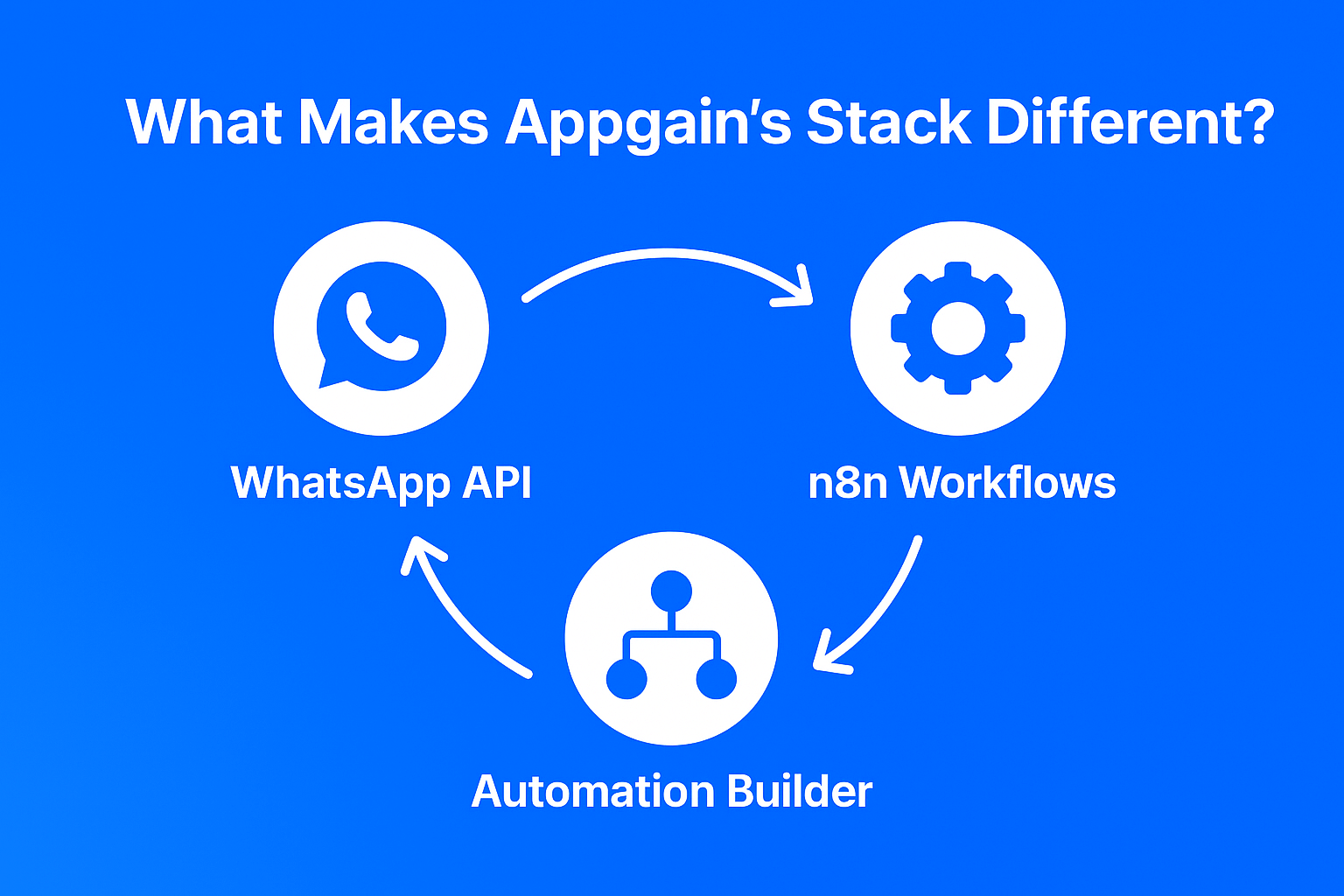
What Makes Appgain’s Stack Different?

With Appgain’s WhatsApp Business API, Automation Builder, and n8n integration, marketers can design custom flows that run 24/7 — and convert better.

Here’s how it works:

  • WhatsApp API – Send rich, verified messages with images, buttons, and personalized offers.

  • Automation Builder – Create flows triggered by user actions or CRM events — no code needed.

  • n8n Workflows – Connect your store, CRM, email, analytics, and more — all in one visual automation engine.

(Source: [Meta Business](https://business.whatsapp.com/))

The result? Your marketing becomes proactive, data-driven, and personalized.


From Cart to Conversion: WhatsApp Automation in Action

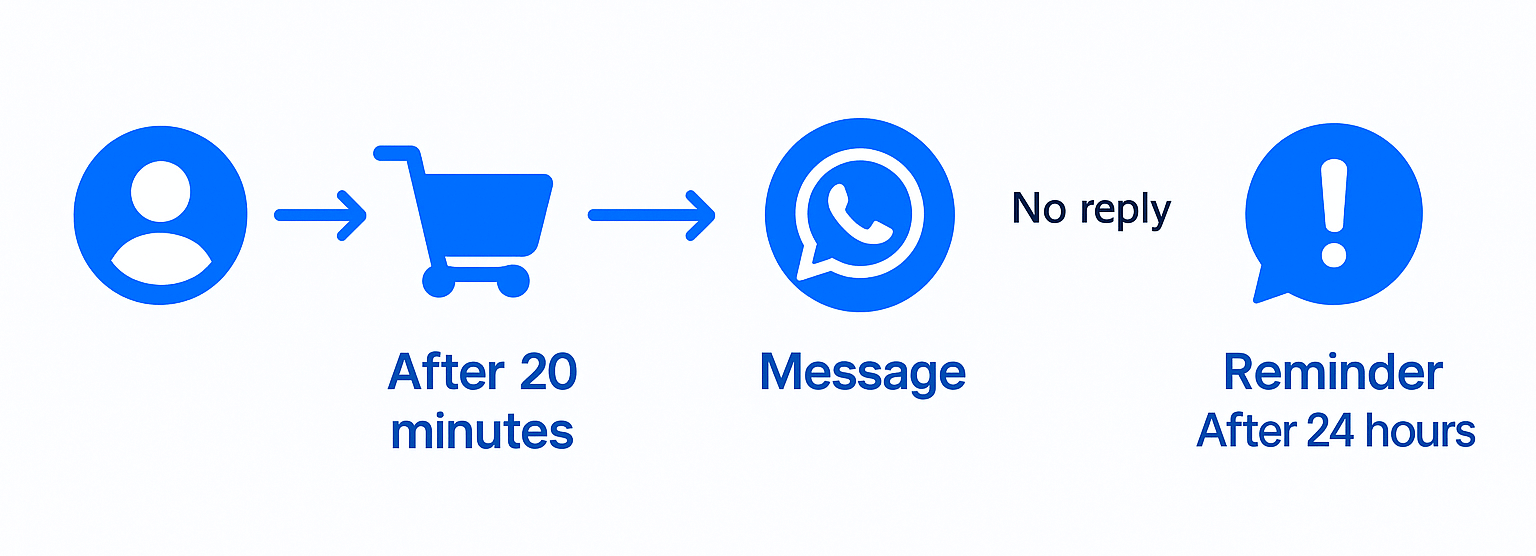
Let’s say a shopper browses your fashion store and adds a denim jacket to their cart, then leaves.

Here’s what your Appgain-powered workflow can do:

  • Trigger: Abandoned cart after 20 minutes

  • Message (WhatsApp):
    “Still thinking about that denim jacket? Here’s 15% off – valid for the next 3 hours.”

  • Action: If no reply in 24h, follow up with low-stock urgency.

This isn’t just messaging — it’s sales automation that feels human.


Why WhatsApp‑First Automation Works

  • Unmatched Open Rates – 98%+ average

  • Higher Conversions – Personalized journeys outperform static funnels

  • Reduced Manual Effort – Let automation handle the heavy lifting

  • Real-Time Engagement – No waiting. No friction. No leaks in the funnel.


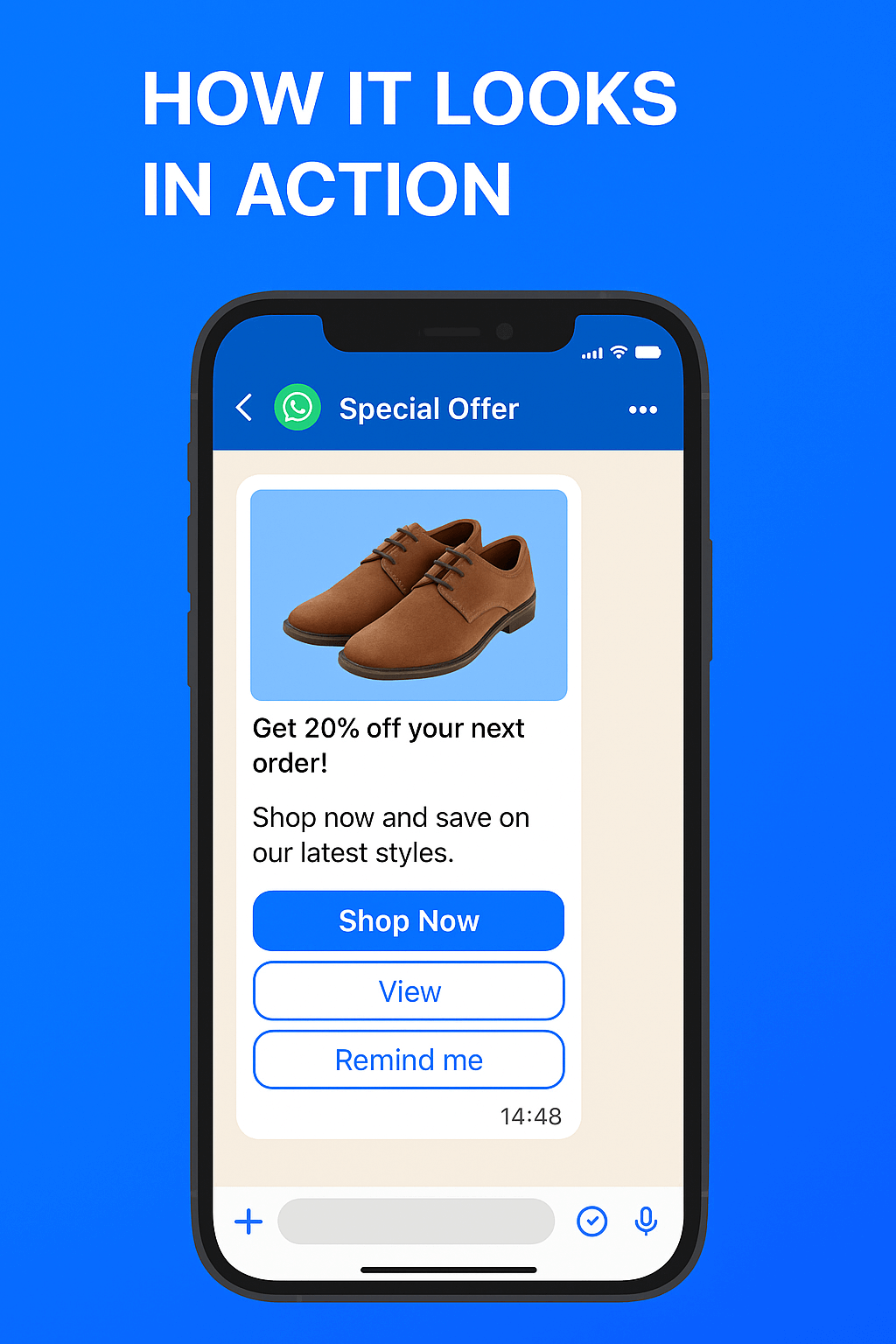
How It Looks in Action

 Imagine this:
A customer opens WhatsApp and finds a rich, branded message with a special offer — complete with image, CTA button, and reply options.

Behind the scenes, your flow tracks who clicked, who bought, and who needs a reminder.

 Overlay this with automation icons and stats like:
“WhatsApp Automation = 98% Open Rate”

That’s not just marketing. That’s precision.


Want to Try It for Your Business?

Whether you’re in e-commerce, retail, or education, WhatsApp-first automation will:

  • Save you time

  • Boost your ROI

  • And make every message count


Don’t just send messages.
Build journeys. Convert leads. Own the conversation.
With Appgain.


? Have questions or want to see it in action?
Our team is ready to help you experience the power of WhatsApp-first automation — tailored to your business goals.

? Chat with us on WhatsApp

Let’s build your first WhatsApp-first campaign — together..

Appgain Teams Up with T2 to Revolutionize Business Messaging

We’re thrilled to announce our exciting partnership with T2, a leading communication technology provider in Saudi Arabia. Our mission? To make it easier and more reliable for businesses to connect with their customers!

Why We’re Partnering
At Appgain, we’re all about helping businesses communicate effectively. Messaging plays a key role in that. By combining T2’s reliable messaging platform with our own customer engagement tools, we’re giving businesses in Saudi Arabia and the GCC region an even smoother way to connect with their customers.

What This Means for You
More Reliable Messaging
With T2’s powerful platform, your messages—whether they’re marketing updates or important alerts—will reach your customers quickly and consistently.

Local Expertise
T2 understands regional regulations and best practices, so you can trust that your messages will meet local requirements and reach the right audience.

Affordable, Quality Service
We aim to offer great value without compromising on performance, so you can focus on what matters: growing your business.

Manage All Your Channels in One Place
With T2 and Appgain working together, you can now manage SMS, WhatsApp, email, and more—all from a single dashboard.

Looking Ahead
This partnership is just the beginning! We’re planning to add more features like enhanced analytics and greater personalization, helping you build even stronger connections with your customers.

Our Shared Vision
We believe technology should simplify life for everyone—businesses and their customers alike. By teaming up with T2, we’re making that a reality.

Ready to improve your business messaging? Reach out today to see how our solutions can help you connect with your customers more effectively.

Team Appgain.

Crafting Compelling Copy for Your Custom Prompt: A Guide to Subscriptions

The Web Push Subscription Custom Prompt, or 2-Step Opt-In, is a powerful tool to get visitors to sign up for notifications. This prompt helps you explain why subscribing is beneficial. It also reduces the chance of visitors blocking notifications. Plus, it allows you to ask them to subscribe again later.

Why Use a Custom Prompt for Web Push Subscriptions?

Most shoppers need a clear reason to opt in to marketing messages, whether for email marketing, catalogs, or texts. When they see obvious benefits, like discounts or product updates, they’re more likely to subscribe. Standard browser prompts give little room to explain these benefits. The Custom Prompt, however, allows you to clearly communicate what they’ll gain by subscribing.

Key Tips for a Strong Custom Prompt

To boost subscriptions, focus on these four elements:

  1. Set Clear Expectations: Explain what type of notifications subscribers will receive. Mention perks like early access to sales or special discounts.
  2. Time It Right: Wait 5-10 seconds before showing the prompt. This brief delay gives visitors a moment to explore.
  3. Use a Friendly Call to Action (CTA): Avoid the generic “Allow.” Try “Subscribe” or “Get Updates” instead. Small changes like these can make a big difference.
  4. Choose an Inviting Button Color: Pick a color that stands out but also matches your brand. For instance, green (#2EAC72) is often linked to positivity.

Tips for Writing Effective Copy for Your Custom Prompt

The success of your Custom Prompt relies on clear, compelling words. Here are eight ways to improve your message:

  • Start with a Friendly Greeting: Use a warm, welcoming message to create a positive first impression.
  • Add Urgency: Include phrases like “Act now” or “Limited time” to prompt quick action.
  • Offer an Incentive: If subscribers get a discount, mention it right away in the prompt.
  • Create Excitement: Let visitors know they’ll get access to exclusive deals, which can build anticipation.
  • Highlight Your Community: If you have a strong brand following, mention it to help new visitors feel included.
  • Show Value: Explain that subscribers will receive useful tips or guides, showing the benefit of signing up.
  • Assure Limited Messaging: Address concerns about message frequency by promising not to overwhelm them.
  • Test and Refine: Try different messages and approaches to see what works best. Testing helps keep the prompt effective.

Conclusion

The Web Push Custom Prompt is a smart way to connect with visitors and encourage them to subscribe. Using these strategies, you can build a loyal audience. Remember, keep testing and refining your approach for better results.

For more insights on how to boost your subscription strategy, check out our Appgain Blog and marketing solutions.

If you have any questions or need assistance with crafting compelling prompts or subscription strategies, feel free to reach out. Elevate your marketing game and build lasting customer relationships with Appgain.io’s powerful solutions today!

Mastering Segmentation: Best Practices and Advanced Strategies for Personalized Marketing

In today’s competitive landscape, personalized marketing is essential for effectively reaching your audience. By using segmentation, you can make your web push notifications more targeted and impactful. In this post, we’ll explore strategies that can help improve your segmented campaigns and, ultimately, boost results.

What is Segmentation?

Segmentation involves dividing your audience into smaller groups. These groups are typically based on behavior, interests, or demographics. By using segmentation, you can send messages that better match each group’s needs. As a result, you’ll achieve higher engagement and more conversions.

Best Practices for Effective Segmentation

1. Add Context to Messages

First and foremost, adding context to your messages is key. Instead of sending generic messages, make each one specific to its intended group. For example, a message like “Here’s a special offer because you loved our last collection!” feels more personal than a basic promotion sent to everyone. Therefore, customers feel more valued and understood.

2. Use Actionable Buttons

Another important practice is to include action buttons that make it easy for customers to visit specific pages. For instance, if you’re promoting a sale, you could add a button linking to a blog post or social media page with more details.This approach not only directs customers quickly but also increases the chances that they will engage with your brand further.

3. Analyze and Adjust Regularly

Running segmented campaigns is only the beginning. After each campaign, analyze the results to see which segments respond best. Consequently, you can focus on what works well and make adjustments for segments that need improvement. With regular analysis and adjustments, your strategy stays effective over time.

Use Segmentation for Flash Sales

In addition, segmentation is especially useful for time-sensitive sales, like Black Friday. It allows you to reach likely buyers quickly without overwhelming those who have recently purchased.

To do this, create a segment that excludes recent buyers or focuses on those who haven’t purchased recently. Consequently, you’ll create urgency without spamming everyone, which helps maintain a positive experience for all customers.

Learn from Subscriber Behavior

Furthermore, segmentation helps you understand your audience better. By sending similar offers to different groups and comparing responses, you can see which segments are most engaged.

For example, if loyal customers engage more with a campaign than new subscribers, you can use this insight to improve future campaigns. Additionally, you can test different types of content—such as promotions, blog posts, or product highlights—to learn what each group prefers. Ultimately, this approach provides valuable insights into customer behavior.

Conclusion

In conclusion, segmentation allows you to personalize your marketing and understand your audience on a deeper level. This leads to more engagement and a better overall customer experience. By following these best practices, you can enhance your web push notifications and drive more conversions.

If you have any questions or need help with segmentation, feel free to reach out. Start personalizing your marketing today for long-term success with Appgain.io solutions.


“Increase your website notifications subscriptions: Irresistible strategies!”

Guide to Writing Copy for Web Push Subscription Custom Prompt

The Web Push subscription Custom Prompt, once known as the 2-Step Opt-In, is a valuable tool. It allows visitors to subscribe to web push notifications. Additionally, this method helps you explain what the notifications are about while encouraging visitors to sign up. By using the Custom Prompt effectively, you can significantly reduce the block rate of your store. Moreover, you can ask for permission again if a visitor did not accept notifications previously.

Importance of Custom Prompt for Web Push Subscription

Customers typically need a compelling reason to opt-in to marketing messages. This includes emails, catalogs, and SMS updates. Generally, shoppers are more likely to subscribe if they perceive clear benefits. However, standard browser prompts offer limited space to convey this value. Therefore, a Custom Prompt becomes especially important. It provides context and messages that promise discounts, product updates, or useful tips.

Checklist for Crafting a Custom Prompt

To encourage subscriptions effectively, consider these four key components of your Custom Prompt:

  1. Setting Expectations: Clearly explain what types of notifications subscribers will receive. For example, mention discounts and early access to new products.
  2. Timing: Wait 5 to 10 seconds before showing the prompt. This allows visitors time to explore your store.
  3. Effective Call to Action (CTA): Change the button text. Instead of “Allow,” use “Subscribe” or “Get Updates” to encourage clicks.
  4. Button Color: Choose an inviting color for the button. You can use blue, match your brand color, or choose green, which is often seen as positive (#2EAC72).

Crafting Compelling Custom Prompt Copy

The success of your Custom Prompt heavily relies on the words you choose. Here are eight tips to enhance your message:

  1. Warm Welcome: First and foremost, greet your visitors warmly. A friendly greeting fosters goodwill and invites engagement.
  2. Create Urgency: For instance, use phrases like “Act now” or “Expires soon.” This sense of urgency can significantly increase conversions.
  3. Offer Incentives: In particular, promise a coupon code when they subscribe. Be sure that this offer is clear in the initial message.
  4. Generate Excitement: Let shoppers know about exclusive deals they will gain access to. Consequently, create buzz around the benefits of subscribing.
  5. Promote Community: If your store has a loyal following, mention it in your Custom Prompt. This sense of belonging can motivate people to subscribe.
  6. Educate on Value: Moreover, inform visitors about guides or tips they can receive by subscribing.
  7. Promise Not to Spam: Additionally, address concerns about receiving too many messages. Assure them about how often you will communicate to alleviate these worries.
  8. Test and Iterate: Finally, try different messages to discover which ones resonate best with your audience.

Conclusion

In conclusion, the Custom Prompt is a powerful tool for web push notifications. Therefore, it helps you communicate clearly with your visitors. By implementing these strategies, you can turn more visitors into loyal subscribers. Finally, always test and refine your approach to find what works best for your audience. Appgain can help you achieve all of this and more by providing advanced tools for customizing, testing, and optimizing your web push notifications. Visit Appgain to discover how you can enhance your subscription strategies and boost engagement.