Learn how AI agents with RAG technology can access live inventory data during customer conversations to prevent COD cancellations and improve sales conversion.
In e-commerce, few things frustrate customers more than placing a cash-on-delivery (COD) order only to discover the item is out of stock when it’s time for delivery. These last-minute cancellations not only damage customer trust but also waste valuable resources in processing, logistics, and customer service. Modern domain-specific AI agents equipped with Retrieval Augmented Generation (RAG) capabilities are revolutionizing how businesses handle inventory information during customer interactions, dramatically reducing cancellation rates and improving the shopping experience.
The High Cost of Inventory Disconnects
When customers place COD orders for products that are actually unavailable, it creates a cascade of problems:
- Wasted fulfillment resources on orders destined for cancellation
- Damaged customer trust and brand reputation
- Lost revenue opportunities when alternatives aren’t offered
- Increased customer service burden handling complaints
Traditional e-commerce systems often operate with inventory data that updates in batches, creating dangerous windows where customers can order products that have actually sold out. This disconnect between sales channels and inventory management is where AI agents with real-time data access can make a transformative difference.
How RAG-Powered AI Agents Transform Inventory Management
Retrieval Augmented Generation (RAG) allows AI systems to supplement their responses with real-time information retrieved from external databases. For inventory management, this creates powerful capabilities:
Real-Time Inventory Verification
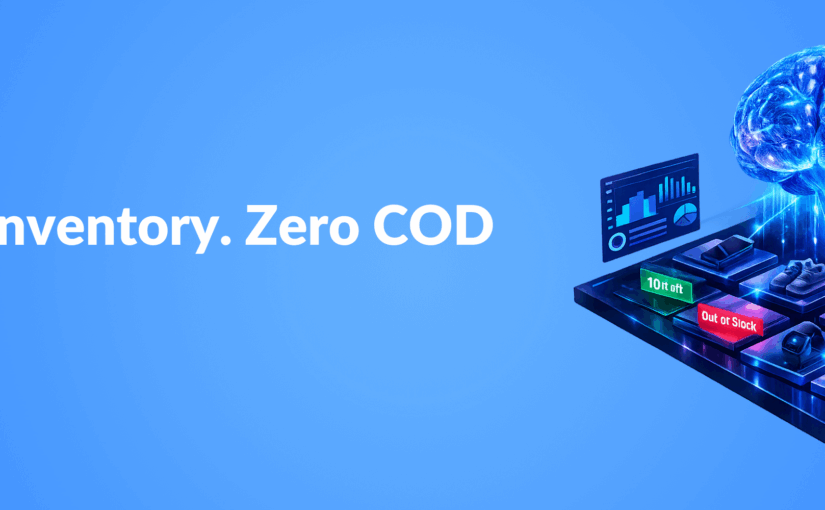
Instead of relying on potentially outdated cache data, AI agents can query inventory management systems in real-time during customer conversations. This ensures customers only place orders for products that are genuinely available.
Intelligent Alternative Suggestions
When items are unavailable or running low, well-trained AI personas can immediately suggest similar alternatives based on customer preferences, maintaining sales opportunities rather than losing them.
Dynamic Delivery Time Updates
By connecting to supply chain data, AI agents can provide accurate delivery estimates based on current inventory location and availability, setting realistic customer expectations from the start.
Building Your RAG-Enhanced Inventory System
Implementing a real-time inventory-aware AI agent requires several key components:
1. Unified Data Architecture
Create API endpoints that allow your AI system to query inventory databases in real-time, ensuring all sales channels work from the same source of truth. This might involve:
- REST APIs to your inventory management system
- WebSocket connections for real-time updates
- Caching layers with appropriate invalidation strategies
2. Contextual Awareness Training
Your AI agents need to understand when to check inventory status during conversations. Train them to recognize purchase intent signals and proactively verify availability before proceeding to checkout steps.
3. Customer-Friendly Response Strategies
Develop thoughtful response templates for out-of-stock scenarios that maintain customer interest. For example:
“I notice the blue model you’re interested in is currently out of stock. We have the same model in red available for immediate shipping, or I can notify you when the blue returns to inventory in approximately 5 days. What would you prefer?”
4. Integration with Customer Communication Channels
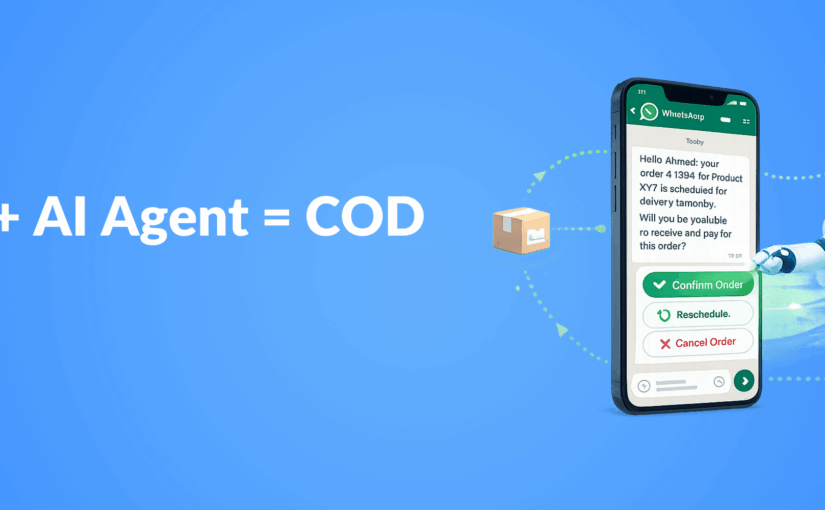
Deploy your inventory-aware AI agents across all customer touchpoints, especially in WhatsApp automation workflows where COD orders are often placed and confirmed.
Real-World Implementation Example
Consider this conversation flow between a customer and an AI agent with RAG-powered inventory access:
Customer: “I’d like to order the Premium Wireless Headphones in black for cash on delivery.”
AI Agent: [Queries inventory system in real-time] “I’d be happy to help with your order. I’ve just checked our warehouse, and while we have the Premium Wireless Headphones, we only have 2 units left in silver. The black version is currently out of stock. Would you like to proceed with silver instead, or would you prefer to be notified when black becomes available?”
Customer: “When do you expect to have black back in stock?”
AI Agent: [Queries supply chain system] “Our next shipment of black Premium Wireless Headphones is scheduled to arrive in our warehouse this Friday. I could place a pre-order for you with delivery expected by next Monday. Alternatively, I can offer you a 10% discount if you choose the silver model for immediate dispatch. Which option works better for you?”
Customer: “I’ll take the silver with the discount.”
AI Agent: “Excellent choice! I’ll apply the 10% discount and process your order for the silver Premium Wireless Headphones with cash on delivery. Is there anything else you’d like to add to your order today?”
This interaction demonstrates how real-time inventory checks can transform potential cancellations into successful sales while improving customer satisfaction.
Measuring Success: Key Performance Indicators
To evaluate the effectiveness of your RAG-powered inventory system, track these metrics:
- COD Cancellation Rate: Should decrease significantly as customers only order available items
- Alternative Product Acceptance Rate: Percentage of customers who accept suggested alternatives when first choices are unavailable
- Customer Satisfaction Scores: Should improve as expectations are managed from the beginning
- Average Order Value: May increase as AI suggests relevant alternatives or complementary products
- Fulfillment Efficiency: Resources saved by not processing doomed-to-cancel orders
Implementing proper analytics dashboards will help you quantify these improvements and refine your system over time.
Key Takeaways
- Real-time inventory verification through RAG-powered AI agents dramatically reduces COD cancellations
- Intelligent product alternatives maintain sales opportunities even when first choices are unavailable
- Integration across all customer communication channels ensures consistent inventory information
- Accurate delivery time estimates improve customer satisfaction and reduce support inquiries
- Measuring KPIs like cancellation rates and alternative acceptance helps optimize the system
Conclusion
The integration of real-time inventory data with AI conversational agents represents a significant advancement in e-commerce operations. By preventing COD cancellations before they happen, businesses can save resources, improve customer satisfaction, and increase sales conversion rates. The technology to implement these systems is accessible today through modern AI frameworks and API-driven architectures.
As customer expectations for accuracy and transparency continue to rise, real-time inventory-aware AI will become a standard feature of successful e-commerce operations rather than a competitive advantage. Businesses that implement these systems now will be well-positioned to reduce cancellations, improve operational efficiency, and build stronger customer relationships.