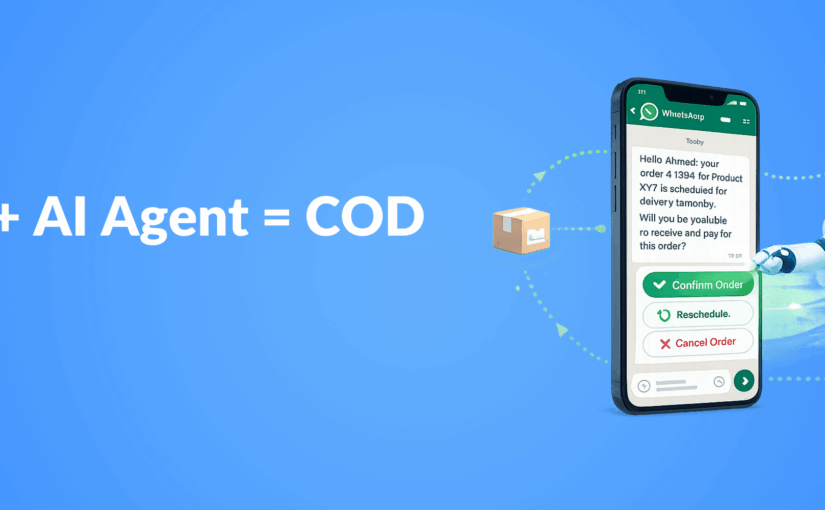
Learn how to implement WhatsApp Business API with AI agents for automated COD verification. Boost conversion rates and reduce failed deliveries.
Cash on Delivery (COD) remains a popular payment method in many markets, but it comes with significant challenges: high return rates, delivery verification issues, and resource-intensive confirmation processes. Combining WhatsApp Automation with AI agents creates a powerful solution that can dramatically improve order confirmation rates while reducing operational costs. This technical implementation guide will walk you through setting up an automated COD verification system that feels personalized and efficient.
Why Traditional COD Verification Methods Fall Short
Before diving into our solution, let’s understand why current methods struggle:
- Manual phone calls are time-consuming and expensive
- Email confirmations see low open rates (15-25%)
- SMS messages lack rich interaction capabilities
- Customers often ignore unfamiliar communication channels
These limitations result in failed deliveries, wasted logistics resources, and frustrated customers. The solution? Leverage WhatsApp’s 98% open rate and AI’s conversational capabilities to create a verification system that actually works.
The Technical Architecture: WhatsApp Business API + AI Agents
Component 1: WhatsApp Business API Setup
To implement this solution, you’ll need:
- A verified WhatsApp Business Account (WABA)
- API access through a Business Solution Provider (BSP)
- Webhook endpoints to receive customer responses
- Message templates approved for transactional messaging
The WhatsApp Business API allows for rich media messages, interactive buttons, and automated flows that make verification both seamless and engaging for customers.
Component 2: AI Agent Infrastructure
The AI component requires:
- A natural language processing (NLP) engine (e.g., GPT-4, Claude)
- Custom training data focused on order confirmation scenarios
- Integration with your order management system
- Conversation flow design with fallback options
The AI agent needs to be trained specifically for your domain to handle various customer responses, objections, and questions about their order.
Implementation Steps: Building Your COD Verification System
Step 1: Design Your Conversation Flow
Create a conversation map that includes:
- Initial verification message with order details
- Confirmation request with interactive buttons (Confirm/Reschedule/Cancel)
- Follow-up questions based on customer response
- Handling of common objections or questions
- Confirmation receipt and next steps
Your flow should be concise yet thorough enough to capture all necessary information.
Step 2: Develop WhatsApp Message Templates
Design and submit these templates for approval:
<Order Confirmation Template>
Hello {{1}}, your order #{{2}} for {{3}} is scheduled for delivery on {{4}}.
Please confirm you'll be available to receive and pay for this order.
[Confirm] [Reschedule] [Cancel Order]
WhatsApp templates must be pre-approved and follow specific formatting guidelines to ensure deliverability.
Step 3: Integrate Your AI Agent
Your AI agent needs to:
- Parse incoming customer messages
- Maintain context throughout the conversation
- Handle natural language responses beyond button clicks
- Respond appropriately to customer questions
- Update order status in your backend systems
This is where training AI personas that feel human becomes critical – customers need to feel they’re having a natural conversation, not interacting with a robot.
Step 4: Build Backend Integration
Connect your system to:
- Order management system (OMS)
- Customer relationship management (CRM)
- Logistics and delivery tracking
- Payment processing systems
These integrations ensure that confirmation status is properly recorded and reflected throughout your operations.
Step 5: Implement Analytics and Monitoring
Set up metrics to track:
- Confirmation rate (% of orders confirmed)
- Response time (how quickly customers respond)
- Conversation completion rate
- Common objections or issues raised
- Delivery success rate improvement
These analytics will help you continuously improve your verification process and track campaigns like a pro with proper dashboards.
Advanced Features to Consider
Multi-language Support
Configure your AI agent to detect and respond in the customer’s preferred language, expanding your system’s accessibility.
Delivery Time Optimization
Allow customers to select specific delivery time slots, reducing failed delivery attempts and improving customer satisfaction.
Rich Media Confirmations
Include product images, delivery maps, or even video instructions in your confirmation messages to increase customer confidence.
Payment Pre-authorization
Offer alternative payment methods during the verification process, potentially converting some COD orders to prepaid.
Common Implementation Challenges and Solutions
Challenge 1: Message Template Approvals
Solution: Follow WhatsApp’s guidelines strictly, avoid promotional language, and focus on transactional content.
Challenge 2: Handling Complex Customer Queries
Solution: Train your AI with a comprehensive dataset of potential questions and implement a human fallback option for complex scenarios.
Challenge 3: Integration with Legacy Systems
Solution: Develop middleware adapters or use API management tools to bridge modern WhatsApp API with older backend systems.
Challenge 4: Ensuring Compliance
Solution: Implement proper data handling, storage limitations, and clear opt-out options to maintain GDPR and other regulatory compliance.
Case Study: E-commerce Retailer Reduces Failed Deliveries by 62%
A mid-sized e-commerce company implemented this WhatsApp + AI verification system with impressive results:
- Reduced failed delivery attempts from 24% to 9%
- Decreased operational costs by 47% compared to manual call centers
- Improved customer satisfaction scores by 28%
- Achieved 94% message open rates (compared to 22% for emails)
- Converted 12% of COD orders to prepaid during the verification process
The system paid for itself within 3 months through operational savings alone.
Key Takeaways
- WhatsApp Business API combined with AI agents creates a powerful COD verification solution
- Proper conversation design is critical for customer engagement and completion rates
- Backend integration ensures verification data flows through your entire operational system
- Analytics help continuously improve the verification process
- Advanced features like multi-language support and rich media can further enhance effectiveness
Conclusion
Implementing a WhatsApp Business API + AI agent solution for COD verification represents a significant advancement over traditional methods. This approach not only reduces failed deliveries and operational costs but also improves customer experience through convenient, conversational interactions. By following the implementation steps outlined in this guide, e-commerce businesses can transform their order confirmation process from a liability into a competitive advantage.
Ready to revolutionize your COD verification process? The combination of WhatsApp’s unmatched reach and AI’s conversational capabilities provides a solution that benefits both your operations and your customers.