How AI and Automation Transformed Furniture eCommerce in Egypt and GCC

Overview

  • Sector: Furniture eCommerce & Circular Economy
  • Location: Egypt & GCC
  • Solution: AI Furniture Ecommerce + Automation

Introduction

AI furniture ecommerce is transforming how customers shop for furniture online.

However, in competitive markets like Egypt and GCC, growth is not driven by product variety alone. Instead, it depends on how fast customers can make confident decisions.

Nabolia faced a critical issue. Customers were interested, but hesitation during the buying journey slowed conversions and increased returns.

Therefore, Appgain stepped in to solve this challenge using AI, automation, and data.


The Challenge

However, Nabolia needed to solve multiple friction points across the customer journey:

  • Standing out in a saturated market
  • Reducing long decision cycles
  • Lowering return rates
  • Encouraging sustainable purchasing

The core issue was simple. Customers could not clearly visualize products in their own spaces.

As a result, hesitation increased. Decisions were delayed. Returns also became higher.


The Appgain Approach

To solve this, Appgain rebuilt the entire experience.

The strategy focused on three key layers:

  • Platform optimization
  • AI-powered visualization
  • Marketing automation

Re-Platforming for Performance and Scalability

First, Nabolia was re-platformed on Shopify Online Store 2.0.

This improved performance and flexibility.

Key improvements included:

  • A bilingual experience (Arabic and English)
  • Mobile-first UX
  • Faster loading speeds

As a result, the platform became ready for scale.


How AI Furniture Ecommerce Reduced Purchase Uncertainty

To solve the biggest problem, Appgain introduced an AI-powered Room Designer.

This AI furniture ecommerce feature allows users to:

  • Upload a photo of their room
  • Select style and colors
  • Receive realistic furniture layouts

Instead of guessing, customers can now see real results.

As a result, confidence increased and hesitation decreased.


Marketing Automation: Turning Intent into Revenue

In addition, Appgain implemented a full automation system.

This AI furniture ecommerce approach includes:

  • Cart recovery via WhatsApp and push notifications
  • Personalized product recommendations
  • Real-time engagement triggers

This was not traditional automation.

Instead, it was an AI-driven system.
It connects user intent with real-time actions.
As a result, no opportunity is missed.


Data and Analytics for Continuous Growth

Moreover, Appgain added a powerful analytics layer.

This helps Nabolia understand user behavior clearly.

It includes:

  • Lifetime value tracking
  • Heatmaps for behavior analysis
  • Sustainability tracking

Therefore, every decision becomes data-driven.


Results

The AI furniture ecommerce transformation delivered strong results:

  • 300% growth in GMV year-over-year
  • 25% increase in Add-to-Cart rate
  • Return rate reduced from 12% to 4.5%
  • 11 tons of furniture saved from landfill

Clearly, combining AI and automation drives real growth.


Why This Strategy Worked

This success came from integration, not isolated features.

  • AI reduced uncertainty
  • Automation reduced friction
  • Data enabled optimization

As a result, the entire customer journey improved.


Technology Stack

The solution was built using:

  • Shopify Online Store 2.0
  • Python (FastAPI)
  • Stable Diffusion + DreamBooth
  • Node.js
  • Appgain SDK
  • Firebase
  • BigQuery + Looker Studio

Conclusion

Nabolia proves that success in AI furniture ecommerce depends on simplifying decisions.

When customers feel confident, they buy faster.

Therefore, businesses must focus on experience, not just products.


Build Your Own Success Story

If your business wants to grow, focus on reducing friction.

Nabolia shows that AI furniture ecommerce can transform both experience and revenue.

👉 Explore more Appgain success stories:
https://appgain.io

👉 Learn more about AI in ecommerce:
https://cloud.google.com/learn/what-is-artificial-intelligence


Start Your Growth Journey Today

Appgain helps businesses build scalable, high-performance digital solutions.

Let’s build your success story.

Safqqa Mobile App: Turning a Dual-Market E-Commerce Vision into a High-Performance Mobile Experience

From Web Stores to a Unified Mobile Experience

The Safqqa Mobile App marks a major step in transforming e-commerce experiences across mobile. In today’s fast-moving digital landscape, mobile is where most customer journeys begin and end.

Operating across Egypt and the UAE, Safqqa needed more than just an app. The goal was to build a scalable and seamless experience that unifies operations and drives measurable growth.


Safqqa Mobile App Challenge: One Brand, Two Markets

Before launching the app, the business was managing two separate Shopify stores, each with different:

  • Product catalogs
  • Pricing structures
  • Payment gateways
  • Customer expectations

The challenge was to create a single mobile application that:

  • Serves both markets efficiently
  • Supports Arabic and English localization
  • Allows seamless switching between countries
  • Integrates fully with Shopify checkout
  • Delivers a high-converting user journey

How Appgain Built the Safqqa Mobile App

Appgain developed the Safqqa Mobile App using its ShopiApp framework, enabling a scalable and efficient mobile architecture.

One Codebase, Multiple Markets

The Safqqa Mobile App was built using a single Flutter codebase that dynamically adapts to each market.

It intelligently loads:

  • Country-specific products
  • Local pricing and currencies
  • Payment methods
  • Store configurations

This flexibility allows the Safqqa Mobile App to serve multiple regions without duplication or complexity.


Seamless Mobile Experience

The Safqqa Mobile App focuses on speed, simplicity, and usability.

Key features include:

  • Clean and intuitive user interface
  • Fast navigation and optimized performance
  • Easy onboarding through email authentication
  • Real-time updates and synchronization

This ensures that users enjoy a smooth and consistent experience across both markets.


Marketing Automation Built Into the Safqqa Mobile App

A key strength of the Safqqa Mobile App is the integration of Appgain’s marketing automation tools.

These include:

  • Abandoned cart recovery campaigns
  • Welcome flows for new users
  • Flash sale notifications
  • Push notifications with deep linking

With these features, the Safqqa Mobile App becomes a powerful revenue-generating channel.


Data and Analytics Integration

To support continuous growth, the Safqqa Mobile App is integrated with Google Analytics 4.

This enables:

  • User behavior tracking
  • Funnel analysis
  • Campaign performance measurement
  • Ongoing optimization

Safqqa Mobile App Results and Business Impact

The Safqqa Mobile App delivered strong performance results shortly after launch:

  • Delivered in just 4 weeks
  • Zero crashes across the first 10,000 sessions
  • 18% increase in recovered revenue within two months

These results highlight how the Safqqa Mobile App combines performance, stability, and growth.


Why the Safqqa Mobile App Matters

The success of the Safqqa Mobile App reflects a broader shift in e-commerce.

Businesses are moving toward unified systems where mobile apps, marketing, and analytics work together in one ecosystem.

The Safqqa Mobile App is a clear example of how this approach drives better results.


The Appgain Approach Behind the Safqqa Mobile App

The success of the Safqqa Mobile App was driven by:

  • Fast and efficient delivery
  • Scalable architecture for multi-market expansion
  • User-focused design for better conversion
  • Built-in marketing and analytics tools

The Future of the Safqqa Mobile App

As Safqqa continues to expand, the Safqqa Mobile App will play a central role in:

  • Customer engagement
  • Retention strategies
  • Revenue growth

Build Your Own Success Story

If you are looking to scale your e-commerce business, the Safqqa Mobile App is a strong example of what is possible with the right technology partner.

Appgain helps businesses transform mobile apps into full growth engines.

The Safqqa Mobile App is a strong example of how modern e-commerce apps can scale across multiple markets efficiently.


Building a RAG Pipeline for Product Catalogs: From CSV to Conversational AI Agent

In today’s AI-driven marketing landscape, connecting your product data to intelligent conversational agents can transform customer interactions. This comprehensive guide walks you through building a Retrieval Augmented Generation (RAG) pipeline that turns static product catalogs into dynamic AI marketing tools that can speak one-on-one to thousands of customers with personalized recommendations.

What is a RAG Pipeline and Why It Matters for Marketing

A Retrieval Augmented Generation (RAG) pipeline combines the power of large language models with your specific product data. Instead of relying solely on an AI’s general knowledge, RAG enables your conversational agents to access, retrieve, and leverage your actual product information when interacting with customers.

For marketers, this means:

  • AI agents that can accurately discuss your specific products
  • Reduced hallucinations and factual errors in AI responses
  • Dynamic product recommendations based on real-time inventory
  • Scalable personalization across thousands of customer conversations

The Components of a Product Catalog RAG Pipeline

Before diving into implementation, let’s understand the key components:

  1. Data Source: Your product catalog (CSV, database, API)
  2. Vector Database: Stores semantic representations of your products
  3. Embedding Model: Converts product text into vector representations
  4. Retrieval System: Finds relevant products based on customer queries
  5. Large Language Model (LLM): Generates natural responses incorporating product data
  6. Orchestration Layer: Connects all components into a seamless workflow

Step 1: Preparing Your Product Catalog Data

The foundation of any effective RAG pipeline is clean, structured data. Start by organizing your product catalog in a consistent format:

CSV Structure Best Practices

product_id,name,description,price,category,attributes,image_url
1001,"Wireless Earbuds","Premium noise-cancelling wireless earbuds with 24-hour battery life.",129.99,"Electronics","{color: 'black', waterproof: true}","https://example.com/images/earbuds.jpg"

Data Cleaning Considerations

  • Remove duplicate products
  • Standardize text formatting (capitalization, punctuation)
  • Ensure descriptions are detailed enough for meaningful embeddings
  • Handle missing values appropriately

For larger catalogs, consider breaking down the data processing into batches to avoid memory issues during the embedding process.

Step 2: Creating Vector Embeddings from Product Data

To make your product data searchable by AI, you need to convert text descriptions into vector embeddings – numerical representations that capture semantic meaning.

Code Example: Generating Embeddings with OpenAI

import pandas as pd
import openai
import numpy as np

# Load your product data
products_df = pd.read_csv('product_catalog.csv')

# Initialize OpenAI client
openai.api_key = "your-api-key"

# Function to create embeddings
def get_embedding(text):
    response = openai.Embedding.create(
        input=text,
        model="text-embedding-ada-002"
    )
    return response['data'][0]['embedding']

# Combine relevant fields for embedding
products_df['embedding_text'] = products_df['name'] + ": " + products_df['description'] + " Category: " + products_df['category']

# Generate embeddings (consider batching for large catalogs)
products_df['embedding'] = products_df['embedding_text'].apply(get_embedding)

# Save embeddings
products_df.to_pickle('products_with_embeddings.pkl')

Step 3: Setting Up a Vector Database

Vector databases are specialized for storing and querying embedding vectors efficiently. For a product catalog RAG pipeline, popular options include Pinecone, Weaviate, Qdrant, or even FAISS for smaller datasets.

Example: Storing Embeddings in Pinecone

import pinecone
import uuid

# Initialize Pinecone
pinecone.init(api_key="your-pinecone-api-key", environment="your-environment")

# Create index if it doesn't exist
index_name = "product-catalog"
if index_name not in pinecone.list_indexes():
    pinecone.create_index(index_name, dimension=1536)  # dimension for OpenAI ada-002 embeddings

# Connect to the index
index = pinecone.Index(index_name)

# Prepare data for upsert
vectors_to_upsert = []
for idx, row in products_df.iterrows():
    # Create a unique ID for each product
    vector_id = str(uuid.uuid4())
    
    # Prepare metadata (will be returned during search)
    metadata = {
        'product_id': str(row['product_id']),
        'name': row['name'],
        'description': row['description'],
        'price': str(row['price']),
        'category': row['category'],
        'image_url': row['image_url']
    }
    
    # Add to upsert list
    vectors_to_upsert.append({
        'id': vector_id,
        'values': row['embedding'],
        'metadata': metadata
    })

# Upsert in batches
batch_size = 100
for i in range(0, len(vectors_to_upsert), batch_size):
    batch = vectors_to_upsert[i:i+batch_size]
    index.upsert(vectors=batch)

print(f"Uploaded {len(vectors_to_upsert)} products to Pinecone")

Step 4: Building the Retrieval System

Now that your product data is embedded and stored, you need a system to retrieve the most relevant products based on customer queries. This is where domain-specific AI agents become powerful marketing tools.

Semantic Search Implementation

def search_products(query, top_k=5):
    # Generate embedding for the query
    query_embedding = get_embedding(query)
    
    # Search the vector database
    search_results = index.query(
        vector=query_embedding,
        top_k=top_k,
        include_metadata=True
    )
    
    # Format results
    products = []
    for match in search_results['matches']:
        products.append({
            'product_id': match['metadata']['product_id'],
            'name': match['metadata']['name'],
            'description': match['metadata']['description'],
            'price': match['metadata']['price'],
            'category': match['metadata']['category'],
            'image_url': match['metadata']['image_url'],
            'score': match['score']  # similarity score
        })
    
    return products

Step 5: Integrating with a Large Language Model

The final piece is connecting your retrieval system to a large language model that can generate natural, conversational responses incorporating the retrieved product information. This approach is similar to training AI personas that feel human but with specific product knowledge.

Implementing the RAG Conversation Flow

def generate_response(user_query):
    # Step 1: Retrieve relevant products
    relevant_products = search_products(user_query)
    
    # Step 2: Format product information for the LLM
    product_context = "Available products that might match this query:\n\n"
    for i, product in enumerate(relevant_products):
        product_context += f"{i+1}. {product['name']} (${product['price']}): {product['description']}\n"
    
    # Step 3: Create prompt for the LLM
    prompt = f"""
    You are a helpful shopping assistant. Use ONLY the product information provided below to answer the customer's question.
    If the information needed is not in the provided context, politely say you don't have that information.
    
    PRODUCT INFORMATION:
    {product_context}
    
    CUSTOMER QUERY:
    {user_query}
    
    Your response:
    """
    
    # Step 4: Generate response using OpenAI
    response = openai.ChatCompletion.create(
        model="gpt-4",
        messages=[
            {"role": "system", "content": "You are a knowledgeable product assistant."},
            {"role": "user", "content": prompt}
        ],
        temperature=0.7
    )
    
    return response.choices[0].message['content']

Step 6: Orchestrating the Complete Pipeline

To create a production-ready RAG pipeline, you need to orchestrate all components into a cohesive system. This can be done using frameworks like LangChain or LlamaIndex, or by building a custom solution with FastAPI or Flask.

Example: Simple FastAPI Implementation

from fastapi import FastAPI
import uvicorn
from pydantic import BaseModel

app = FastAPI()

class Query(BaseModel):
    text: str

@app.post("/query-products/")
async def query_products(query: Query):
    response = generate_response(query.text)
    return {"response": response}

if __name__ == "__main__":
    uvicorn.run(app, host="0.0.0.0", port=8000)

Step 7: Connecting to Marketing Channels

The true power of a product catalog RAG pipeline comes when it’s integrated with your marketing channels. This allows for end-to-end automation turning CRM data into real-time customer conversations.

Integration Possibilities:

  • Website Chatbots: Embed your AI agent directly on product pages
  • WhatsApp Business: Connect your RAG pipeline to WhatsApp for conversational product recommendations
  • Email Campaigns: Generate personalized product suggestions for email newsletters
  • Customer Support: Provide agents with AI-powered product information lookup
  • Social Media: Power automated responses to product inquiries on social platforms

Optimizing Your RAG Pipeline for Marketing Performance

Once your basic pipeline is operational, consider these optimizations to enhance marketing effectiveness:

1. Contextual Awareness

Incorporate user context like past purchases, browsing history, or demographic information to improve relevance.

2. A/B Testing Framework

Implement different retrieval strategies or response templates and measure which drives better conversion rates.

3. Feedback Loop

Capture user reactions to recommendations and use this data to refine your retrieval system over time.

4. Multi-modal Support

Extend your pipeline to handle image queries or return visual product information alongside text.

5. Real-time Inventory Updates

Connect your RAG pipeline to inventory systems to avoid recommending out-of-stock items.

Key Takeaways

  • RAG pipelines connect your product data to AI agents, enabling accurate and personalized customer interactions
  • The process involves data preparation, embedding generation, vector database setup, and LLM integration
  • Clean, structured product data is essential for creating meaningful embeddings
  • Vector databases provide efficient storage and retrieval of product information
  • Proper orchestration connects all components into a seamless conversational experience
  • Integration with marketing channels unlocks the full potential of AI-powered product recommendations

Conclusion

Building a RAG pipeline for your product catalog transforms static data into a dynamic asset that powers intelligent, conversational marketing. By following this end-to-end guide, you can create AI agents that accurately discuss your products, make relevant recommendations, and engage customers in meaningful conversations across multiple channels.

As AI marketing continues to evolve, businesses that effectively connect their product data to conversational agents will gain a significant competitive advantage through enhanced personalization, scalability, and customer experience.

Human-in-the-Loop AI Agents: When to Escalate and When to Automate in Marketing

Discover the optimal balance between AI automation and human intervention in your marketing workflows. As AI capabilities expand, knowing when to let your AI agents handle tasks independently and when human expertise is necessary has become a critical skill for marketing teams looking to maximize efficiency while maintaining quality.

The rise of domain-specific AI agents is transforming marketing operations, but even the most sophisticated systems require thoughtful integration with human workflows. This guide will help you design effective handoff strategies between your AI systems and human teams to create a seamless collaborative environment.

Understanding Human-in-the-Loop AI in Marketing

Human-in-the-loop (HITL) AI refers to systems where human judgment remains part of the operational cycle, providing oversight, correction, and decision-making at critical junctures. In marketing, this approach combines the efficiency and scalability of AI with human creativity, empathy, and strategic thinking.

The HITL model operates on a spectrum ranging from fully automated to completely manual processes:

  • Fully Automated: AI handles the entire process with no human intervention
  • AI with Human Review: AI performs tasks but humans verify outputs before deployment
  • Human-Guided AI: Humans make key decisions while AI handles execution
  • AI-Assisted Human Work: Humans lead the process with AI providing support and suggestions
  • Fully Manual: Humans handle the entire process with minimal or no AI assistance

When to Automate: Tasks Ideal for AI Agents

Certain marketing tasks are particularly well-suited for AI automation with minimal human oversight:

1. Data Analysis and Reporting

AI excels at processing large datasets, identifying patterns, and generating insights. Automated systems can track campaigns and build comprehensive dashboards that update in real-time, freeing your team from manual reporting tasks.

2. Routine Content Generation

For standardized content like product descriptions, social media updates, and basic email templates, AI can produce high-quality outputs at scale. These systems can maintain brand voice while dramatically increasing production capacity.

3. Campaign Optimization

AI agents can continuously monitor campaign performance, make real-time adjustments to bidding strategies, audience targeting, and creative elements to maximize ROI without constant human supervision.

4. Personalization Execution

Once personalization strategies are established, AI can handle the implementation across channels, ensuring each customer receives tailored content, recommendations, and offers based on their behavior and preferences. This personalization at scale would be impossible to execute manually.

5. Initial Customer Interactions

Chatbots and conversational AI can handle initial customer inquiries, qualification, and basic support, providing immediate responses 24/7 while collecting information that may be needed for human follow-up.

When to Escalate: Tasks Requiring Human Expertise

Despite advances in AI technology, certain marketing functions still benefit significantly from human involvement:

1. Strategic Decision-Making

Humans should lead high-level strategy development, brand positioning, and campaign planning. While AI can provide data to inform these decisions, the nuanced judgment required exceeds current AI capabilities.

2. Creative Concept Development

Original creative concepts, breakthrough campaign ideas, and innovative approaches still require human creativity. AI can assist with execution and variation, but truly novel creative direction benefits from human imagination.

3. Sensitive Communications

Communications during crises, addressing sensitive topics, or handling complex customer issues should involve human review to ensure appropriate tone, empathy, and brand alignment.

4. Complex Negotiations

Partnership development, influencer relationships, and vendor negotiations require human relationship-building skills and nuanced communication that AI cannot fully replicate.

5. Ethical Oversight

Humans must provide ethical guidance and review for marketing activities to ensure campaigns align with company values, avoid bias, and maintain appropriate standards.

Designing Effective Handoff Strategies

Creating smooth transitions between AI and human team members requires thoughtful process design:

Clear Escalation Triggers

Define specific conditions that trigger human involvement, such as:

  • Confidence thresholds (when AI confidence falls below a certain level)
  • Specific customer segments or high-value accounts
  • Unusual patterns or anomalies in data
  • Presence of sensitive keywords or topics
  • Customer explicitly requesting human assistance

Seamless Knowledge Transfer

When escalation occurs, ensure your AI systems provide human team members with all relevant context:

  • Complete conversation or interaction history
  • Customer profile and historical data
  • Actions already taken by the AI
  • Specific reason for escalation
  • Recommended next steps (if applicable)

Feedback Loops for Continuous Improvement

Implement mechanisms for humans to provide feedback on AI performance:

  • Simple rating systems for AI-generated content
  • Annotation tools to highlight errors or improvement areas
  • Regular review sessions to identify common issues
  • Documentation of successful interventions to train future models

Transparent Process Documentation

Ensure all team members understand the collaboration workflow:

  • Clear documentation of which tasks are automated vs. human-led
  • Visual process maps showing handoff points
  • Training for both technical and non-technical team members
  • Regular updates as AI capabilities evolve

Implementing HITL in Common Marketing Workflows

Content Marketing

AI handles: Draft generation, SEO optimization, basic editing, content distribution

Humans provide: Creative direction, final approval, expert insights, strategic alignment

For example, AI might generate blog drafts and optimize them for search engines, while humans review for brand voice, add unique insights, and make final editorial decisions.

Email Marketing

AI handles: Audience segmentation, template customization, A/B testing, scheduling

Humans provide: Campaign strategy, creative direction, final approval

AI can draft personalized email content and even help with email warming strategies, while humans focus on overall campaign goals and approve final messaging.

Social Media Management

AI handles: Content suggestions, posting schedule, performance tracking, basic engagement

Humans provide: Brand voice oversight, community management, crisis response

AI might suggest and schedule regular posts, while humans handle sensitive community interactions and real-time trend response.

Customer Support

AI handles: Initial response, FAQs, data collection, basic troubleshooting

Humans provide: Complex issue resolution, empathetic support, relationship building

Chatbots can handle common questions and collect information, escalating to human agents when issues become complex or emotionally charged.

Advertising Management

AI handles: Budget allocation, bid management, performance optimization, audience targeting

Humans provide: Creative direction, campaign strategy, final approval

AI can continuously optimize ad performance while humans focus on creative development and strategic decisions.

Measuring the Success of Your HITL Strategy

Evaluate your human-in-the-loop implementation with these key metrics:

Efficiency Metrics

  • Time saved by automation
  • Volume of work processed
  • Cost per marketing action
  • Team productivity increases

Quality Metrics

  • Error rates in AI outputs
  • Customer satisfaction scores
  • Content engagement metrics
  • Campaign performance

Process Metrics

  • Escalation frequency
  • Resolution time for escalated issues
  • AI confidence scores over time
  • Human intervention requirements

Team Satisfaction

  • Marketing team feedback on AI collaboration
  • Reduction in repetitive tasks
  • Increased focus on strategic work

Key Takeaways

  • Human-in-the-loop AI combines the efficiency of automation with human creativity and judgment
  • Automate routine, data-heavy, and scalable tasks while keeping humans involved in strategic, creative, and sensitive activities
  • Design clear escalation triggers and knowledge transfer processes for seamless handoffs
  • Implement feedback loops to continuously improve your AI systems
  • Measure both efficiency gains and quality outcomes to optimize your approach
  • Gradually expand automation as AI capabilities and team comfort levels increase

Conclusion

The most effective marketing operations don’t choose between AI and human expertise—they strategically combine both. By thoughtfully designing when and how your AI agents escalate to human team members, you create a system that leverages the unique strengths of each.

This human-in-the-loop approach allows you to scale your marketing efforts while maintaining quality, creativity, and the human touch that builds genuine connections with your audience. As AI capabilities continue to evolve, regularly reassess your automation/escalation balance to ensure you’re maximizing both efficiency and effectiveness.

The future of marketing isn’t AI replacing humans—it’s AI and humans working together in increasingly sophisticated ways. Start building your collaborative workflows today to stay ahead of the curve.

 

SMS + WhatsApp Orchestration: How AI Agents Choose the Right Channel at the Right Time

In today’s hyper-connected world, choosing the right communication channel can make or break your customer engagement strategy. Modern marketing demands more than just blasting messages across multiple platforms—it requires intelligent orchestration between SMS and WhatsApp messaging to reach customers when and where they’re most receptive. This intelligent channel selection, powered by AI agents, is revolutionizing how businesses communicate with their audiences.

The Channel Selection Challenge

Marketers face a daily dilemma: should this message be an SMS or a WhatsApp message? The answer isn’t always straightforward and depends on numerous factors:

  • Message urgency and importance
  • Customer preferences and past behavior
  • Time of day and geographical location
  • Message content and formatting needs
  • Delivery confirmation requirements

Making the wrong choice can lead to ignored messages, customer frustration, or wasted marketing budget. This is where AI-powered channel orchestration becomes invaluable.

How AI Agents Make Channel Decisions

Modern AI agents don’t just automate messaging—they intelligently orchestrate the entire communication process by analyzing multiple data points:

1. User Behavior Analysis

AI systems track and analyze how users interact with different message types:

  • Open rates and response times across channels
  • Click-through rates on links in messages
  • Conversion rates following different message types
  • Time patterns showing when users are most responsive

2. Contextual Understanding

AI agents consider the context of each communication:

  • Transactional vs. promotional content
  • Time sensitivity of information
  • Previous interactions in the customer journey
  • Current stage in the sales funnel

3. Preference Learning

The AI continuously adapts to individual preferences:

  • Explicit preferences (opt-ins, settings)
  • Implicit preferences (engagement patterns)
  • A/B testing results across user segments

SMS vs. WhatsApp: When to Use Each

Understanding the strengths of each channel is crucial for effective orchestration.

When AI Chooses SMS

  • Universal Reach: When the recipient might not have WhatsApp installed
  • Critical Alerts: For time-sensitive information like verification codes or urgent alerts
  • Simplicity: When the message is brief and doesn’t require rich media
  • Regulatory Communications: For compliance-related messages that need guaranteed delivery

SMS remains unmatched in its ubiquity and reliability, making it ideal for critical communications that must reach every user regardless of smartphone ownership or internet connectivity.

When AI Chooses WhatsApp

  • Rich Content: When messages benefit from images, videos, or formatted text
  • Interactive Engagement: For conversations requiring back-and-forth communication
  • Cost Efficiency: For frequent communications with international users
  • Brand Experience: When a more polished, branded experience enhances the message

WhatsApp offers richer engagement possibilities and has become the preferred channel for personalized communications at scale, especially when building ongoing relationships with customers.

Real-World Orchestration Scenarios

Scenario 1: E-commerce Order Updates

An AI agent might orchestrate communications for an online purchase as follows:

  1. Order Confirmation: WhatsApp message with rich details (product images, order summary)
  2. Shipping Alert: SMS notification for immediate attention
  3. Delivery Preparation: WhatsApp message with delivery window and driver details
  4. Feedback Request: Channel selection based on previous engagement patterns

Scenario 2: Banking Communications

For financial services, the orchestration might look like:

  1. Transaction Alerts: SMS for immediate notification of account activity
  2. Statement Availability: WhatsApp message with secure download link
  3. Fraud Prevention: SMS for urgent verification needs
  4. Financial Advice: WhatsApp for personalized recommendations with visual aids

Implementing AI-Driven Channel Orchestration

Data Requirements

Effective channel orchestration requires comprehensive data:

  • Customer profile information
  • Historical engagement metrics
  • Channel performance analytics
  • Contextual data (time, location, device)

Technical Implementation

Building an effective orchestration system requires:

  1. Integration with both SMS and WhatsApp Business APIs
  2. Machine learning models trained on engagement data
  3. Real-time decision engines
  4. Feedback loops for continuous improvement

Companies looking to implement sophisticated AI agents should consider architecting their own agent infrastructure to fully customize the decision-making process.

Measuring Success

The effectiveness of channel orchestration should be measured through:

  • Engagement rates across channels
  • Conversion improvements
  • Customer satisfaction scores
  • Cost efficiency metrics

Proper campaign tracking and dashboard building are essential for optimizing your orchestration strategy over time.

Future of AI-Driven Channel Orchestration

The future of messaging orchestration is evolving rapidly:

  • Predictive Engagement: AI will anticipate needs before customers express them
  • Cross-Channel Journey Mapping: Seamless transitions between channels based on context
  • Emotional Intelligence: Channel selection based on sentiment analysis and emotional context
  • Autonomous Optimization: Self-improving systems that continuously refine channel selection

As AI technology advances, the line between different messaging channels will blur from the customer’s perspective, creating a unified communication experience that adapts to their needs in real-time.

Key Takeaways

  • AI-powered channel orchestration intelligently selects between SMS and WhatsApp based on multiple factors
  • SMS excels for universal reach and critical alerts, while WhatsApp offers rich engagement and interactive experiences
  • Effective orchestration requires comprehensive data, proper technical implementation, and continuous measurement
  • The future of messaging will feature predictive engagement and seamless cross-channel experiences
  • Implementing AI agents for channel selection can significantly improve engagement rates and conversion metrics

In today’s competitive landscape, intelligent channel orchestration isn’t just a nice-to-have—it’s becoming essential for businesses that want to communicate effectively with their customers. By leveraging AI to make smart decisions about when to use SMS versus WhatsApp, companies can ensure their messages not only reach customers but resonate with them at exactly the right moment.

Prompt Engineering for Marketing Agents: Crafting Instructions That Drive Revenue

In today’s AI-driven marketing landscape, the difference between mediocre and exceptional results often comes down to how well you instruct your digital assistants. Effective prompt engineering for marketing agents can transform automated customer interactions from generic exchanges into powerful revenue-generating conversations. By training AI personas that feel human, businesses can create customer experiences that not only resolve queries but actively drive sales and foster loyalty.

Why System Prompts Matter for Marketing Success

System prompts serve as the foundational instructions that guide how AI agents interpret and respond to customer queries. Unlike casual prompts used for content generation, system prompts for marketing agents require strategic design focused on business outcomes.

When crafted properly, these instructions can:

  • Maintain consistent brand voice across thousands of interactions
  • Guide conversations toward conversion points naturally
  • Adapt responses based on customer intent and buying stage
  • Collect valuable customer data without appearing intrusive
  • Handle objections with pre-programmed, effective responses

The Anatomy of a Revenue-Driving System Prompt

Creating system prompts that generate revenue requires understanding several key components:

1. Identity and Constraints

Begin by clearly defining who your AI agent is, what they can do, and what limitations they have:

You are MarketingBot, a customer success specialist for [Brand]. 
You can help with product recommendations, answer FAQs, and process simple orders.
You cannot access customer payment details or modify existing orders.

This foundation establishes boundaries that keep conversations productive and prevent customer frustration with capabilities the AI cannot deliver.

2. Goal-Oriented Directives

Include specific business objectives that guide the AI’s responses:

Your primary goal is to guide customers toward completing purchases.
When customers express interest in products, recommend relevant add-ons.
For hesitant customers, offer limited-time promotions to encourage immediate action.

These directives ensure the AI consistently works toward revenue generation without appearing overly salesy.

3. Contextual Understanding

Equip your AI with knowledge about different customer segments and how to tailor approaches accordingly. Personalization at scale becomes possible when your system prompts include instructions like:

Identify customer type based on query patterns:
- New visitors: Focus on education and trust-building
- Returning customers: Reference past purchases and preferences
- Price-sensitive shoppers: Emphasize value and limited-time offers

4. Conversation Flow Management

Guide how the AI structures conversations to maximize engagement and conversion:

Follow this conversation structure:
1. Greet and identify customer needs
2. Provide valuable information related to their query
3. Ask clarifying questions to understand purchase intent
4. Present solutions with clear benefits
5. Address objections proactively
6. Guide toward next steps (purchase, demo, etc.)

Real-World Examples That Drive Results

Example 1: E-commerce Product Specialist

You are a Product Advisor for our premium skincare line. When customers ask about products:
1. Identify their skin concerns first
2. Recommend 1-2 core products that address these concerns
3. Suggest a complementary product that enhances results
4. Mention our satisfaction guarantee to reduce purchase anxiety
5. Provide a clear call-to-action to complete purchase

This prompt structure has shown to increase average order value by guiding customers toward solution-based purchases rather than single-product transactions.

Example 2: Service Booking Assistant

You are a Booking Specialist for our consulting firm. Your goal is to convert inquiries into scheduled consultations.
- Ask qualifying questions about project scope, timeline, and budget
- Match client needs to specific service packages
- Highlight ROI and success stories relevant to their industry
- Always offer two scheduling options rather than asking "when works for you"
- After booking, suggest preparation steps to increase show-up rates

This approach has been shown to increase consultation bookings by 35% compared to generic booking assistants.

Optimizing Prompts Through Testing and Iteration

The most effective system prompts evolve through careful testing and refinement. When optimizing your prompts:

  1. Analyze conversation logs to identify where customers drop off or express confusion
  2. Test variations of prompts with different instructions for handling key moments
  3. Track conversion metrics tied to specific prompt changes
  4. Gather customer feedback about their experience with the AI agent

Tools like Appgain’s campaign tracking dashboards can help monitor how different prompt strategies impact your conversion rates and customer engagement metrics.

Common Pitfalls in Marketing Agent Prompts

Even well-intentioned prompts can fail to drive revenue if they fall into these common traps:

  • Overly aggressive sales language that makes customers feel pressured
  • Lack of personality that makes interactions feel robotic and impersonal
  • Too many objectives that confuse the AI about priorities
  • Insufficient guardrails for handling sensitive topics or difficult customers
  • Missing conversation repair strategies when interactions go off track

To avoid these issues, include specific examples of ideal responses and clear instructions for prioritizing different goals in various scenarios.

Integrating AI Agents Into Your Marketing Ecosystem

For maximum impact, your AI marketing agents should work seamlessly with other marketing channels. Consider how your system prompts can support:

  • Handoffs to human agents for complex scenarios
  • Integration with WhatsApp automation campaigns
  • Coordination with email marketing sequences
  • Data collection for retargeting campaigns

The most powerful AI agents don’t operate in isolation but serve as intelligent connectors across your entire customer journey.

Key Takeaways

  • Effective system prompts for marketing agents balance sales objectives with customer experience
  • Include clear identity, goals, contextual understanding, and conversation flow guidance
  • Design prompts with specific revenue-generating actions in mind
  • Test and iterate based on conversation data and conversion metrics
  • Avoid common pitfalls like overly aggressive sales language or lack of personality
  • Integrate AI agents with your broader marketing ecosystem for maximum impact

Conclusion

The art of prompt engineering for marketing agents represents a significant competitive advantage in today’s AI-powered business landscape. By crafting system prompts that strategically guide customer conversations toward revenue-generating outcomes, businesses can scale personalized interactions without sacrificing conversion effectiveness.

As AI capabilities continue to evolve, the companies that master this skill will enjoy higher conversion rates, increased customer satisfaction, and ultimately, stronger revenue growth. Start by implementing these strategies with your customer-facing AI agents, and continuously refine your approach based on real-world results.

The End of Cookies: Why WhatsApp & SMS Are the Future of Retargeting

For years, digital marketers relied on cookies to track visitors, retarget ads, and recover lost conversions. A user visited a website, viewed a product, and then saw ads follow them everywhere. That system worked — until privacy rules changed.

Today, that era is ending.

Major browsers are removing third-party cookies. As a result, traditional retargeting is losing accuracy, reach, and reliability. Marketers now face a critical question: how do you stay connected to your audience when browser tracking disappears?

The answer lies in first-party messaging channels.


The Death of the Cookie Era

Chrome, Safari, and Firefox have all tightened privacy controls. Third-party cookies are being phased out. Consequently, ad platforms can no longer track users across websites the way they used to.

This shift means:

  • Retargeting ads are less precise

  • Attribution is harder to measure

  • Customer journeys are fragmented

If a business does not own its audience data, it depends entirely on platforms it cannot control.


Why First-Party Data Wins

First-party data is information customers share directly with your business. This includes phone numbers, WhatsApp opt-ins, email addresses, and purchase behavior.

Because it is consent-based, first-party data is:

  • Privacy-compliant

  • More accurate

  • Future-proof

Moreover, it allows brands to communicate without relying on browsers or third-party trackers.


WhatsApp & SMS: The New Retargeting Powerhouses

Direct messaging channels are becoming the strongest alternative to cookie-based retargeting.

They offer:

  • Instant reach: Messages arrive directly on the user’s phone

  • High engagement: WhatsApp open rates reach up to 98%, while SMS exceeds 90%

  • Personalization at scale: Automation delivers relevant messages to each user

  • Privacy-friendly communication: No tracking, only consent

Instead of hoping an ad reaches a visitor again, brands can send a direct message about a product viewed, a cart left behind, or a reminder that actually gets seen.


How Appgain Enables Cookie-Free Retargeting

Appgain provides the infrastructure to shift from browser-based tracking to direct, owned communication.

With Appgain, businesses can:

  • Capture leads through forms, QR codes, and checkout flows

  • Segment users by behavior, location, or purchase history

  • Automate WhatsApp and SMS campaigns with personalization

  • Track performance without relying on cookies

As a result, retargeting becomes more reliable and measurable — even in a cookie-free environment.


Final Thoughts

The end of cookies doesn’t mean the end of retargeting — it means the end of guessing.

In a world where privacy comes first, brands that rely on WhatsApp and SMS gain something far more powerful than tracking: direct access, real consent, and meaningful conversations.

With Appgain, you’re not chasing users across the web.
You’re building a first-party messaging engine that keeps your audience close — and your campaigns effective.

Turn Clicks Into Campaigns: Retargeting with Short Links & Meta Pixels

Most clicks go unnoticed.
A user taps a link, views a product, and disappears.

However, with the right setup, every click can become a future opportunity — even if the user does not convert right away.

In this guide, you will learn how to use Appgain’s short links and Meta Pixels to capture user intent, build custom audiences, and automatically trigger retargeting campaigns across Meta platforms using n8n.


Why Short Links Are More Than Just Links

Short links are not only about shortening URLs. In fact, they act as behavioral tracking points across every channel.

Each time a user clicks an Appgain short link in WhatsApp, SMS, email, or social media, the system can:

  • Log the click inside your CRM

  • Detect the traffic source

  • Assign tags or events (for example: Clicked Product A)

  • Trigger actions in external platforms

As a result, every click becomes structured data that can be reused for targeting and automation.


The Power of Meta Pixel and Custom Audiences

The Meta Pixel tracks user activity on your website and sends that data back to Meta platforms such as Facebook and Instagram.

However, when you combine Meta Pixel data with Appgain short links and n8n, the value increases significantly. You can:

  • Combine link click data with on-site behavior

  • Automatically add users to Meta Custom Audiences

  • Retarget users based on the exact product or page they viewed

Because of this setup, retargeting becomes precise rather than generic.


Use Case 1: E-commerce Retargeting

Scenario

You send a WhatsApp broadcast with a short link to a “New Arrivals” page.
Several users click, browse products, and leave without purchasing.

Automation Flow

  • Appgain detects the short link click

  • Meta Pixel fires when the user lands on the product page

  • n8n matches the click with pixel activity

  • The user is added to a Meta Custom Audience

  • A retargeting ad is automatically shown within 24 hours

Result

Users see ads related to the exact products they viewed, which increases return visits and conversions.


Use Case 2: Influencer Traffic Capture

Scenario

An influencer shares your Appgain short link in an Instagram story.
Followers click the link and explore your website.

Automation Flow

  • Click triggers a tag such as Influencer_X

  • Meta Pixel tracks landing page behavior

  • n8n syncs users into a warm audience inside Meta

  • You retarget interested users who did not convert

In addition, the same audience can be reused to build lookalike campaigns.


How to Set It Up Step by Step

  1. Create an Appgain short link with UTM parameters

  2. Embed the Meta Pixel on the destination page

  3. Use n8n to:

    • Detect short link clicks

    • Match CRM tags or events

    • Update Meta Custom Audiences automatically

  4. Launch retargeting campaigns inside Meta Ads Manager

Once configured, the entire flow runs automatically without manual work.


Final Thoughts

Clicks are not the end of a user journey — they are the beginning.

With Appgain, you are not simply tracking traffic.
You are building a retargeting engine that captures intent, follows behavior, and converts interest into real results.

How to Use ChatGPT to Write WhatsApp Messages That Don’t Get Flagged as Spam

WhatsApp is one of the most effective channels for business communication, yet it enforces strict policies. When companies ignore these rules, their messages may be flagged as spam or their business numbers may face restrictions. Because of that, marketers need a clear method for creating safe, user-friendly WhatsApp messages.

In this guide, you will learn how to use ChatGPT to write compliant WhatsApp messages, how WhatsApp’s spam detection works, and how to test and improve your campaigns with Appgain’s WhatsApp API.


Why WhatsApp Flags Messages

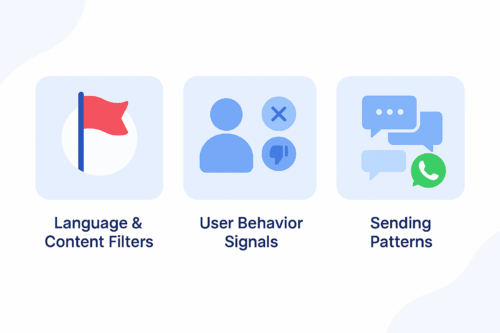
A clean blue infographic illustrating three reasons WhatsApp flags messages: language and content filters, user behavior signals, and sending patterns.
A simple infographic showing the main factors that cause WhatsApp messages to be flagged as spam.

WhatsApp protects users from unwanted or irrelevant content. Its detection system relies on three main components.

1. Language and Content Filters

WhatsApp automatically flags messages that include aggressive sales language, misleading claims, or repetitive promotional formatting.

2. User Behavior Signals

If users frequently block your number, report your messages, or never engage, WhatsApp lowers your sender quality score.

3. Sending Patterns

Sending the same unpersonalized message to large audiences or sending at a high frequency increases the risk of being flagged.


How ChatGPT Helps You Stay Compliant

ChatGPT allows marketers to generate message variations, personalize content, and avoid risky language. When used effectively, it helps you:

  • Avoid spam-triggering words

  • Maintain a conversational and friendly tone

  • Personalize messages at scale

  • Generate safe, compliant WhatsApp templates

Instead of guessing what may cause a message to be flagged, you can use ChatGPT to create structured, user-focused messages based on WhatsApp’s best practices.


Best Practices for Writing WhatsApp Messages

To improve compliance and engagement, follow these principles.

Focus on Value, Not Promotion

Avoid overly pushy sales messages.

Instead of:
“Buy now and get 50% off!”

Try:
“We thought you might like these new arrivals.”

Keep the Tone Conversational

Write naturally and avoid robotic or formal text.

Personalize Whenever Possible

Reference the user’s name, interest, or purchase history to reduce block rates.

Use Soft CTAs

Avoid commands such as “Act now.”
Use gentle guidance like “Would you like to explore the latest items?”


ChatGPT Prompt Examples for Safe WhatsApp Messaging

Use the prompt ideas below to generate compliant message templates:

Cart Reminder

“Write a friendly reminder for a user who left items in their cart. Keep the tone conversational and avoid strong promotional language.”

Personalized Follow-Up

“Create a message for a returning customer based on their last purchase. Offer something relevant without pressure.”

Re-Engagement Prompt

“Write a soft re-engagement message for a customer who has not interacted in 30 days.”

Order Confirmation with Suggestion

“Write an order confirmation message that includes a light suggestion for a related product.”

Limited-Time Announcement

“Create a short message inviting the user to view a relevant campaign without using pushy phrases.”


Testing and Improving with Appgain’s WhatsApp API

Once your messages are ready, you can test their performance using Appgain’s WhatsApp API.

Step 1: Send via WhatsApp API

Deliver personalized messages using templates, dynamic fields, and buttons.

Step 2: Monitor Message Performance

Track key metrics such as delivery rate, read rate, clicks, and opt-outs.

Step 3: Iterate Based on Feedback

If a message performs poorly, adjust the tone or content using ChatGPT and test a new version. Continuous iteration leads to stronger results.


Final Thoughts

Writing WhatsApp messages that avoid spam filters isn’t just a compliance task — it’s the foundation of building conversations that users actually want to receive. When your messaging feels natural, thoughtful, and personal, it earns trust instead of triggering blocks.

With Appgain, you’re not simply sending WhatsApp campaigns.
You’re shaping a messaging experience that respects the user, follows WhatsApp’s rules, and delivers measurable business impact.

WhatsApp Automation: Turn CRM Data Into Real-Time Sales

Most businesses today hold large volumes of customer data inside their CRM systems, yet very few unlock its true potential. This is where WhatsApp Campaign Automation becomes essential. By activating real-time, behavior-based messaging, businesses can engage customers instantly based on actions, intent, or inactivity.

When a customer browses, abandons a cart, or stops engaging, automation ensures the next step happens immediately. With Appgain’s WhatsApp API combined with n8n’s no-code workflows, marketing teams can build a complete automated funnel that moves customers from CRM to WhatsApp in a seamless, conversion-driven journey.


The Challenge: Fragmented Marketing Execution

Visual illustration showing fragmented communication channels scattered around a central workspace, symbolizing disorganized customer communication.
A visual snapshot of fragmented tools and channels before automation.

In many companies, marketing operations are spread across disconnected tools:

  • CRM platforms store customer data

  • Messaging tools handle communication

  • Analytics tools measure engagement and performance

This fragmentation leads to delays, inconsistent messaging, and missed sales opportunities. Without WhatsApp Campaign Automation, customer journeys become slow and heavily dependent on manual steps.


The Solution: A Fully Automated WhatsApp Funnel

By integrating Appgain with n8n, teams can activate CRM data instantly and send personalized WhatsApp messages in real time. This solution connects the entire customer journey inside one workflow:

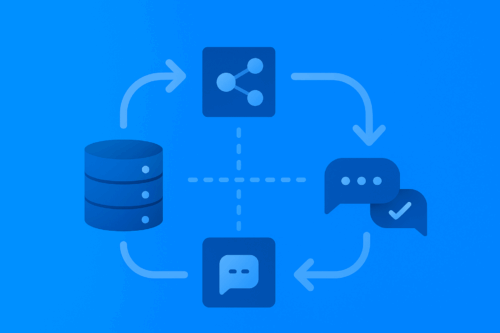
Automated funnel illustration showing CRM data flowing through n8n automation nodes into WhatsApp message bubbles.
A visual funnel showing how CRM data moves through automation before reaching customers on WhatsApp.
  • Import CRM contacts

  • Build audience segments

  • Trigger automated campaigns

  • Deliver messages instantly

  • Track opens, clicks, and conversions

  • Push insights back into the CRM

This approach transforms static data into an active communication engine.


How WhatsApp Campaign Automation Works

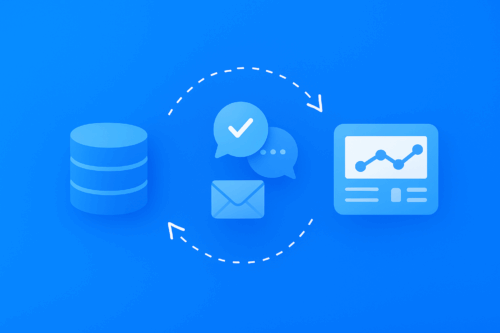
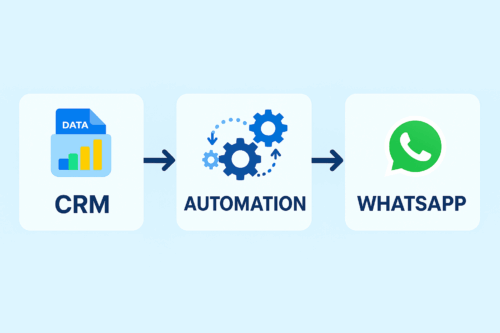
Visual workflow showing CRM data flowing into automation, then delivered to customers through WhatsApp.
A simple workflow illustrating how CRM data moves through automation to WhatsApp messaging.

1. Import CRM Contacts Into n8n

Use native connectors or an API to sync contacts directly from your CRM into the workflow.

2. Segment Customers Based on Behavior

Create dynamic segments based on activity, lifecycle stage, geography, purchases, or product interest.

3. Build Campaign Logic

Examples of automation rules include:

  • If a cart is abandoned for 48 hours, send a WhatsApp reminder

  • If a customer is inactive for 14 days, trigger a re-engagement message

  • After a purchase, send a thank-you message or referral offer

4. Deliver Messages via Appgain’s WhatsApp API

This includes images, buttons, product recommendations, and dynamic personalization fields.

5. Track Performance in Real Time

Monitor delivery rates, message opens, clicks, and conversion events. Feed this performance data back into the CRM to continually improve segmentation and targeting.


Real Example: Automated Drip Campaign for E-commerce

A fashion retailer implemented a fully automated seven-day WhatsApp campaign using Appgain and n8n:

  • Day 1: Identify and segment VIP customers

  • Day 2: Send early access to new arrivals

  • Day 3: Deliver exclusive limited-time discount

  • Day 6: Trigger low-stock reminders

  • Day 7: Send thank-you message with referral incentive

Results included:

  • A 47 percent increase in click-through rate

  • A three-times higher conversion rate compared to email

  • A 30 percent drop in customer support tickets due to automated responses

This shows the power of WhatsApp Campaign Automation when CRM data is activated instantly.


Why WhatsApp Campaign Automation Works

Faster Execution
Campaigns can be created and deployed within hours rather than weeks.

Hyper-Personalization
Messages respond to customer behavior in real time.

No-Code Simplicity
Marketers can build workflows without engineering involvement.

Scalable Performance
A single automated workflow can serve thousands of customers simultaneously.

For deeper workflow examples, see n8n’s official documentation at:
https: // n8n . io


Additional Resources

For deeper workflow examples and automation best practices, you can explore the official n8n resource at  n8n.io.
If you want to learn more about the value of WhatsApp-first communication, check our internal guide on WhatsApp-first strategies available on the Appgain blog.

Conclusion

Customer data becomes valuable only when activated at the right moment with the right message. Through WhatsApp Campaign Automation using Appgain’s WhatsApp API and the automation power of n8n, businesses can build continuous, personalized communication that boosts engagement and accelerates revenue.

This is not just marketing automation.
It is a complete customer conversion engine.

From CRM to customer, every step becomes part of one automated, intelligent loop — where data turns into real conversations, and conversations turn into growth.


Ready to Market Like It’s 2025?

Unlock real-time, AI-powered WhatsApp campaigns and turn your CRM data into conversations that convert.

With Appgain, you can launch your first automated WhatsApp journey in under 10 minutes — no engineering, no complexity.

Start Your Smart Campaign Today